Minecraft Texture Packs Minecraft Resource Packs

Minecraft’s default interface is functional, but for many players, it feels too bright and visually busy during long play sessions. Mandala’s GUI Dark Mode texture pack offers a refined alternative by transforming the game’s user interface into a darker, more modern layout. Instead of changing blocks or items, this pack focuses entirely on the GUI, delivering a cleaner and more comfortable visual experience. It is designed for players who want a subtle upgrade that improves usability without altering Minecraft’s core look and feel.
What Mandala’s GUI Dark Mode Is
Mandala’s GUI Dark Mode is a UI-focused resource pack that retextures Minecraft’s menus, inventories, hotbars, and interface elements into a consistent dark theme. The primary goal of the pack is to reduce eye strain while improving visual clarity, especially during extended gameplay sessions. Unlike full texture packs that overhaul blocks and items, this pack leaves the world itself untouched, making it easy to combine with almost any other resource pack.
In comparison to other GUI-only packs, Mandala’s approach stands out for its balance between style and practicality. It avoids overly decorative elements and instead prioritizes readability and consistency across all menus. The pack works smoothly alongside popular vanilla-style, PvP, or realistic texture packs, since it only replaces interface assets.
Mandala’s GUI Dark Mode is compatible with the following Minecraft versions: 1.16.x – 1.20.x (and newer minor updates).
The pack is built at a 16x resolution, ensuring it remains lightweight and performance-friendly. OptiFine is not required, though it can be used if you already have it installed for other visual enhancements.
Art Style, Visual Direction, and Gameplay Clarity
The visual direction of Mandala’s GUI Dark Mode is minimalist and modern. The pack replaces Minecraft’s default light-gray panels with darker backgrounds, softer gradients, and clearly defined borders. Buttons, slots, and icons are carefully recolored to maintain contrast without becoming harsh or distracting.
Color choices are subtle, relying on deep grays and muted highlights rather than pure black. This ensures text remains readable and icons stay distinct, even in low-light environments or during nighttime gameplay. Important UI elements such as item slots, health indicators, and menu text remain easy to identify at a glance.
From a gameplay perspective, the darker interface helps reduce visual noise. Inventory management feels more organized, crafting menus are easier on the eyes, and extended sessions—such as building, survival grinding, or multiplayer play—become more comfortable. Because the pack does not modify fonts or icon shapes drastically, it preserves familiarity while offering a refined aesthetic.
UI consistency is one of the strongest points of this pack. Menus, settings screens, and in-game overlays all follow the same visual language, creating a cohesive experience rather than a collection of disconnected edits. This makes the pack feel polished and well thought out rather than experimental.
Perfect For Players Who
- Prefer dark mode interfaces and minimal visual distractions
- Spend long hours in survival, SMP, or creative mode
- Want a UI upgrade without changing world textures
- Play on both low-end and high-end systems
- Like combining multiple texture packs without conflicts
Screenshots Section
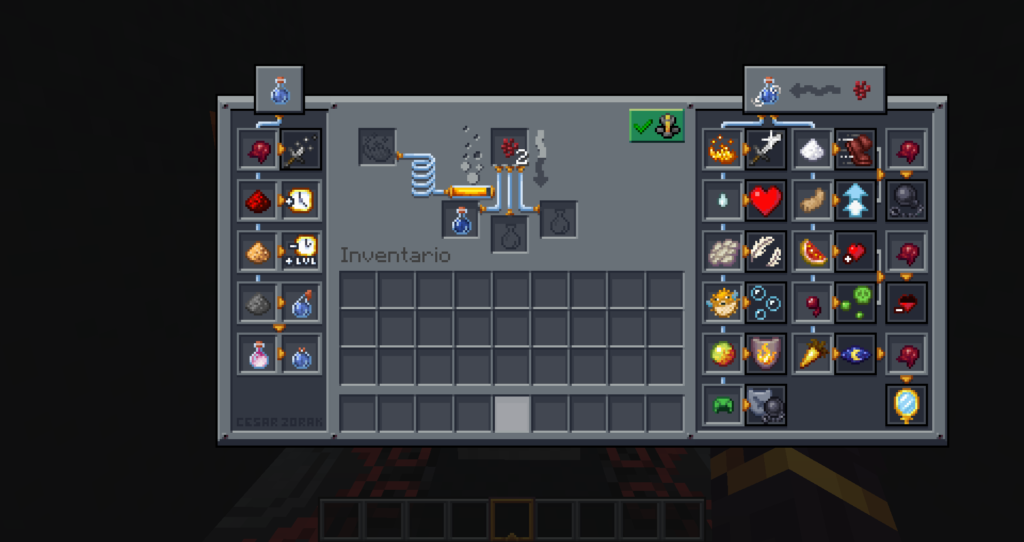
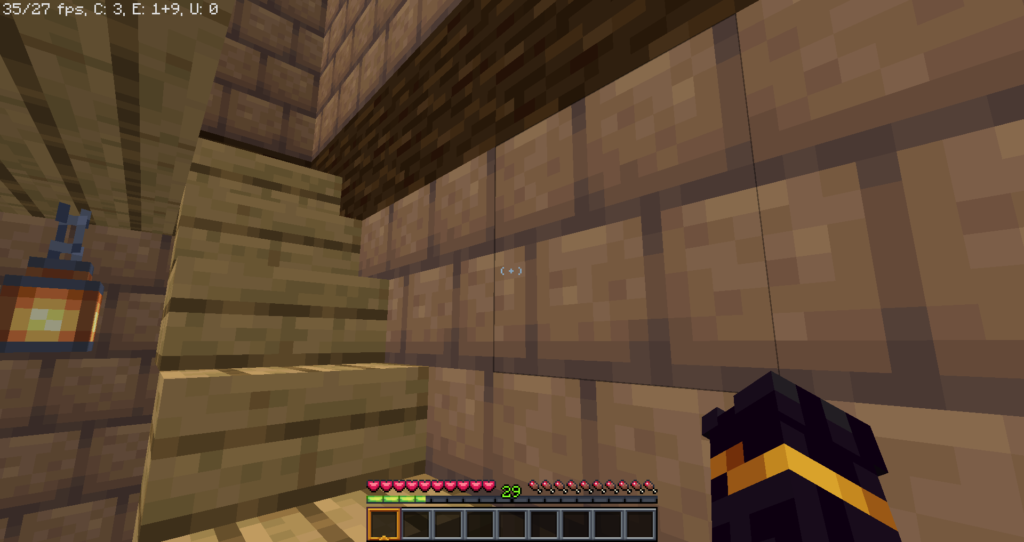
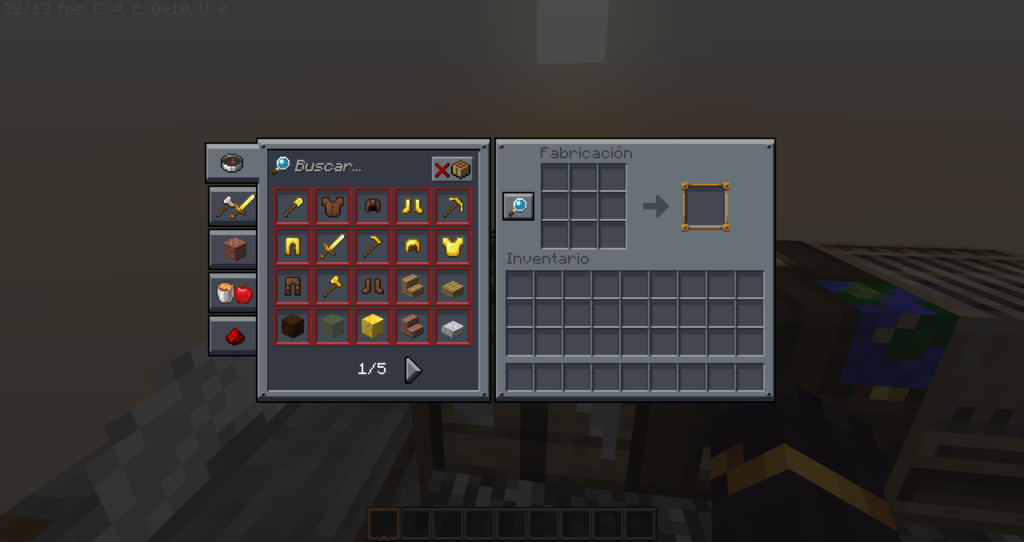
The screenshots provided are taken from official sources and showcase Mandala’s GUI Dark Mode running in-game. They highlight the redesigned inventory, menus, and interface elements, giving a clear impression of the pack’s dark theme and consistent visual style. These images accurately represent how the GUI looks during normal gameplay across different menus.
Download
You can download the texture pack using the official link below.
Java Edition:
[16x] [1.21.x] Download Mandala’s GUI Dark Mode Resource Pack
[16x] [1.20.x] Download Mandala’s GUI Dark Mode Resource Pack
[16x] [1.19.x] Download Mandala’s GUI Dark Mode Resource Pack
Curseforge: download starts automatically after a few seconds;
Mediafire: click the big blue button with the text “DOWNLOAD”;
Google Drive: in the top right corner you will see a small download icon (down arrow), click it and the download should start;
Mandala’s GUI Dark Mode is created by Mandala, and full credit goes to the original creator for the design and continued updates.
Disclaimer
Disclaimer:
We do not host texture pack files. We only provide links to official sources, and availability of external links may change over time.