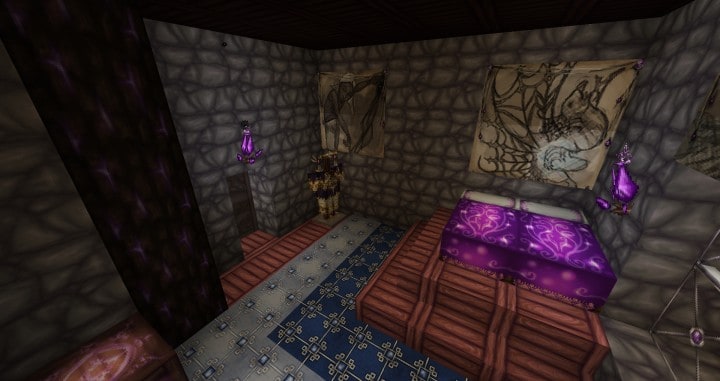
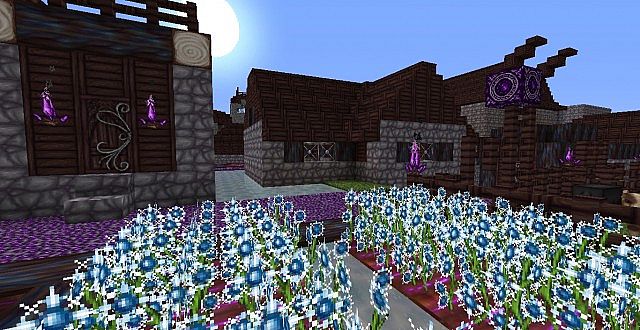
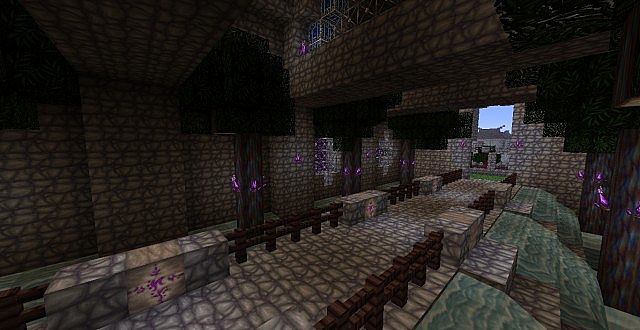
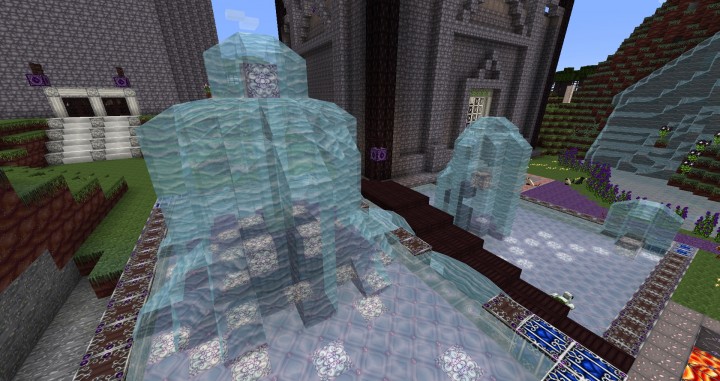
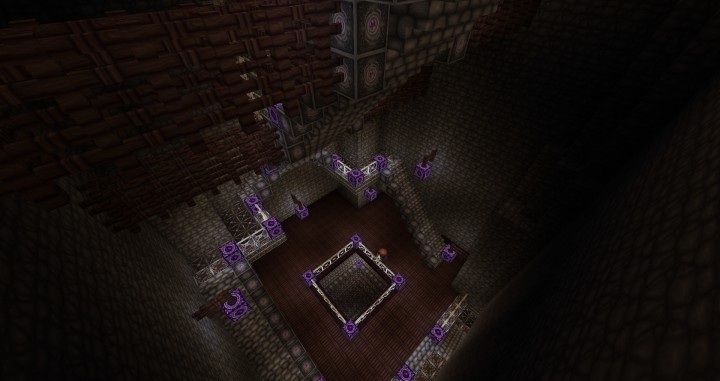
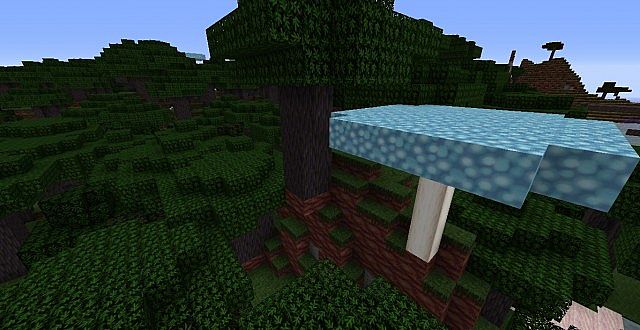
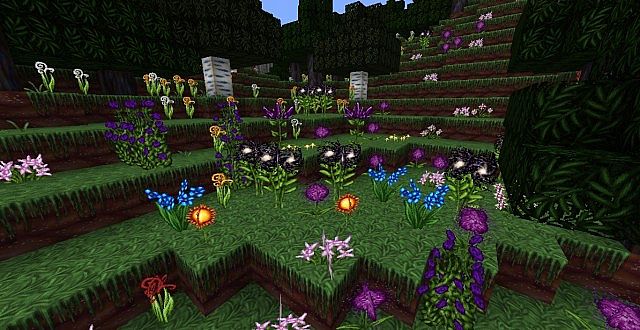
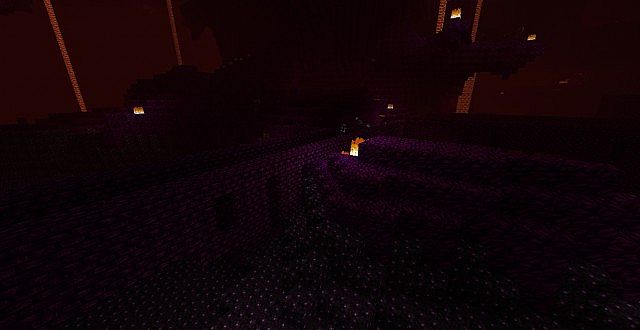
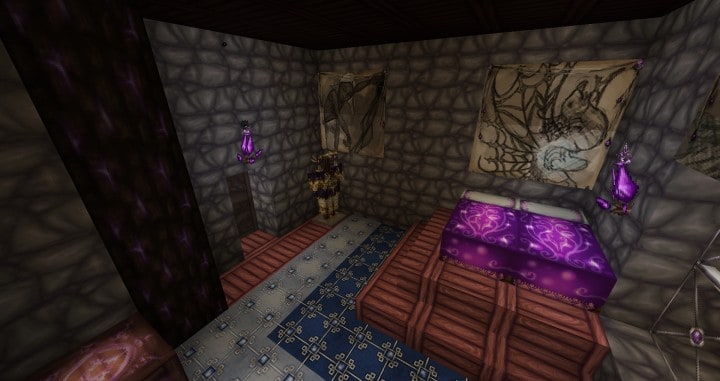
Resource packs can be so wildly popular that players end up crafting all sorts of fantastic variations. One truly renowned variant of these textures is the Wolfhound Fantasy resource pack, which is brilliantly derived from the original Wolfhound pack. I tested out Wolfhound Fantasy and found that it completely transforms the appearance of the base game thanks to its beautifully and uniquely crafted textures paired with a crisp 64x resolution. One of the standout features that really makes this resource pack stand out from the rest is its strikingly bright and attractive purple color scheme. Wolfhound Fantasy has been thoughtfully designed with multiple purple-colored items, including trees, various items, distinct blocks, and custom icons. The real perk of these trees is that you can harvest them into multiple planks, which can then be used to construct a wide variety of charming purple-toned items throughout your builds.
Notably, this resource pack also incorporates a deep black color that perfectly complements the vibrant purple, making your Minecraft world look remarkably like an Endermen realm. These two color blocks form a visually stunning combination that elevates Wolfhound Fantasy’s graphics to an entirely new level. While most resource packs typically feature simple and flat textures, Wolfhound Fantasy boasts an amazing level of detail that I found to be simply unmatched. Overall, this resource pack brings truly versatile features to the table that make playing Minecraft significantly more fun, enjoyable, and thrilling. It genuinely makes the game feel like a classic Dungeons and Dragons campaign. Even though the intricate textures might look a bit complex at first glance, I discovered that players will easily grow to find them wonderfully straightforward. It basically feels like a lovingly updated texture pack straight out of the nineties or eighties. For any player out there who is actively hunting for a genuinely useful Minecraft resource pack, Wolfhound Fantasy is completely worth your time. Simply download and test it out for yourself—the gorgeous purple lights and glowing torches make the experience truly amazing.
Wolfhound Fantasy should be compatible with all of these Minecraft versions: 26.2 – 26.1.2 – 26.1.1 – 26.1 – 1.21.11 – 1.21.10 – 1.21.9 – 1.21.8 – 1.21.7 – 1.21.6 – 1.21.5 – 1.21.4 – 1.21.3 – 1.21.2 – 1.21.1 – 1.21 – 1.20.6 – 1.20.5 – 1.20.4 – 1.20.3 – 1.20.2 – 1.20.1 – 1.20 – 1.19.4 – 1.19.3 – 1.19.2 – 1.19.1 – 1.19 – 1.18.2 – 1.18.1 – 1.18 – 1.17.1 – 1.17 – 1.16.5 – 1.16.4 – 1.16.3 – 1.16.2 – 1.16.1 – 1.16 – 1.15.2 – 1.15.1 – 1.15 – 1.14.4 – 1.14.3 – 1.14.2 – 1.14 – 1.13.2 – 1.13.1 – 1.13 – 1.12.2 – 1.12 – 1.11.2 – 1.11 – 1.10.2 – 1.10 – 1.9.4 – 1.9 – 1.8.9 – 1.8.8 – 1.8.1 – 1.8.6 – 1.8
Screenshots



How to Install Texture Pack (Simple 10 Steps)
- Download OptiFine: Most of the texture packs and shaders need OptiFine. That’s why, first download and install OptiFine for the version of Minecraft you want to play.
- Download the Texture Pack: Get the texture pack you want from the download section. Choose the version that works with your Minecraft and your PC’s performance.
- Open Minecraft Launcher: Start Minecraft using the official game launcher — or even TLauncher, if you use that.
- Go to Options: From the main menu, click on the “Options” button.
- Open Resource Packs: Inside Options, click on “Resource Packs…”.
- Open the Resource Pack Folder: Click on “Open Resource Pack Folder” — this will open a folder named “resourcepacks”.
- Move the Pack File: Copy or move the .zip file you downloaded into that “resourcepacks” folder. (Don’t unzip the file — Minecraft uses it as-is!)
- Go Back and Refresh: Close the folder and click “Done”, then go back into “Resource Packs…” again.
- Activate the Pack: You’ll see the pack on the left side. Hover over it and click the arrow to move it to the right (active side).
Tip: If you get a message that the pack is for a different version, just click “Yes” — it usually works fine. - Click Done and Enjoy: Click “Done” again. Now your pack is ready to use in-game. It’s that easy!
Credits
The Wolfhound Fantasy resource pack was originally created by ThistlePack. We do not claim ownership of this content, nor do we host modified versions of these files. We strongly encourage players to support the original creator by downloading the pack through the official links provided.
Download Links
Java Edition
- [64x] Minecraft 26.2.x – 26.1.x
- [64x] Minecraft 1.21.x
- [64x] Minecraft 1.20.6 – 1.20.2
- [64x] Minecraft 1.20 – 1.20.1
- [64x] Minecraft 1.19.x – 1.18.x
- [64x] Minecraft 1.17.x – 1.16.x
- [64x] Minecraft 1.15.x
- [64x] Minecraft 1.14.x
- [64x] Minecraft 1.13.x
- [64x] Minecraft 1.12.x
- [64x] Minecraft 1.11.x
- [64x] Minecraft 1.10.x – 1.9.x
- [64x] Minecraft 1.8.x
Download Instructions
Curseforge: download starts automatically after a few seconds;
Mediafire: click the big blue button with the text “DOWNLOAD”;
Google Drive: in the top right corner you will see a small download icon (down arrow), click it and the download should start;


