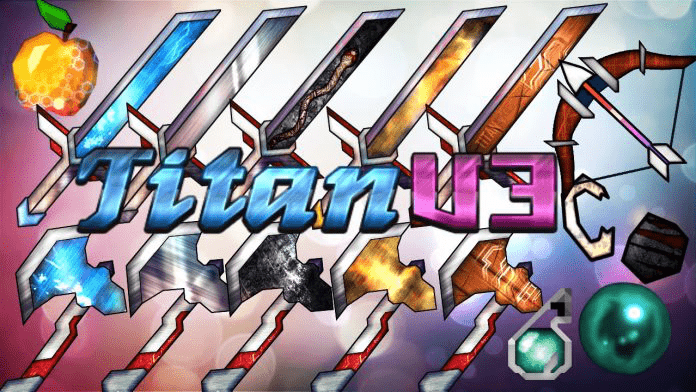
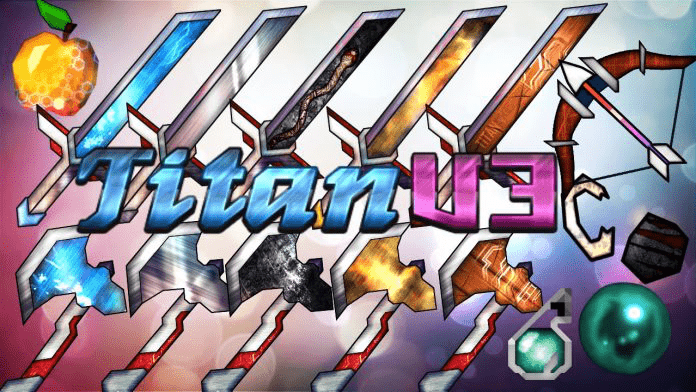
If you are a true lover of intense PvP battles, then you seriously need to check out the Titan V3 resource pack because it is totally your thing! This resource pack presents such an easy-going and smooth experience during your most heated fights. One uniquely amazing thing is that the pack never compromises when it comes to the quality of its visuals, standing simply as the best way ahead of the rest. In the past, most PvP packs have suffered from an integral fault full of heavily toned-down visuals, but Titan v3 brings the wonderful news of a game with a remarkably smooth Minecraft experience. This is all thanks to its incredible ability to genuinely enhance the overall performance of the game. On top of this, the resource pack is fully able to maintain some far-fetched looking visuals to deeply satisfy every single player’s gaming experience. The textures presented are packed with lively actions that never disappoint their users. One of the standout features that makes it truly shine is the textures full of intricate details. Furthermore, Titan v3 is fully loaded with crafty animations that make the whole world feel super lively, with its main focus squarely on items and blocks mostly used throughout intense PvP sessions.
As if that is not already enough, this resource pack provides every single item with a skillfully created animation that elevates the visual experience to a completely different level. The entire PvP experience is a fantastic combination of these animated elements, which truly brings extra life into the game. In addition, the final outcome is a stimulating and highly immersive experience that you will love. This clearly explains why the pack has been widely considered both quality and creative all around. The pack is also thoughtfully designed with every element featuring the various classic aspects of traditional PvP packs, such as low light which wonderfully aids in overall visibility. The resource pack comes in a classic low resolution of 16×16, meaning players can effortlessly run it even on standard PCs. This resolution is also heavily optimized to be used at very steady frame-rates, so you have way less to worry about if you happen to be playing on a low-end computer.
Titan v3 PvP should be compatible with all of these Minecraft versions: 1.13.2 – 1.13.1 – 1.13 – 1.12.2 – 1.12 – 1.11.2 – 1.11 – 1.10.2 – 1.10 – 1.9.4 – 1.9 – 1.8.9 – 1.8.8 – 1.8.1 – 1.8.6 – 1.8 – 1.7.10 – 1.7.9 – 1.7.4 – 1.7
Screenshots
How to Install Texture Pack (Simple 10 Steps)
- Download OptiFine: Most of the texture packs and shaders need OptiFine. That’s why, first download and install OptiFine for the version of Minecraft you want to play.
- Download the Texture Pack: Get the texture pack you want from the download section. Choose the version that works with your Minecraft and your PC’s performance.
- Open Minecraft Launcher: Start Minecraft using the official game launcher — or even TLauncher, if you use that.
- Go to Options: From the main menu, click on the “Options” button.
- Open Resource Packs: Inside Options, click on “Resource Packs…”.
- Open the Resource Pack Folder: Click on “Open Resource Pack Folder” — this will open a folder named “resourcepacks”.
- Move the Pack File: Copy or move the .zip file you downloaded into that “resourcepacks” folder. (Don’t unzip the file — Minecraft uses it as-is!)
- Go Back and Refresh: Close the folder and click “Done”, then go back into “Resource Packs…” again.
- Activate the Pack: You’ll see the pack on the left side. Hover over it and click the arrow to move it to the right (active side).
Tip: If you get a message that the pack is for a different version, just click “Yes” — it usually works fine. - Click Done and Enjoy: Click “Done” again. Now your pack is ready to use in-game. It’s that easy!
Credits
Credits to REALRemoteAttackX for creating the Titan v3 Resource Pack. We do not own or modify the files provided, and we encourage you to support the original creator.
Download Instructions
Curseforge: download starts automatically after a few seconds;
Mediafire: click the big blue button with the text “DOWNLOAD”;
Google Drive: in the top right corner you will see a small download icon (down arrow), click it and the download should start;


