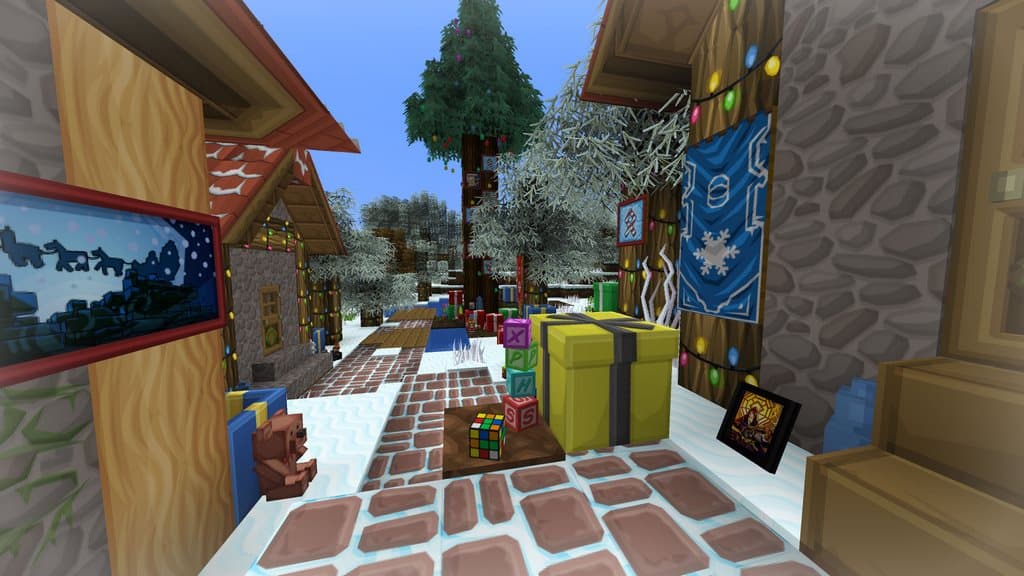
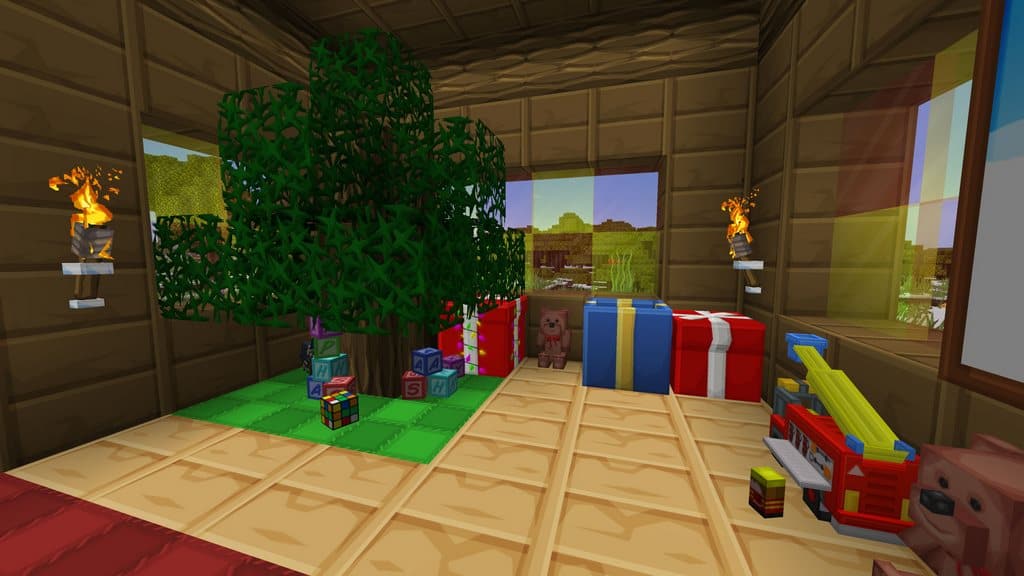
You simply must have already heard about the famous Sphax PureBDcraft resource pack by now! Well, the Sphax XmasBDcraft resource pack has been recently introduced and it is truly a fantastic high-quality edition of the beloved Sphax PureBDcraft texture pack. Speaking more about PureBDcraft, it comes with so many professional and amazing textures that can be used seamlessly in almost all versions of Minecraft, plus these textures support a wide range of different resolutions, from 16x all the way to 512x. Please note that this particular resource pack was officially introduced way back in 2011, and since its inception, it has been updated quite regularly. Now, the Sphax XmasBDcraft resource pack has been brought to life in order to infuse so many more festive vibes directly into your gameplay through wonderful Christmas themes, objects, and matching sound effects. That is precisely why it is named as the reworked and modified version of the original Sphax PureBDcraft pack. So, if you sincerely wish to add a festive holiday spin into your Minecraft game, then please feel free to use this wonderful resource pack as it will gracefully incorporate that delightful Christmas flavor into your world.
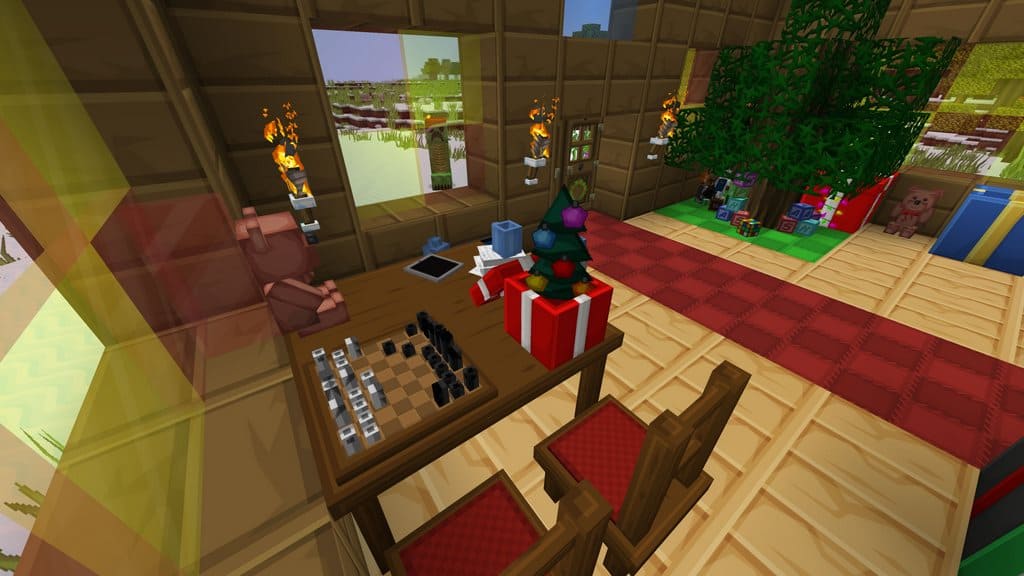
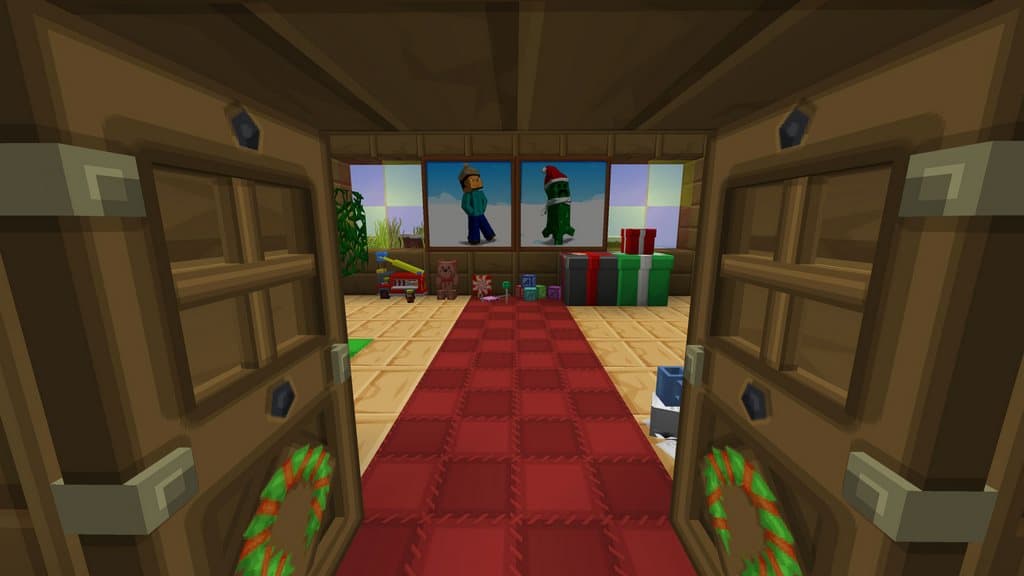
Apart from the unique holiday theme, this resource pack completely transforms various items in the game like TNT, melons, cauldrons, and pumpkins into amazing gift boxes. We were thrilled to discover that the actual mechanics and features of these items are kept fully intact, while only their appearances are cleverly modified so that they can present the ultimate holiday scene in a much better way. In addition to that, you will even find menacing monsters like Skeletons, Creepers, and Endermen in their corresponding reworked and revamped holiday versions. What is even more exciting is that you will also encounter some cool Santa stuff as well once you install the Sphax XmasBDcraft resource pack. Christmas is simply not complete without beautifully decorated trees, is it? To accurately present those magical Christmas vibes, this resource pack brings gorgeous decorated tree textures into the game too. Please note that the Sphax XmasBDcraft resource pack is updated regularly, especially right before the Christmas season hits, and it comes packed with stunning 64x and 128x resolutions.
Sphax XmasBDcraft should be compatible with all of these Minecraft versions: 1.21.11 – 1.21.10 – 1.21.9 – 1.21.8 – 1.21.7 – 1.21.6 – 1.21.5 – 1.21.4 – 1.21.3 – 1.21.2 – 1.21.1 – 1.21 – 1.20.6 – 1.20.5 – 1.20.4 – 1.20.3 – 1.20.2 – 1.20.1 – 1.20 – 1.19.4 – 1.19.3 – 1.19.2 – 1.19.1 – 1.19 – 1.18.2 – 1.18.1 – 1.18 – 1.17.1 – 1.17 – 1.16.5 – 1.16.4 – 1.16.3 – 1.16.2 – 1.16.1 – 1.16 – 1.15.2 – 1.15.1 – 1.15 – 1.14.4 – 1.14.3 – 1.14.2 – 1.14 – 1.13.2 – 1.13.1 – 1.13 – 1.12.2 – 1.12 – 1.11.2 – 1.11 – 1.10.2 – 1.10 – 1.9.4 – 1.9 – 1.8.9 – 1.8.8 – 1.8.1 – 1.8.6 – 1.8 – 1.7.10 – 1.7.9 – 1.7.4 – 1.7 – 1.6.4 – 1.6.2
Screenshots



How to Install Texture Pack (Simple 10 Steps)
- Download OptiFine: Most of the texture packs and shaders need OptiFine. That’s why, first download and install OptiFine for the version of Minecraft you want to play.
- Download the Texture Pack: Get the texture pack you want from the download section. Choose the version that works with your Minecraft and your PC’s performance.
- Open Minecraft Launcher: Start Minecraft using the official game launcher — or even TLauncher, if you use that.
- Go to Options: From the main menu, click on the “Options” button.
- Open Resource Packs: Inside Options, click on “Resource Packs…”.
- Open the Resource Pack Folder: Click on “Open Resource Pack Folder” — this will open a folder named “resourcepacks”.
- Move the Pack File: Copy or move the .zip file you downloaded into that “resourcepacks” folder. (Don’t unzip the file — Minecraft uses it as-is!)
- Go Back and Refresh: Close the folder and click “Done”, then go back into “Resource Packs…” again.
- Activate the Pack: You’ll see the pack on the left side. Hover over it and click the arrow to move it to the right (active side).
Tip: If you get a message that the pack is for a different version, just click “Yes” — it usually works fine. - Click Done and Enjoy: Click “Done” again. Now your pack is ready to use in-game. It’s that easy!
Credits
Sphax XmasBDcraft is created by Sphax. We acknowledge that the original creator holds all rights to the intellectual property. We do not claim ownership of this content and do not host modified files. We strongly encourage users to support the creator by visiting their official platforms and downloading directly from authorized sources.
Download Links
Java Edition
Download Instructions
Curseforge: download starts automatically after a few seconds;
Mediafire: click the big blue button with the text “DOWNLOAD”;
Google Drive: in the top right corner you will see a small download icon (down arrow), click it and the download should start;


