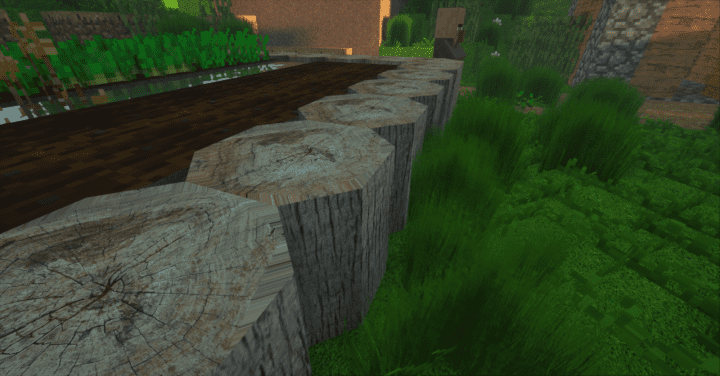
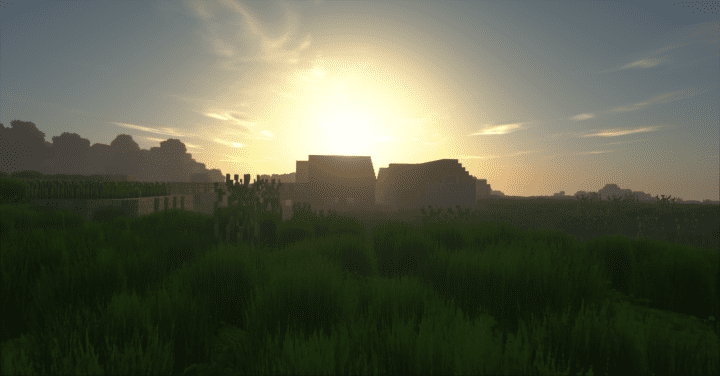
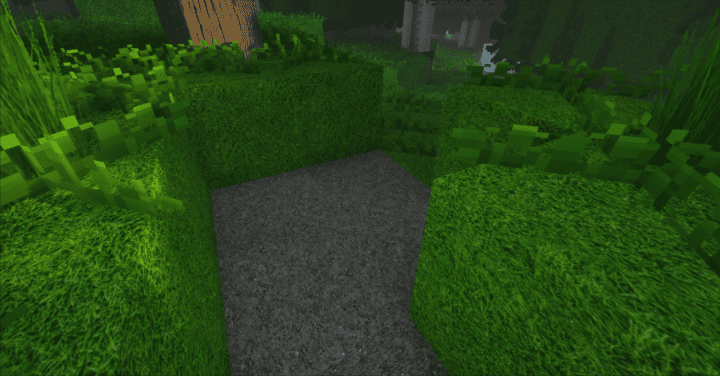
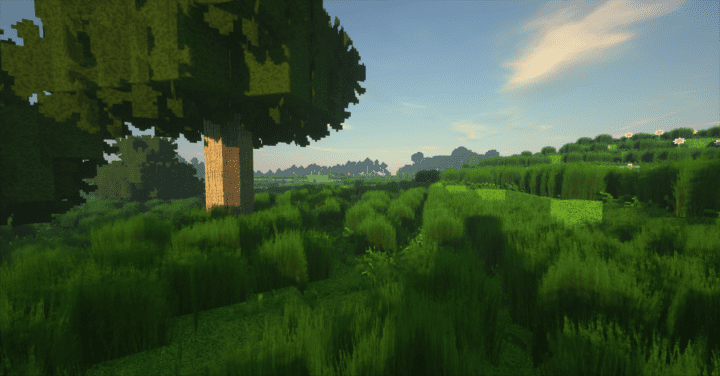
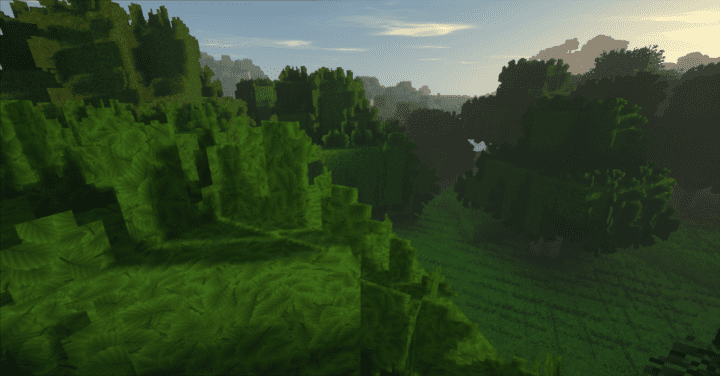
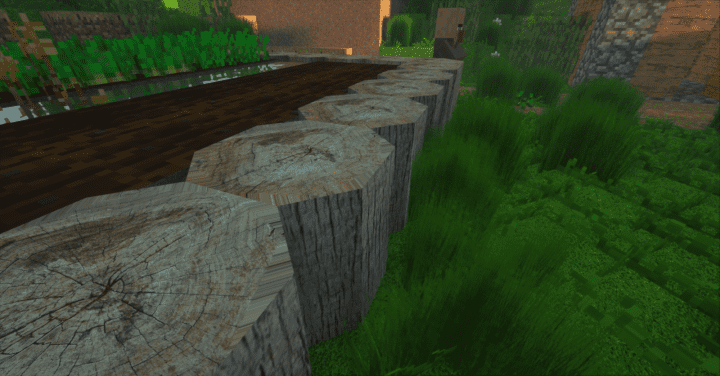
Crafted by the talented YTLiiked, Prisma Real Life is an incredible resource pack whose primary focus, as the name proudly reveals, centers entirely around breathtaking realism. The creators truly aimed to construct something as graphically identical to the natural world as humanly possible, and I can honestly say they succeeded in a massive way! While the gaming world has recently enjoyed some truly outstanding Minecraft resource packs, almost none have managed to deliver realism quite like Prisma Ultra Realism. I found that almost no other resource pack offers such an immersive gaming experience! Regarding its overall gameplay conception, the Prisma Real Life resource pack might feel somewhat familiar if you have interacted with similar packs before, but this one stands head and shoulders above the rest when you closely examine its general design and implementation. The graphics are simply exceptional. If there is one pack that is certainly worth your time, it has to be this one!
As a resource pack, the key defining feature of the Prisma Real Life texture pack is its staggering texture detail. No matter the prevailing situation in-game, I was amazed by how everything looks. Whether you are exploring during the bright daytime or wandering in deep darkness, the textures remain consistently great. Featuring ridiculously robust color coding and an unprecedented level of detail, everything comes to life right before your eyes! Furthermore, the pack features completely noise-free textures. It is no wonder that every single block and item brings out a wonderfully polished look that constantly excites and inspires. Boasting a high resolution of 512×512 pixels, Prisma Ultra Realism is truly your ultimate state-of-the-art resource pack. Of course, this also means you will need an equally befitting avant-garde hardware system to run it smoothly. Otherwise, you might not achieve a frame rate as steady as intended, meaning you might miss out on enjoying the pack in all its absolute glory and grandeur!
Prisma Real Life should be compatible with all of these Minecraft versions: 1.13.2 – 1.13.1 – 1.13 – 1.12.2 – 1.12 – 1.11.2 – 1.11 – 1.10.2 – 1.10 – 1.9.4 – 1.9 – 1.8.8 – 1.8.1 – 1.8.6 – 1.8
Screenshots
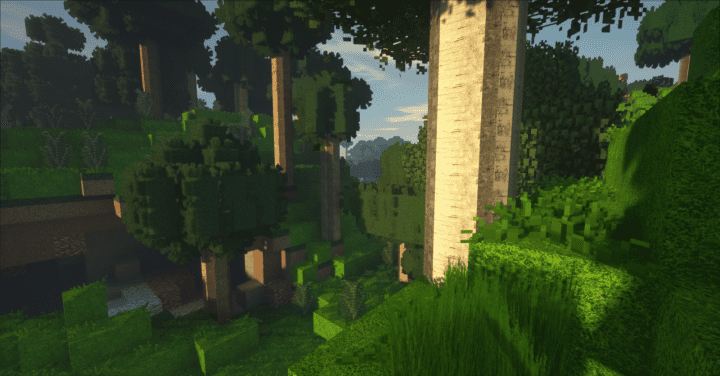
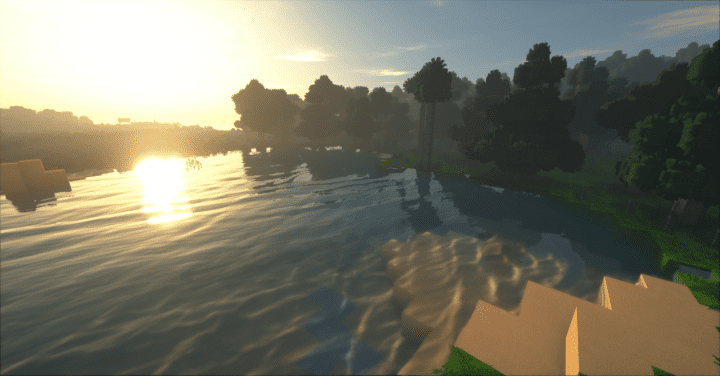
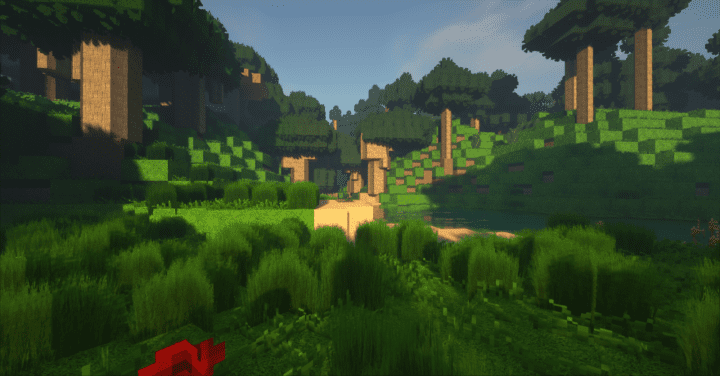
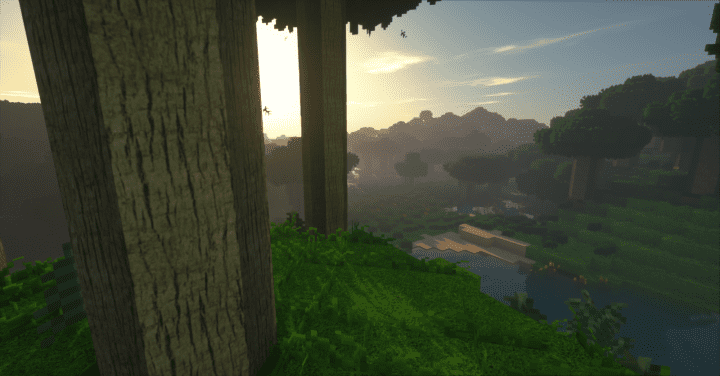

How to Install Texture Pack (Simple 10 Steps)
- Download OptiFine: Most of the texture packs and shaders need OptiFine. That’s why, first download and install OptiFine for the version of Minecraft you want to play.
- Download the Texture Pack: Get the texture pack you want from the download section. Choose the version that works with your Minecraft and your PC’s performance.
- Open Minecraft Launcher: Start Minecraft using the official game launcher — or even TLauncher, if you use that.
- Go to Options: From the main menu, click on the “Options” button.
- Open Resource Packs: Inside Options, click on “Resource Packs…”.
- Open the Resource Pack Folder: Click on “Open Resource Pack Folder” — this will open a folder named “resourcepacks”.
- Move the Pack File: Copy or move the .zip file you downloaded into that “resourcepacks” folder. (Don’t unzip the file — Minecraft uses it as-is!)
- Go Back and Refresh: Close the folder and click “Done”, then go back into “Resource Packs…” again.
- Activate the Pack: You’ll see the pack on the left side. Hover over it and click the arrow to move it to the right (active side).
Tip: If you get a message that the pack is for a different version, just click “Yes” — it usually works fine. - Click Done and Enjoy: Click “Done” again. Now your pack is ready to use in-game. It’s that easy!
Credits
This resource pack was originally created and developed by YTLiiked. We do not claim ownership of this content, nor do we host modified files on our servers. All rights remain with the original creator. We strongly encourage you to support the author by downloading the resource pack from their official links.
Download Instructions
Curseforge: download starts automatically after a few seconds;
Mediafire: click the big blue button with the text “DOWNLOAD”;
Google Drive: in the top right corner you will see a small download icon (down arrow), click it and the download should start;


