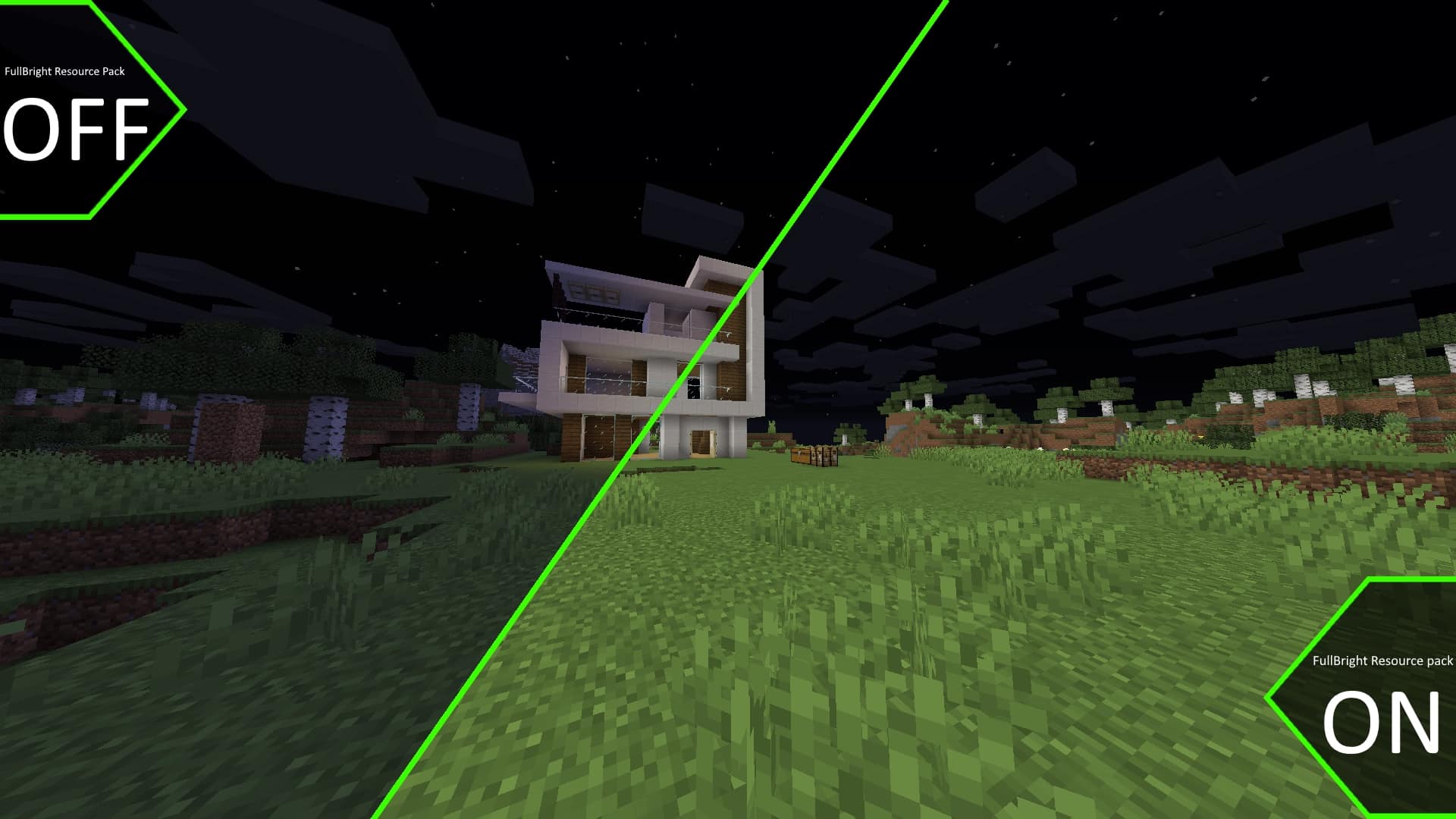
Modern games feature a day and night cycle for good reason, making the world feel truly alive while introducing diverse gameplay mechanics. Minecraft is certainly no exception, offering a beloved cycle system that all players enjoy. However, when the sun finally sets and night settles in, Minecraft transforms into a thoroughly hostile place. You constantly need to survive dangerous mobs and keep grinding your way through mining essential ores. The absolute biggest challenge you face here is the severely reduced visibility compared to vanilla Minecraft, making the game notably more difficult, much scarier, and completely changing the experience. I was thrilled to find that the Night Vision resource pack aims to change this exact aspect of the game for the better. The original developer, known in the community as cartenavigom, released this fantastic resource pack back in late 2020. Since then, the resource pack has received several updates. Because it does not mess with too many aspects of the game, most updates have appropriately focused on bug fixes and compatibility issues. In the years since its release, the resource pack has managed to secure a massive following, accumulating close to a million downloads across the various online platforms where it was published. The developer remains active on some of these platforms and actively interacts with the community through comments. While most resource packs focus on changing, improving, or upscaling textures with the end goal of making the game look different or prettier, the Night Vision texture pack focuses primarily on pure utility and functionality. It successfully preserves the natural day and night cycle in Minecraft while making nighttime significantly less threatening. When Minecraft deliberately ramps up the difficulty, this resource pack comes in as a wonderfully helpful hand, achieving all of this without changing a single texture or altering the resolution. The pack works its magic purely by modifying the lighting and shadows within the game.
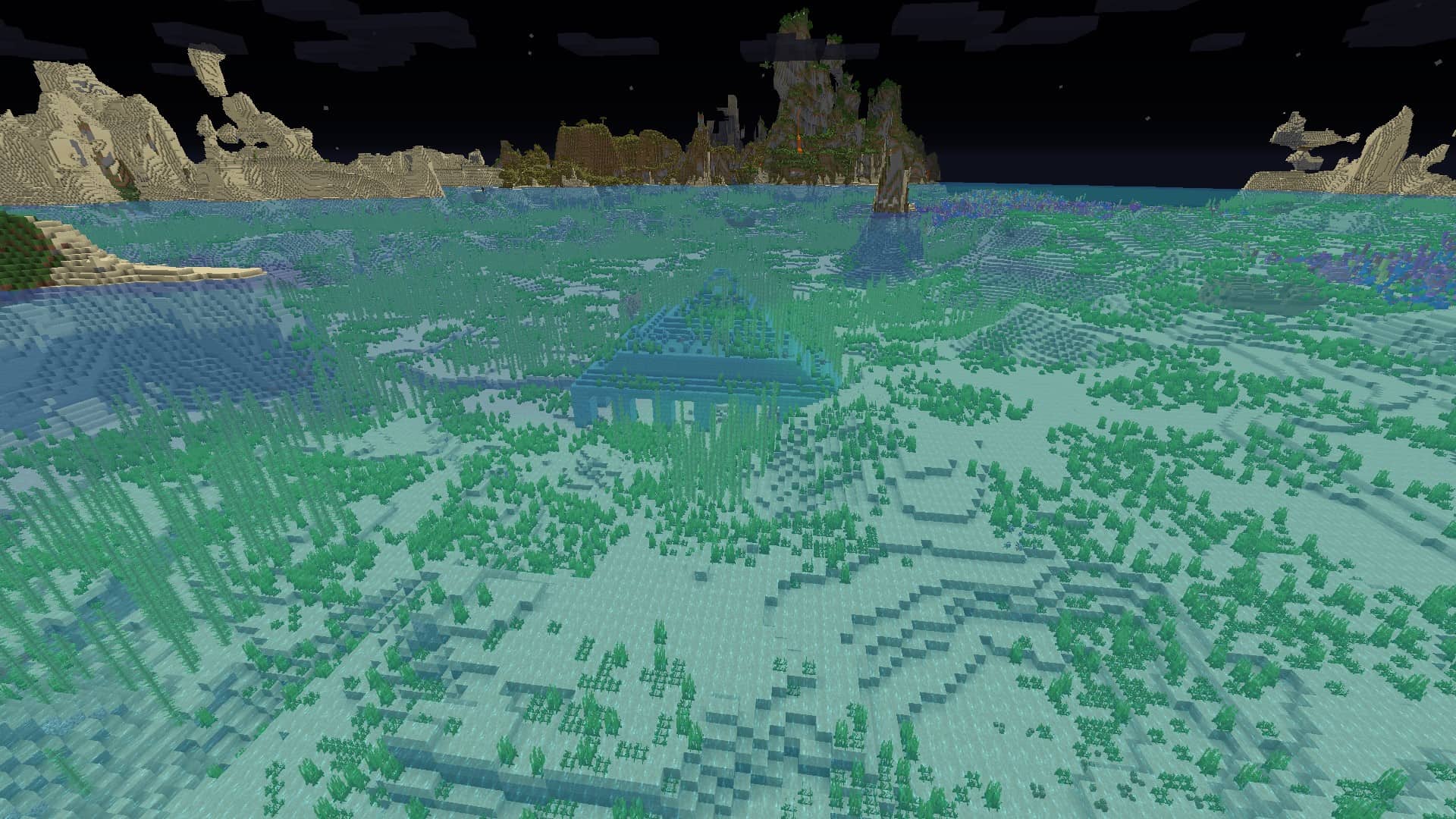
Minecraft naturally reduces lighting levels during the night to such a degree that mobs and textures become extremely difficult to spot or identify. While out in the open things might be barely manageable, the moment you step inside a dark cave, it becomes pitch black. Night Vision brilliantly boosts lighting and makes shadows much less oppressive, drastically improving your visibility. Even while crawling deep inside a claustrophobic cave, I could easily identify blocks, valuable ores, and various objects without any trouble. Normally, you would desperately need an armful of torches just to see in the dark, but Night Vision makes torches completely redundant. Because of how the Night Vision resource pack manipulates lighting, some players might consider it a slight cheat. Changing the colormap and lightmap of the world might not be universally accepted on strict private servers, though you can still find servers that happily tolerate such quality-of-life packs. The main reason you will want this installed goes beyond just basic visibility; it is also a massive boon for PvP players. You will be far less likely to be taken by surprise by opposing players, making it much harder for them to hide in dark corners. With the resource pack installed, you gain practically the same clear visibility you would normally enjoy only during broad daylight. While this effect can feel a little surreal at first—granting you excellent visibility as if nighttime no longer exists while the sky above remains dark with its lonely moon—it fundamentally changes the vibe. The game becomes noticeably less scary, and the night itself poses a much smaller challenge. Best of all, the Night Vision resource pack feels wonderfully non-invasive since it does not touch menus, icons, or the player HUD. What the developer has accomplished here is an amazingly improved version of vanilla Minecraft specifically tailored for players who simply dislike the dreary nighttime. You can easily install this like any other resource pack, though the developer strongly recommends pairing it with Optifine for the best results. One important extra note is that the Night Vision resource pack does not work alongside full shader packs, as shaders have their own distinct lighting and shadow engines that heavily interfere with Night Vision. You can, however, comfortably install Night Vision alongside other standard resource packs that merely alter textures or texture resolutions.
Night Vision should be compatible with all of these Minecraft versions: 26.1.2 – 26.1.1 – 26.1 – 1.21.11 – 1.21.10 – 1.21.9 – 1.21.8 – 1.21.7 – 1.21.6 – 1.21.5 – 1.21.4 – 1.21.3 – 1.21.2 – 1.21.1 – 1.21 – 1.20.6 – 1.20.5 – 1.20.4 – 1.20.3 – 1.20.2 – 1.20.1 – 1.20 – 1.19.4 – 1.19.3 – 1.19.2 – 1.19.1 – 1.19 – 1.18.2 – 1.18.1 – 1.18 – 1.17.1 – 1.17 – 1.16.5 – 1.16.4 – 1.16.3 – 1.16.2 – 1.16.1 – 1.16 – 1.15.2 – 1.15.1 – 1.15 – 1.14.4 – 1.14.3 – 1.14.2 – 1.14 – 1.13.2 – 1.13.1 – 1.13 – 1.12.2 – 1.12 – 1.11.2 – 1.11 – 1.10.2 – 1.10 – 1.9.4 – 1.9 – 1.8.9 – 1.8.8 – 1.8.1 – 1.8.6 – 1.8 – 1.7.10 – 1.7.9 – 1.7.4 – 1.7
Screenshots
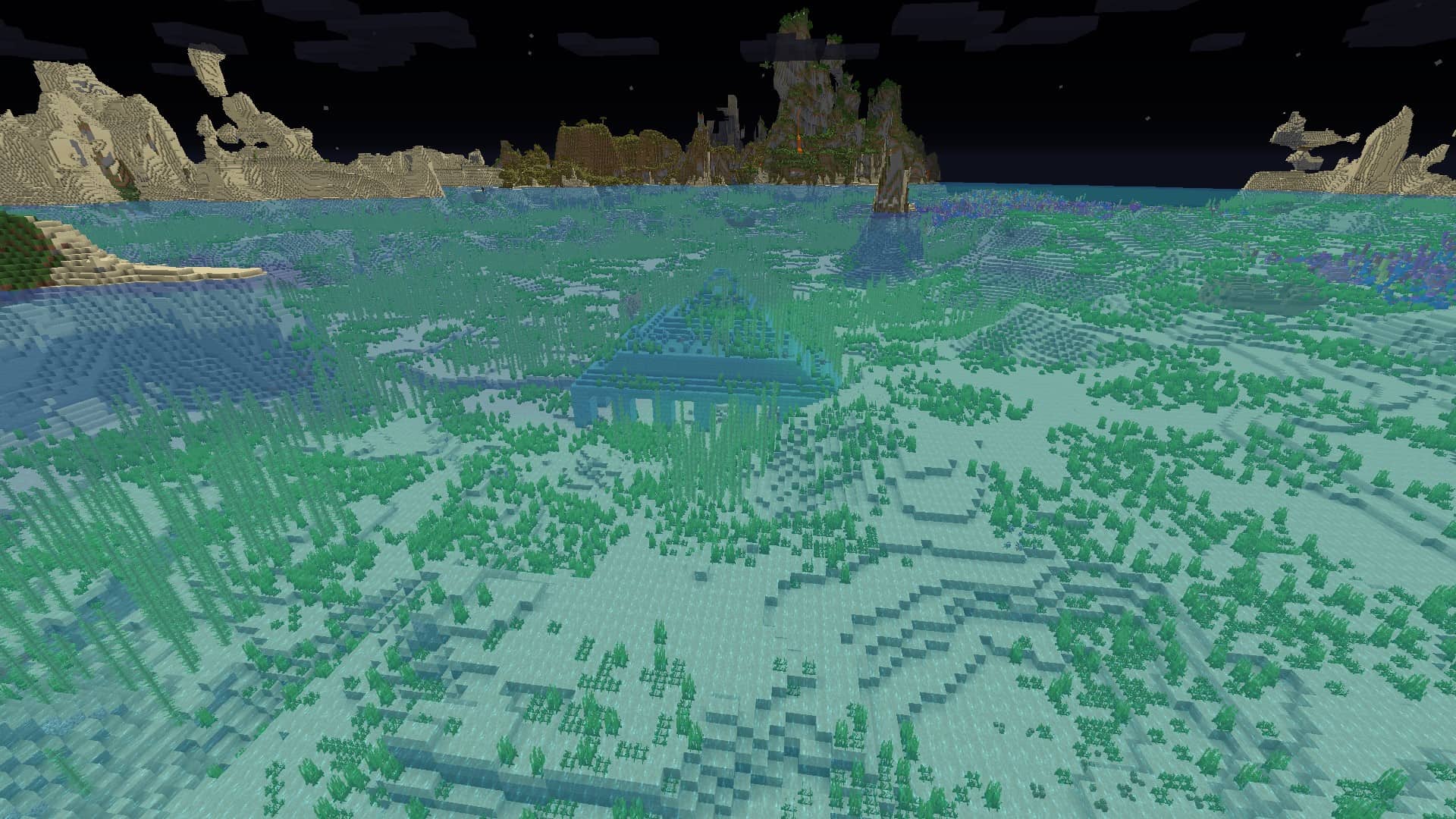
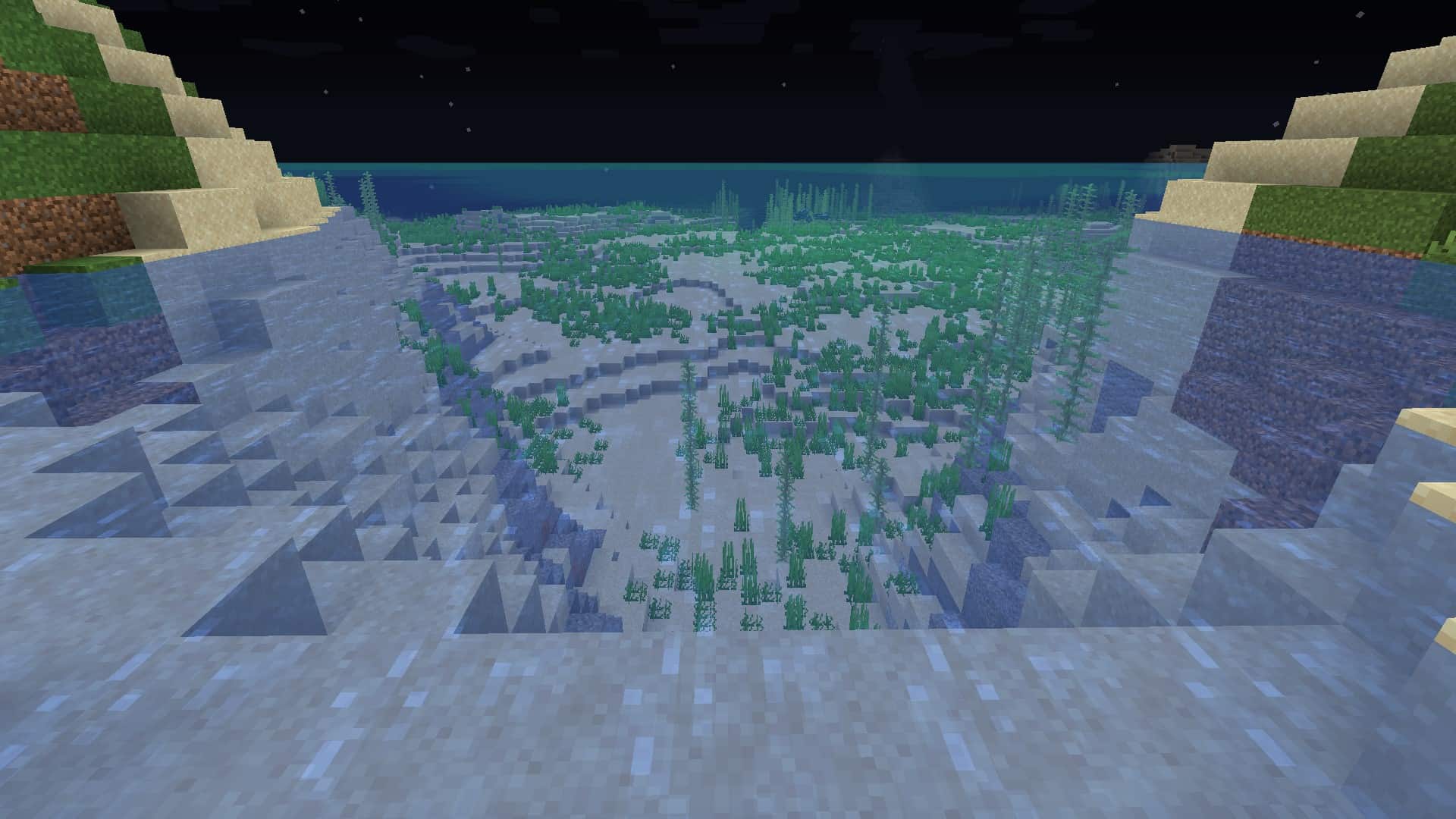
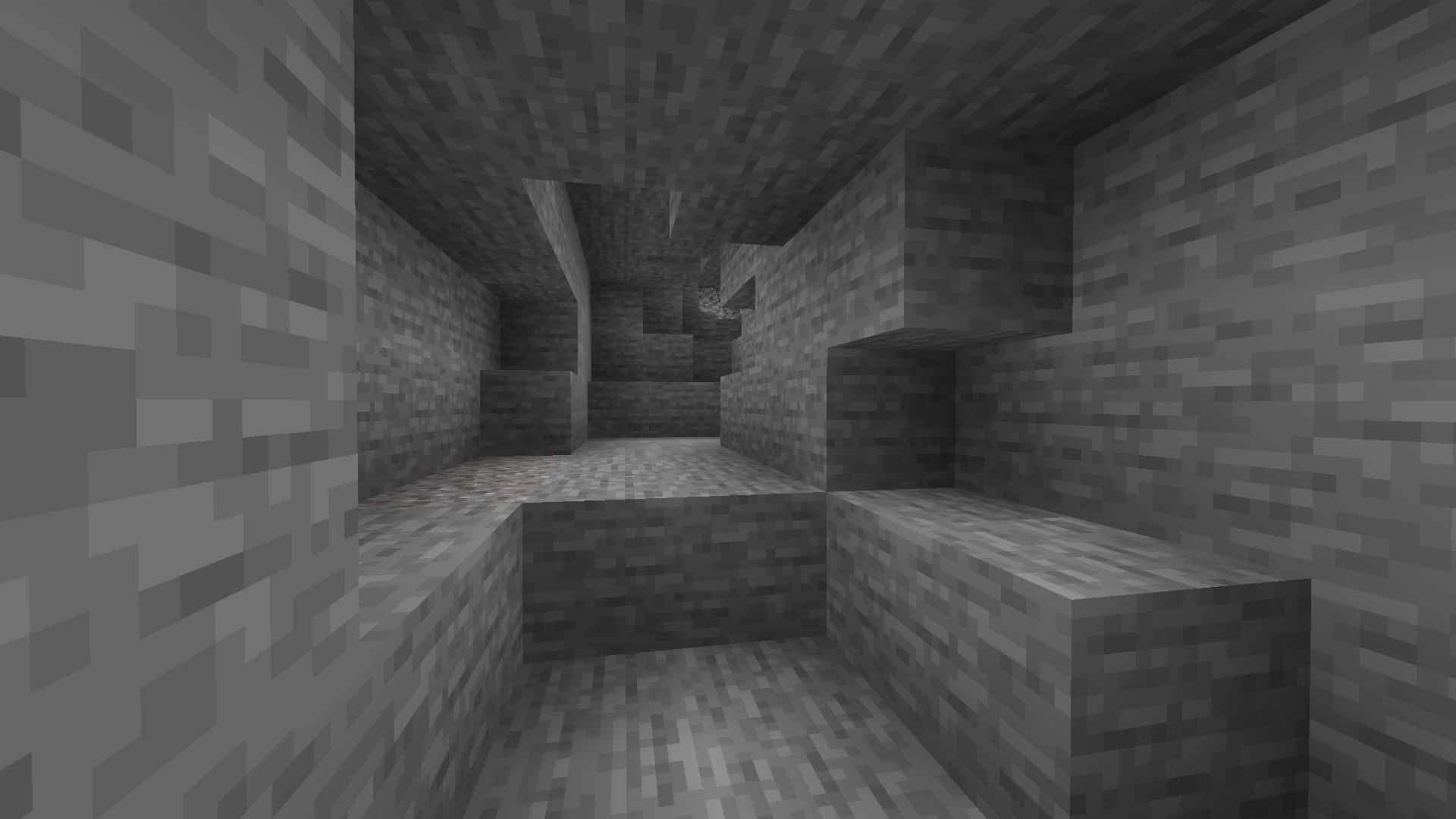
How to Install Texture Pack (Simple 10 Steps)
- Download OptiFine: Most of the texture packs and shaders need OptiFine. That’s why, first download and install OptiFine for the version of Minecraft you want to play.
- Download the Texture Pack: Get the texture pack you want from the download section. Choose the version that works with your Minecraft and your PC’s performance.
- Open Minecraft Launcher: Start Minecraft using the official game launcher — or even TLauncher, if you use that.
- Go to Options: From the main menu, click on the “Options” button.
- Open Resource Packs: Inside Options, click on “Resource Packs…”.
- Open the Resource Pack Folder: Click on “Open Resource Pack Folder” — this will open a folder named “resourcepacks”.
- Move the Pack File: Copy or move the .zip file you downloaded into that “resourcepacks” folder. (Don’t unzip the file — Minecraft uses it as-is!)
- Go Back and Refresh: Close the folder and click “Done”, then go back into “Resource Packs…” again.
- Activate the Pack: You’ll see the pack on the left side. Hover over it and click the arrow to move it to the right (active side).
Tip: If you get a message that the pack is for a different version, just click “Yes” — it usually works fine. - Click Done and Enjoy: Click “Done” again. Now your pack is ready to use in-game. It’s that easy!
Credits
This resource pack was originally created by cartenavigom and Luracasmus. We do not claim ownership of this content, nor have we modified the original files. All rights belong to the original creators. We strongly encourage you to support the creators by visiting their official download pages and following their ongoing projects.
Download Links
Java Edition
Download Instructions
Important settings: Custom Colors: ON, Smooth Lighting: OFF, Dynamic Lights: OFF
Curseforge: download starts automatically after a few seconds;
Mediafire: click the big blue button with the text “DOWNLOAD”;
Google Drive: in the top right corner you will see a small download icon (down arrow), click it and the download should start;