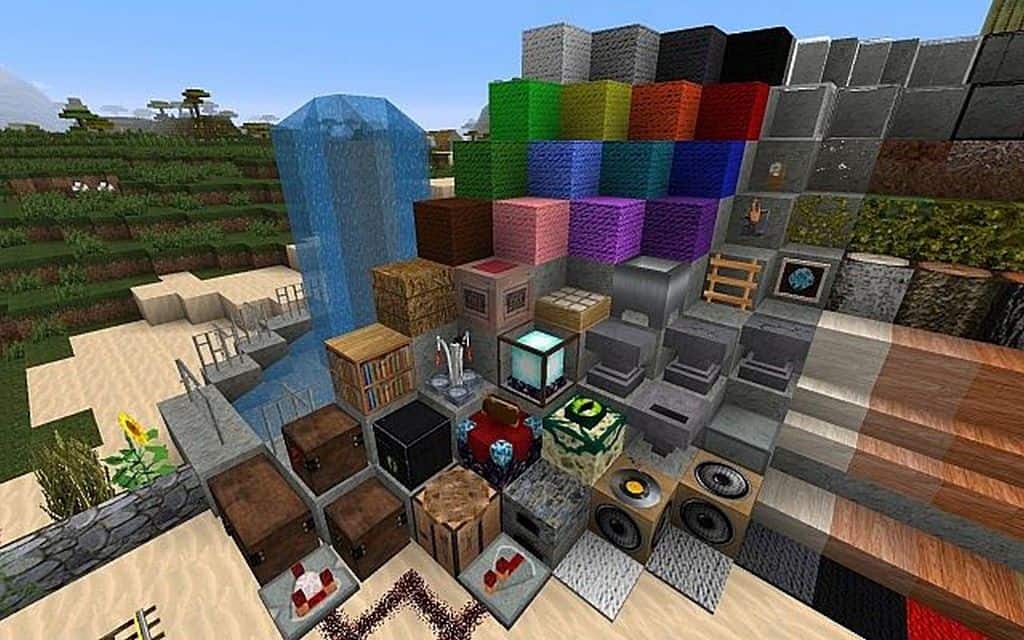
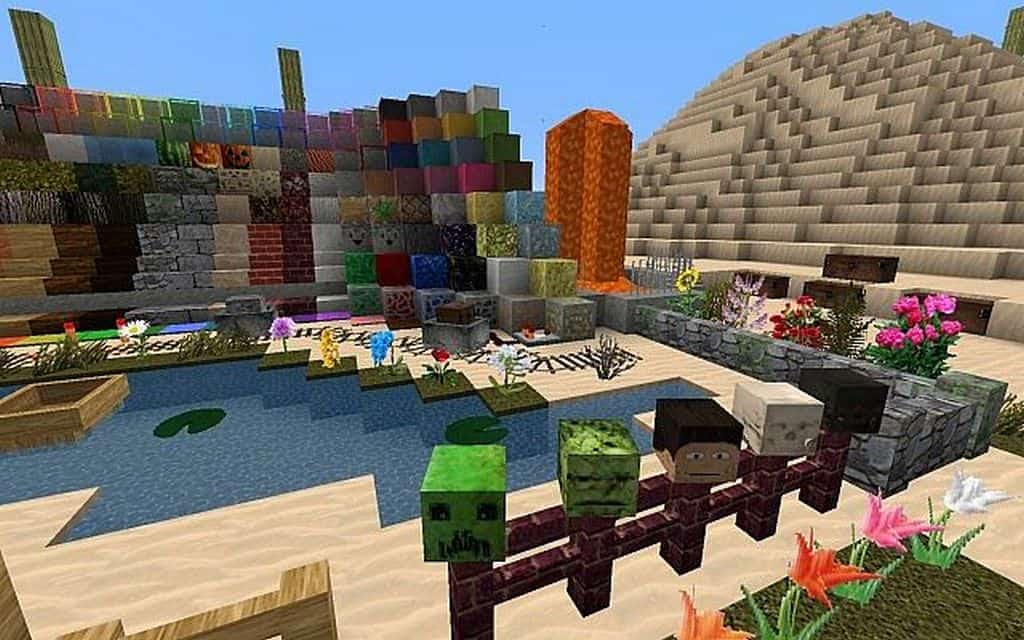
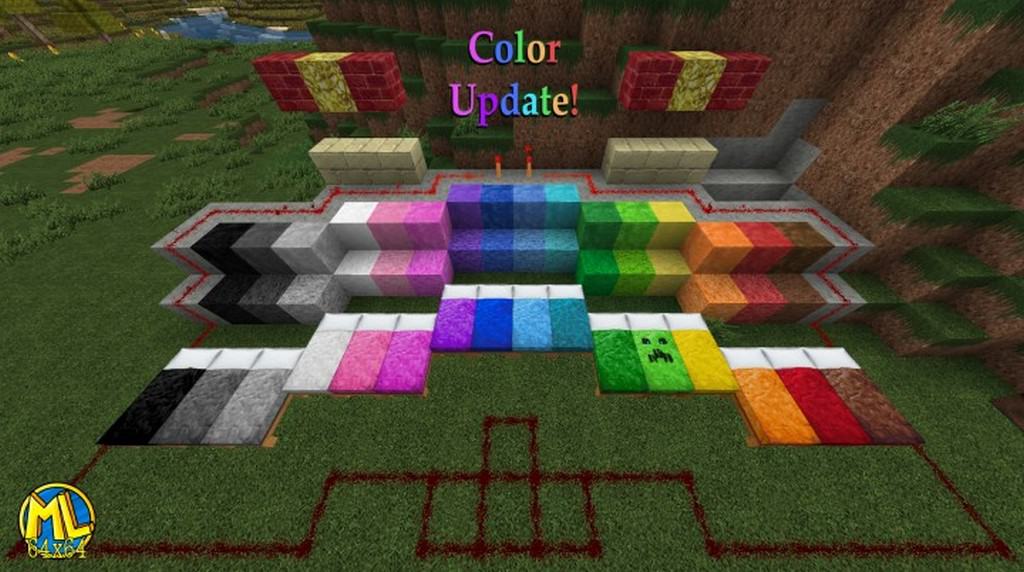
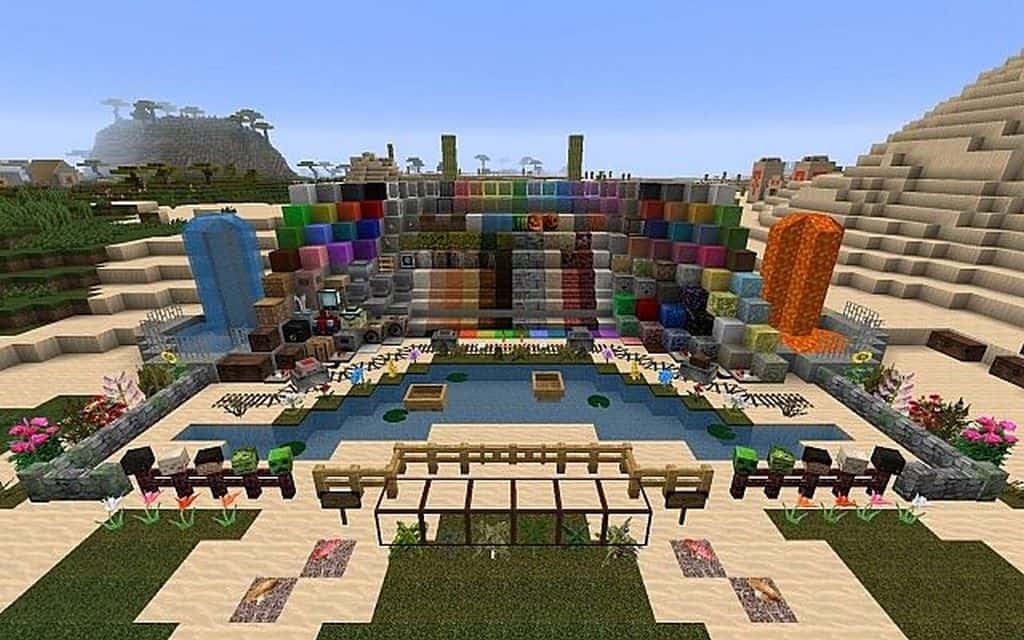
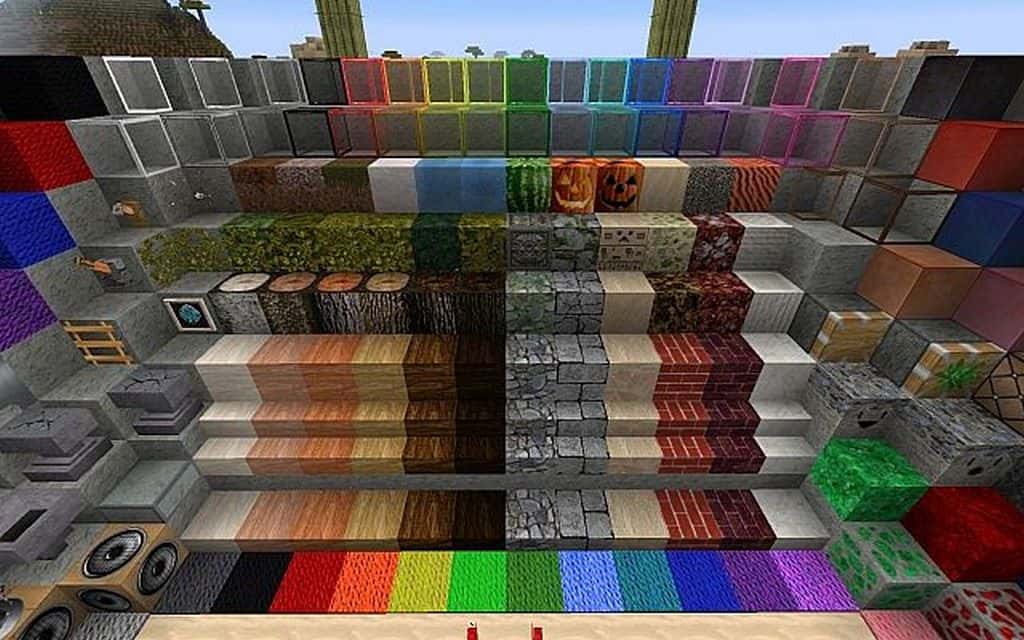
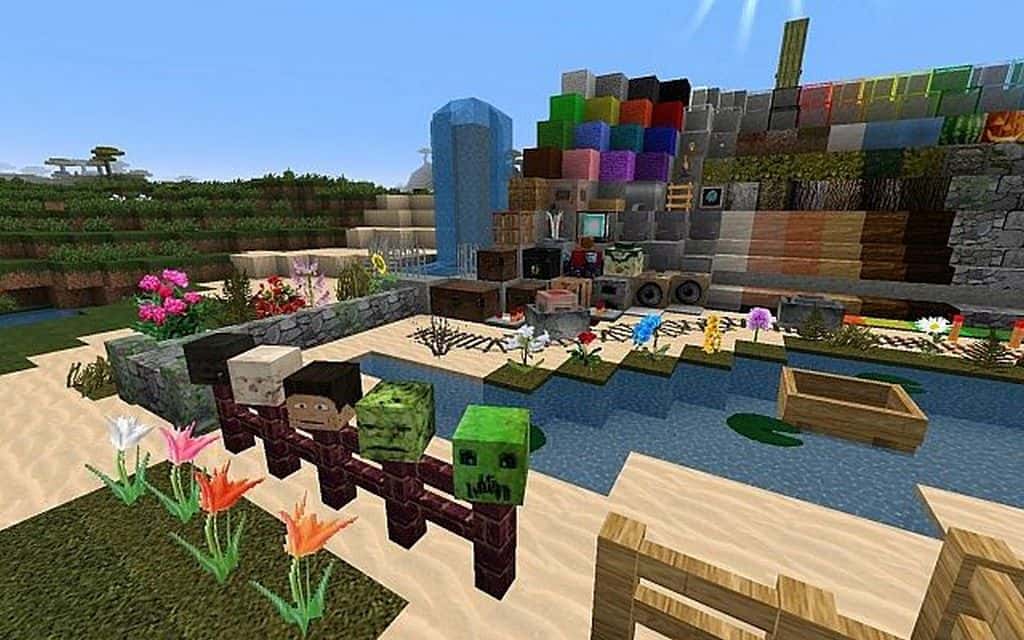
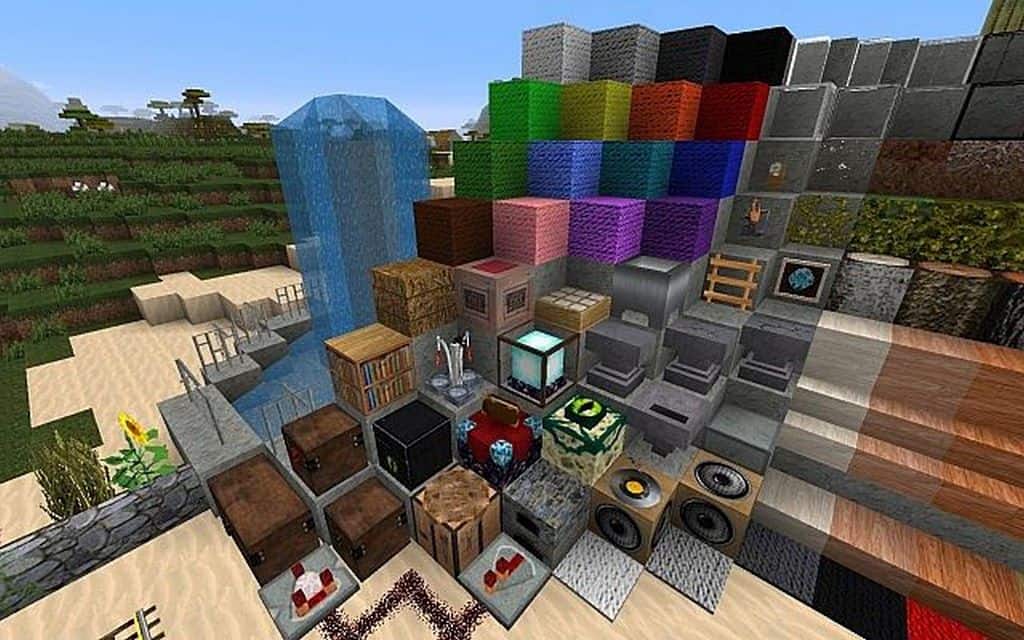
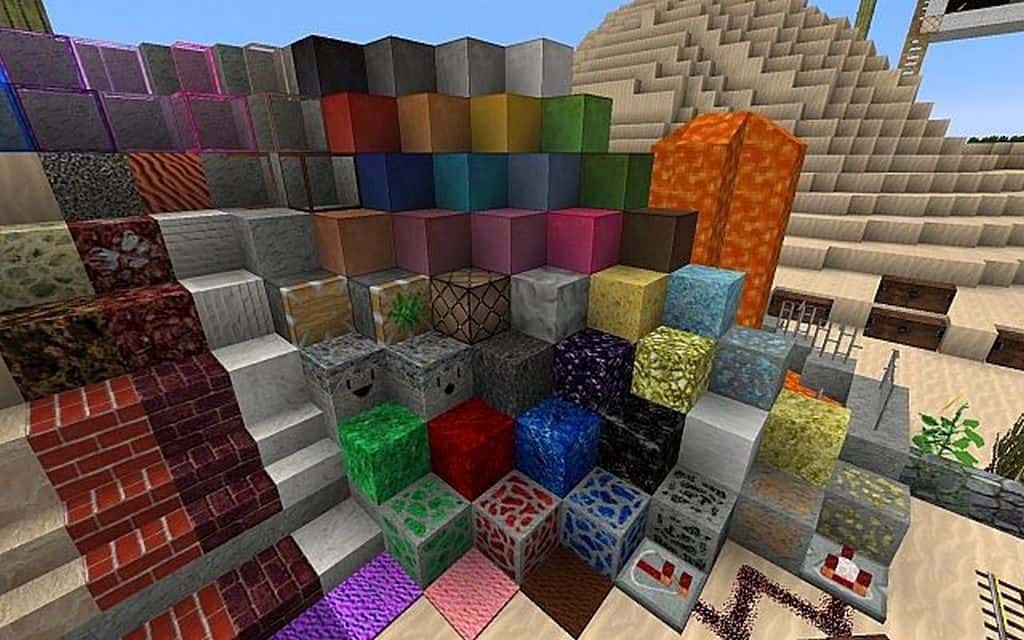
You might initially be tempted to think that the MineLoL resource pack is related to League of Legends, but I can assure you that it is not! It is also anything but ridiculous despite its use of LoL in the name, which is simply an acronym of laugh-out-loud. I found that it is certainly not a joke or a MOBA-inspired resource pack at all. Instead, MineLoL is a fantastic resource pack meant to bring considerable improvements to Minecraft and, as the developers delightfully state, make the players smile. The very first thing that the MineLoL resource pack does to dramatically improve visuals is to upscale the resolution of textures. Instead of using the standard 16x, it brilliantly utilizes 64x textures. I noticed that this increase in texture resolution can be a bit taxing for players using older systems, but on modern PCs, the texture pack should run just fine at very reasonable frame rates. Many of the textures in the game have been thoroughly replaced. Instead of being the same old cartoony blocks, materials like marble, limestone, sand, and other types of blocks now look much closer to how they would look in reality.
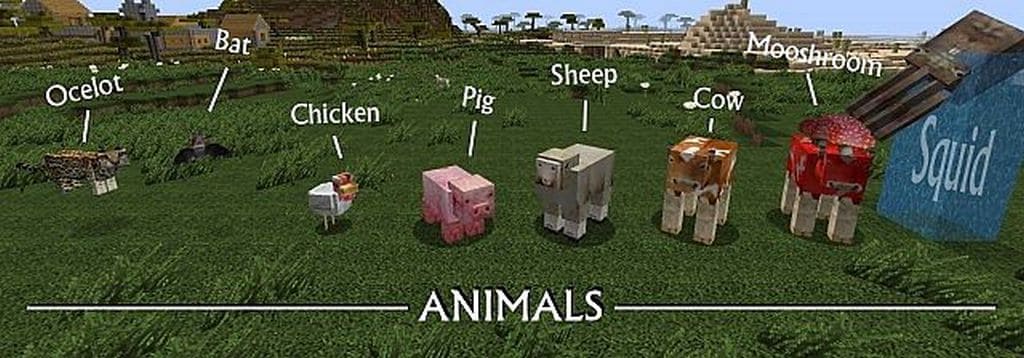
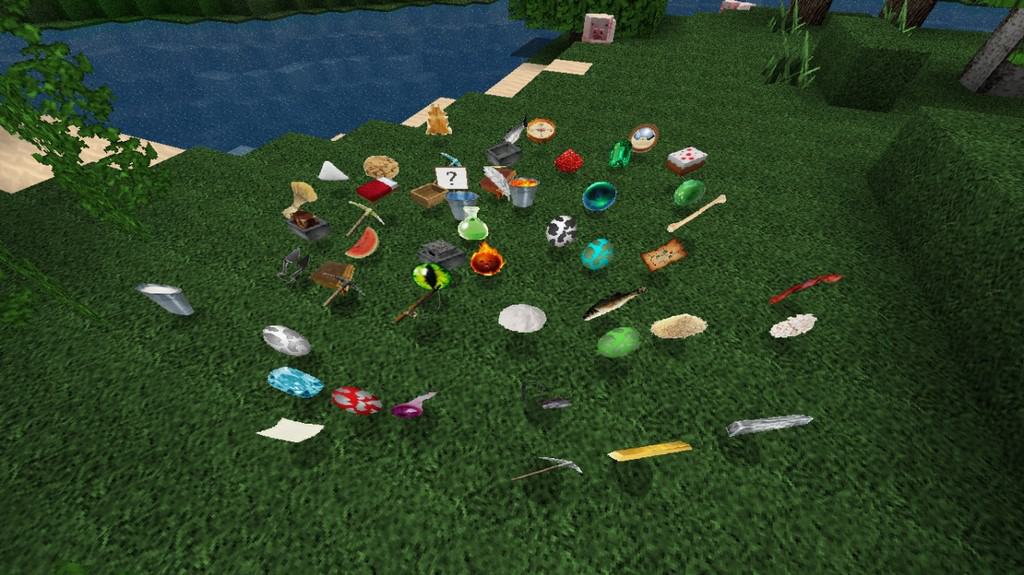
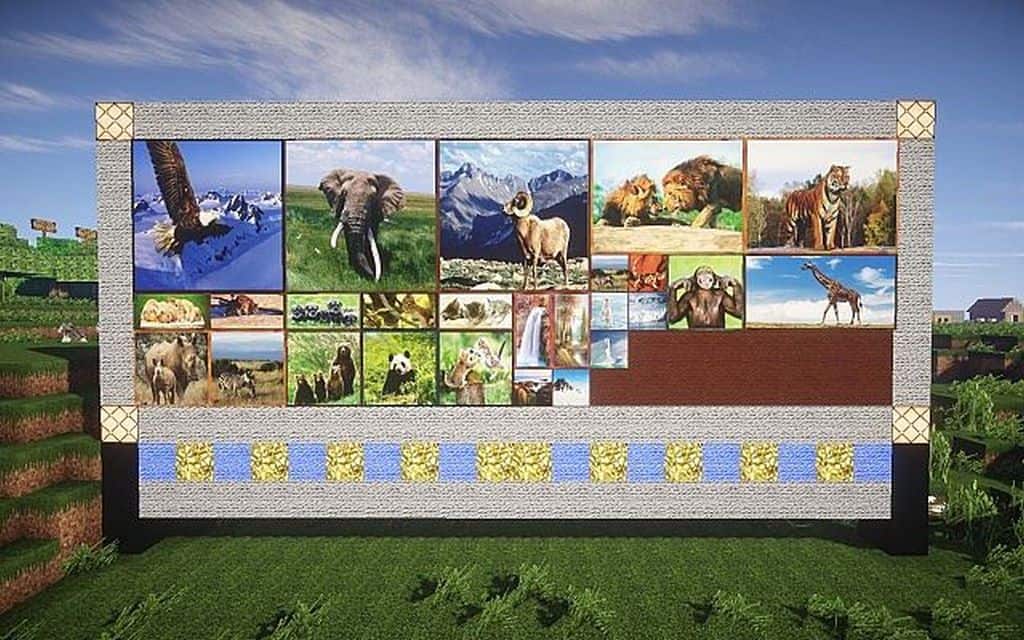
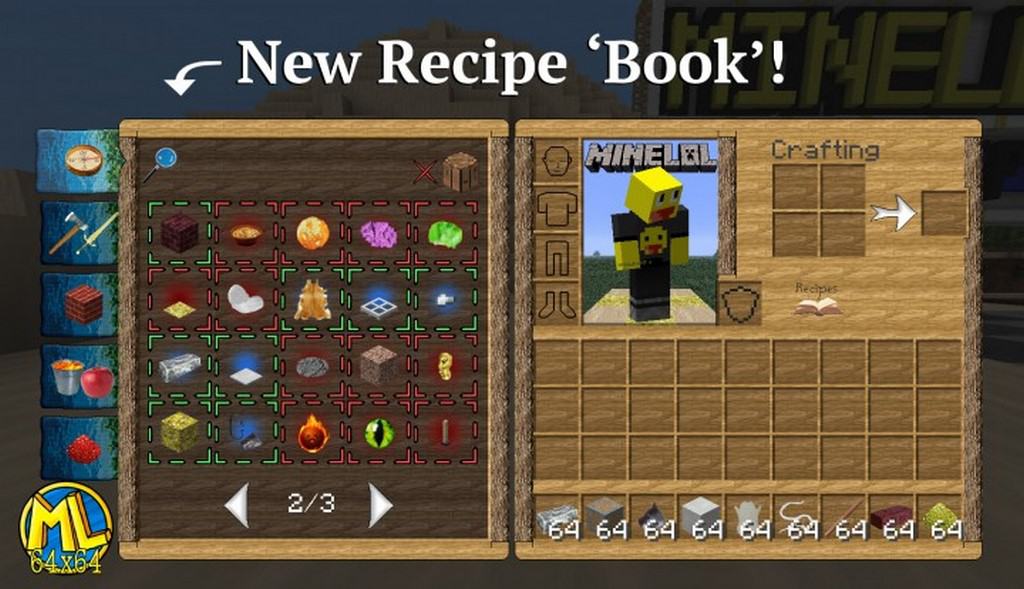
The exact same careful treatment was given to certain mobs in Minecraft. I really love how wolves have received realistic textures that are much less pixelated thanks to the increased resolution. The same goes for cows and sheep! Other objects in the game have also greatly benefited from the higher textures and reduced pixelation. Paintings are one such wonderful example; there are new paintings of animals that almost boast the exact same details as real photographs. The user interface was also completely changed for the better. The MineLoL resource pack introduces many fresh icons for items that simply look considerably better than what they used to in vanilla Minecraft. Lastly, the textures for the sky have been wonderfully improved, meaning clouds are now much less blocky and actually look photorealistic. More intricate details were added to flowers, grass, trees, fences, doors, windows, fire, chests, and many more items across vanilla Minecraft. Water also looks considerably better with improved details and gorgeous reflections. Because it brilliantly changes sky textures, I found that MineLoL really needs to be installed alongside Optifine HD since it heavily relies on their special features.
MineLoL should be compatible with all of these Minecraft versions: 1.12.2 – 1.12 – 1.11.2 – 1.11 – 1.10.2 – 1.10 – 1.9.4 – 1.9 – 1.8.9 – 1.8.8 – 1.8.1 – 1.8.6 – 1.8 – 1.7.10 – 1.7.9 – 1.7.4 – 1.7 – 1.6.4 – 1.6.2
Screenshots


How to Install Texture Pack (Simple 10 Steps)
- Download OptiFine: Most of the texture packs and shaders need OptiFine. That’s why, first download and install OptiFine for the version of Minecraft you want to play.
- Download the Texture Pack: Get the texture pack you want from the download section. Choose the version that works with your Minecraft and your PC’s performance.
- Open Minecraft Launcher: Start Minecraft using the official game launcher — or even TLauncher, if you use that.
- Go to Options: From the main menu, click on the “Options” button.
- Open Resource Packs: Inside Options, click on “Resource Packs…”.
- Open the Resource Pack Folder: Click on “Open Resource Pack Folder” — this will open a folder named “resourcepacks”.
- Move the Pack File: Copy or move the .zip file you downloaded into that “resourcepacks” folder. (Don’t unzip the file — Minecraft uses it as-is!)
- Go Back and Refresh: Close the folder and click “Done”, then go back into “Resource Packs…” again.
- Activate the Pack: You’ll see the pack on the left side. Hover over it and click the arrow to move it to the right (active side).
Tip: If you get a message that the pack is for a different version, just click “Yes” — it usually works fine. - Click Done and Enjoy: Click “Done” again. Now your pack is ready to use in-game. It’s that easy!
Credits
The MineLoL Resource Pack was originally developed and created by casper033. We do not claim ownership of this content, nor have we modified the original files. All rights remain with the original author. We encourage you to support casper033 by downloading the pack from the official sources.
Download Links
Java Edition
Download Instructions
Curseforge: download starts automatically after a few seconds;
Mediafire: click the big blue button with the text “DOWNLOAD”;
Google Drive: in the top right corner you will see a small download icon (down arrow), click it and the download should start;


