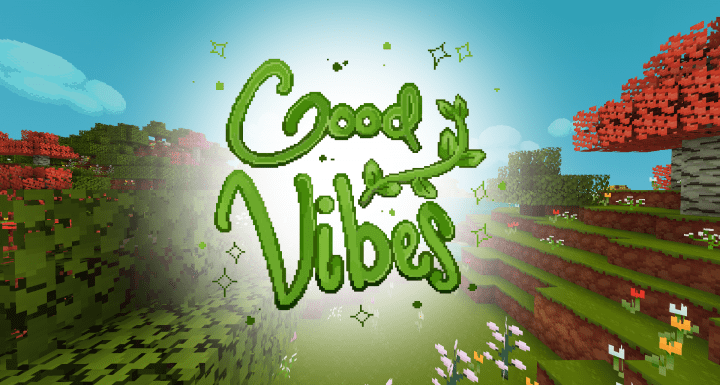
The uniqueness of the GoodVibes resource pack is truly unquestionable, and I was genuinely amazed by it! Having been around for about a year now, it has exceptionally received significant attention from players praising its incredible mode of design. Tracing the development of this pack can be a real surprise as it started back in February of 2017 and was later released by the end of August in the same year, meaning it underwent dedicated development for about six months. Therefore, it is non-debatable to say that the quality of this pack directly corresponds to the massive effort that went into it. Even though this resource pack is still officially a work in progress, I can assure you that giving it a shot is a thoroughly right and worthy decision to make. The GoodVibes resource pack is easily one of the most useful tools I have ever used in the game. The most exciting thing concerning this pack is that it can completely remove the annoying visual noise from the in-game textures. While there are many other resource packs out there, none quite capture this level of clean visual presentation.
A lot of those other packs tend to still have an additional bit of noise in them despite having top-notch textures. Thankfully, GoodVibes doesn’t show a noticeable amount of noise in comparison with other packs, and thus it is definitely the reason why this pack ranks far at the top when compared with many traditional resource packs. The detail level in the GoodVibes resource pack has been slightly toned down, but considering the incredible smoothness of its textures, it still feels like a fairly minor and acceptable trade-off. Additionally, it features colors that appear much livelier than usual, making your overall gameplay experience truly top-notch. The standard resolution of GoodVibes is set at 16x, so if you have a PC with lackluster hardware, you will have absolutely nothing to worry about since it runs smoothly even on lower-end machines. Lastly, I want to reiterate that the pack is still actively a work in progress, meaning some textures might still be unavailable, but it is certainly developed enough to be fully ready for use today!
GoodVibes should be compatible with all of these Minecraft versions: 1.13.2 – 1.13.1 – 1.13 – 1.12.2 – 1.12 – 1.11.2 – 1.11 – 1.10.2 – 1.10
Screenshots



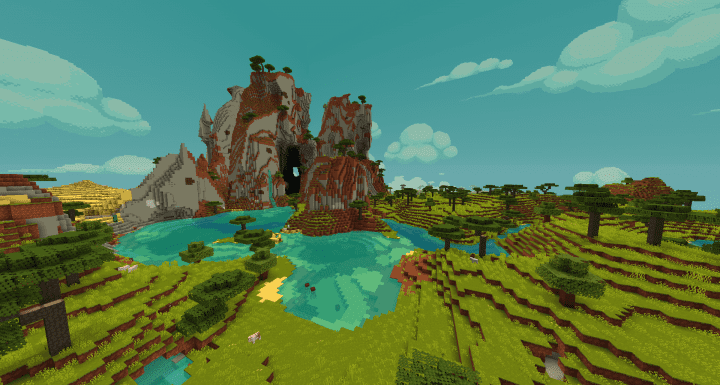

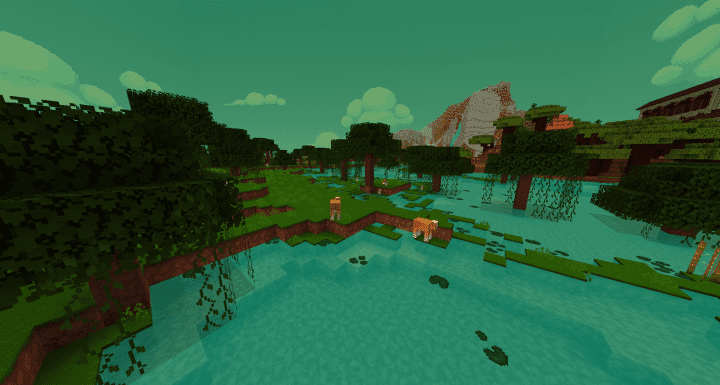
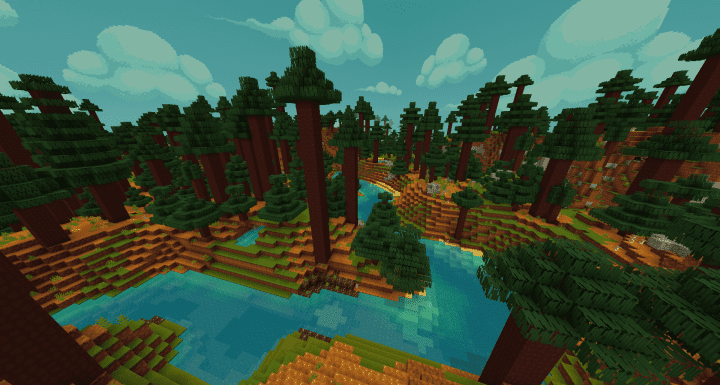

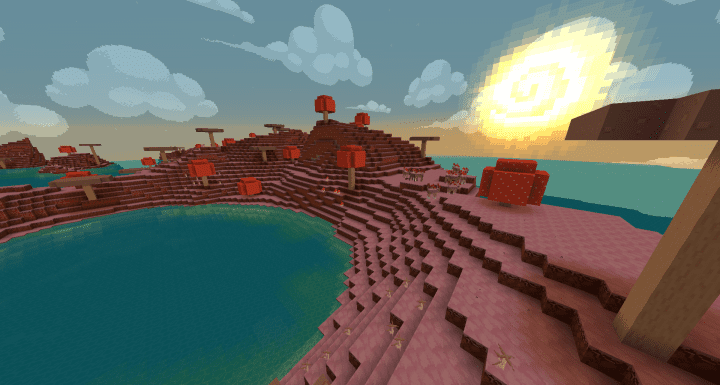
How to Install Texture Pack (Simple 10 Steps)
- Download OptiFine: Most of the texture packs and shaders need OptiFine. That’s why, first download and install OptiFine for the version of Minecraft you want to play.
- Download the Texture Pack: Get the texture pack you want from the download section. Choose the version that works with your Minecraft and your PC’s performance.
- Open Minecraft Launcher: Start Minecraft using the official game launcher — or even TLauncher, if you use that.
- Go to Options: From the main menu, click on the “Options” button.
- Open Resource Packs: Inside Options, click on “Resource Packs…”.
- Open the Resource Pack Folder: Click on “Open Resource Pack Folder” — this will open a folder named “resourcepacks”.
- Move the Pack File: Copy or move the .zip file you downloaded into that “resourcepacks” folder. (Don’t unzip the file — Minecraft uses it as-is!)
- Go Back and Refresh: Close the folder and click “Done”, then go back into “Resource Packs…” again.
- Activate the Pack: You’ll see the pack on the left side. Hover over it and click the arrow to move it to the right (active side).
Tip: If you get a message that the pack is for a different version, just click “Yes” — it usually works fine. - Click Done and Enjoy: Click “Done” again. Now your pack is ready to use in-game. It’s that easy!
Credits
This resource pack was created by Karaoke. We do not own or modify this content. All rights belong to the original author. Please support the creator by downloading from official sources.
Download Instructions
Curseforge: download starts automatically after a few seconds;
Mediafire: click the big blue button with the text “DOWNLOAD”;
Google Drive: in the top right corner you will see a small download icon (down arrow), click it and the download should start;


