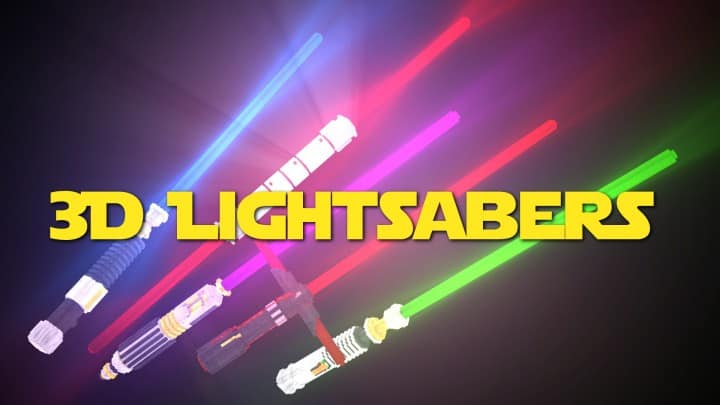
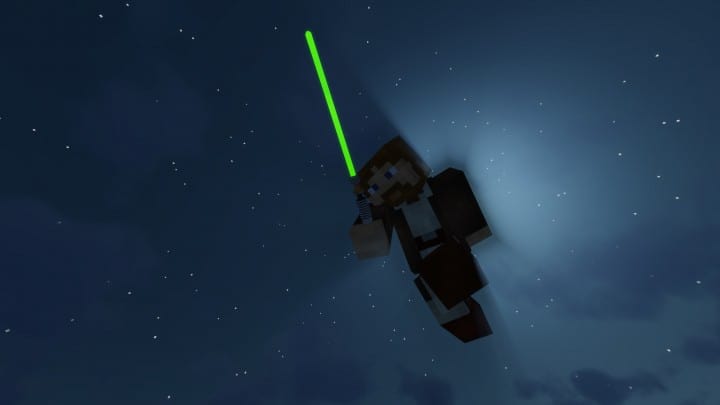
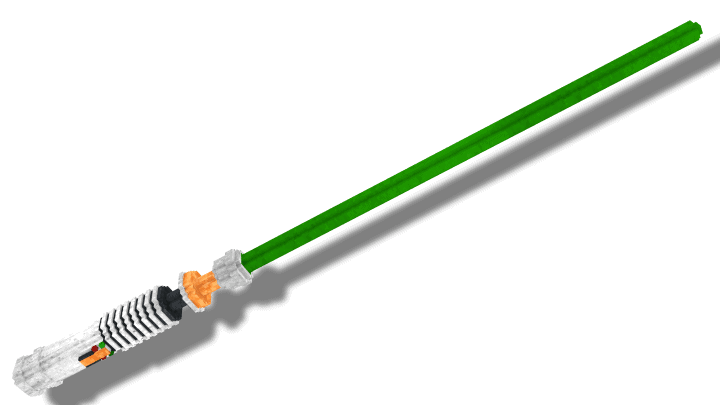
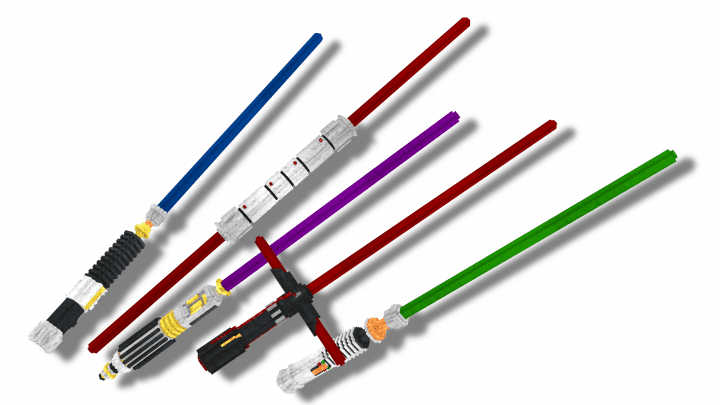
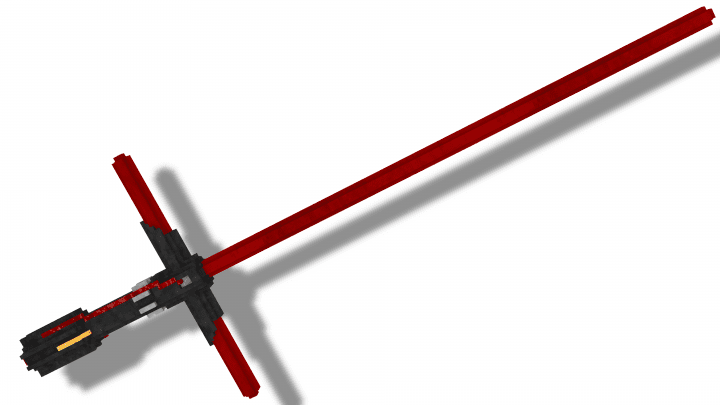
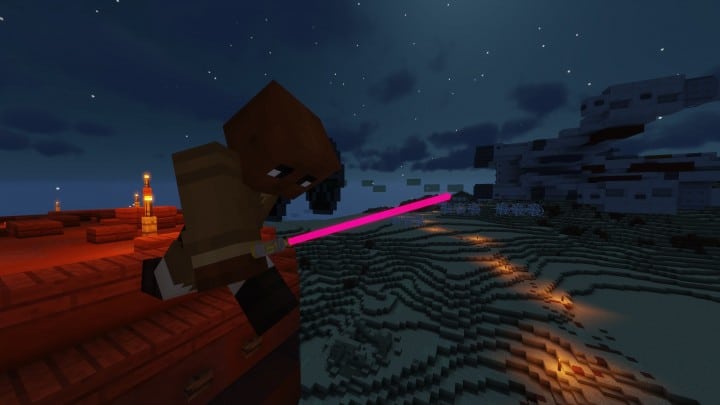
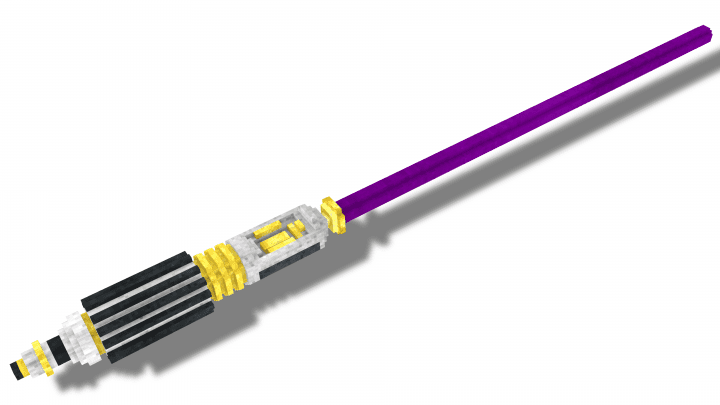
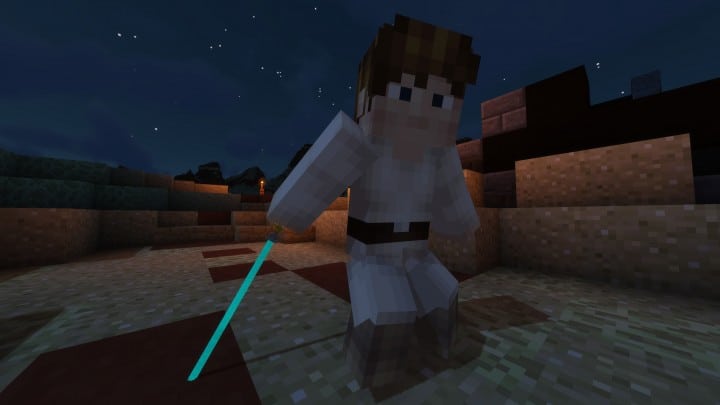
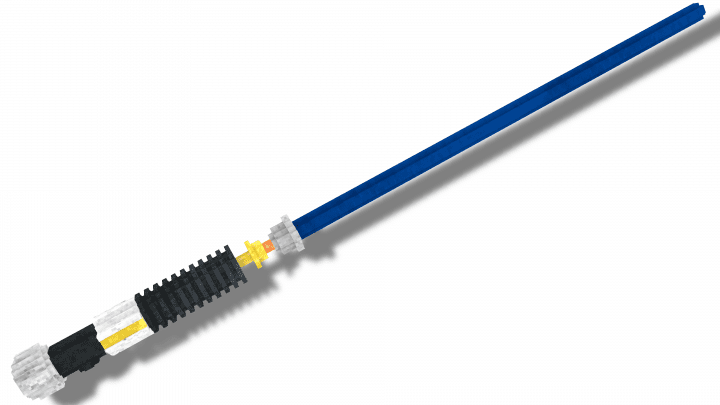
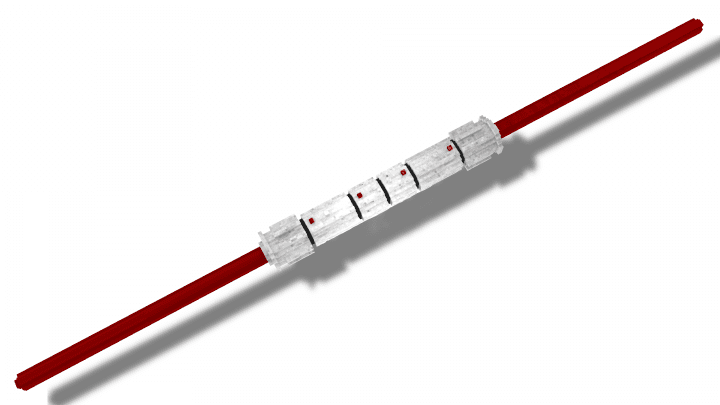
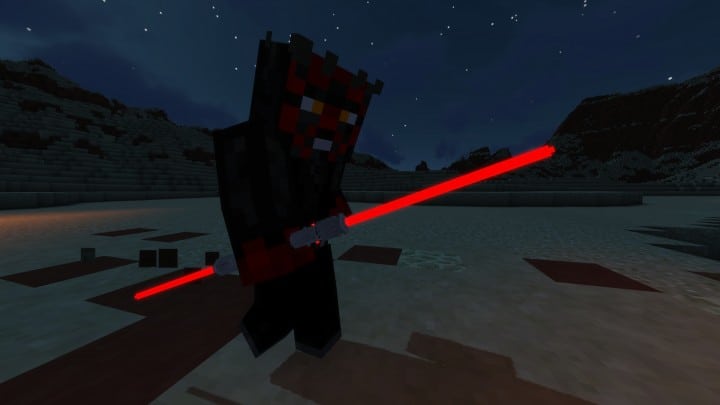
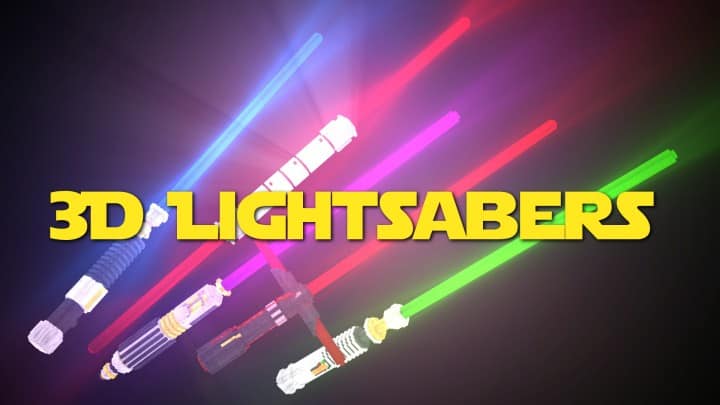
The Star Wars franchise is deeply beloved by countless members of the Minecraft community, and I honestly think this passion has sparked incredible creativity, inspiring players to adapt game assets to resemble iconic items and themes from a galaxy far, far away. Over the years, I have explored many fantastic Minecraft resource packs where huge amounts of effort were invested to bring this amazing universe into the game. While some were wildly successful, we have definitely seen our fair share of failed projects too. With that slightly sour taste in mind, you often get the feeling that less is truly more, and I love that you do not need to completely overhaul Minecraft’s visuals just to capture a genuine Star Wars vibe. If you share my desire for simple resource packs that add a mild, tasteful touch of diversity inspired by Star Wars, the Glowing 3D Lightsabers resource pack might be exactly what you are looking for. The original developer of the resource pack goes by the name of creatorLabs, who proudly released Glowing 3D Lightsabers back in 2018 alongside several other fantastic packs and add-ons. While there may not be a dramatic backstory behind its creation, it has successfully gained a very loyal following, having been downloaded over 400,000 times across various publishing sites. It has also received multiple updates because the developer remains an active member of the community, providing wonderful continuous support for all their projects. When you load up the Glowing 3D Lightsabers texture pack, the exact thing you hope to see is iconic lightsabers straight from Star Wars, and I am thrilled to say you will not be disappointed. The resource pack is wonderfully simple and basic, meaning it does not disrupt too many visual aspects of the game; instead, it cleverly swaps out the default sword textures for brilliant emissive textures that actually glow in the dark. I could immediately tell that a decent degree of genuine effort went into crafting these models, as the swords no longer look like standard blades—they are noticeably less pixelated and truly resemble proper, sleek lightsabers. Glowing 3D Lightsabers brilliantly introduces five distinct swords, each directly inspired by an iconic character from Star Wars.
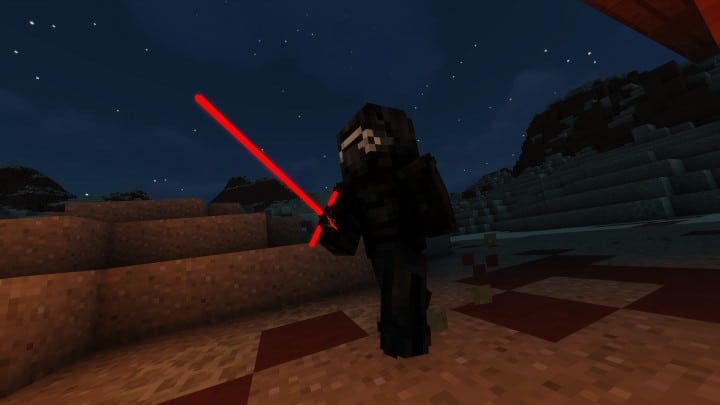
Every single sword features a striking, distinctive color, and some even sport unique designs or shapes, such as the brilliant red blade that perfectly represents the lightsaber of Kylo Ren. All five weapons look absolutely stunning, especially during nighttime exploration, and I had an absolute blast using them in PvP and PvE sessions when playing with friends. They project a proper, vibrant glow that makes them feel like authentic lightsabers in your hands. If you want to push that glow effect even further, you can easily experiment with various shader packs since they heavily influence how light is rendered in Minecraft, though keep in mind that the original creator has not made any official recommendations on which shaders to use. The developer wisely chose to limit these changes strictly to swords, meaning other weapons like bows remain untouched and retain their classic blocky, pixelated look. I found that Minecraft’s overall performance is completely unhindered by this pack; because Glowing 3D Lightsabers is a streamlined texture pack that does not increase texture resolution or mess heavily with lighting calculations, it is an absolute dream for PvP players wanting a butter-smooth framerate. It also runs phenomenally well for PvE enthusiasts and anyone playing on older computers. If you are already running other favorite resource packs, you can easily install Glowing 3D Lightsabers right on top, just make sure to place it last in your load order since it specifically replaces existing sword models and textures. However, keep in mind that mixing it with certain heavy resource packs or shaders might occasionally trigger minor visual bugs. As I mentioned earlier, this pack relies on emissive textures to achieve that signature look, meaning it cannot be installed manually without additional tools and requires OptiFine to function properly, with the developer recommending the absolute latest version for the smoothest experience.
Glowing 3D Lightsabers should be compatible with all of these Minecraft versions: 1.19.2 – 1.19.1 – 1.19 – 1.18.2 – 1.18.1 – 1.18 – 1.17.1 – 1.17 – 1.16.5 – 1.16.4 – 1.16.3 – 1.16.2 – 1.16.1 – 1.16 – 1.15.2 – 1.15.1 – 1.15 – 1.14.4 – 1.14.3 – 1.14.2 – 1.14 – 1.13.2 – 1.13.1 – 1.13 – 1.12.2 – 1.12 – 1.8.9 – 1.8.8 – 1.8.1 – 1.8.6 – 1.8
Screenshots
How to Install Texture Pack (Simple 10 Steps)
- Download OptiFine: Most of the texture packs and shaders need OptiFine. That’s why, first download and install OptiFine for the version of Minecraft you want to play.
- Download the Texture Pack: Get the texture pack you want from the download section. Choose the version that works with your Minecraft and your PC’s performance.
- Open Minecraft Launcher: Start Minecraft using the official game launcher — or even TLauncher, if you use that.
- Go to Options: From the main menu, click on the “Options” button.
- Open Resource Packs: Inside Options, click on “Resource Packs…”.
- Open the Resource Pack Folder: Click on “Open Resource Pack Folder” — this will open a folder named “resourcepacks”.
- Move the Pack File: Copy or move the .zip file you downloaded into that “resourcepacks” folder. (Don’t unzip the file — Minecraft uses it as-is!)
- Go Back and Refresh: Close the folder and click “Done”, then go back into “Resource Packs…” again.
- Activate the Pack: You’ll see the pack on the left side. Hover over it and click the arrow to move it to the right (active side).
Tip: If you get a message that the pack is for a different version, just click “Yes” — it usually works fine. - Click Done and Enjoy: Click “Done” again. Now your pack is ready to use in-game. It’s that easy!
Credits
This Resource Pack was created by creatorLabs. We do not claim ownership of this content and all rights belong to the original author. We encourage users to support the creator by downloading from their official links and checking out their other community projects.
Download Links
Java Edition
Download Instructions
Curseforge: download starts automatically after a few seconds;
Mediafire: click the big blue button with the text “DOWNLOAD”;
Google Drive: in the top right corner you will see a small download icon (down arrow), click it and the download should start;