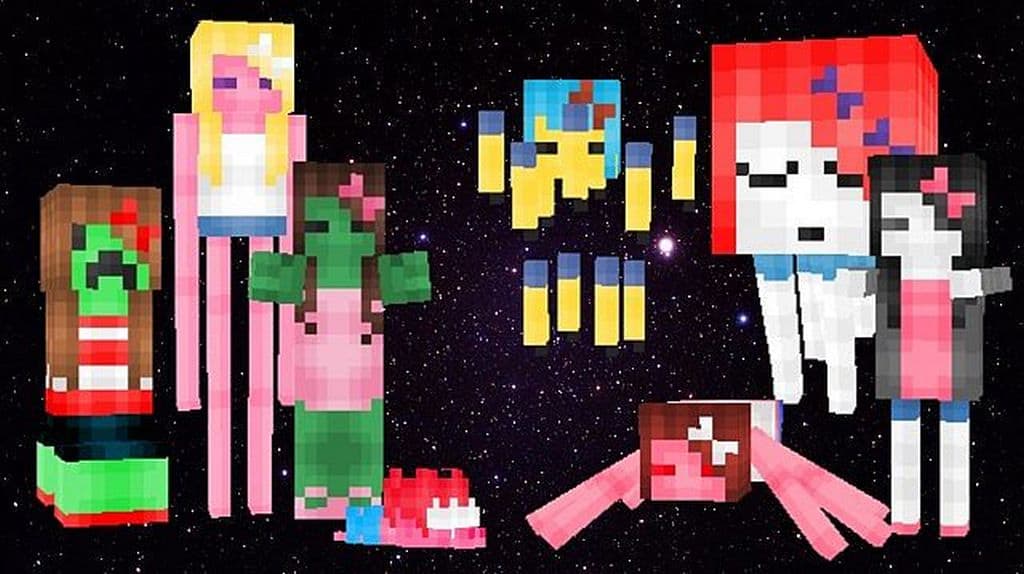
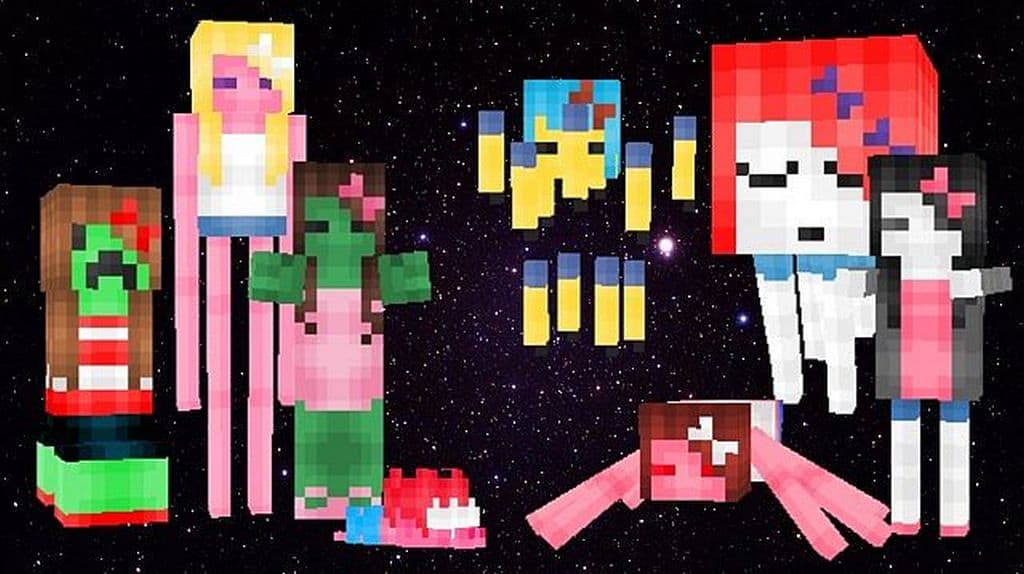
The Fashionable Mobs resource pack really stands out because it concentrates on Minecraft models and mobs instead of focusing entirely on items, which is a welcome change compared to the vast majority of resource packs available. There is a wide variety of resource packs that can considerably improve the overall look and feel of Minecraft, but almost all of those packs do not bother to concentrate on Minecraft’s entities, usually choosing instead to focus solely on items and terrains. Luckily, the talented author of Fashionable Mobs has created this brilliant set of textures to precisely cater to this specific objective. Therefore, we strongly suggest that if you do not like the vanilla Minecraft game’s classic mobs, you simply have to try Fashionable Mobs. It has successfully altered the textures to provide a vastly better look and feel to the Minecraft game. Fashionable Mobs has transformed almost all the entities in Minecraft, and I had a blast discovering these modifications which include virtually every cow and chicken, along with many other similar creatures.
In case we compare the altered textures with the standard Minecraft visuals, we find they look undeniably spectacular and refreshing. The comparison reveals a remarkably higher degree of improvement in texture detailing. The revised entities with their latest texture surface certainly provide an improved look and feel than the original Minecraft ones. After making these exciting and creative changes in the textures of the Fashionable Mobs resource pack, all the replaced animals and mobs appear far more stylish and polished. The texture pack has transformed them into highly fashionable and magnificent beings, to put it differently. Every single piece of texture has an unbelievable amount of intricate detailing work inbuilt in it. Best of all, Fashionable Mobs comes in a default display resolution of 16×16, meaning every standard PC system can comfortably run Fashionable Mobs without breaking a sweat if it can already handle default Minecraft. It implies that if your system can run a vanilla Minecraft game without any frame rate or FPS problems, you can use this pack smoothly and comfortably without facing any performance troubles at all.
Fashionable Mobs should be compatible with all of these Minecraft versions: 1.7.10 – 1.7.9 – 1.7.4 – 1.7 – 1.6.4 – 1.6.2
Screenshots
How to Install Texture Pack (Simple 10 Steps)
- Download OptiFine: Most of the texture packs and shaders need OptiFine. That’s why, first download and install OptiFine for the version of Minecraft you want to play.
- Download the Texture Pack: Get the texture pack you want from the download section. Choose the version that works with your Minecraft and your PC’s performance.
- Open Minecraft Launcher: Start Minecraft using the official game launcher — or even TLauncher, if you use that.
- Go to Options: From the main menu, click on the “Options” button.
- Open Resource Packs: Inside Options, click on “Resource Packs…”.
- Open the Resource Pack Folder: Click on “Open Resource Pack Folder” — this will open a folder named “resourcepacks”.
- Move the Pack File: Copy or move the .zip file you downloaded into that “resourcepacks” folder. (Don’t unzip the file — Minecraft uses it as-is!)
- Go Back and Refresh: Close the folder and click “Done”, then go back into “Resource Packs…” again.
- Activate the Pack: You’ll see the pack on the left side. Hover over it and click the arrow to move it to the right (active side).
Tip: If you get a message that the pack is for a different version, just click “Yes” — it usually works fine. - Click Done and Enjoy: Click “Done” again. Now your pack is ready to use in-game. It’s that easy!
Credits
This resource pack was originally created by drifblim_s. We do not claim ownership of this content, nor have we modified the original files. All rights remain with the original creator, and we encourage you to support them by downloading from their official links.
Download Instructions
Curseforge: download starts automatically after a few seconds;
Mediafire: click the big blue button with the text “DOWNLOAD”;
Google Drive: in the top right corner you will see a small download icon (down arrow), click it and the download should start;


