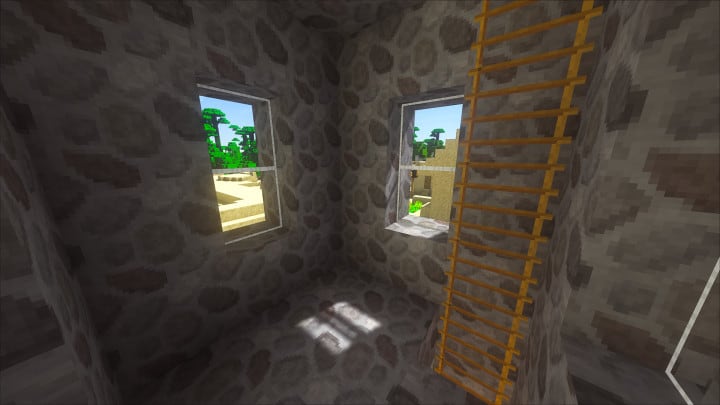
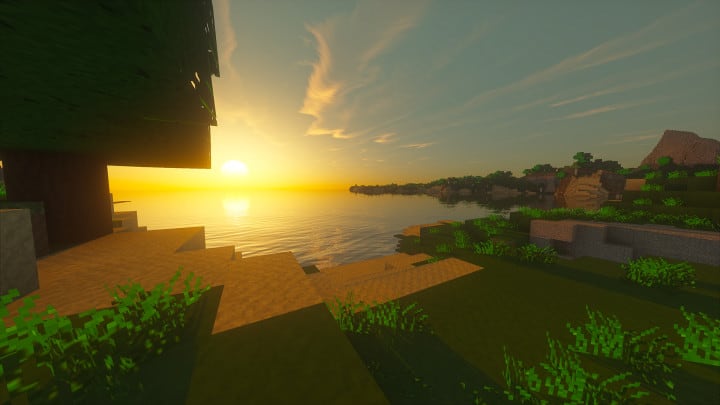
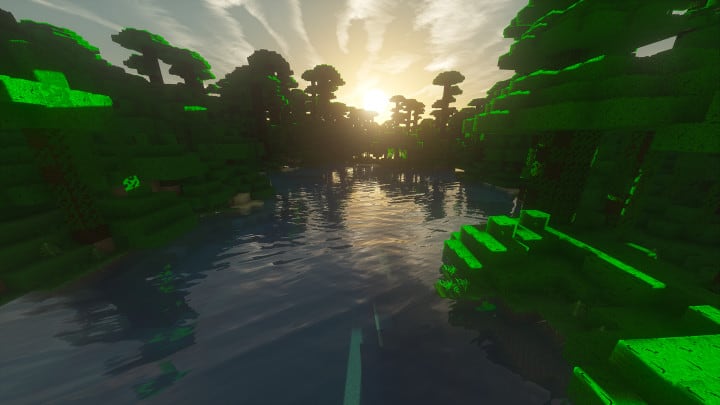
We just tested out Defined Realism, a fantastic new resource pack for vanilla Minecraft that has officially been released, and it is totally living up to the hype! It has completely taken the gaming community by storm, as proven by the exceptionally high number of downloads it has pulled in. Honestly, within just two days of its release, Defined Realism managed to attain almost two thousand downloads—quite an impressive performance for such a short amount of time. All this popularity is definitely not without reason, because this resource pack is genuinely packed with great features. It completely transforms the way you experience vanilla Minecraft visuals. The creators of Defined Realism mainly focused on bringing remarkable improvements to the textures of vanilla Minecraft by removing noise and scaling up the resolution to bring in so much more detail and clarity. They really succeeded in that effort. The result is a brilliant resource pack that makes Minecraft feel remarkably realistic, smooth, and genuinely easy to play. It is exceptionally well-designed to bring a special smoothness to the game graphics, making everything flow smoothly, especially if you are one of those players who felt vanilla graphics just did not hit the mark before.
The Defined Realism resource pack brilliantly removes noise from the textures, making the visuals appear remarkably sharp and pleasantly smoother overall. Honestly, we should say that very few resource packs have managed to do this before, and certainly not anywhere close to what Defined Realism has achieved here. It always seemed like noise from textures was terribly hard to eliminate completely, but Defined Realism pulled it off just perfectly. Better yet, the resource pack manages to greatly enhance the detail in the textures while maintaining a very manageable and moderate resolution. Gamers are going to love this because it truly elevates the playing experience to another level of realism and smoothness. Because Defined Realism packs in a ton of extra detail, it operates at a 32×32 resolution, which is nicely stepped up from the standard 16×16. However, this should cause you absolutely no worry because the resource pack still runs without any hitches on vanilla Minecraft, higher resolution notwithstanding. We genuinely think Defined Realism is an absolute must-try resource pack if you are looking to enjoy smoother and more realistic gameplay in vanilla Minecraft.
Defined Realism should be compatible with all of these Minecraft versions: 1.12.2 – 1.12 – 1.11.2 – 1.11
Screenshots

How to Install Texture Pack (Simple 10 Steps)
- Download OptiFine: Most of the texture packs and shaders need OptiFine. That’s why, first download and install OptiFine for the version of Minecraft you want to play.
- Download the Texture Pack: Get the texture pack you want from the download section. Choose the version that works with your Minecraft and your PC’s performance.
- Open Minecraft Launcher: Start Minecraft using the official game launcher — or even TLauncher, if you use that.
- Go to Options: From the main menu, click on the “Options” button.
- Open Resource Packs: Inside Options, click on “Resource Packs…”.
- Open the Resource Pack Folder: Click on “Open Resource Pack Folder” — this will open a folder named “resourcepacks”.
- Move the Pack File: Copy or move the .zip file you downloaded into that “resourcepacks” folder. (Don’t unzip the file — Minecraft uses it as-is!)
- Go Back and Refresh: Close the folder and click “Done”, then go back into “Resource Packs…” again.
- Activate the Pack: You’ll see the pack on the left side. Hover over it and click the arrow to move it to the right (active side).
Tip: If you get a message that the pack is for a different version, just click “Yes” — it usually works fine. - Click Done and Enjoy: Click “Done” again. Now your pack is ready to use in-game. It’s that easy!
Credits
Defined Realism was developed by Creativly. All rights to the original assets, artwork, and design belong entirely to the original creator. We do not claim ownership of this content, nor have we modified the core files. We highly recommend supporting Creativly by downloading the resource pack through the official links provided below.
Download Instructions
Curseforge: download starts automatically after a few seconds;
Mediafire: click the big blue button with the text “DOWNLOAD”;
Google Drive: in the top right corner you will see a small download icon (down arrow), click it and the download should start;


