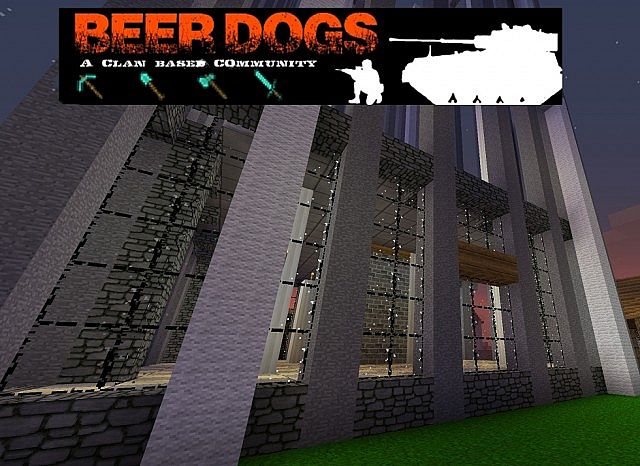
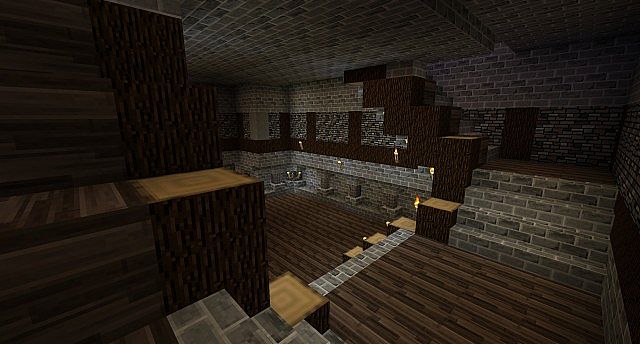
When I first loaded up the BeerDogs resource pack, I instantly realized why it is considered one of those classic older Minecraft texture packs that truly left a strong impression back in its day. Even though it comes from an era when most players had to worry about weaker hardware, this pack delivered a 32x resolution which felt surprisingly demanding yet totally playable at the time. Compared to today, when we can easily run 128x or even 256x packs on standard mid-range PCs, 32x might sound like a walk in the park. But I have to say, when the BeerDogs texture pack first made its debut, that bumped-up resolution felt like an absolute game-changer and a massive visual upgrade from the plain default 16x look. I really love how the pack aimed for a more realistic style with a distinct medieval edge. Its textures lean heavily toward a darker, slightly grim tone, making it a fantastic choice if you prefer moody medieval builds or atmospheric survival worlds. Instead of going overboard with overwhelming detail, I noticed the creators focused purely on balance by keeping things remarkably sharp and smooth while brilliantly staying true to Minecraft’s iconic blocky style. That design choice makes it super easy on the eyes, giving your builds a polished look without ever breaking your immersion.
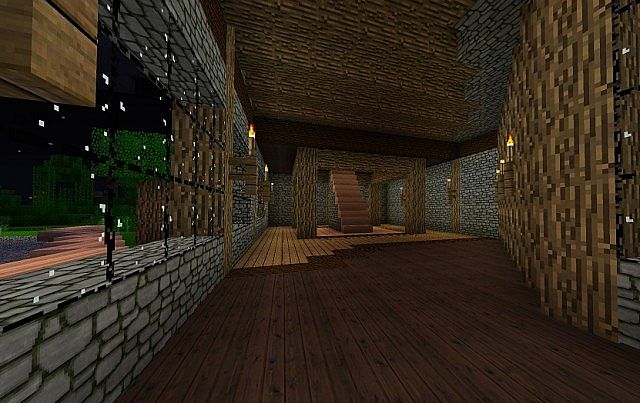
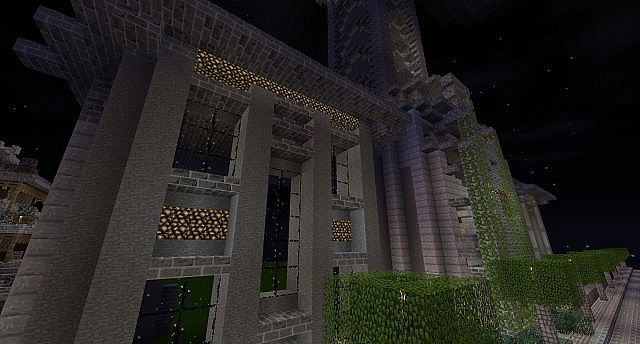
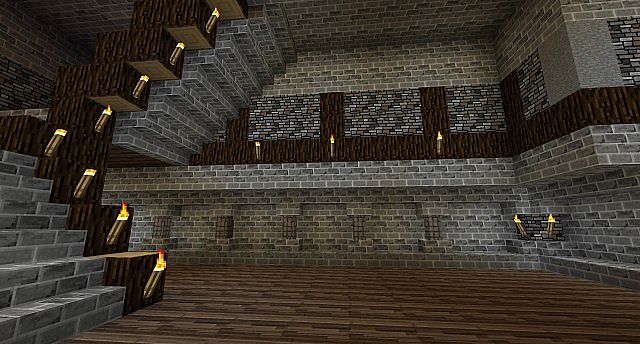
What really blew me away during my testing is how brilliantly BeerDogs handles building materials. Bricks, stone, cobblestone, sandstone, and wooden planks were all completely reworked into such clean and smooth designs. The wood textures, in particular, really stood out to me, giving planks a much more natural feel that looks incredible in large-scale structures. Another amazing detail I appreciated is how wonderfully all these blocks blend together. No matter what crazy combination of blocks you decide to use, the transitions look totally believable and consistent. Best of all, the pack doesn’t rely on any mods at all, meaning you can just drop it in and get started right away. Yes, you do not need Optifine for this texture pack to work, which is a huge plus! I also noticed that the creators cleverly kept elements of the default textures, simply improving them rather than throwing them away completely. For instance, wool is left mostly the same but features a higher pixel density for much sharper detail, and stone got that exact same treatment because the default vanilla texture was already solid. This gave BeerDogs an amazing sense of cozy familiarity while still feeling totally fresh. To top it all off, the pack even includes custom jukebox music. The creator never actually revealed the full tracklist, leaving it entirely for players to discover on their own, but I found that the background music stays thoroughly enjoyable and never gets annoying even after hours of repeated listening.
BeerDogs should be compatible with all of these Minecraft versions: 1.7.10 – 1.7.9 – 1.7.4 – 1.7 – 1.6.4 – 1.6.2
Screenshots


How to Install Texture Pack (Simple 10 Steps)
- Download OptiFine: Most of the texture packs and shaders need OptiFine. That’s why, first download and install OptiFine for the version of Minecraft you want to play.
- Download the Texture Pack: Get the texture pack you want from the download section. Choose the version that works with your Minecraft and your PC’s performance.
- Open Minecraft Launcher: Start Minecraft using the official game launcher — or even TLauncher, if you use that.
- Go to Options: From the main menu, click on the “Options” button.
- Open Resource Packs: Inside Options, click on “Resource Packs…”.
- Open the Resource Pack Folder: Click on “Open Resource Pack Folder” — this will open a folder named “resourcepacks”.
- Move the Pack File: Copy or move the .zip file you downloaded into that “resourcepacks” folder. (Don’t unzip the file — Minecraft uses it as-is!)
- Go Back and Refresh: Close the folder and click “Done”, then go back into “Resource Packs…” again.
- Activate the Pack: You’ll see the pack on the left side. Hover over it and click the arrow to move it to the right (active side).
Tip: If you get a message that the pack is for a different version, just click “Yes” — it usually works fine. - Click Done and Enjoy: Click “Done” again. Now your pack is ready to use in-game. It’s that easy!
Credits
This resource pack was originally created by rhulancorp. We do not claim ownership of this content, nor have we modified the original files. All rights and intellectual property belong strictly to rhulancorp. We strongly encourage you to support the original creator by downloading the pack through their official links.
Download Instructions
Curseforge: download starts automatically after a few seconds;
Mediafire: click the big blue button with the text “DOWNLOAD”;
Google Drive: in the top right corner you will see a small download icon (down arrow), click it and the download should start;


