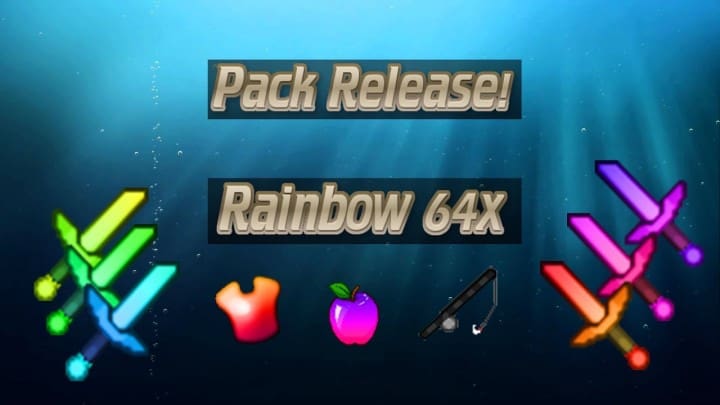
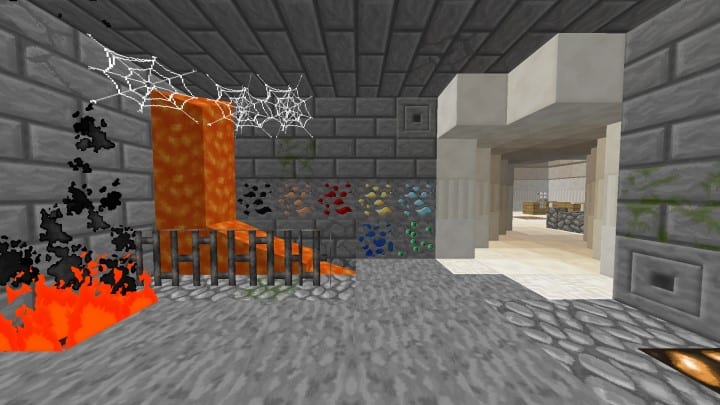
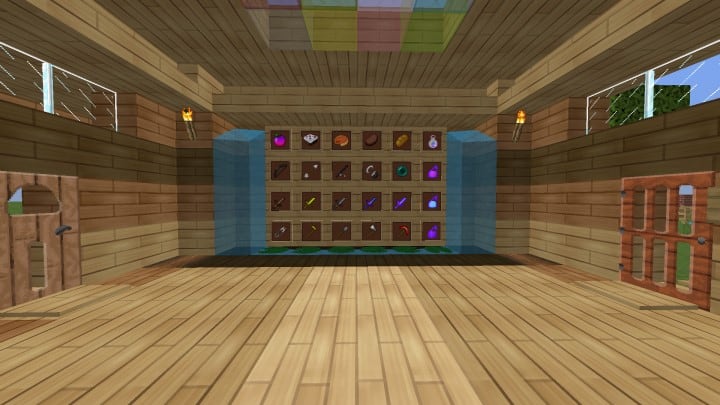
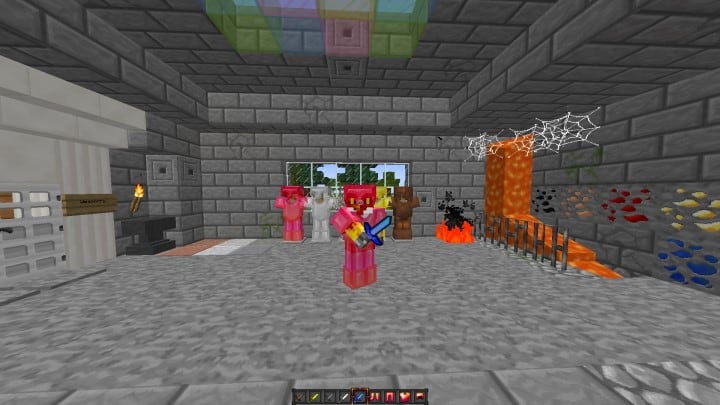
The Animated Rainbow PvP resource pack is an absolute must-try Minecraft player versus player set of textures that I really enjoyed testing out! This pack features several exciting new additions that players simply haven’t seen in other similar packs, effortlessly elevating your typical gaming experience to a much higher level. The overly simplistic stylistic views of most traditional PvP resource packs are a major reason why many players avoid them entirely, but the Animated Rainbow PvP pack truly stands apart from the crowd. It incorporates numerous vibrant elements that add an incredible layer of depth to your gameplay that you have honestly never experienced before. I found that this resource pack looks gorgeous during normal, everyday play while brilliantly introducing custom textures that every player is bound to love. Best of all, the Animated Rainbow PvP pack includes all of the fundamental features that enthusiast players demand from a thoughtfully designed resource pack, including short swords, low fire, and other optimized graphic features that give you the vital clarity you desperately need during intense PvP sessions.
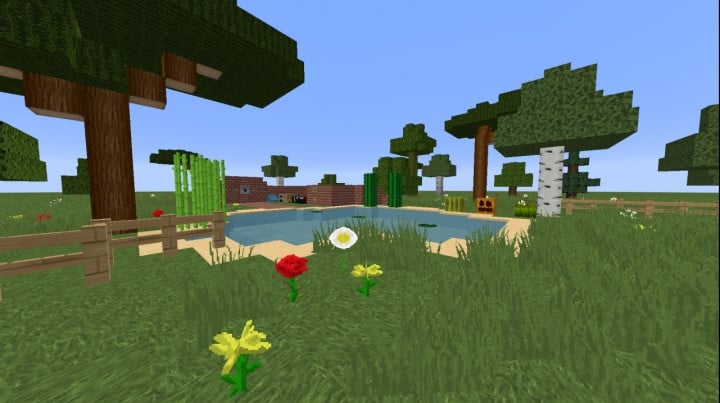
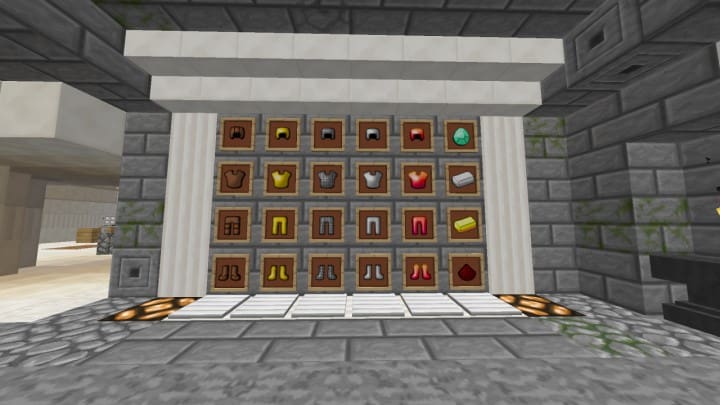
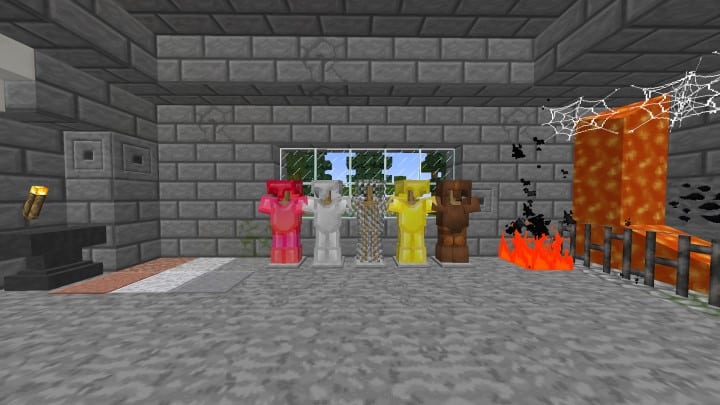
This stunning Rainbow PvP texture pack contains completely fresh, customized textures featuring 64×64 items and blocks. While the usual 16x resolution is still utilized on a select few items, the pack’s block textures are noticeably more detailed than standard alternatives because the vast majority of Animated Rainbow PvP block and item textures boast a crisp 64×64 resolution. To fully appreciate this resource pack, you will ideally want a system with robust hardware rather than an average setup, which is essential for maintaining rock-solid frame rates and ensuring an incredible gaming experience. The brilliant animated textures are an absolute treat to look at, adding a profound sense of depth that fully immerses you in the game world. Honestly, the beauty and realistic appeal of these textures might even catch you off guard or distract you during your average PvP session because of just how drastically different this pack is compared to more generic resource packs out there. Overall, I found Animated Rainbow PvP to be a surprisingly well-optimized pack that can sometimes run smoothly even on weaker hardware, so we genuinely recommend giving it a try; if it runs a bit slow on your machine, you can always explore an alternative, but if not, sit back and truly enjoy playing with this pack!
Animated Rainbow PvP should be compatible with all of these Minecraft versions: 1.15.2 – 1.15.1 – 1.15 – 1.14.4 – 1.14.3 – 1.14.2 – 1.14 – 1.8.9 – 1.8.8 – 1.8.1 – 1.8.6 – 1.8
Screenshots
How to Install Texture Pack (Simple 10 Steps)
- Download OptiFine: Most of the texture packs and shaders need OptiFine. That’s why, first download and install OptiFine for the version of Minecraft you want to play.
- Download the Texture Pack: Get the texture pack you want from the download section. Choose the version that works with your Minecraft and your PC’s performance.
- Open Minecraft Launcher: Start Minecraft using the official game launcher — or even TLauncher, if you use that.
- Go to Options: From the main menu, click on the “Options” button.
- Open Resource Packs: Inside Options, click on “Resource Packs…”.
- Open the Resource Pack Folder: Click on “Open Resource Pack Folder” — this will open a folder named “resourcepacks”.
- Move the Pack File: Copy or move the .zip file you downloaded into that “resourcepacks” folder. (Don’t unzip the file — Minecraft uses it as-is!)
- Go Back and Refresh: Close the folder and click “Done”, then go back into “Resource Packs…” again.
- Activate the Pack: You’ll see the pack on the left side. Hover over it and click the arrow to move it to the right (active side).
Tip: If you get a message that the pack is for a different version, just click “Yes” — it usually works fine. - Click Done and Enjoy: Click “Done” again. Now your pack is ready to use in-game. It’s that easy!
Credits
Created by Blazik3n. We do not own or modify this resource pack. All rights belong to the original creator. We encourage you to support Blazik3n by downloading from the official sources.
Download Links
Java Edition
Download Instructions
Curseforge: download starts automatically after a few seconds;
Mediafire: click the big blue button with the text “DOWNLOAD”;
Google Drive: in the top right corner you will see a small download icon (down arrow), click it and the download should start;


