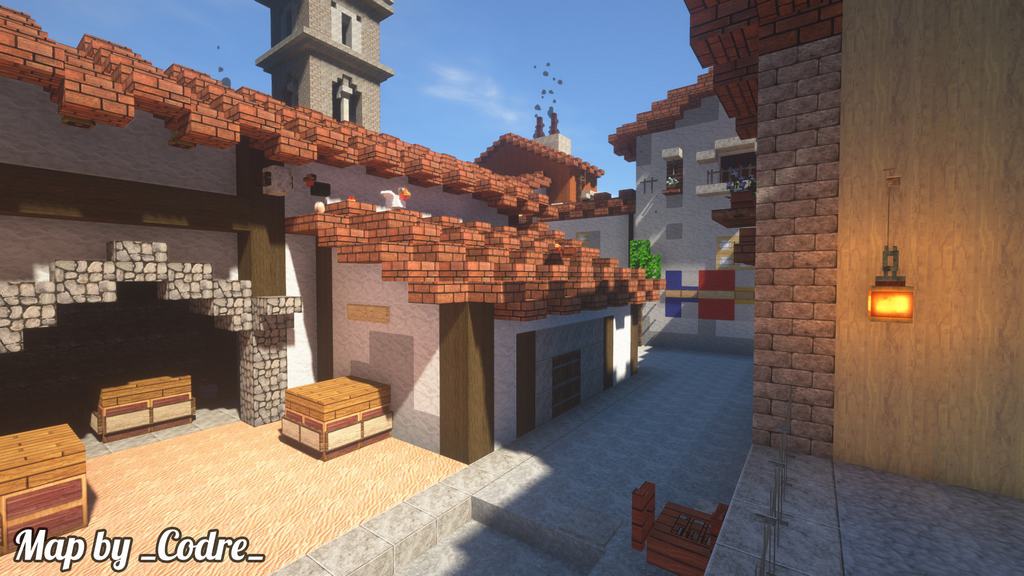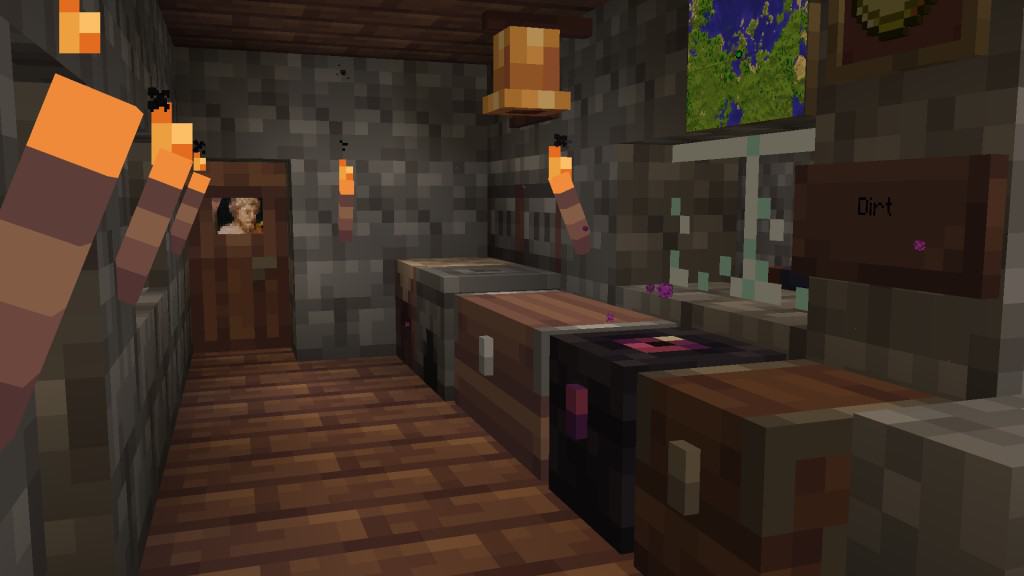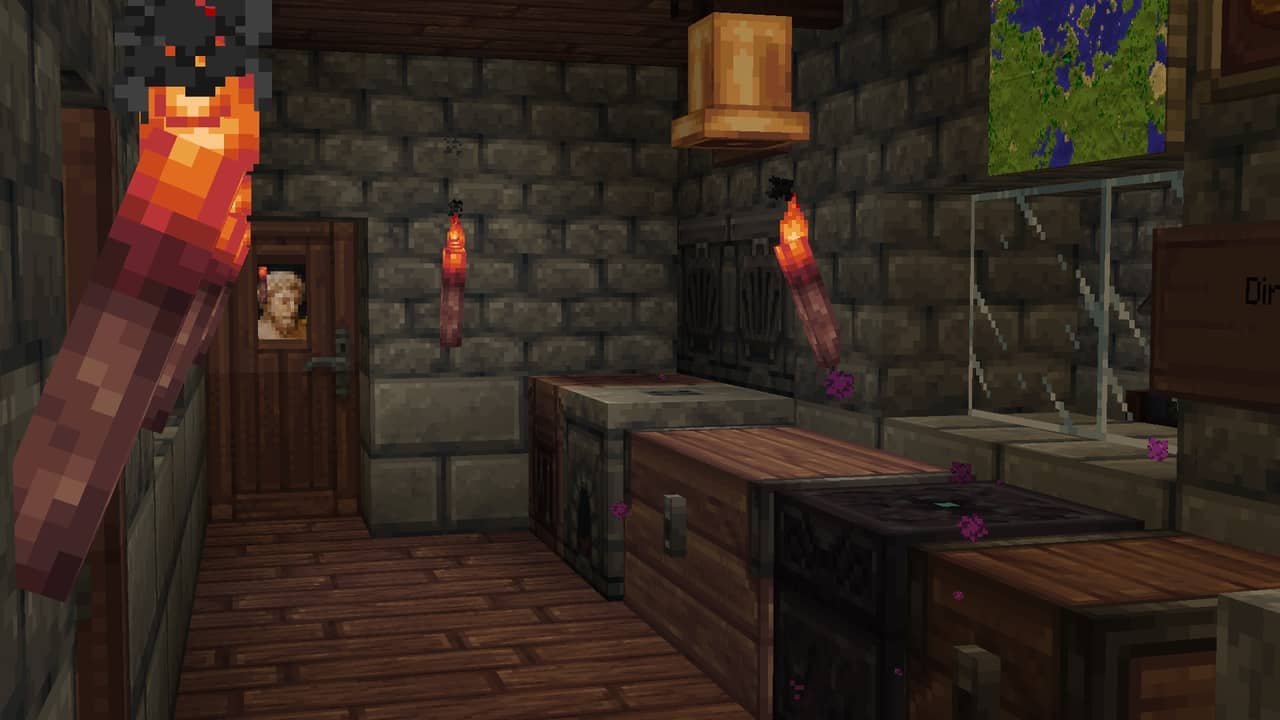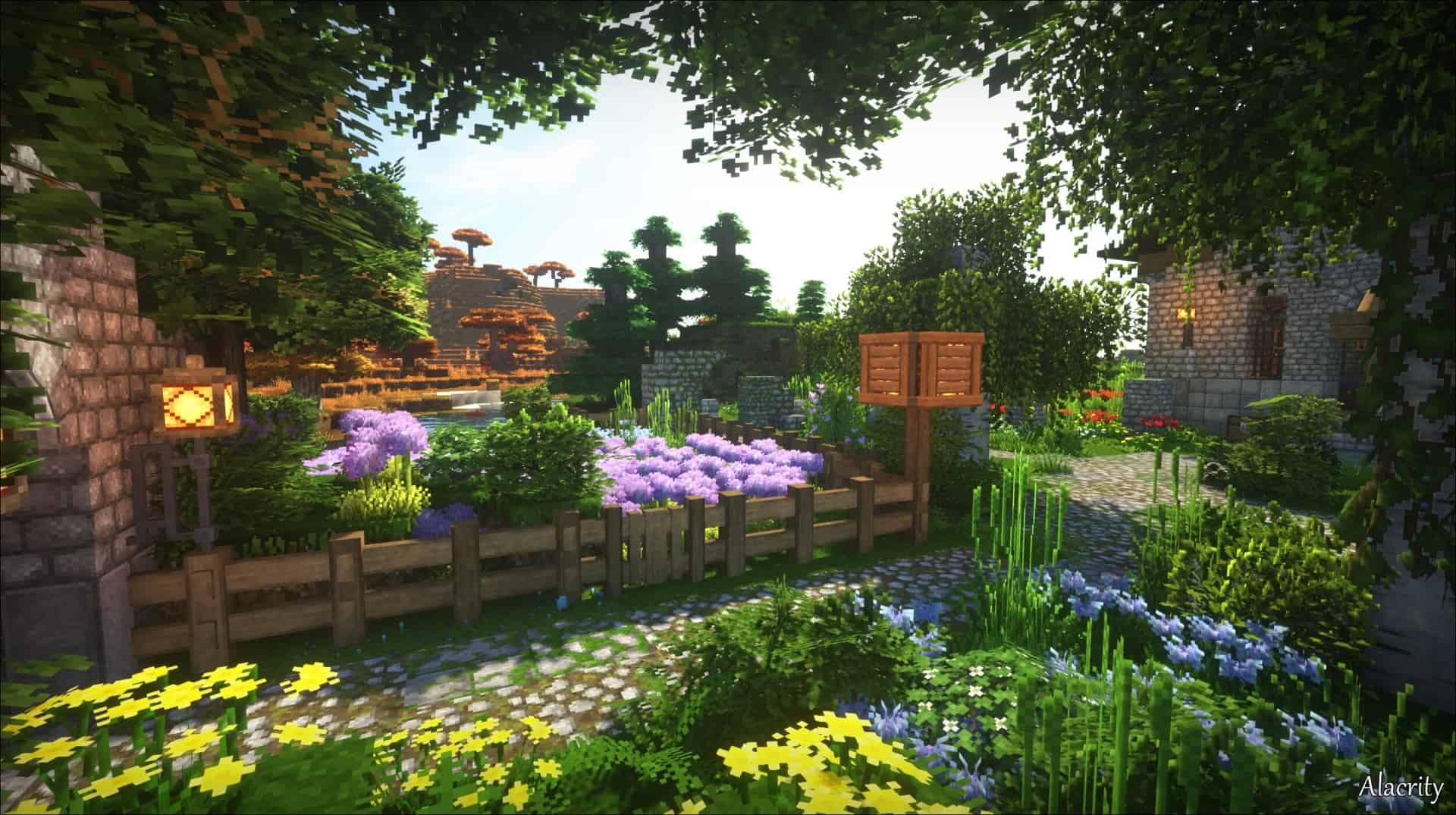
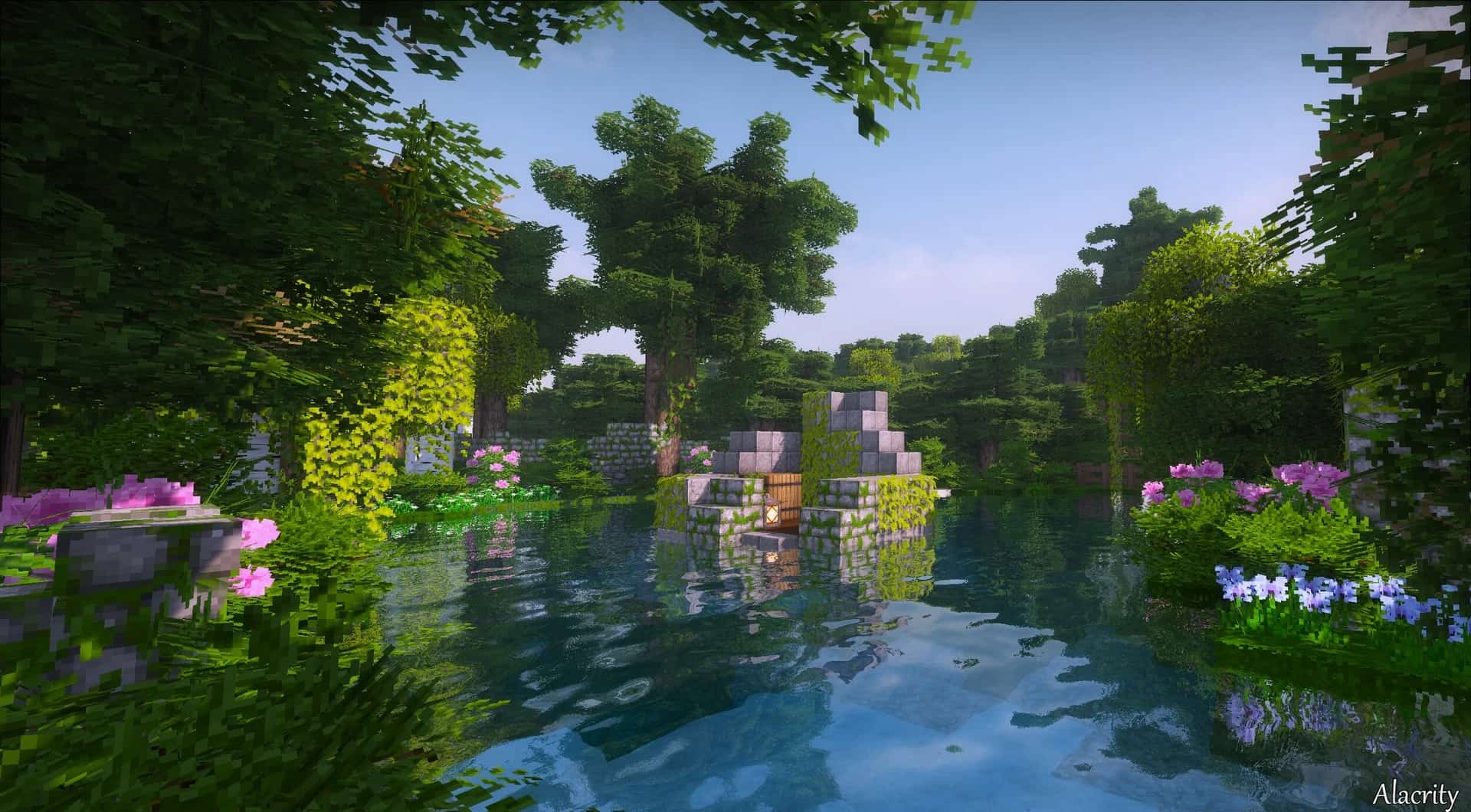
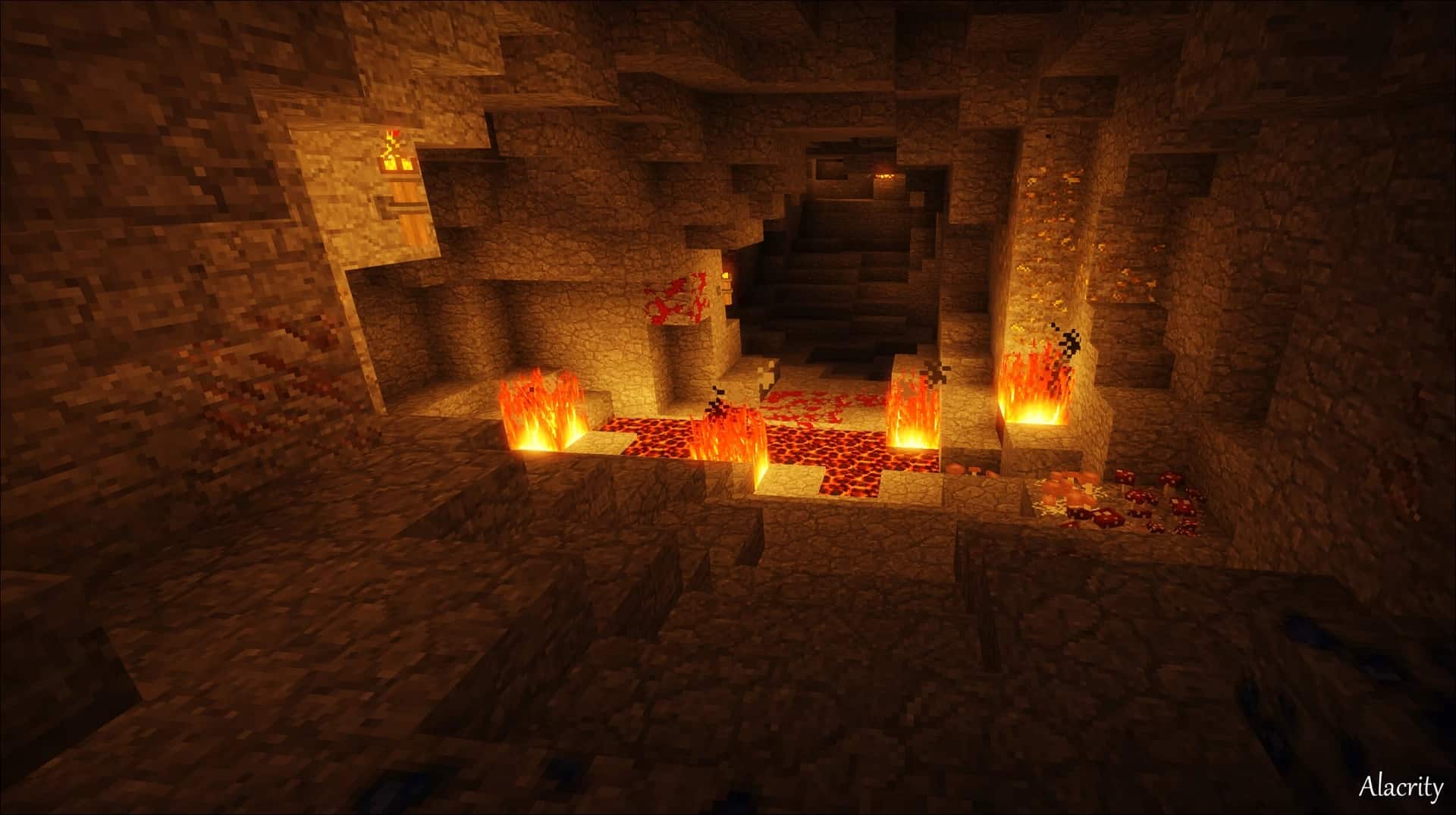
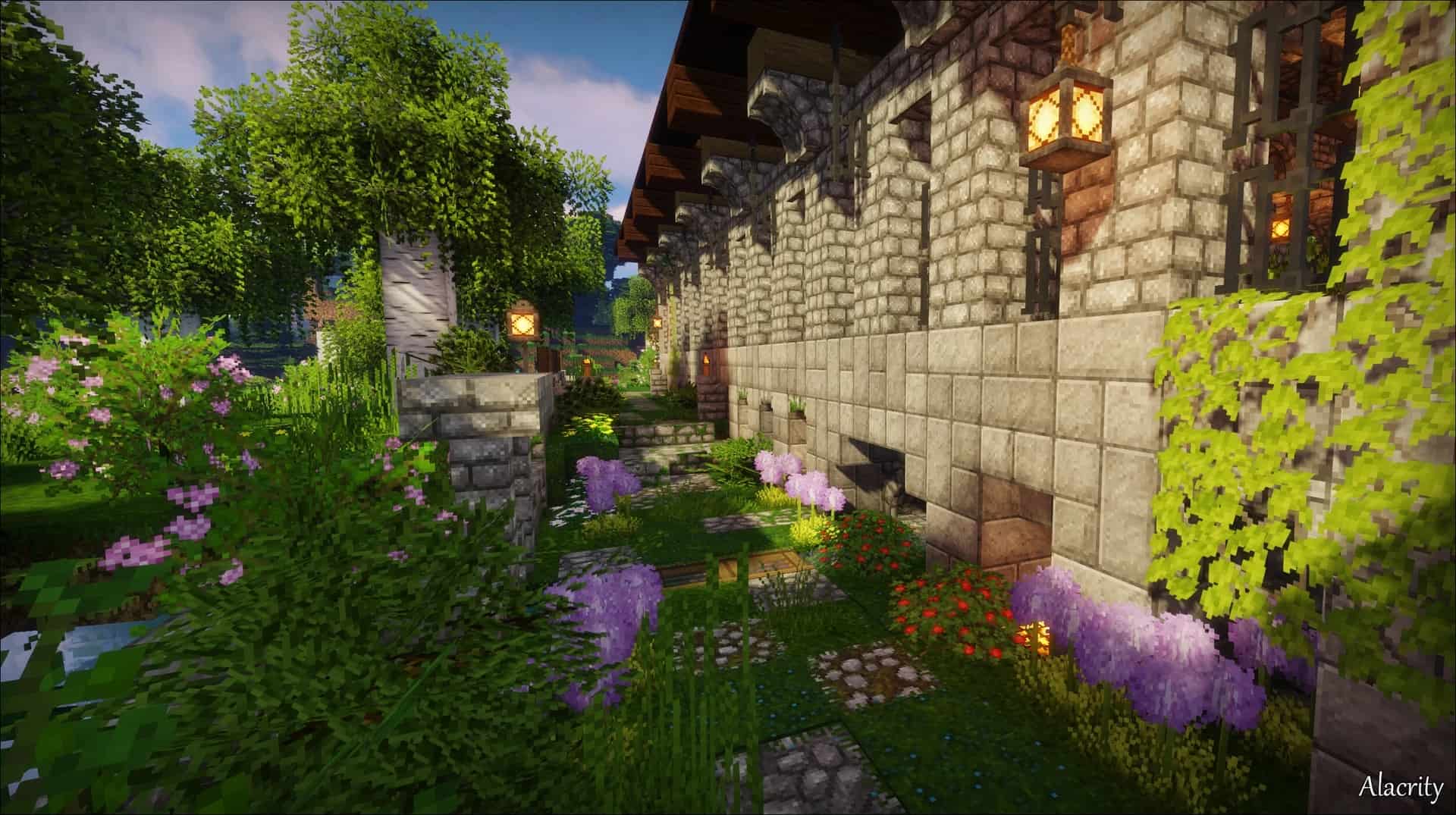
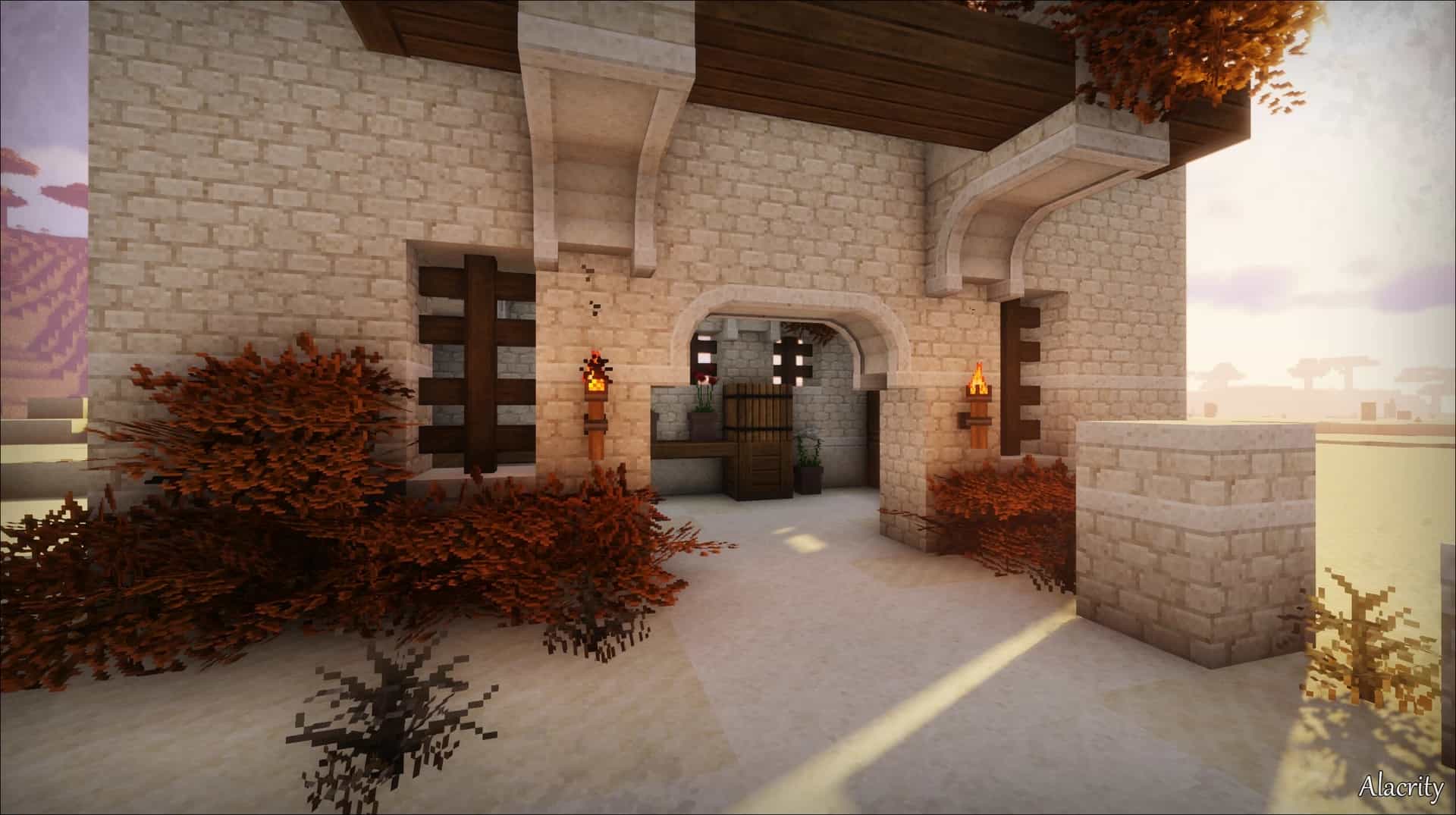
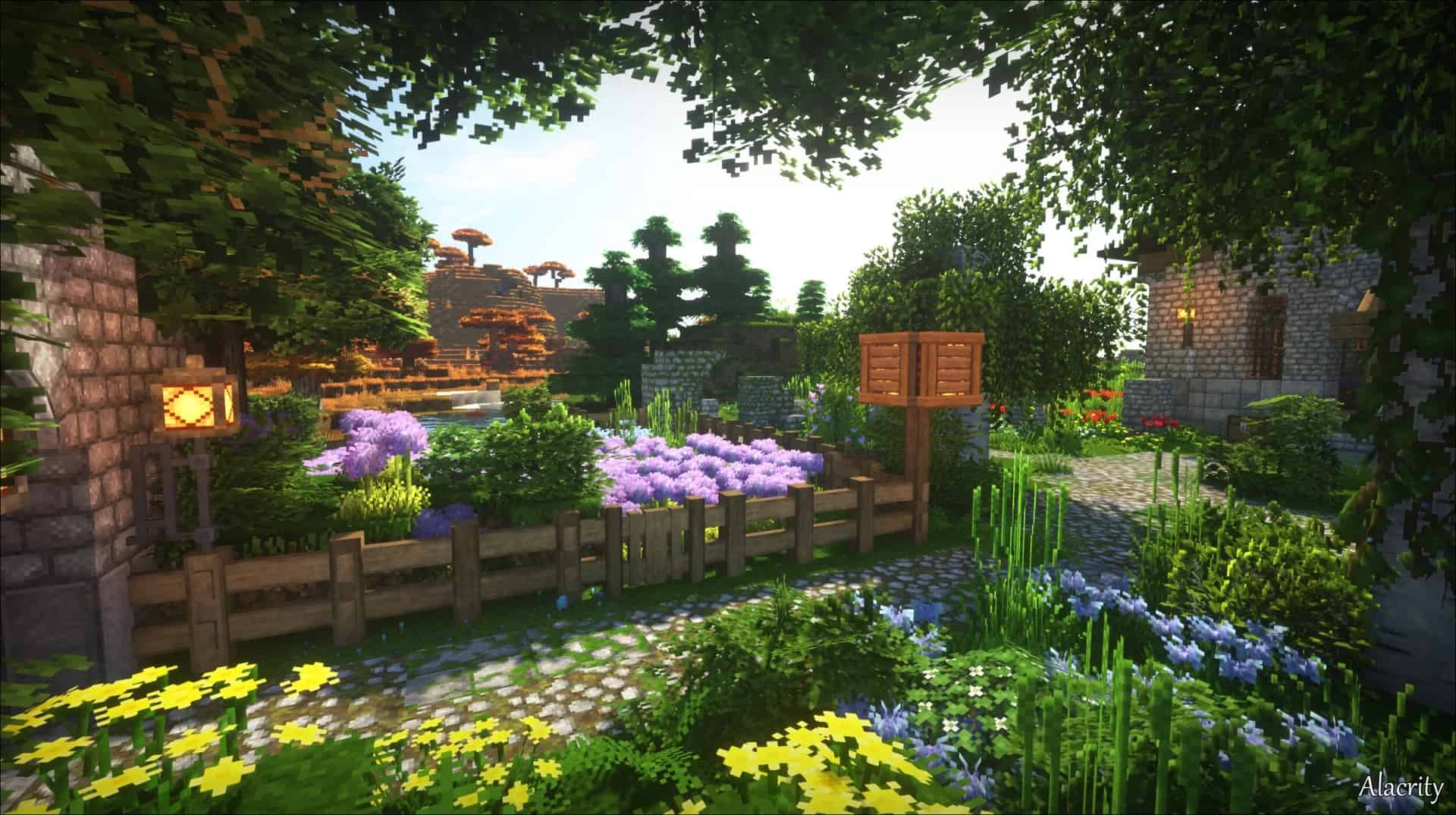
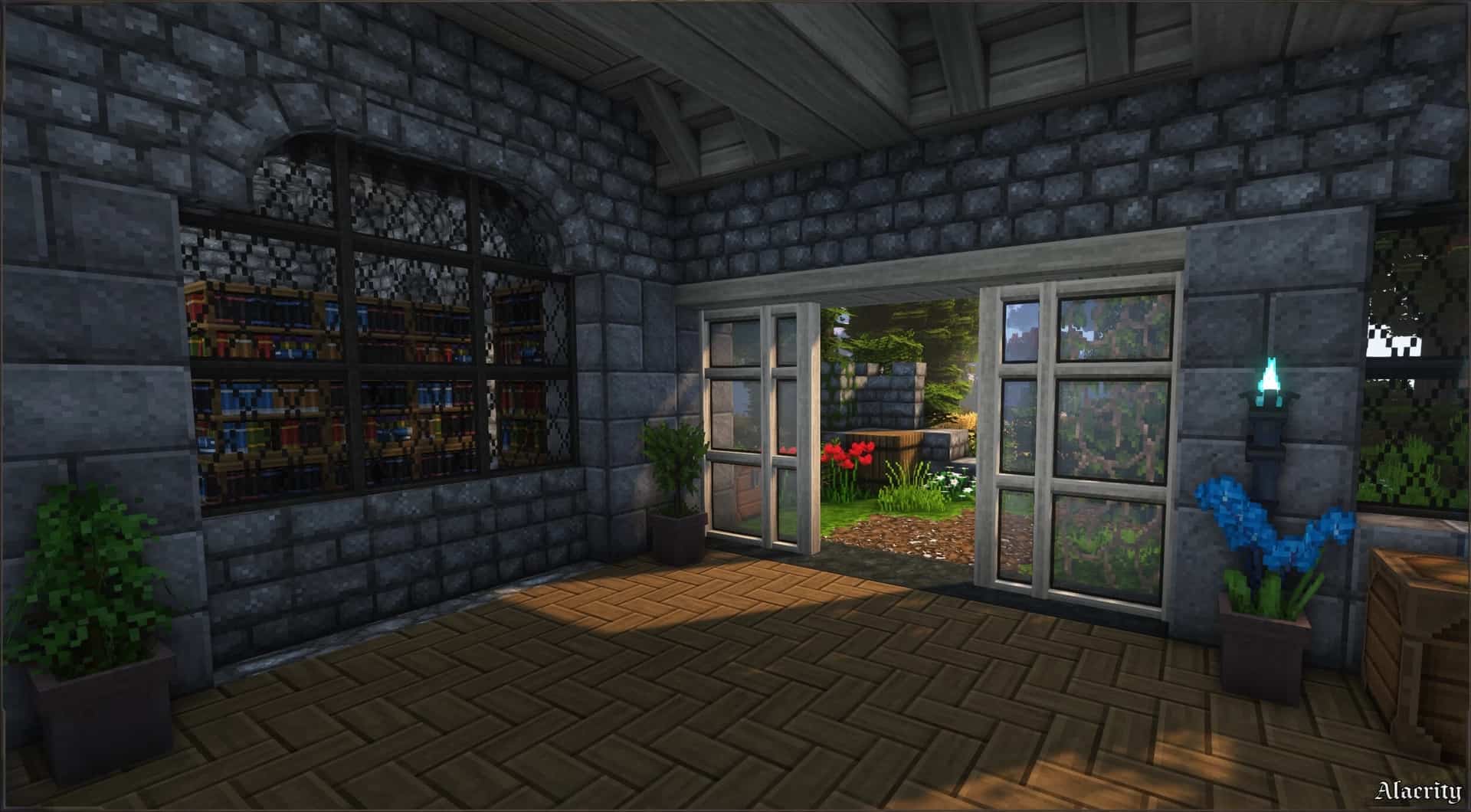
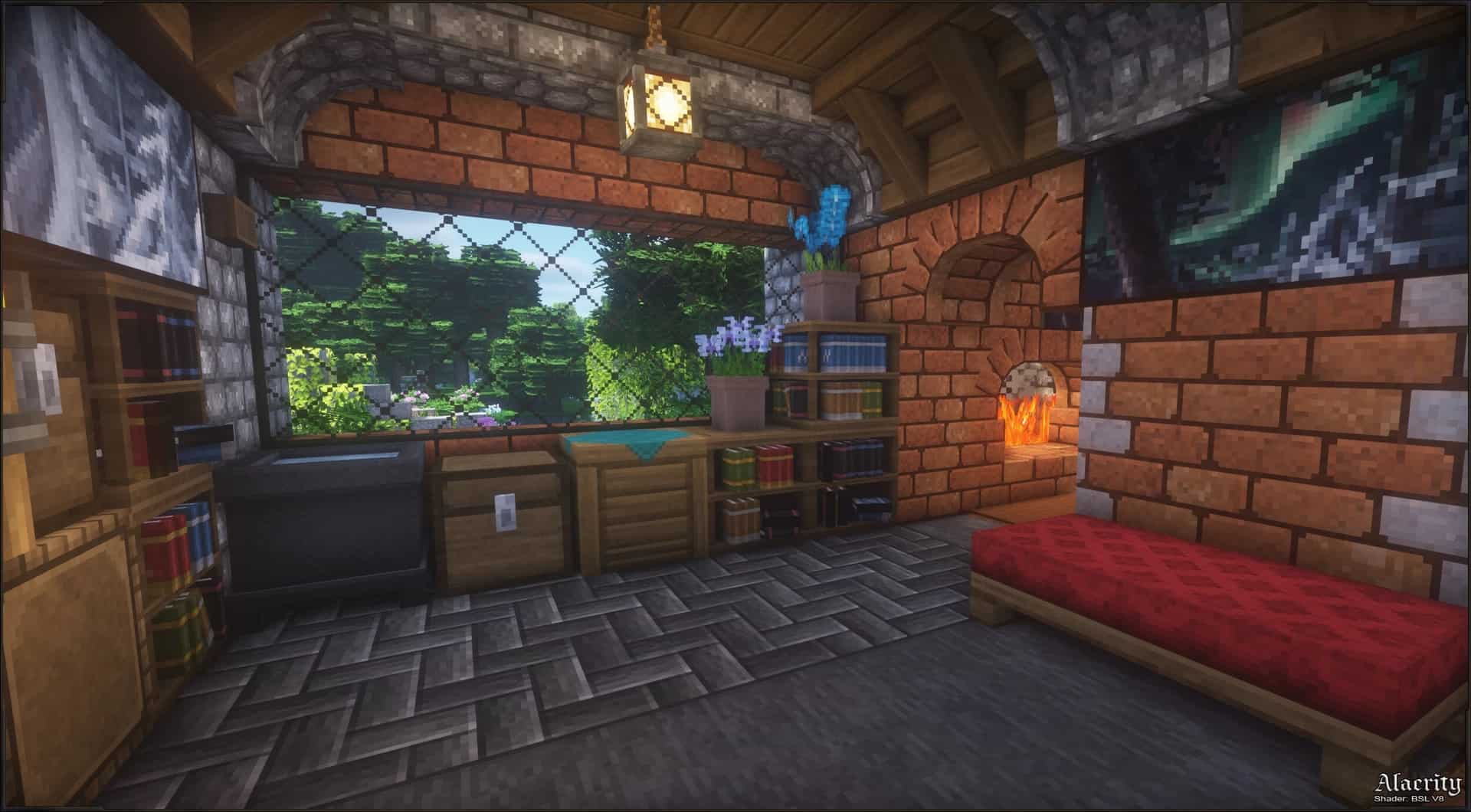
If you are one of those players who completely agrees that Minecraft desperately needs a gorgeous visual touch-up, then you will find that the Alacrity resource pack is an absolute dream come true. I tested it out extensively, and the vast majority of modern packs tend to break that original feel that vanilla textures bring, usually introducing massive, significant changes that make it feel like an entirely different game altogether. Alacrity easily belongs to the rare minority that only tries to brilliantly amplify the existing experience rather than completely transform it. When you first load up the game with it active, you are immediately greeted by that familiar, cozy atmosphere we all love. However, you will instantly notice that all of the blocks feature an increased sharpness that makes everything pop. The entire world gives off incredible vibes very similar to classic old-school RPG games, delivering a distinctly rustic and delightfully crude feel. The shadowy tone subtly softens down the colors by a tiny fraction which you might not even notice unless you have been playing the game for a long time. That being said, I was thrilled to find that the Alacrity resource pack is wonderfully made for both casual amateur builders and hardcore professional players alike. As far as the more noticeable changes go, the vegetation plays a huge part in making this pack shine. The leaves are thoroughly overhauled and honestly look breathtaking. Instead of the traditional, boring blocky design, they boast dense foliage that realistically sticks out from the sides in all directions, exactly as you would encounter them in the real world. The plants and grass seamlessly follow up on those intricate details, and you will see this most prominently displayed in the vibrant, colorful plains biome. In addition to this wonderful botanical upgrade, both water and lava look much clearer and far more uniform than before. A surprisingly large number of textures in the pack feature stunning 3D properties. Compared to original vanilla textures, where it can sometimes be tough to differentiate the graininess, here you can clearly make out every single little detail. For instance, cobblestone has deeply highlighted slits nestled between the individual rocks, giving you the immersive feeling that your character might actually stumble as you walk right over it. Besides these gorgeous 3D models, Alacrity also introduces wonderfully integrated connected textures.
This means that the harsh outlines between different blocks are practically gone, making the visual transitions between them look completely continuous. You can actually spot the subtle residue of one block bleeding into the beginning of an adjacent block, especially if they are completely different materials. As you can probably guess from playing around with it, this fantastic combination of connected textures and 3D models makes for some of the best-looking builds you will ever create. Furthermore, items and mobs have received their own loving modifications. Weapons and armor fully embrace the medieval theme, boasting an astonishing amount of fine detail. The gold armor in particular features striking white, blue, and yellow elements brilliantly mixed together into one unforgettable texture. Once you finally put it on, you will be instantly eager to run out and battle some hostile mobs. Entities also faithfully follow the simplified, slightly darker color palette, allowing them to perfectly blend in with the surrounding environment. Another exceptionally welcome change involves the in-game paintings. The talented developer, Satellence, drew wonderful inspiration from an artist mentioned directly on their official page. These paintings mostly consist of old-school-style portraits and moody gothic representations that fit in exceptionally well with the rest of the pack. With all of these phenomenal features in mind, you would naturally expect Alacrity to come at some ridiculously high resolution like most other advanced packs of its caliber. However, I was amazed to see that is simply not the case. The main and only available version is a very manageable 32×32. This is honestly quite shocking once you factor in the complex 3D textures, bushy leaves, and seamless connected textures. Getting all of these components to work properly requires either the Optifine mod or the Continuity mod. Optifine uses Forge as its trusty basis, while Continuity relies on the smooth Fabric toolchain. Although you can technically load up the pack without either of them, you are likely to encounter minor visual hiccups. Since Optifine can even give you a few extra frames per second, there is really no reason to avoid it. The pack itself only doubles the standard vanilla resolution, meaning if your PC is even somewhat up-to-date, you will not experience any frustrating performance drops. For added atmospheric beauty, you can easily toss in some shaders. Just keep in mind that the complex 3D and connected textures can be a tad more demanding than usual, so combining them with heavy shaders definitely requires a slightly more powerful rig. All things considered, it seems like Alacrity will continue to receive fantastic updates and support various mods, so there are endless reasons to try it out and see what incredible sights it brings to your world.
Alacrity should be compatible with all of these Minecraft versions: 26.2 – 26.1.2 – 26.1.1 – 26.1 – 1.21.11 – 1.21.10 – 1.21.9 – 1.21.8 – 1.21.7 – 1.21.6 – 1.21.5 – 1.21.4 – 1.21.3 – 1.21.2 – 1.21.1 – 1.21 – 1.20.6 – 1.20.5 – 1.20.4 – 1.20.3 – 1.20.2 – 1.20.1 – 1.20 – 1.19.4 – 1.19.3 – 1.19.2 – 1.19.1 – 1.19 – 1.18.2 – 1.18.1 – 1.18 – 1.17.1 – 1.17 – 1.16.5 – 1.16.4 – 1.16.3 – 1.16.2 – 1.16.1 – 1.16
Screenshots
How to Install Texture Pack (Simple 10 Steps)
- Download OptiFine: Most of the texture packs and shaders need OptiFine. That’s why, first download and install OptiFine for the version of Minecraft you want to play.
- Download the Texture Pack: Get the texture pack you want from the download section. Choose the version that works with your Minecraft and your PC’s performance.
- Open Minecraft Launcher: Start Minecraft using the official game launcher — or even TLauncher, if you use that.
- Go to Options: From the main menu, click on the “Options” button.
- Open Resource Packs: Inside Options, click on “Resource Packs…”.
- Open the Resource Pack Folder: Click on “Open Resource Pack Folder” — this will open a folder named “resourcepacks”.
- Move the Pack File: Copy or move the .zip file you downloaded into that “resourcepacks” folder. (Don’t unzip the file — Minecraft uses it as-is!)
- Go Back and Refresh: Close the folder and click “Done”, then go back into “Resource Packs…” again.
- Activate the Pack: You’ll see the pack on the left side. Hover over it and click the arrow to move it to the right (active side).
Tip: If you get a message that the pack is for a different version, just click “Yes” — it usually works fine. - Click Done and Enjoy: Click “Done” again. Now your pack is ready to use in-game. It’s that easy!
Credits
This resource pack was created by Satellence. We do not claim ownership of this content, nor do we host modified versions of the files. All rights remain with the original creator. We strongly encourage you to visit the official creator pages to support their work and download future updates.
Download Links
Java Edition
Download Instructions
Curseforge: download starts automatically after a few seconds;
Mediafire: click the big blue button with the text “DOWNLOAD”;
Google Drive: in the top right corner you will see a small download icon (down arrow), click it and the download should start;