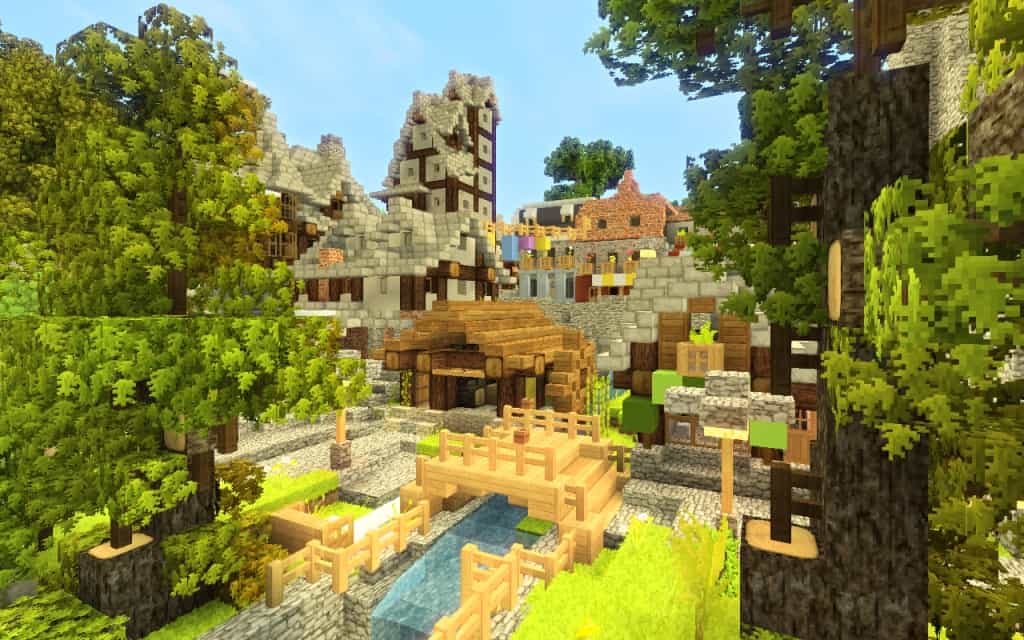
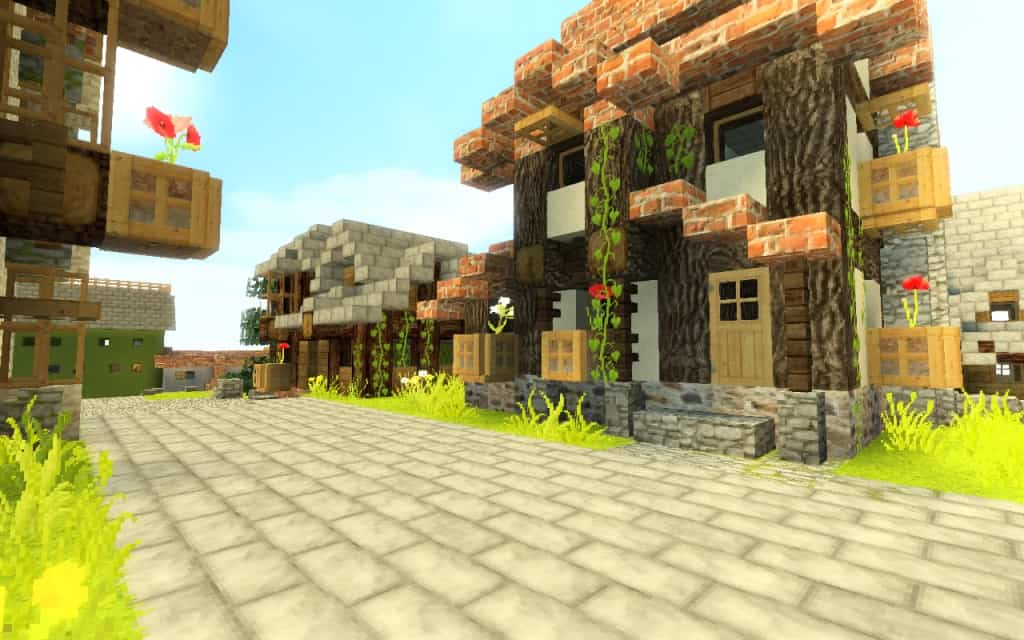
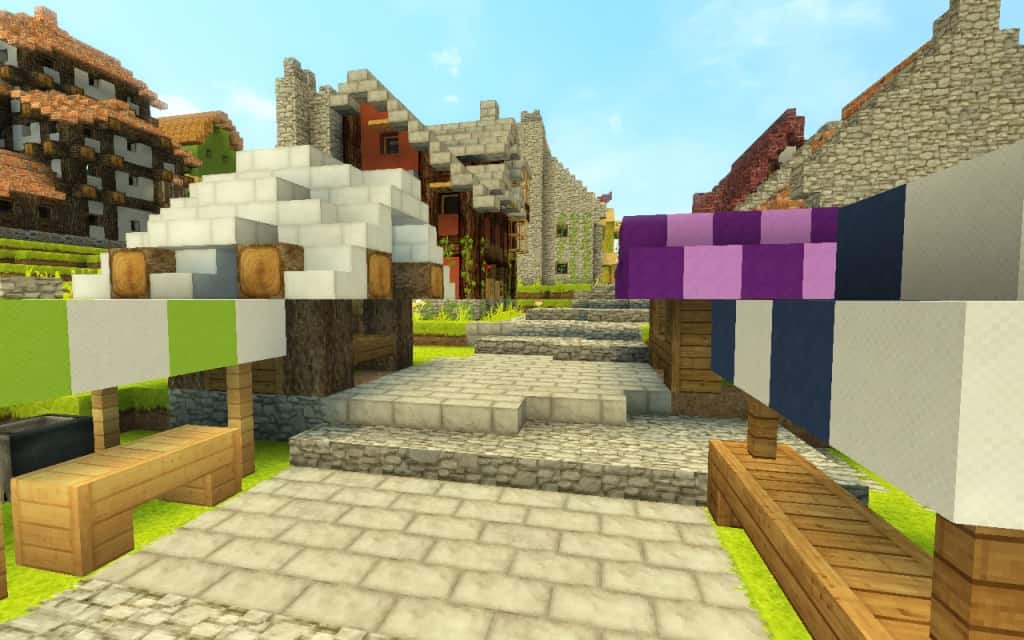
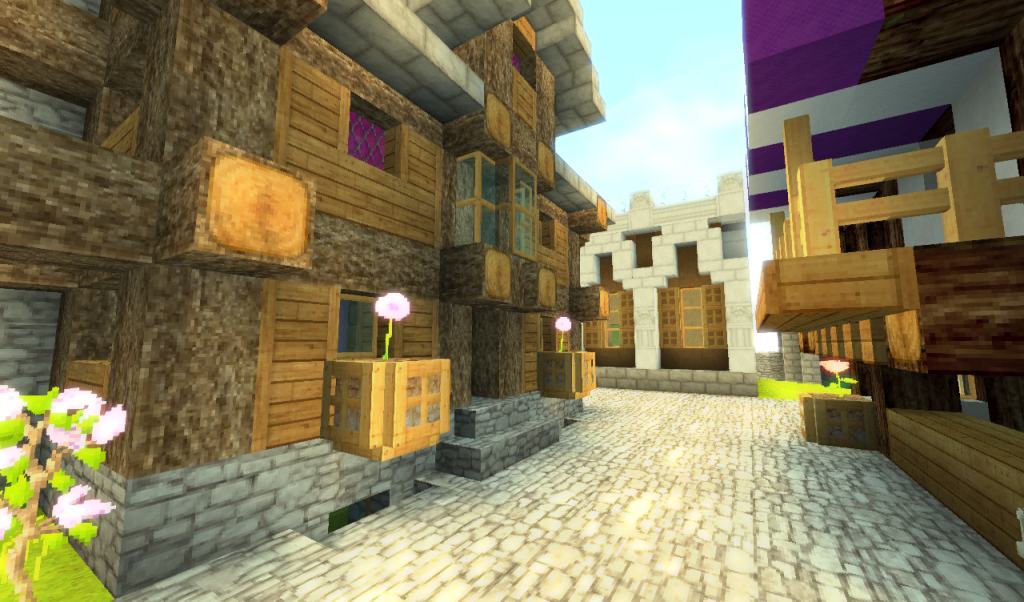
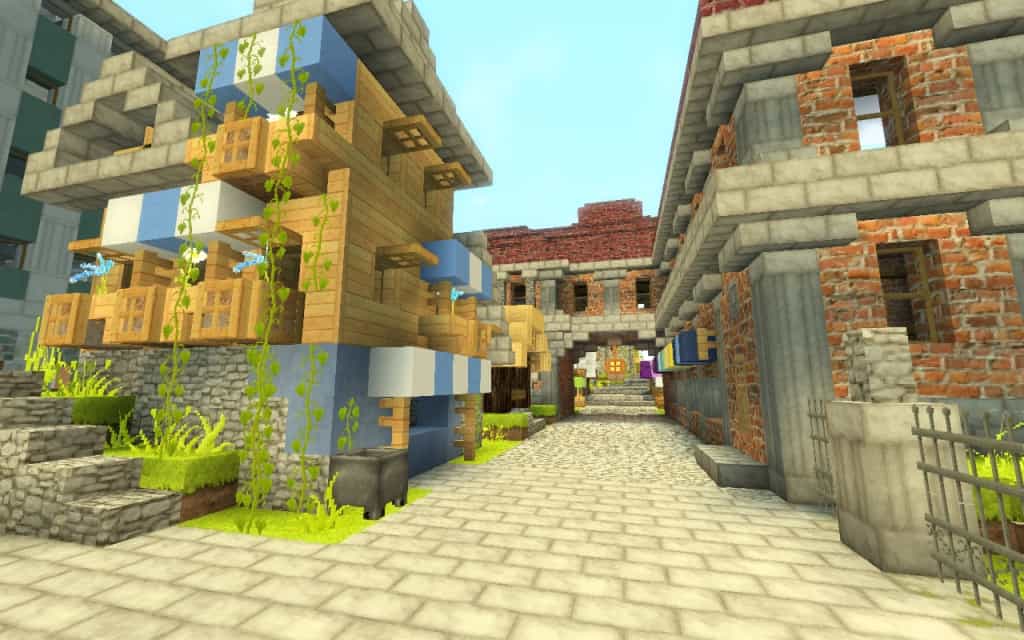
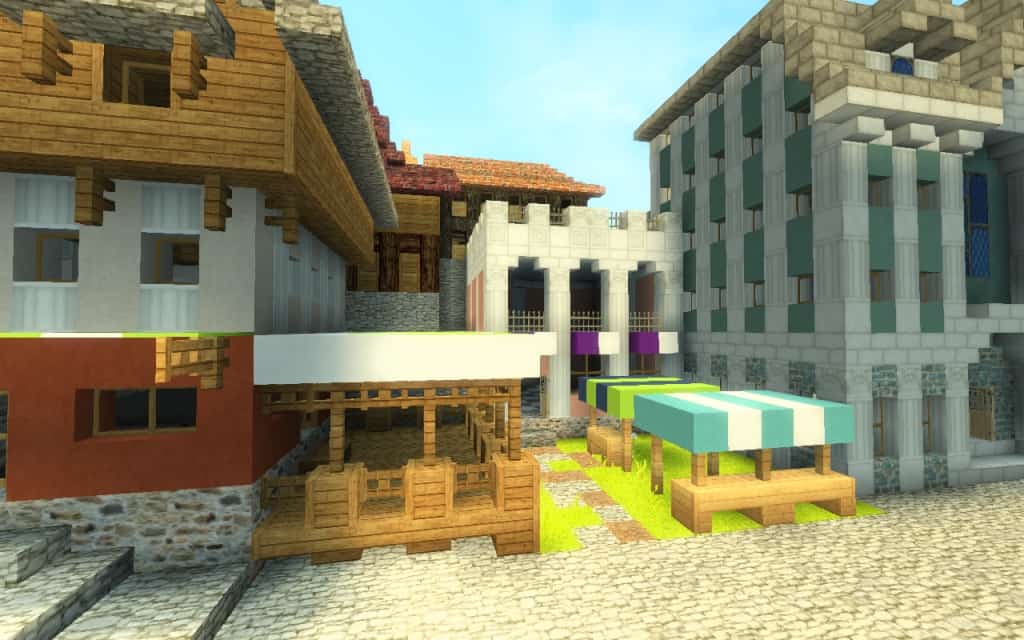
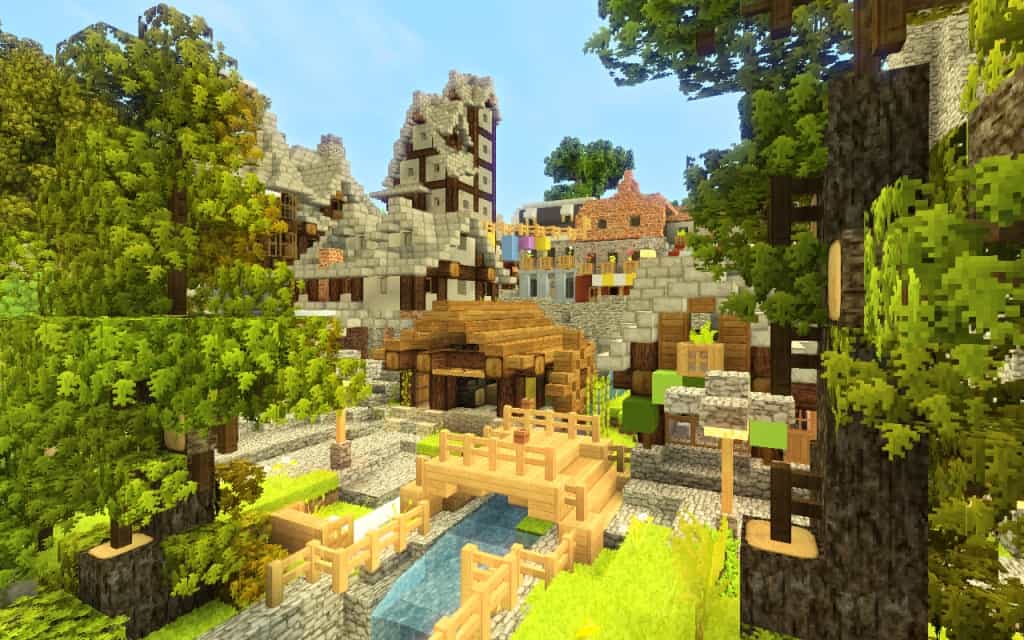
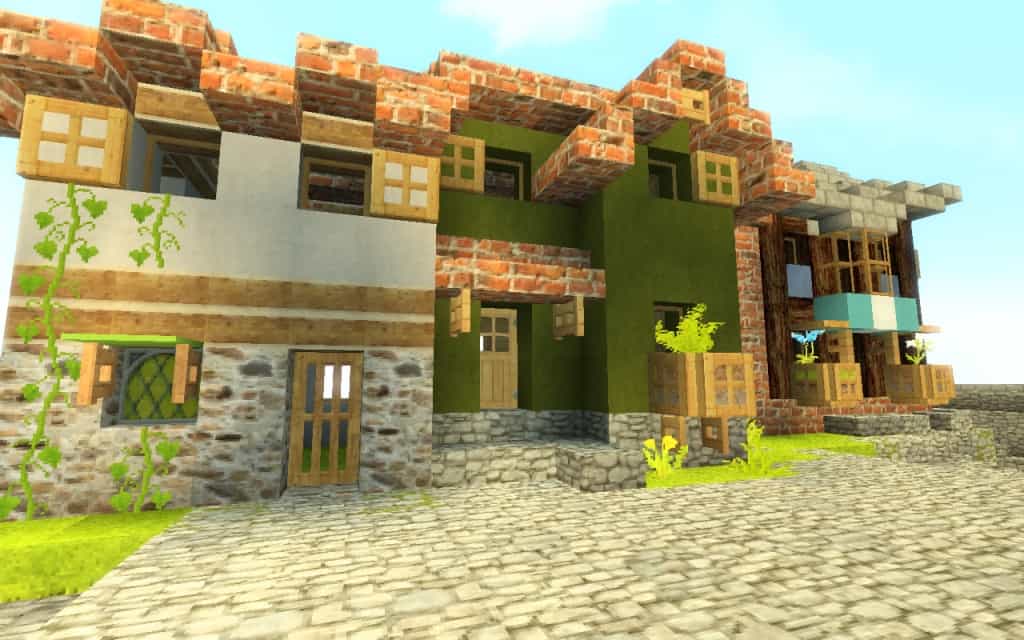
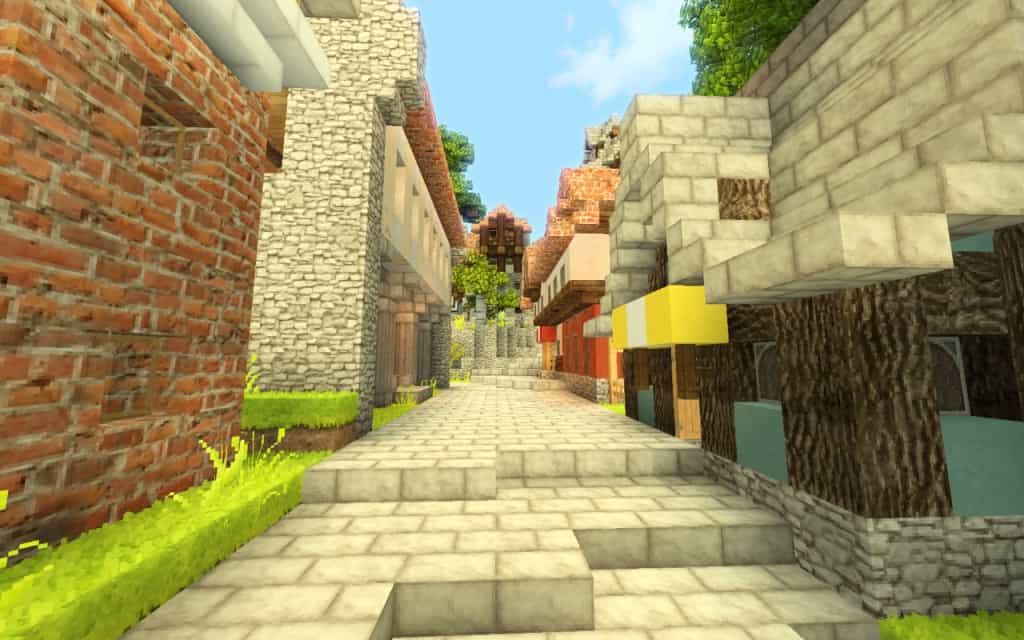
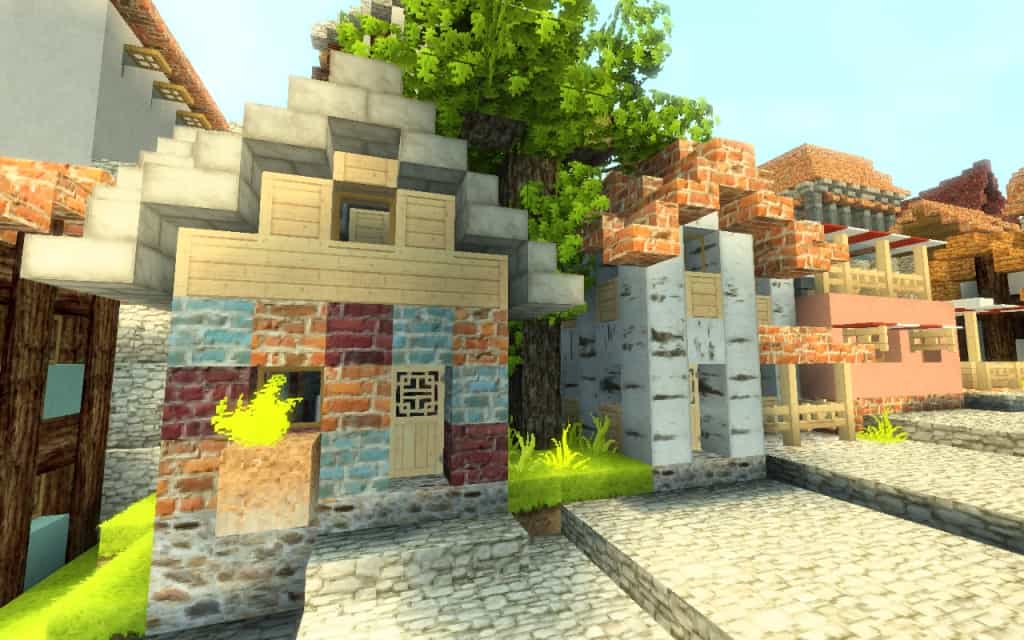
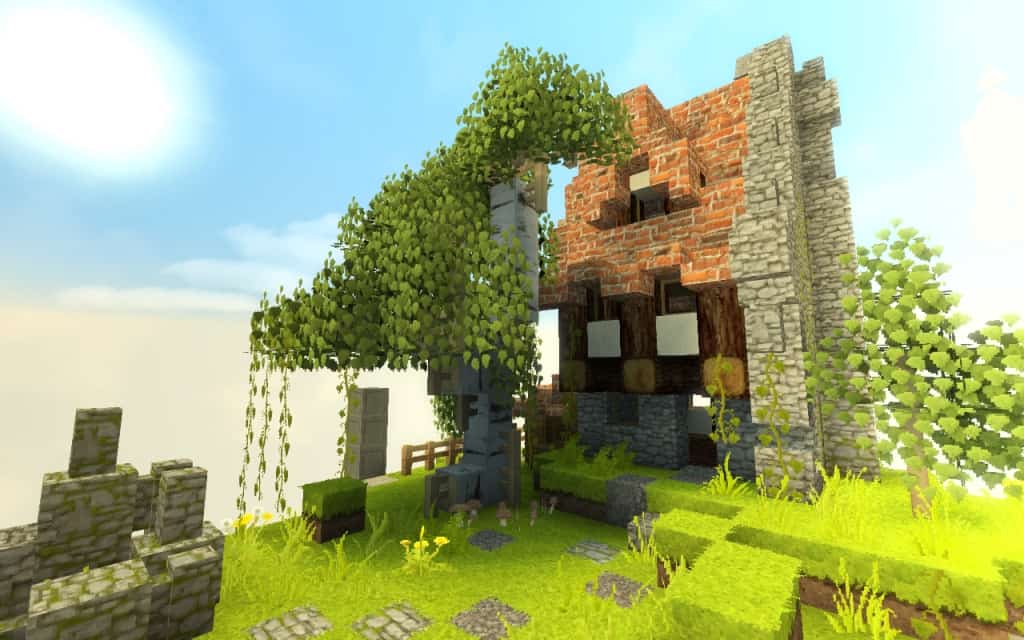
If you are completely bored with the standard textures and graphics of the vanilla version of the game, you really need to give the WillPack resource pack a go! I tested it out, and the Willpack HD texture pack was brilliantly built to bring Minecraft to a new level, aligning it much more closely with modern games by adding incredible variety and vastly improved visuals. Developed by William Male, the pack brilliantly combines a series of changes to the vanilla version such as new textures and lighting effects. The most notable texture upgrades are made for bookshelves, buildings, houses, sea textures, luxury houses, blocks, mobs, trees, top grass, paintings, and many more. All these ingame assets received better textures with higher fidelity, less granular effects, and more vibrant colors. The resource pack also makes existing textures less blurry and easier to distinguish even from afar. According to the developers, their resource pack aims to bring a level of realism while maintaining the simplicity of the vanilla Minecraft experience.
Unlike other resource packs, WillPack HD does not try to introduce flashy textures but to improve existing ones. Even with all the texture changes, the WillPack resource pack still makes Minecraft feel familiar. The game will fill the same but with better graphics. It is Minecraft but better. All the textures preserve the 32×32 resolution. Using this resolution makes the textures less resource-intensive and despite offering a visual upgrade, it does not require more hardware resources. It will be able to be run on older computers that were able to run vanilla Minecraft without experiencing stuttering of framerate drops. The resource pack is also small in size, despite the many visual upgrades it contains. WillPack HD already exceeded 450,000 downloads, making it one of the most popular resource packs to date. The original developer, William Male, is an active member of the community and continues to release new versions of his resource pack, adding constant improvements and support for additional versions of Minecraft.
Willpack should be compatible with all of these Minecraft versions: 1.11.2 – 1.11 – 1.10.2 – 1.10 – 1.9.4 – 1.9 – 1.8.9 – 1.8.8 – 1.8.1 – 1.8.6 – 1.8 – 1.7.10 – 1.7.9 – 1.7.4 – 1.7 – 1.6.4 – 1.6.2
Screenshots
How to Install Texture Pack (Simple 10 Steps)
- Download OptiFine: Most of the texture packs and shaders need OptiFine. That’s why, first download and install OptiFine for the version of Minecraft you want to play.
- Download the Texture Pack: Get the texture pack you want from the download section. Choose the version that works with your Minecraft and your PC’s performance.
- Open Minecraft Launcher: Start Minecraft using the official game launcher — or even TLauncher, if you use that.
- Go to Options: From the main menu, click on the “Options” button.
- Open Resource Packs: Inside Options, click on “Resource Packs…”.
- Open the Resource Pack Folder: Click on “Open Resource Pack Folder” — this will open a folder named “resourcepacks”.
- Move the Pack File: Copy or move the .zip file you downloaded into that “resourcepacks” folder. (Don’t unzip the file — Minecraft uses it as-is!)
- Go Back and Refresh: Close the folder and click “Done”, then go back into “Resource Packs…” again.
- Activate the Pack: You’ll see the pack on the left side. Hover over it and click the arrow to move it to the right (active side).
Tip: If you get a message that the pack is for a different version, just click “Yes” — it usually works fine. - Click Done and Enjoy: Click “Done” again. Now your pack is ready to use in-game. It’s that easy!
Credits
This resource pack was created by william malo. We do not own or claim ownership of this content, and we do not host modified versions of these files. All rights remain with the original creator. We strongly encourage you to support the author by visiting their official platforms and downloading directly from their designated distribution links.
Download Links
Java Edition
- [32x] [1.11.x] Download Willpack HD Resource Pack
- [32x] [1.10.x – 1.9.x] Download Willpack HD Resource Pack
- [32x] [1.8.x] Download Willpack HD Resource Pack
- [32x] [1.7.x – 1.6.x] Download Willpack HD Resource Pack
- [32x] [1.5.x] Download Willpack HD Resource Pack
- Check out the Willpack HD Resource Pack on the Official Source
Download Instructions
Curseforge: download starts automatically after a few seconds;
Mediafire: click the big blue button with the text “DOWNLOAD”;
Google Drive: in the top right corner you will see a small download icon (down arrow), click it and the download should start;


