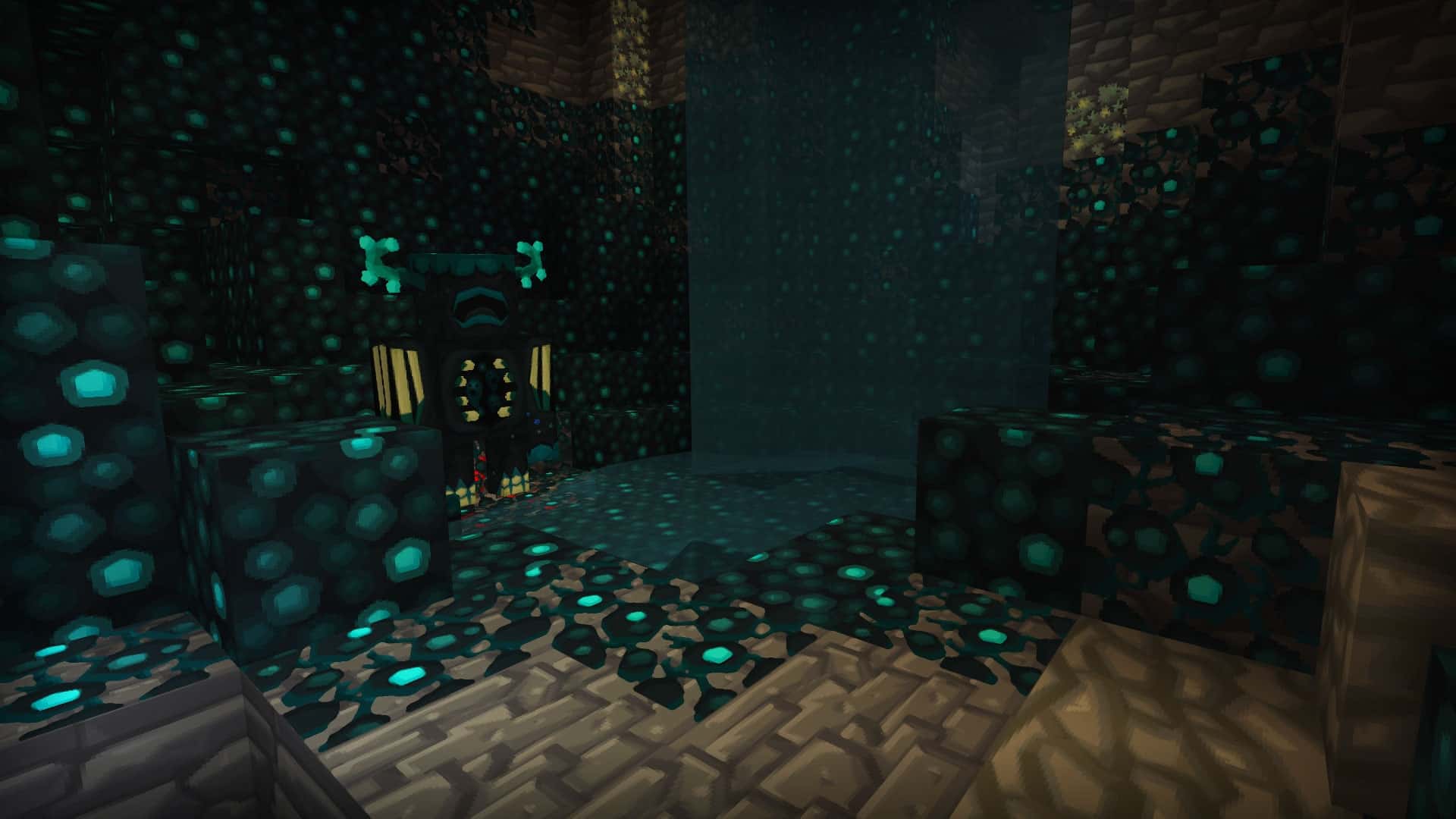
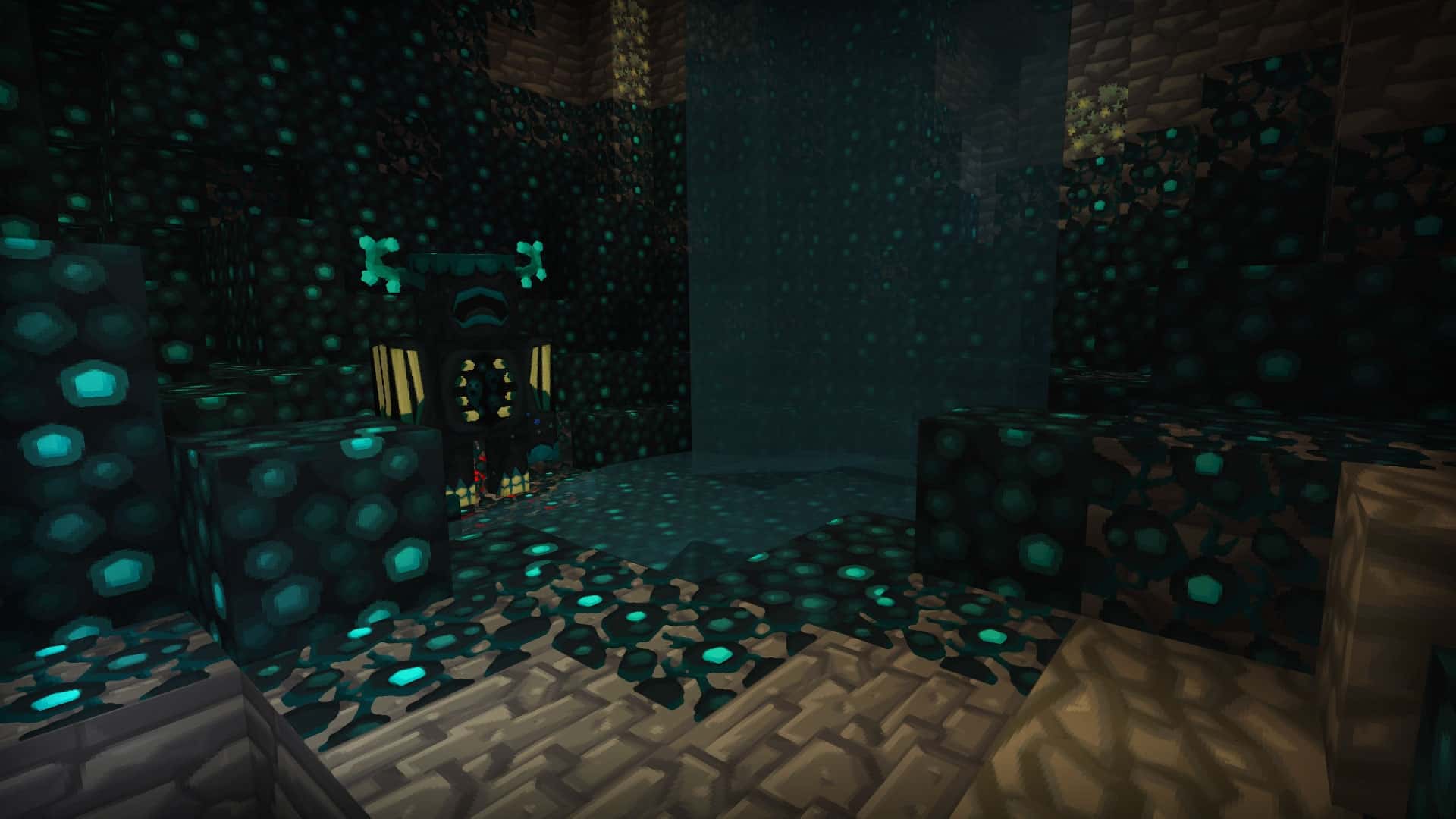
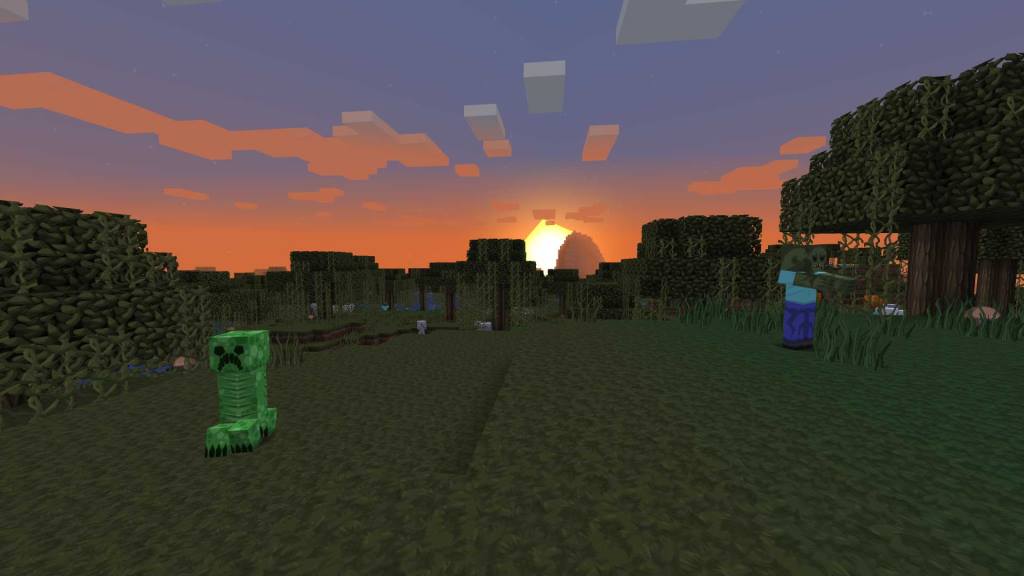
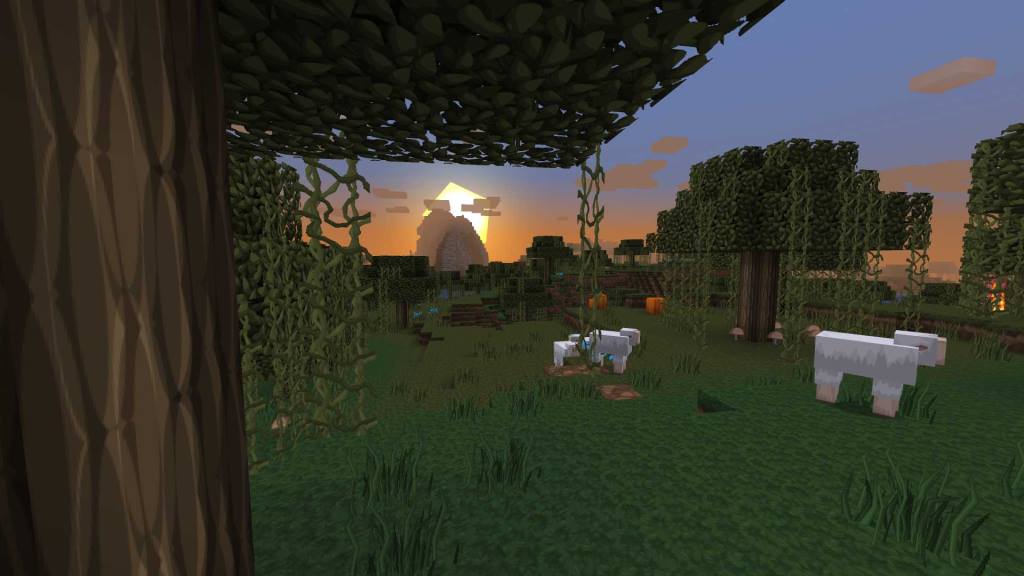
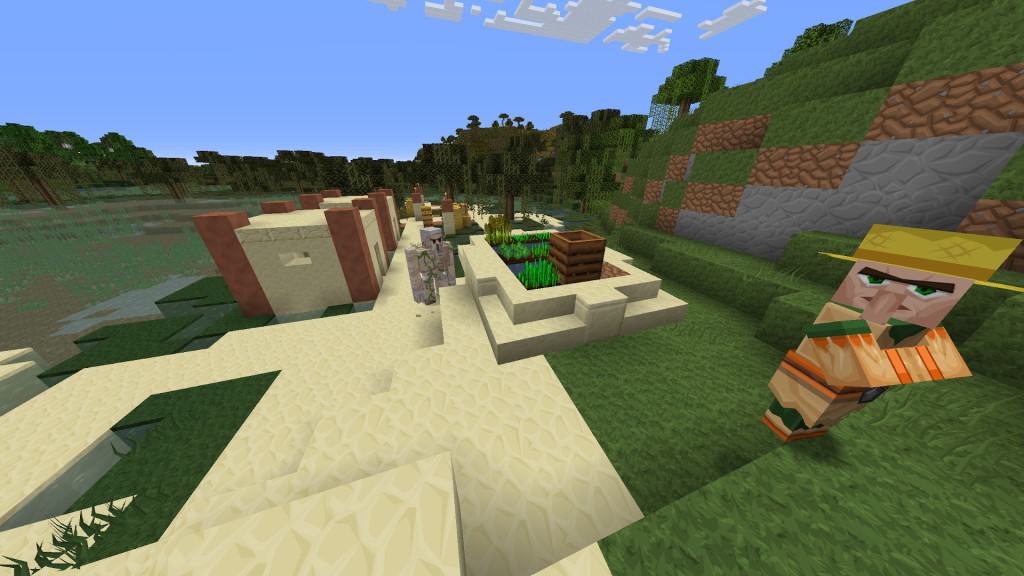
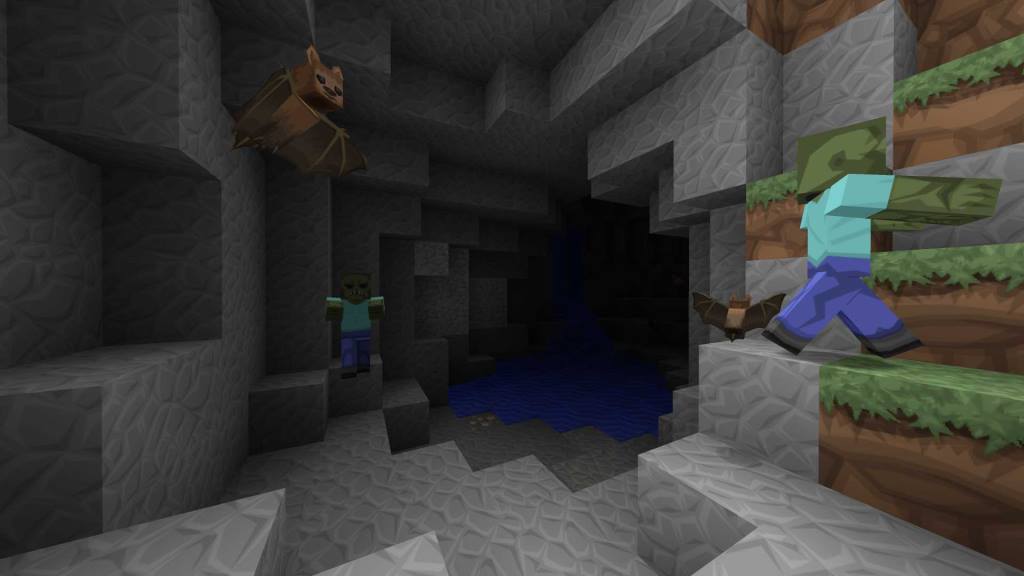
The VanillaBDCraft resource pack truly shines, drawing its inspiring roots from PureBDCraft, an iconic pack launched all the way back in 2011 by the same talented developer, Sphax. He affectionately calls it a variation, and while it faithfully follows the overarching design of the original, I love how it manages to stay wonderfully true to the classic vanilla Minecraft feel, just as its clever name suggests. What really sets it apart from other packs out there is its fantastic comic and cartoonish aspect. When you load up the game for the first time, you might initially think the higher-resolution textures are the only major change. However, when you take a closer look around your world, you’ll immediately notice that all the surfaces are exceptionally sharper with well-defined lines and a tremendous amount of added detail. Many players unfortunately avoid resource packs that take their artistic inspiration from comic books because they wrongly expect harsh high contrast and an entirely different appearance. Thankfully, VanillaBDCraft brilliantly retains the game’s original color palette, featuring wonderfully smooth transitions between all the different blocks. Every single surface looks completely uniform and neatly connected, which is an absolute must-have bonus if you love to create some truly cool builds. Fortunately, this traditional representation isn’t just limited to the overworld—both the Nether and the End retain their unique, moody charm too. Sphax is widely known for his incredible attention to detail, and this pack genuinely leaves no stone unturned. Even the in-game paintings are modified with a classic yet creative style that implements both real-life art elements and classic Minecraft touches seamlessly. As far as blocks go, I was amazed to see that 100% of them received a gorgeous retexture, spanning everything from a simple Grass Block all the way to mysterious Ancient Debris. Trust me, running into the Warden down in his dark Deep Dark biome will give you a real, genuine scare if you aren’t fully prepared for his menacing new look brought by VanillaBDCraft. However, my absolute favorite and most impressive change has got to be regarding the chainmail armor. The individual pieces are now wonderfully semi-transparent, making them look truly elegant and remarkably attractive on your character. The user interface (GUI) has also been thoroughly overhauled with a neat, stone-like effect applied across all of the buttons and game menus. If you happen to be completely tired of hearing the exact same sound effects and watching the same old animations, you’ll be pleasantly surprised to discover that the VanillaBDCraft texture pack thoughtfully changes those too. The audio changes dynamically depending on whether you’re stepping on crunchy gravel or soft dirt, and it feels astonishingly life-like. Even a crackling fire features a completely different custom animation alongside a matching sound effect, adding further to the atmospheric depth and helping you fully immerse yourself into the game world.
One of the absolute biggest benefits of diving into this pack is the fact that it is ingeniously based on vector graphics. This clever design choice means that it won’t lose out on its stunning appearance regardless of the specific display resolution that you run it on. The file size of the pack itself is surprisingly smaller as a result, which can significantly improve your overall game performance even when there are a ton of complex textures trying to display at the exact same time. Also, the textures themselves feel much more consistent, and you’ll definitely appreciate this after playing with it for a while. It is genuinely very hard to see precisely where one block ends and the other one begins, creating a remarkably cohesive visual experience from start to finish. The sheer amount of effort and dedication that clearly went into creating VanillaBDCraft just goes to show that it is truly a one-of-a-kind masterpiece. Alongside the brilliant standalone changes that the pack itself brings to the table, there are quite a few wonderful add-ons that users can easily download for some supplementary modifications. These helpful extras include a handy noteblock add-on and a fun font add-on. The former modifies the appearance of noteblocks for much easier usability by visually displaying the exact instrument and note range, while the latter neatly changes the standard game font into an appropriate, comic book-style TTF. Of course, you’ll be glad to know that VanillaBDCraft can run just fine without any of these extra add-ons installed. There is also an extensive amount of community support for various mods, meaning you can comfortably use the pack even during heavily modded gameplays. As far as the available versions of the pack go, it comes in a massive range going anywhere from 32x all the way up to a stunning 512x. The developer himself personally recommends the 128×128 version, but the one that you should ultimately choose will depend entirely on the hardware capabilities of your PC. Do keep in mind that the highest resolution works smoothly only on certain modern graphics cards such as the Nvidia 10 series and above due to its extremely high resource demand. The official website doesn’t explicitly mention anything about Optifine, so it’s highly possible that the pack will work right out of the box without it; however, if you want to squeeze in a few extra frames per second, installing it is definitely a good idea. Minecraft Bedrock players will also be thrilled to know that they can get the exact same look and fully enjoy VanillaBDCraft as well. The Bedrock edition is exclusively available directly on the official Minecraft Marketplace, featuring a wonderfully simple and straightforward installation process. All things considered, this is without a doubt one of the greatest resource packs ever made, wonderfully living up to the glorious legacy of its predecessor, and there is simply no good reason not to try it out for yourself.
VanillaBDCraft should be compatible with all of these Minecraft versions: 1.21.11 – 1.21.10 – 1.21.9 – 1.21.8 – 1.21.7 – 1.21.6 – 1.21.5 – 1.21.4 – 1.21.3 – 1.21.2 – 1.21.1 – 1.21 – 1.20.6 – 1.20.5 – 1.20.4 – 1.20.3 – 1.20.2 – 1.20.1 – 1.20 – 1.19.4 – 1.19.3 – 1.19.2 – 1.19.1 – 1.19 – 1.18.2 – 1.18.1 – 1.18 – 1.17.1 – 1.17 – 1.16.5 – 1.16.4 – 1.16.3 – 1.16.2 – 1.16.1 – 1.16 – 1.15.2 – 1.15.1 – 1.15 – 1.14.4 – 1.14.3 – 1.14.2 – 1.14 – 1.13.2 – 1.13.1 – 1.13 – 1.12.2 – 1.12 – 1.11.2 – 1.11 – 1.10.2 – 1.10 – 1.9.4 – 1.9 – 1.8.9 – 1.8.8 – 1.8.1 – 1.8.6 – 1.8 – 1.7.10 – 1.7.9 – 1.7.4 – 1.7 – Bedrock Edition – PE
Screenshots
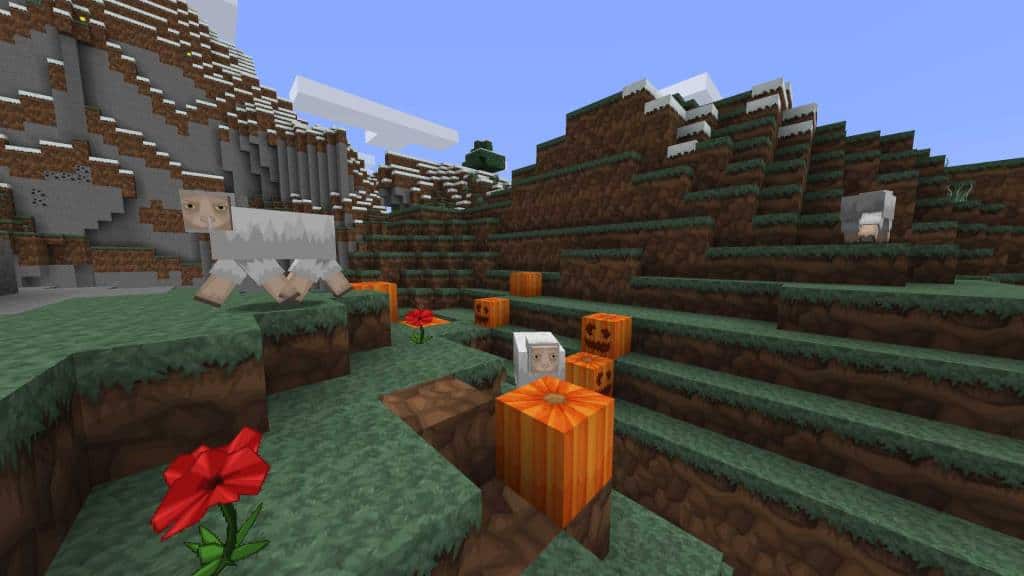
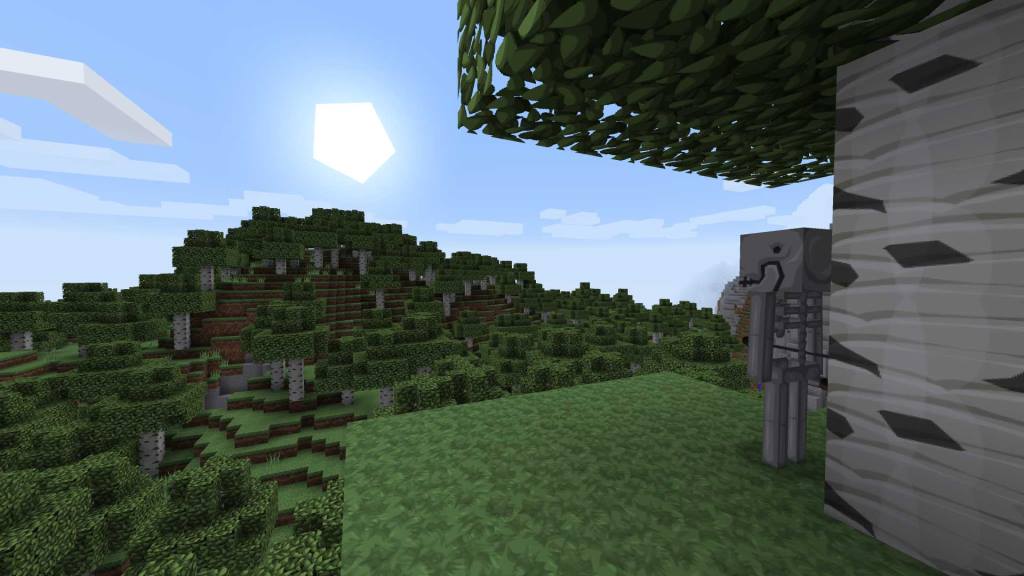
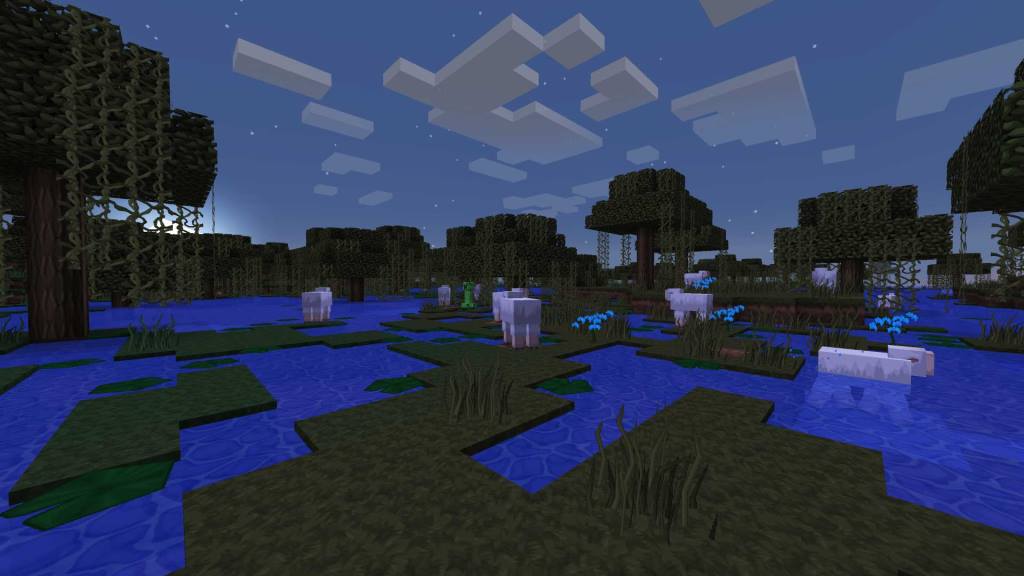
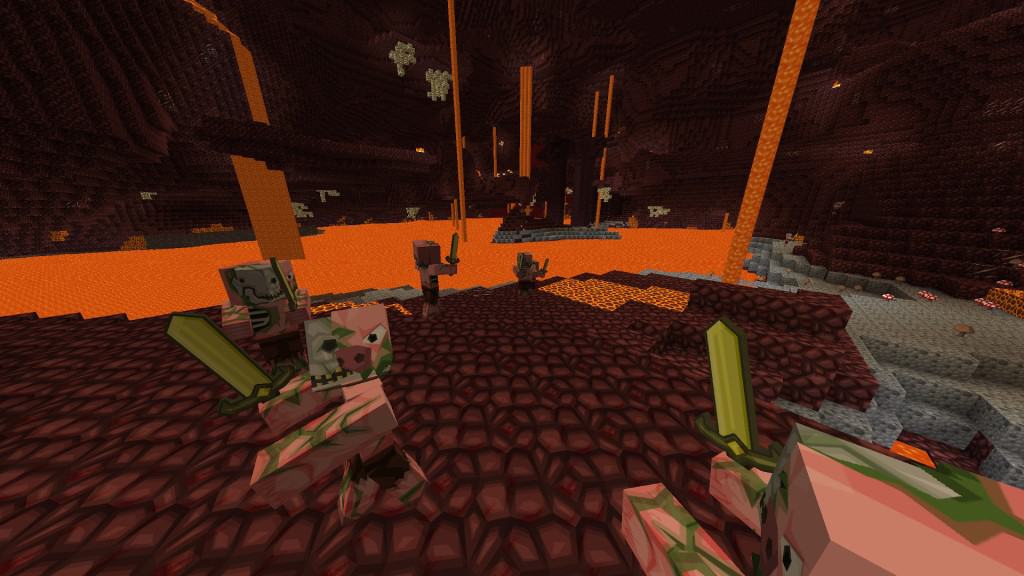
How to Install Texture Pack (Simple 10 Steps)
- Download OptiFine: Most of the texture packs and shaders need OptiFine. That’s why, first download and install OptiFine for the version of Minecraft you want to play.
- Download the Texture Pack: Get the texture pack you want from the download section. Choose the version that works with your Minecraft and your PC’s performance.
- Open Minecraft Launcher: Start Minecraft using the official game launcher — or even TLauncher, if you use that.
- Go to Options: From the main menu, click on the “Options” button.
- Open Resource Packs: Inside Options, click on “Resource Packs…”.
- Open the Resource Pack Folder: Click on “Open Resource Pack Folder” — this will open a folder named “resourcepacks”.
- Move the Pack File: Copy or move the .zip file you downloaded into that “resourcepacks” folder. (Don’t unzip the file — Minecraft uses it as-is!)
- Go Back and Refresh: Close the folder and click “Done”, then go back into “Resource Packs…” again.
- Activate the Pack: You’ll see the pack on the left side. Hover over it and click the arrow to move it to the right (active side).
Tip: If you get a message that the pack is for a different version, just click “Yes” — it usually works fine. - Click Done and Enjoy: Click “Done” again. Now your pack is ready to use in-game. It’s that easy!
Credits
VanillaBDCraft was originally created by BDcraft. We do not own, host, or modify this resource pack, and all rights remain with the original author. We strongly encourage players to visit the official sources to download and support the creator.
Download Links
Java Edition
Bedrock Edition
Download Instructions
Curseforge: download starts automatically after a few seconds;
Mediafire: click the big blue button with the text “DOWNLOAD”;
Google Drive: in the top right corner you will see a small download icon (down arrow), click it and the download should start;


