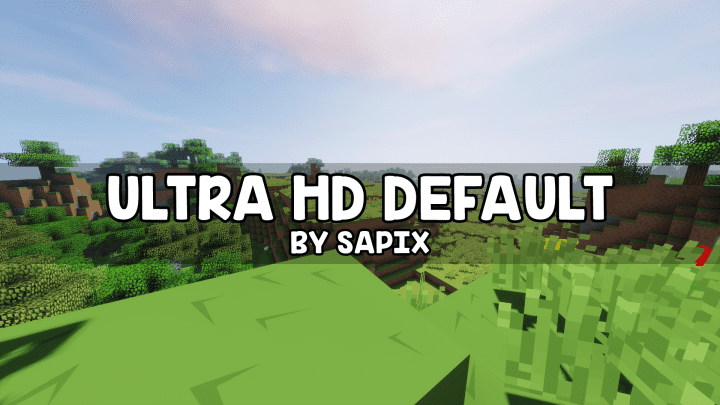
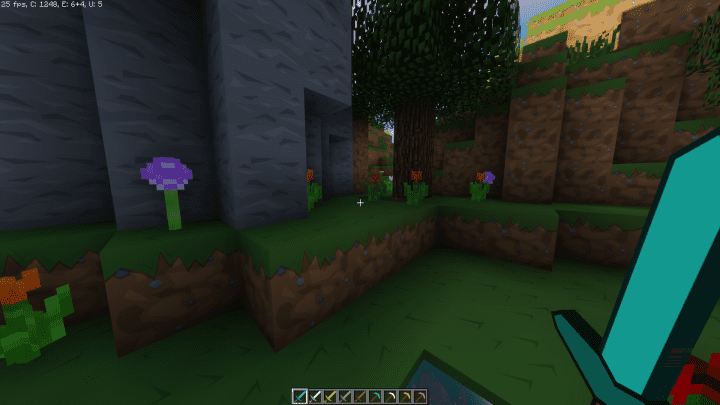
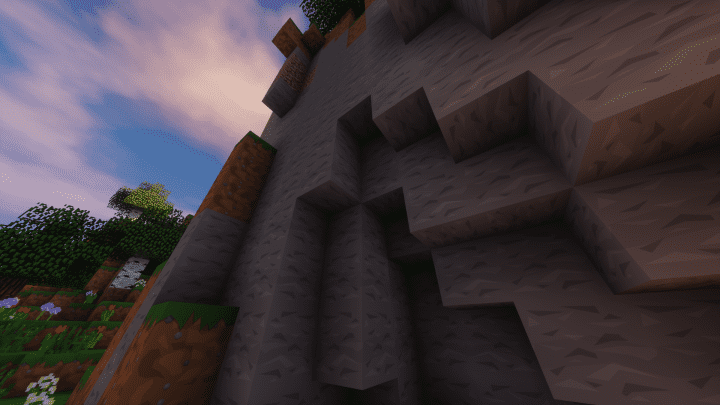
Want to get high-end visual graphics for your favorite sandbox game, Minecraft? Ultra HD Default resource pack is an amazing set of textures that improves one of the most important elements in a game – the graphics. With Ultra HD Default, you get crystal clear, high definition pixels, all without altering the original art style that is recognized by all Minecraft fans and aficionados the world over. We would definitely recommend this to Minecraft players who want the same art style but want a little more pixels and polygons in their Minecraft world. As of the moment, the Ultra HD Default resource pack is still not yet 100 percent complete, and as such you may experience missing graphical elements as you play out into the open world. Out of all the resource packs we have tried, we honestly can say that Ultra HD Default sports one of the best-looking original art style graphics we have seen.
Each texture is obviously given full attention to detail and the graphical details are outstanding. What is more impressive is the fact that the graphics are absolutely clean and noise-free. Keep in mind that while the color palette has been cranked up a notch higher than the original Minecraft’s, it does not affect the texture at all. In fact, it has synergized quite nicely to bring you the definitive Minecraft HD experience. You can get the Minecraft Ultra HD Default in various resolutions, from x16 to a whopping x512, making this resource pack widely available to all Minecraft players who are looking for modern and beautiful visuals. If you are playing Minecraft on a low-end PC then we recommend getting the x16 or x32 version. If you have a gaming computer or laptop, then by all means go for the x512 version and enjoy the shiny new graphics.
ULTRA HD Default should be compatible with all of these Minecraft versions: 1.21.10 – 1.21.9 – 1.21.8 – 1.21.7 – 1.21.6 – 1.21.5 – 1.21.4 – 1.21.3 – 1.21.2 – 1.21.1 – 1.21 – 1.20.6 – 1.20.5 – 1.20.4 – 1.20.3 – 1.20.2 – 1.20.1 – 1.20 – 1.19.4 – 1.19.3 – 1.19.2 – 1.19.1 – 1.19 – 1.18.2 – 1.18.1 – 1.18 – 1.17.1 – 1.17 – 1.16.5 – 1.16.4 – 1.16.3 – 1.16.2 – 1.16.1 – 1.16 – 1.15.2 – 1.15.1 – 1.15 – 1.14.4 – 1.14.3 – 1.14.2 – 1.14 – 1.13.2 – 1.13.1 – 1.13 – 1.12.2 – 1.12 – 1.11.2 – 1.11 – 1.10.2 – 1.10 – 1.9.4 – 1.9 – 1.8.9 – 1.8.8 – 1.8.1 – 1.8.6 – 1.8
Screenshots
How to Install Texture Pack (Simple 10 Steps)
- Download OptiFine: Most of the texture packs and shaders need OptiFine. That’s why, first download and install OptiFine for the version of Minecraft you want to play.
- Download the Texture Pack: Get the texture pack you want from the download section. Choose the version that works with your Minecraft and your PC’s performance.
- Open Minecraft Launcher: Start Minecraft using the official game launcher — or even TLauncher, if you use that.
- Go to Options: From the main menu, click on the “Options” button.
- Open Resource Packs: Inside Options, click on “Resource Packs…”.
- Open the Resource Pack Folder: Click on “Open Resource Pack Folder” — this will open a folder named “resourcepacks”.
- Move the Pack File: Copy or move the .zip file you downloaded into that “resourcepacks” folder. (Don’t unzip the file — Minecraft uses it as-is!)
- Go Back and Refresh: Close the folder and click “Done”, then go back into “Resource Packs…” again.
- Activate the Pack: You’ll see the pack on the left side. Hover over it and click the arrow to move it to the right (active side).
Tip: If you get a message that the pack is for a different version, just click “Yes” — it usually works fine. - Click Done and Enjoy: Click “Done” again. Now your pack is ready to use in-game. It’s that easy!
Credits
This resource pack is created by Sapix. We do not own or modify the files provided. All rights belong to the original author. Please support Sapix by downloading from the official sources.
Download Instructions
Curseforge: download starts automatically after a few seconds;
Mediafire: click the big blue button with the text “DOWNLOAD”;
Google Drive: in the top right corner you will see a small download icon (down arrow), click it and the download should start;


