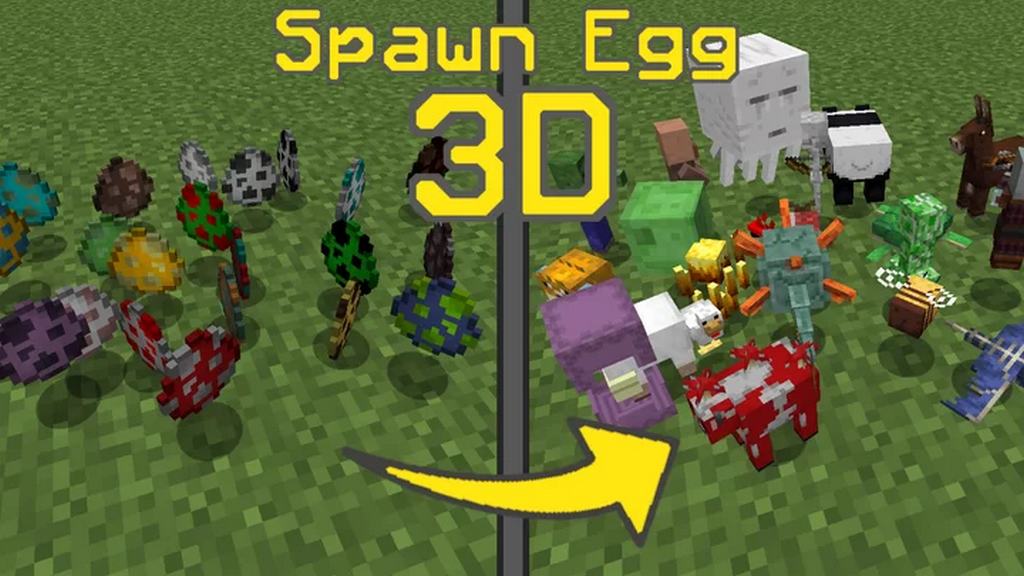
The Spawn Egg 3D resource pack was recently added to Minecraft for enhanced gameplay and appearance purposes. The typical 2-dimensional spawn egg most players are accustomed to has become an older and repetitive concept in gaming graphics, therefore driving gamers to look for alternative add ons to apply to the base game. The Spawn Egg 3D is a texture pack designed to enhance the classic look of a spawn egg and give it a rounded, more life-like appearance by converting them into 3-dimensional objects. This resource pack is an excellent choice for gamers who appreciate quality and functionality, but above all, graphics. The vanilla (base) version of Minecraft uses the 2-dimensional spawn eggs with limited color and texture. In other words, many of the same mobs are hidden beneath the same egg in appearance. Although gamers can learn to differentiate the various types of spawn eggs over time, it becomes a tedious task and would much better benefit from having a new resource pack to make the process easier. When the Spawn Egg 3D pack is added to the game, it omits the original base colors of the eggs (red, blue, brown) and provides the player with a brand-new concept design of creating a realistic 3D model of the mob in the player’s very hands.
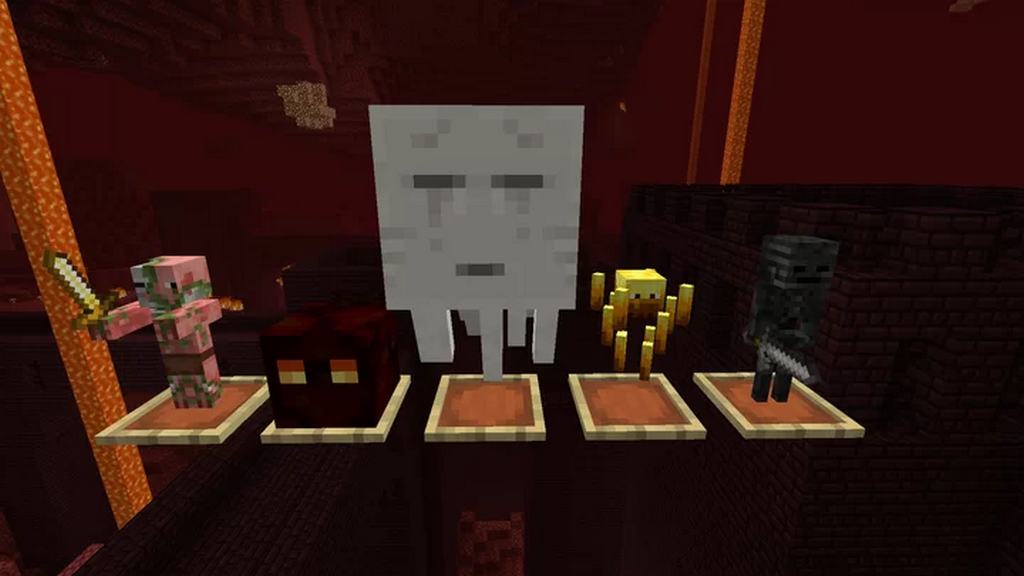
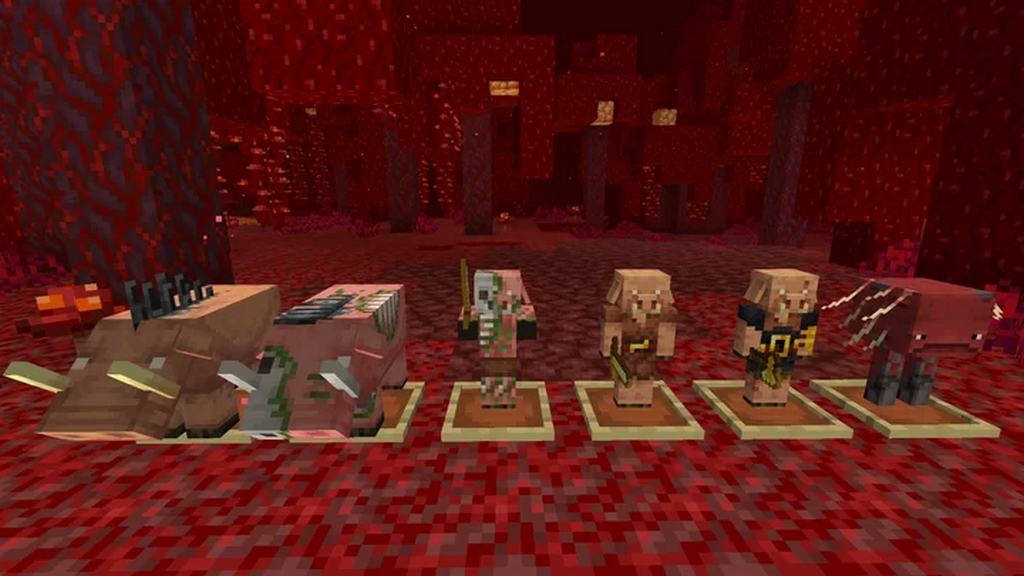
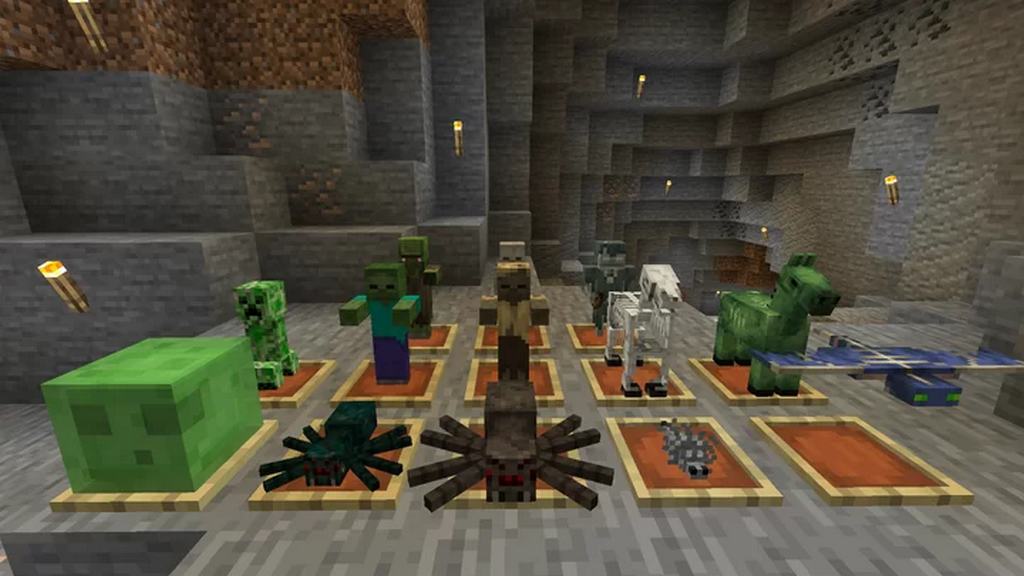
In most cases, resource pack or texture pack add-ons will alter the base game almost entirely, providing the gamer with a variety of different blocks they hadn’t wished to change in the first place. The Spawn Egg 3D resource pack is an exception to this often made mistake, where should the player download the resource pack, ONLY the spawn eggs will be altered and nothing else. When adding the Spawn Egg 3D resource pack to your game, not only will your spawn eggs become graphically enhanced, but will allow the player to use the eggs as decor by placing them in item frames! Instead of an egg, the mob, but in a miniature format will be presented in the player’s hands. Whether it is a 3-dimensional model of a dolphin, skeleton, or zombie, the small addition to the game can develop into an entirely new way a gamer may choose to express their creativity, especially when the base graphics of the game is still valued but a small change is well needed. Downloading the Spawn Egg 3D resource pack is strongly recommended for those who desire something new to be added to their favorite Minecraft games. However, it is important to keep in mind that the resource pack will only work on Optifine for the full experience. We strongly suggest installing Optifine before-hand to avoid complications during gameplay.
Spawn Egg 3D should be compatible with all of these Minecraft versions: 1.21.11 – 1.21.10 – 1.21.9 – 1.21.8 – 1.21.7 – 1.21.6 – 1.21.5 – 1.21.4 – 1.21.3 – 1.21.2 – 1.21.1 – 1.21 – 1.20.6 – 1.20.5 – 1.20.4 – 1.20.3 – 1.20.2 – 1.20.1 – 1.20 – 1.19.4 – 1.19.3 – 1.19.2 – 1.19.1 – 1.19 – 1.18.2 – 1.18.1 – 1.18 – 1.17.1 – 1.17 – 1.16.5 – 1.16.4 – 1.16.3 – 1.16.2 – 1.16.1 – 1.16 – 1.15.2 – 1.15.1 – 1.15 – 1.14.4 – 1.14.3 – 1.14.2 – 1.14
Screenshots

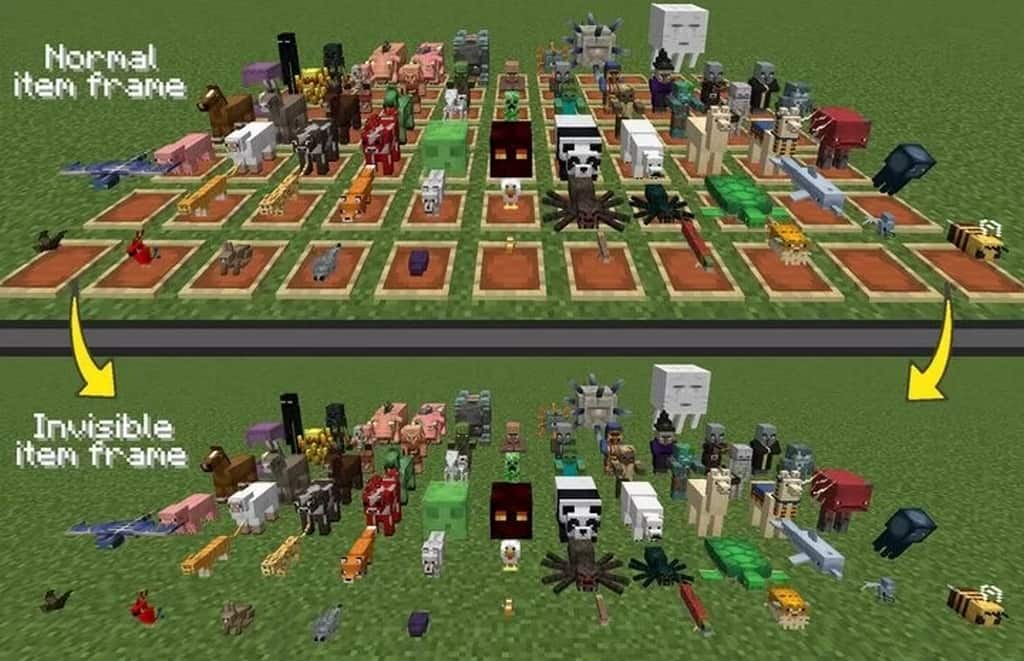

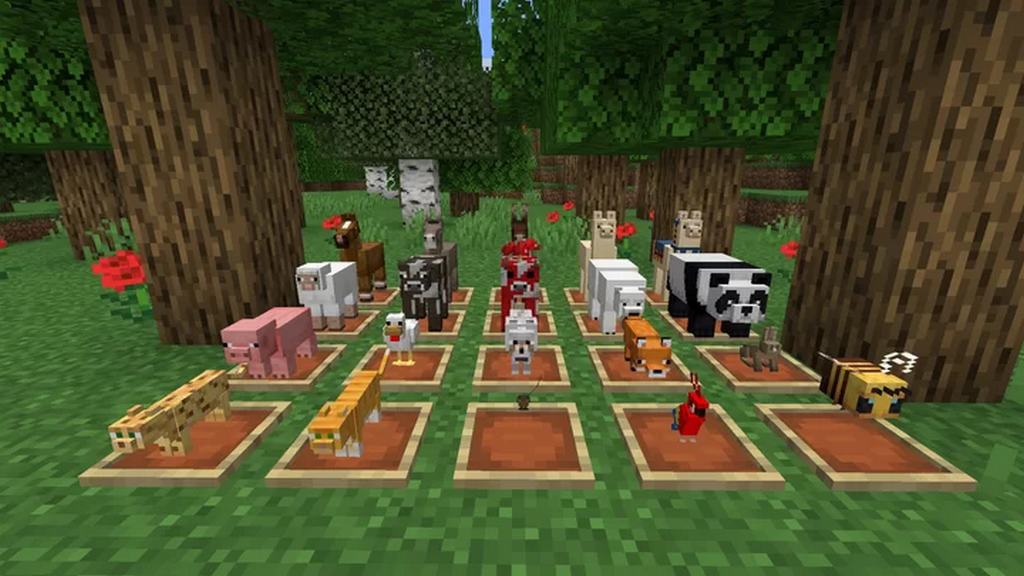
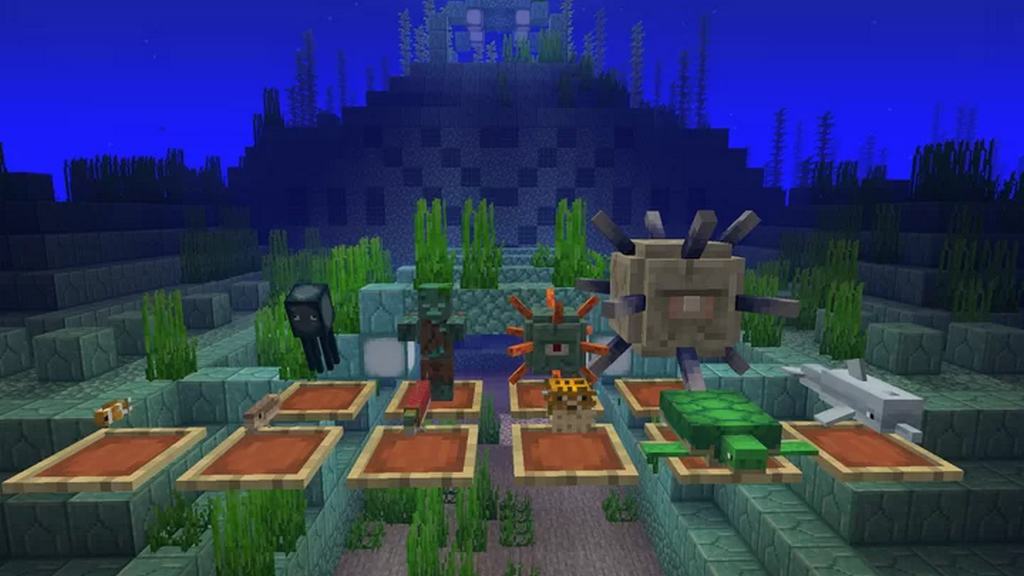
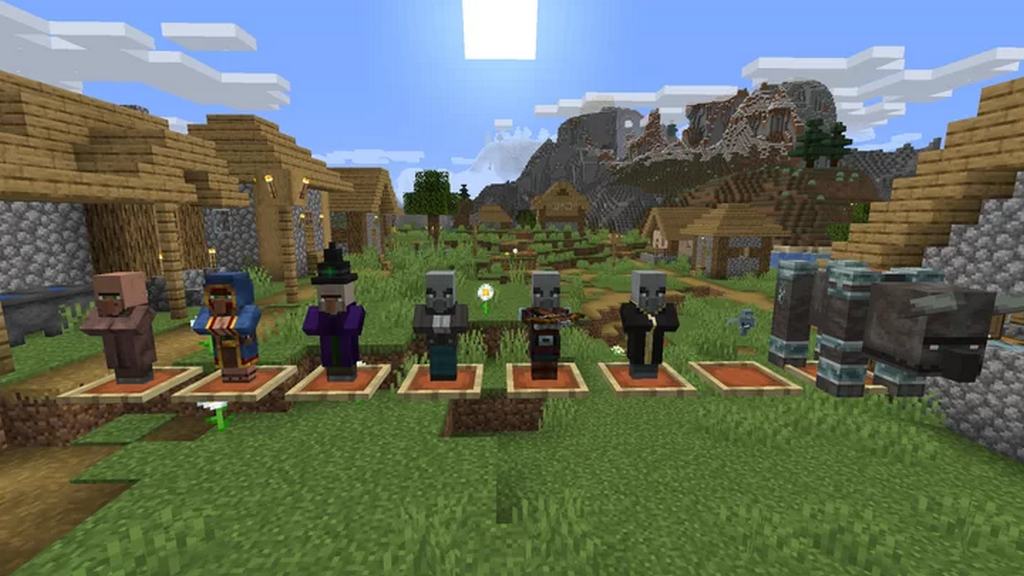
How to Install Texture Pack (Simple 10 Steps)
- Download OptiFine: Most of the texture packs and shaders need OptiFine. That’s why, first download and install OptiFine for the version of Minecraft you want to play.
- Download the Texture Pack: Get the texture pack you want from the download section. Choose the version that works with your Minecraft and your PC’s performance.
- Open Minecraft Launcher: Start Minecraft using the official game launcher — or even TLauncher, if you use that.
- Go to Options: From the main menu, click on the “Options” button.
- Open Resource Packs: Inside Options, click on “Resource Packs…”.
- Open the Resource Pack Folder: Click on “Open Resource Pack Folder” — this will open a folder named “resourcepacks”.
- Move the Pack File: Copy or move the .zip file you downloaded into that “resourcepacks” folder. (Don’t unzip the file — Minecraft uses it as-is!)
- Go Back and Refresh: Close the folder and click “Done”, then go back into “Resource Packs…” again.
- Activate the Pack: You’ll see the pack on the left side. Hover over it and click the arrow to move it to the right (active side).
Tip: If you get a message that the pack is for a different version, just click “Yes” — it usually works fine. - Click Done and Enjoy: Click “Done” again. Now your pack is ready to use in-game. It’s that easy!
Credits
This resource pack was created by Vega Senpai. We do not claim ownership of this modification, nor do we host or distribute modified versions of these files on our servers. All rights and intellectual property belong exclusively to the original author. We encourage community members to support Vega Senpai by utilizing the official download links and following their updates.
Download Instructions
Curseforge: download starts automatically after a few seconds;
Mediafire: click the big blue button with the text “DOWNLOAD”;
Google Drive: in the top right corner you will see a small download icon (down arrow), click it and the download should start;


