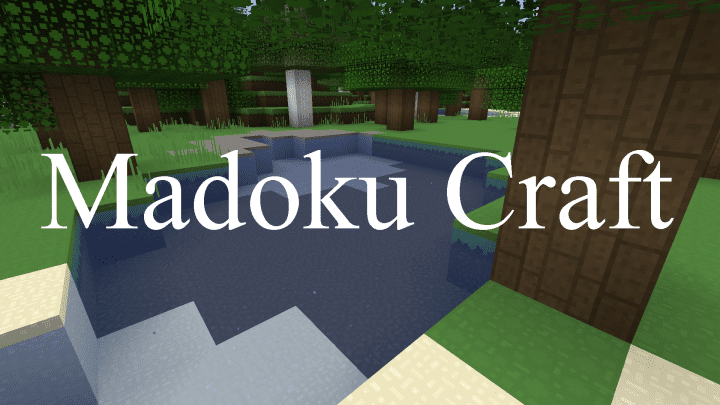
The Madoku Craft resource pack may not sound familiar to you right away, but trust me, it definitely deserves to be on your radar! It is a delightfully simple yet exceptionally well-polished texture pack. Released just a couple of years ago, this resource pack might not have captured a massive wave of attention, but that certainly does not mean it is poorly made. In fact, the absolute opposite is true, as it stands proudly as one of the very few resource packs featuring textures completely redone from scratch. With a strong focus on simplicity and vibrant cartoonish visuals, the resource pack adds a wonderful new layer of depth compared to vanilla Minecraft, especially since it utilizes crisp 32x texture resolutions. Back in late 2020, the Madoku Craft texture pack debuted across a handful of popular Minecraft websites. Ownership of this resource pack is claimed by user Monkey Nomics, who also goes by casual_ephraim. What really stood out back then was the developer’s dedication to advertising that many textures were entirely remade from scratch. It was definitely in an early stage and still required quite a bit of work, with every single pixel being hand-drawn to create fresh textures while still taking loving inspiration from the original ones. Fast forward to 2022, and Madoku Craft has evolved into a much more digestible and polished shape for the wider Minecraft community. Released as a genuine and reimagined texture pack, Madoku Craft has received well-deserved praise for its originality, stemming directly from its completely remade artwork. While not every single texture in Minecraft was redone, the vast majority of them certainly were. If I had to pick just one word to characterize the Madoku Craft pack, that word would undoubtedly be fluency. The new textures possess a certain harmonious vibe where absolutely no texture stands out awkwardly due to overly intense colors or shades that are entirely too dark. All of the redone textures fit together seamlessly. The developer even maintains an accurate log of all the specific textures that received an overhaul, including ores, leaves, polished rocks, various types of glass, wool, terrain, grass, flowers, and plants.
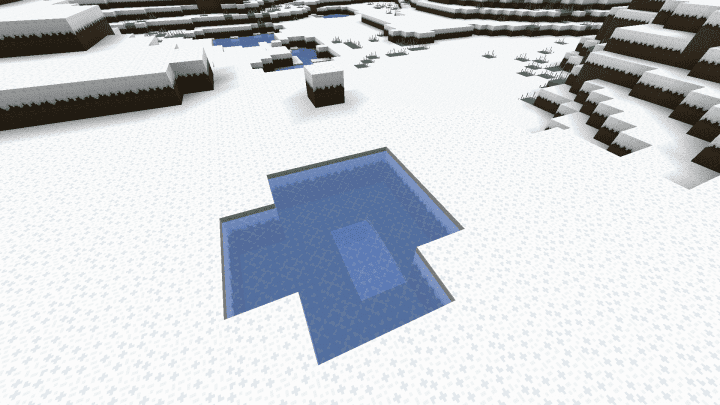
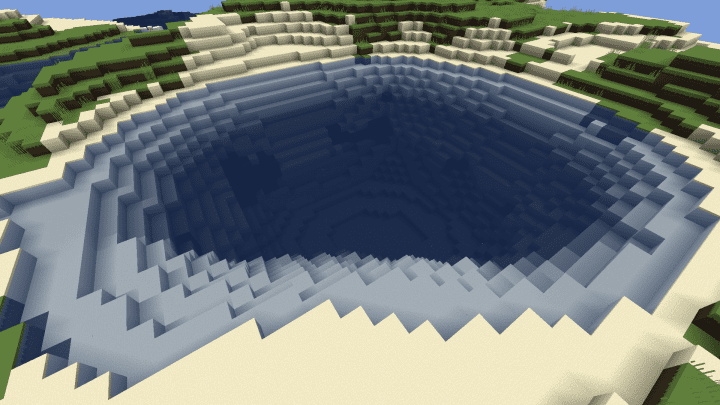
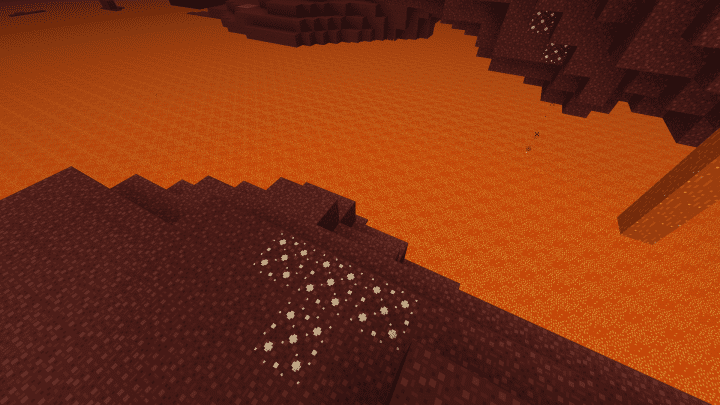
Even trees and essential crafting materials received a fresh new coat of paint that looks incredible in-game. Although the texture resolution has been bumped up from the standard 16x to a gorgeous 32x, the textures still manage to feel wonderfully familiar. There are definitely more fine details added to the textures, yet they remain wonderfully loyal to the original atmosphere of Minecraft. As you walk around exploring, you will instantly notice that the blocks have a very solid texture quality, particularly on surfaces like dirt, grass, and sand. At the same time, you can appreciate extra details packed into individual textures, creating a remarkably fluent and uniform aesthetic across the entire world with the Madoku Craft resource pack. This fantastic result was skillfully achieved by also removing unnecessary visual clutter from certain textures. When you put everything together, the various block textures become much easier to recognize and instantly differentiate. You will never find yourself in those awkward situations where you are staring at a block from afar and cannot tell for sure what it actually is! The one major aspect left completely untouched in Madoku Craft is the player GUI and game menu; the creator smartly kept their focus purely on the in-game world textures. Inventory items also preserve their vanilla Minecraft icons and textures, though they might potentially receive a visual upgrade somewhere down the road as the developer continues to push out helpful updates loaded with new textures and improvements. As a 32x resource pack, Madoku Craft is remarkably lightweight and not very taxing on your system performance. This great optimization is largely due to the absence of heavy dynamic textures or other modern features that some resource pack developers tend to rely on. Furthermore, the pack looks stunningly good even without running any kind of shader pack alongside it. If you do choose to pair it with shaders, you might occasionally run into some minor game performance drops or even occasional visual artifacts. Installed cleanly over vanilla Minecraft with no extra packs, Madoku Craft delivers a delightfully smooth gameplay experience and actually serves as a fantastic choice for PvP players since it stays so gentle on your frame rates. The only minor drawback for competitive PvP enthusiasts is that it sticks to the basic Minecraft GUI, meaning you get the exact same inventory and player interface as the original unmodded game.
Madoku Craft should be compatible with all of these Minecraft versions: 1.19.4 – 1.19.3 – 1.19.2 – 1.19.1 – 1.19 – 1.18.2 – 1.18.1 – 1.18 – Bedrock Edition – PE
Screenshots
How to Install Texture Pack (Simple 10 Steps)
- Download OptiFine: Most of the texture packs and shaders need OptiFine. That’s why, first download and install OptiFine for the version of Minecraft you want to play.
- Download the Texture Pack: Get the texture pack you want from the download section. Choose the version that works with your Minecraft and your PC’s performance.
- Open Minecraft Launcher: Start Minecraft using the official game launcher — or even TLauncher, if you use that.
- Go to Options: From the main menu, click on the “Options” button.
- Open Resource Packs: Inside Options, click on “Resource Packs…”.
- Open the Resource Pack Folder: Click on “Open Resource Pack Folder” — this will open a folder named “resourcepacks”.
- Move the Pack File: Copy or move the .zip file you downloaded into that “resourcepacks” folder. (Don’t unzip the file — Minecraft uses it as-is!)
- Go Back and Refresh: Close the folder and click “Done”, then go back into “Resource Packs…” again.
- Activate the Pack: You’ll see the pack on the left side. Hover over it and click the arrow to move it to the right (active side).
Tip: If you get a message that the pack is for a different version, just click “Yes” — it usually works fine. - Click Done and Enjoy: Click “Done” again. Now your pack is ready to use in-game. It’s that easy!
Credits
This resource pack was originally created by Casual_Efren. We do not claim ownership of this content, nor have we modified the original files. We encourage all players to support the creator by downloading the pack through their official distribution links.
Download Links
Java Edition
Bedrock Edition
Download Instructions
Curseforge: download starts automatically after a few seconds;
Mediafire: click the big blue button with the text “DOWNLOAD”;
Google Drive: in the top right corner you will see a small download icon (down arrow), click it and the download should start;


