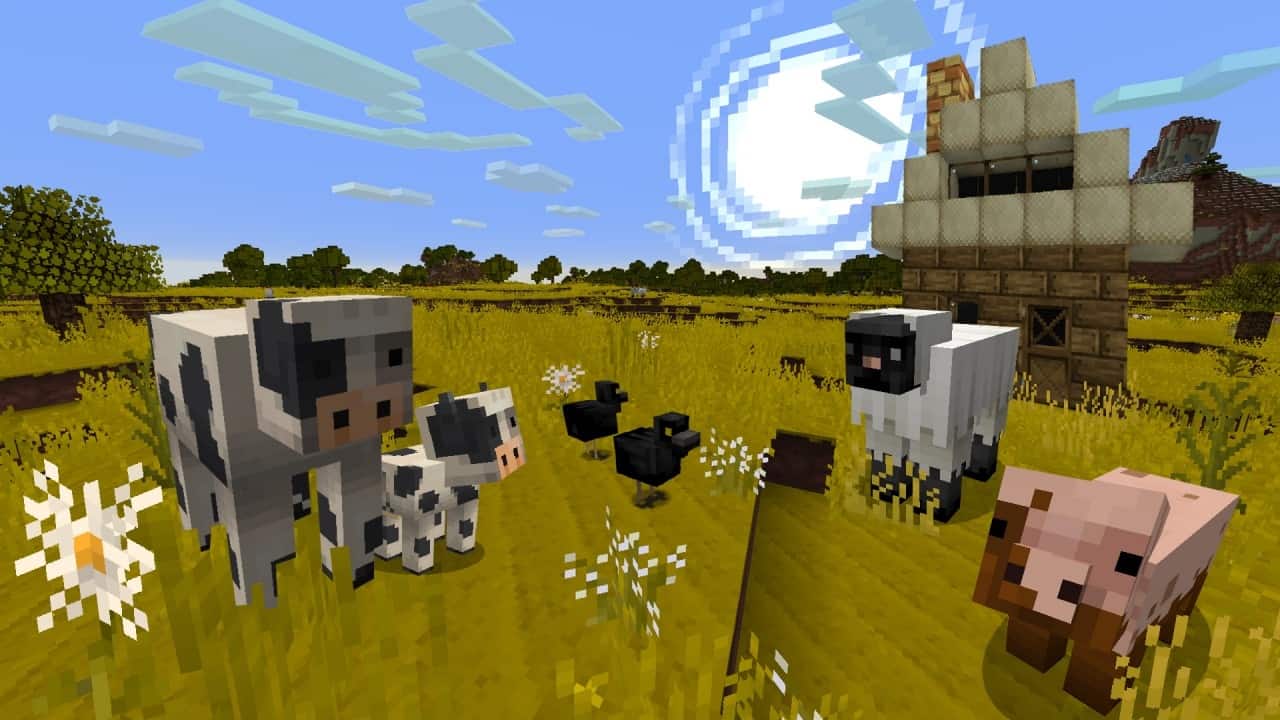
The problem with most resource packs these days is that they focus way too much on bumping up the resolution. Sure, you get improved visuals, but it always seems to come at the harsh cost of game performance. Out of all of them, only a tiny handful truly make it worthwhile to sacrifice your precious framerates for better graphics. The best alternative is to go back to simpler packs such as the Jolicraft resource pack, which brilliantly attempts to improve textures, lighting, and the overall vibe of Minecraft without going overboard on resolution. The Jolicraft resource pack manages to perfectly preserve the overall vibe of Minecraft, keeping it wonderfully cartoonish while introducing fresh textures, vibrant colors, and a certain indescribable charm. Veteran players will certainly be familiar with Jolicraft, as this amazing resource pack was originally released way back in mid-2012, making it over a decade old. Surprisingly, the project has never been abandoned by the developer! Known as Andrethejolicoeur, this talented creator focuses solely on Jolicraft with no other resource packs released to date. Having just one single project to manage is an incredible positive aspect because his undivided attention remains firmly fixed on Jolicraft. This has translated into remarkably consistent updates released steadily throughout all these years, leading to millions of downloads across several hosting sites. Even better, despite having over a decade of dedicated development invested into it, the Jolicraft resource pack remains entirely free of charge for all players. The name of the resource pack and the developer’s alias give you a fantastic hint of what to expect; inspired by the French word jolie, which translates to lovely, the Jolicraft texture pack truly delivers lovely and gorgeous visuals. It manages to upgrade Minecraft in so many wonderful ways without unnecessarily bumping up texture resolutions or relying on tacky photos to force photorealism. It stays proudly cartoonish while offering much more vibrant colors. Once you install Jolicraft, you will immediately notice that the grass and leaves boast a much more lively green, crop fields turn a rich golden hue, sand appears as a lovely light beige, and water textures adopt a much brighter, more cheerful chromatic feel.
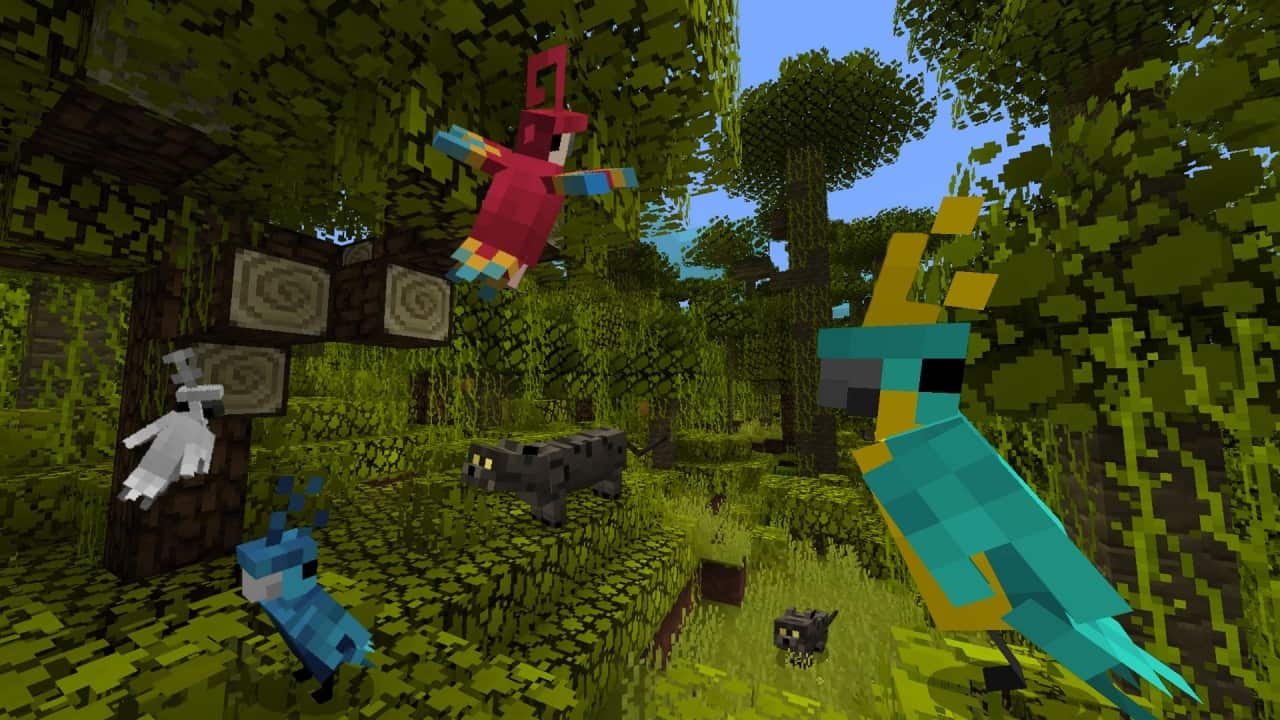
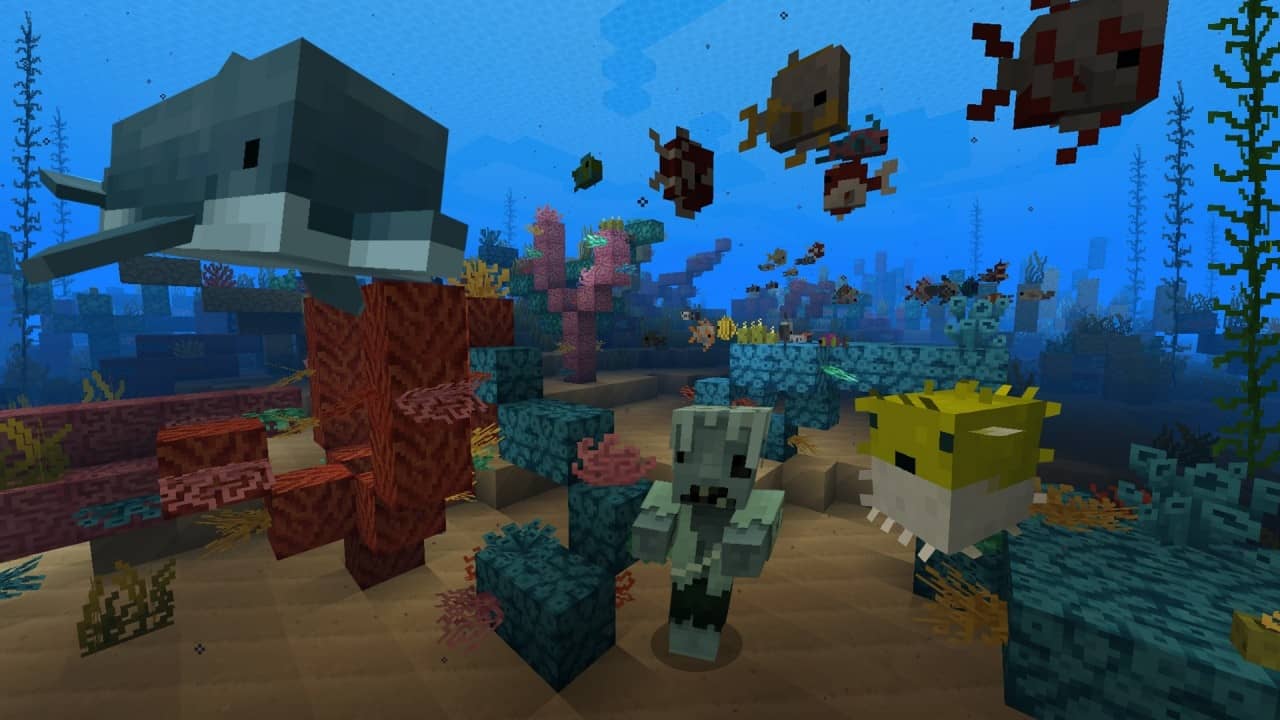
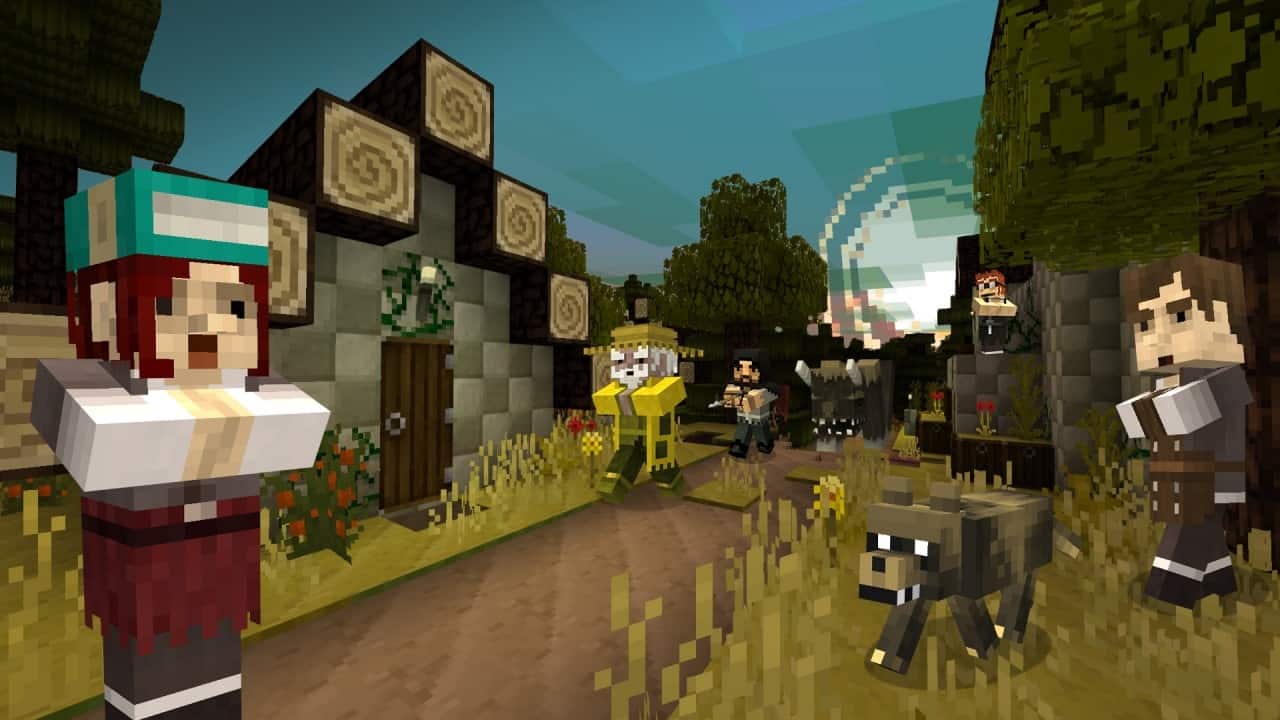
Nearly all textures in the game have been altered for the better, either by replacing them with entirely new creations or carefully tweaking existing ones. It is technically not a 100% complete resource pack, meaning a few minor things are left untouched, but you will honestly have a really difficult time finding them! Amongst the massive array of visual improvements, you can easily spot fantastic new textures for brick walls, wood types, growing crops, various ores, diverse terrain blocks, different building materials, and so much more. All these delightful changes are wonderfully complemented by completely overhauled textures for passive mobs, hostile creeps, and even custom player textures. You get to experience amazing new looks for wolves, dogs, sheep, pigs, and chickens, as well as classic monsters like zombies, skeletons, spiders, and more. On top of that, the Jolicraft pack makes a massive effort to thoughtfully reimagine inventory menus, the player HUD, and the crafting bench interface. The inventory menu now cleanly resembles a sheet of paper with simple, elegant spacing for your items and sections, and a similarly clever treatment was applied to the crafting table. Your player HUD gets a complete makeover too, granting you a brand new health bar design, refreshed item slots, and much more. All of these incredible visual improvements are achieved without ever pushing the texture resolution past the classic 16x standard. Even better, the resource pack does not mess with complex lighting or shadows, yet it still manages to achieve jaw-dropping visuals. It does, however, alter some sky textures, giving the sun and moon a much more playful, cartoonish appearance. If you have been worrying about your game performance, the Jolicraft resource pack will not cause any major issues at all; the lightweight 16x texture resolution ensures the pack runs smoothly without bogging down your system. If you want a resource pack that is lightweight and performs exceptionally well, Jolicraft might just be your absolute best choice. While it leans toward an RPG-inspired aesthetic, it also serves as a fantastic option for fast-paced PvP players. If you ever want to push its visuals even further, you can easily pair it with your favorite shader pack, though I personally recommend using one that leaves sky and water textures alone so you do not clash with the beauty of Jolicraft’s custom cartoon Sun and Moon.
Jolicraft should be compatible with all of these Minecraft versions: 1.20.4 – 1.20.3 – 1.20.2 – 1.20.1 – 1.20 – 1.19.4 – 1.19.3 – 1.19.2 – 1.19.1 – 1.19 – 1.18.2 – 1.18.1 – 1.18 – 1.17.1 – 1.17 – 1.16.5 – 1.16.4 – 1.16.3 – 1.16.2 – 1.16.1 – 1.16 – 1.15.2 – 1.15.1 – 1.15 – 1.14.4 – 1.14.3 – 1.14.2 – 1.14 – 1.13.2 – 1.13.1 – 1.13 – 1.12.2 – 1.12 – 1.11.2 – 1.11 – 1.10.2 – 1.10 – 1.9.4 – 1.9 – 1.8.9 – 1.8.8 – 1.8.1 – 1.8.6 – 1.8 – Bedrock Edition – PE
Screenshots
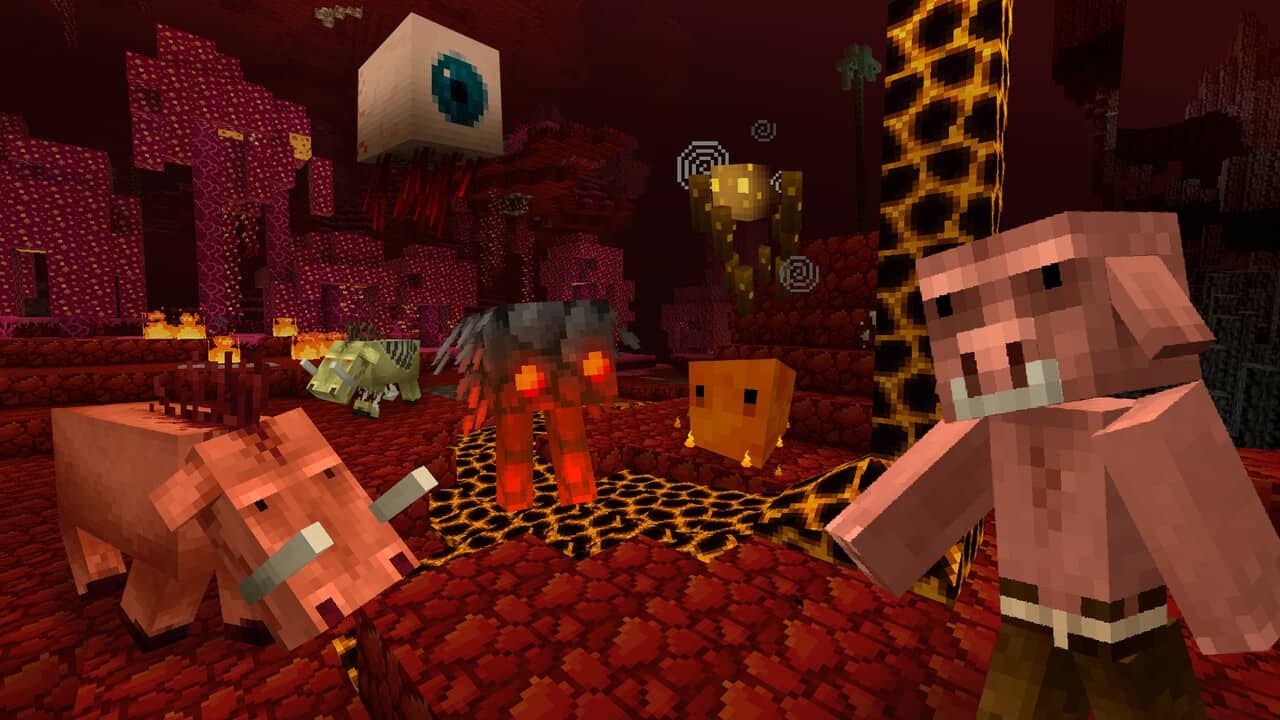
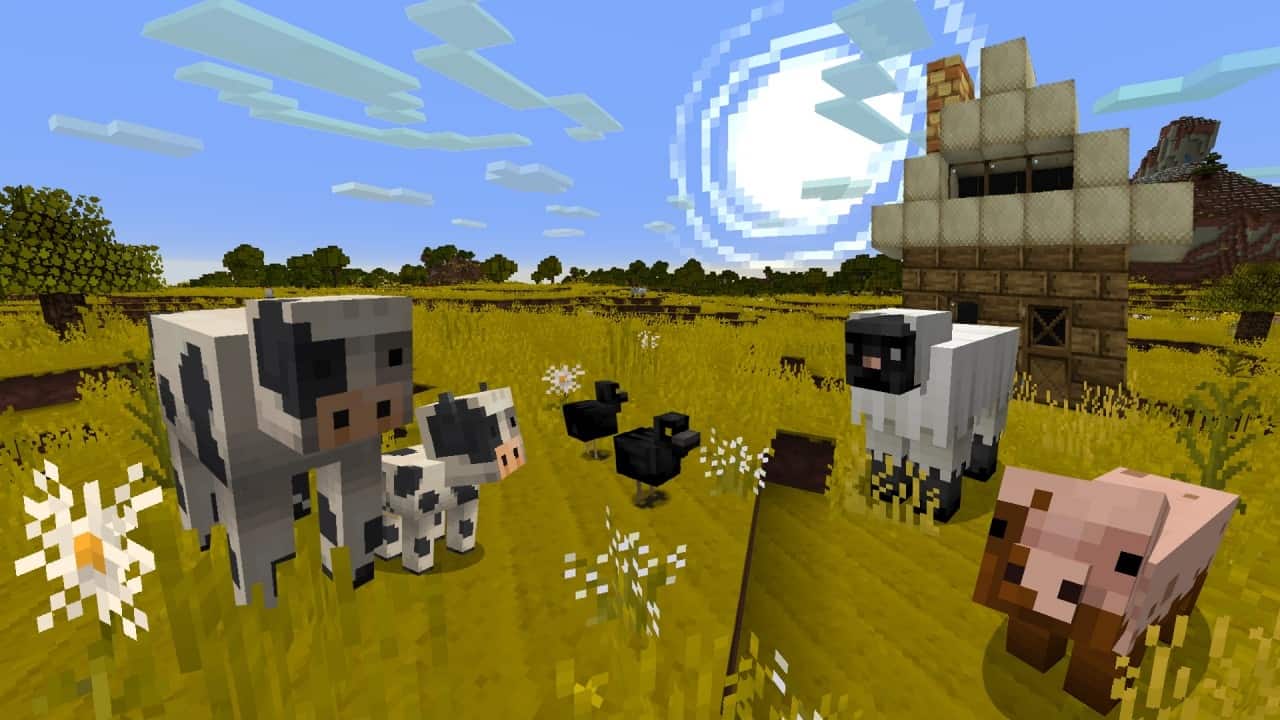
How to Install Texture Pack (Simple 10 Steps)
- Download OptiFine: Most of the texture packs and shaders need OptiFine. That’s why, first download and install OptiFine for the version of Minecraft you want to play.
- Download the Texture Pack: Get the texture pack you want from the download section. Choose the version that works with your Minecraft and your PC’s performance.
- Open Minecraft Launcher: Start Minecraft using the official game launcher — or even TLauncher, if you use that.
- Go to Options: From the main menu, click on the “Options” button.
- Open Resource Packs: Inside Options, click on “Resource Packs…”.
- Open the Resource Pack Folder: Click on “Open Resource Pack Folder” — this will open a folder named “resourcepacks”.
- Move the Pack File: Copy or move the .zip file you downloaded into that “resourcepacks” folder. (Don’t unzip the file — Minecraft uses it as-is!)
- Go Back and Refresh: Close the folder and click “Done”, then go back into “Resource Packs…” again.
- Activate the Pack: You’ll see the pack on the left side. Hover over it and click the arrow to move it to the right (active side).
Tip: If you get a message that the pack is for a different version, just click “Yes” — it usually works fine. - Click Done and Enjoy: Click “Done” again. Now your pack is ready to use in-game. It’s that easy!
Credits
This resource pack was created by andrejolicoeur. We do not claim ownership of this content and provide these download links as originally hosted by the creator. We strongly encourage players to support andrejolicoeur by visiting their official channels and downloading from their authorized sources.
Download Links
Java Edition
- [16x] [1.20.x – 1.17.x] Download Jolicraft Resource Pack
- [16x] [1.20.x – 1.17.x] Download Jolicraft Resource Pack
- [16x] [1.16.x – 1.15.x] Download Jolicraft Resource Pack
- [16x] [1.14.x] Download Jolicraft Resource Pack
- [16x] [1.13.x] Download Jolicraft Resource Pack
- [16x] [1.12.x – 1.8.x] Download Jolicraft Resource Pack
- [16x] [1.8.x] Download [Sunny] Jolicraft Add-on Pack
- [16x] [1.8.x] Download [Spooky] Jolicraft Add-on Pack
- [16x] [1.8.x] Download [Snowy] Jolicraft Add-on Pack
Bedrock Edition
Download Instructions
Curseforge: download starts automatically after a few seconds;
Mediafire: click the big blue button with the text “DOWNLOAD”;
Google Drive: in the top right corner you will see a small download icon (down arrow), click it and the download should start;


