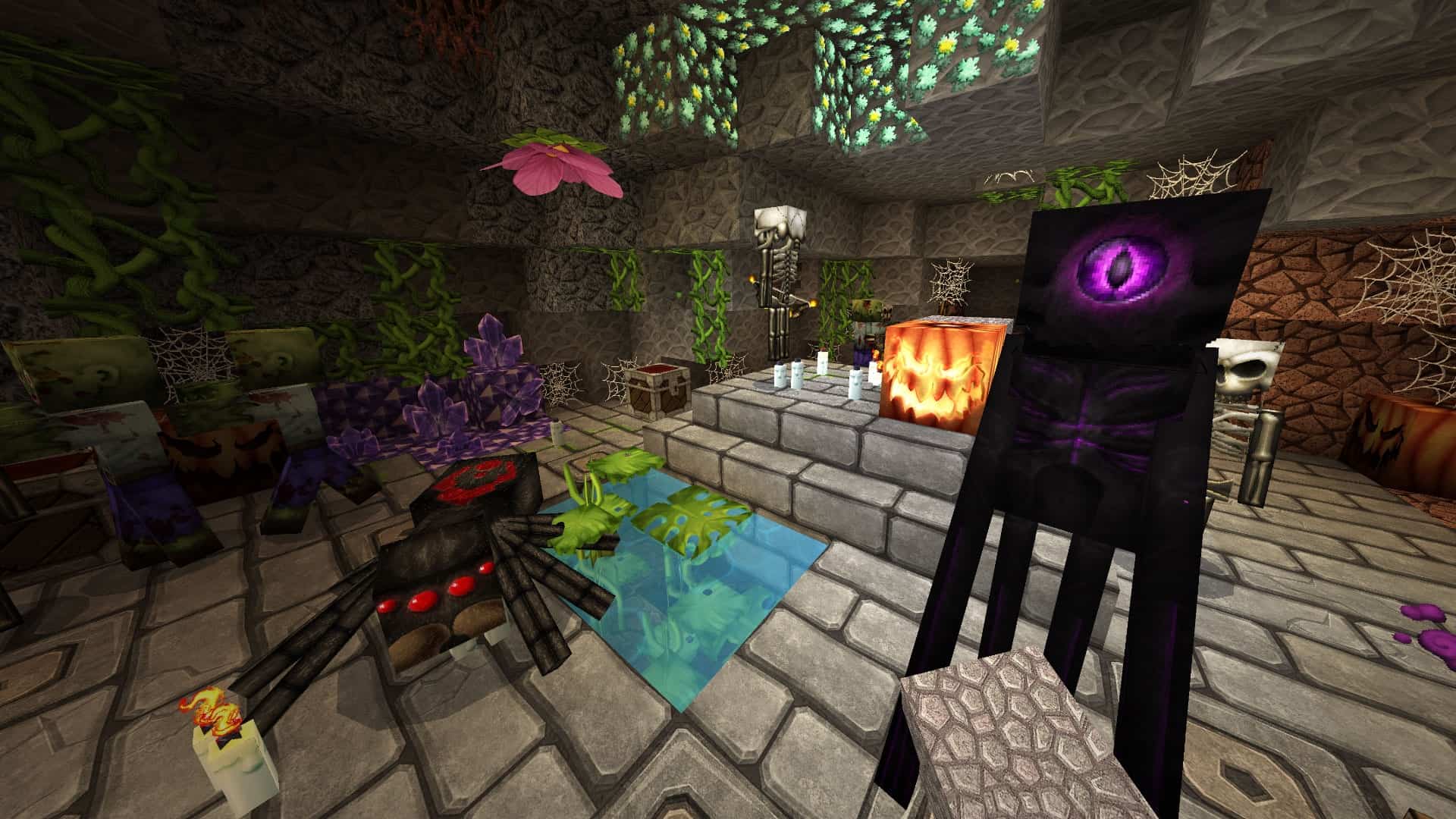
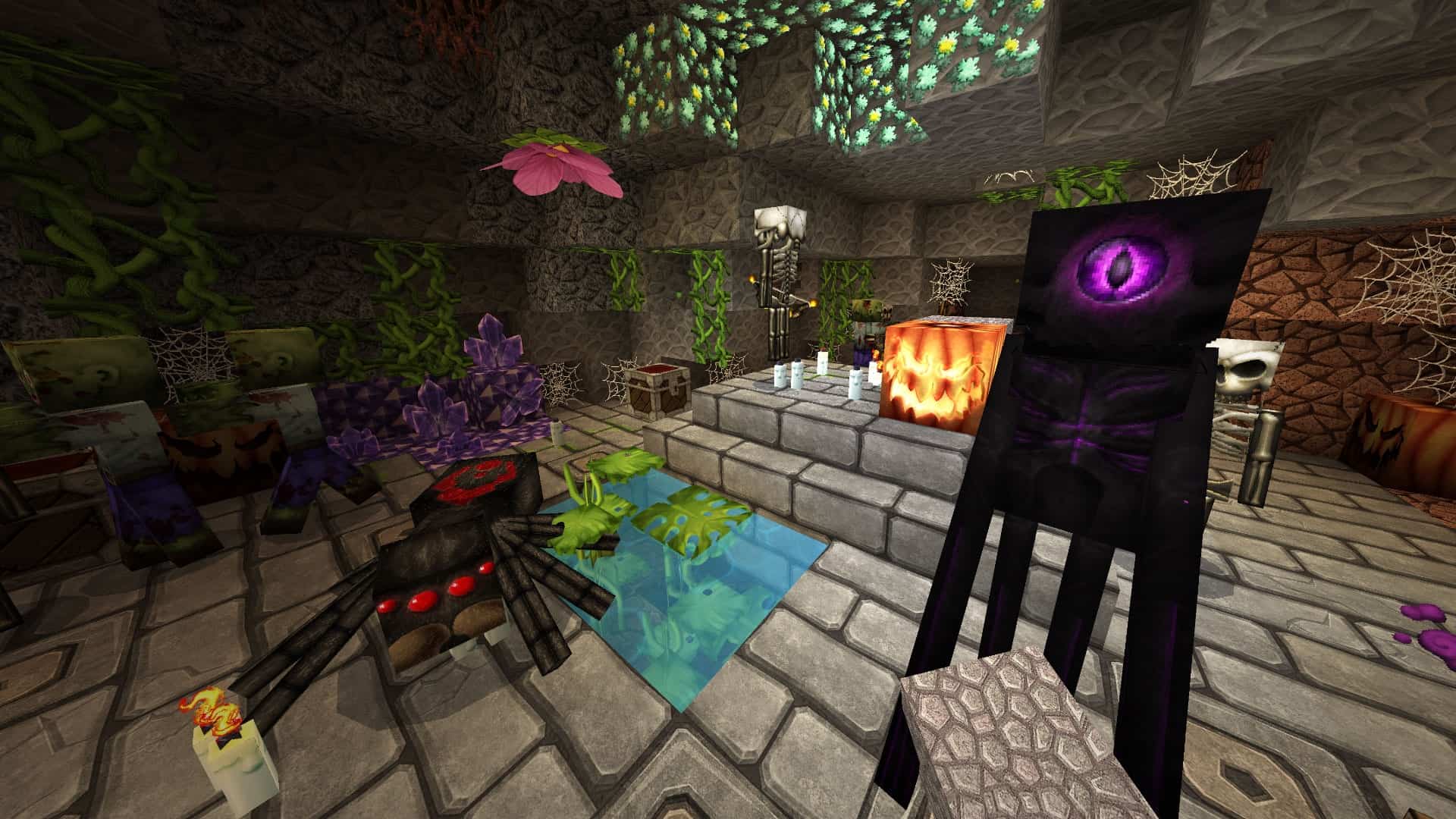
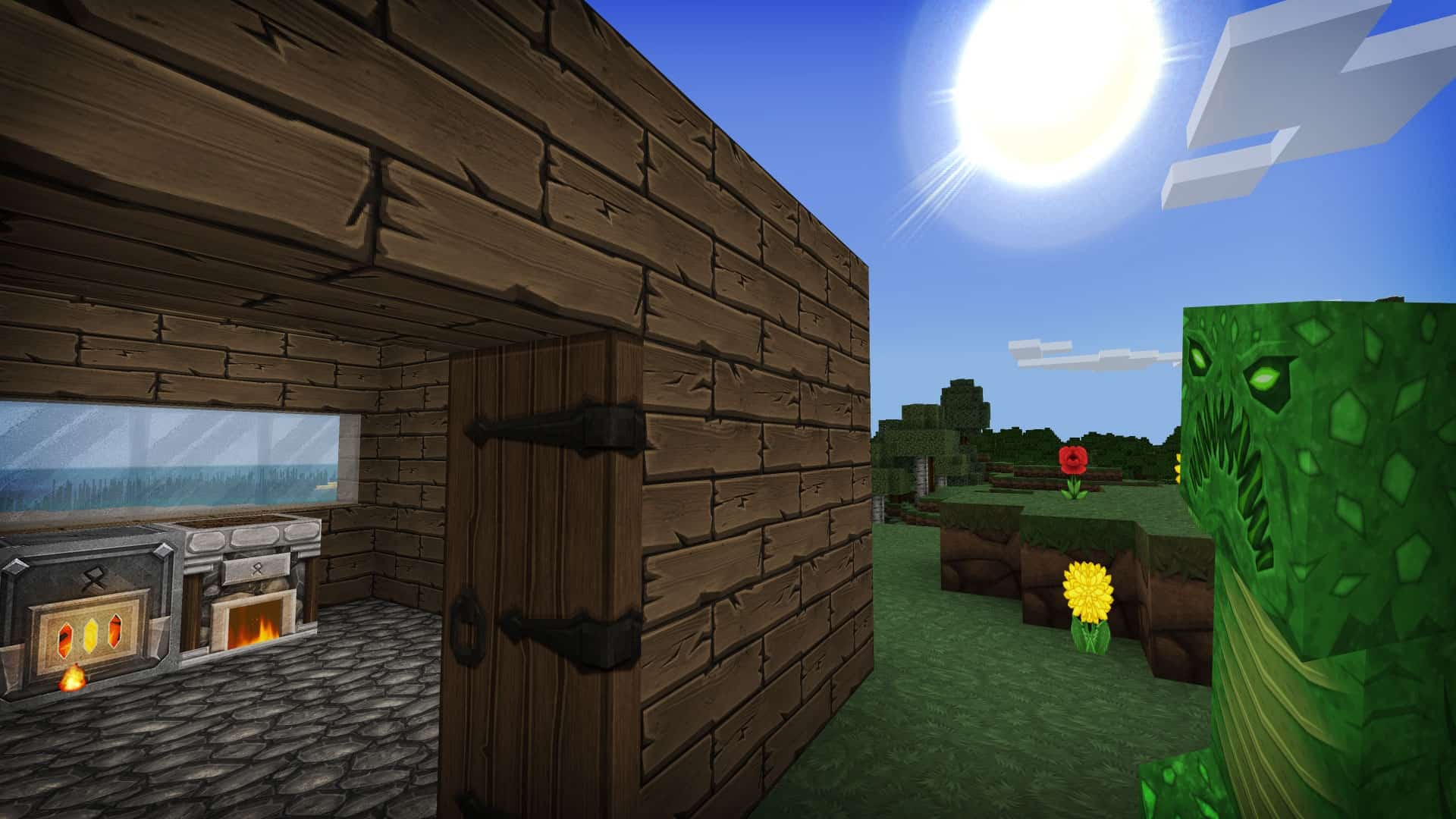
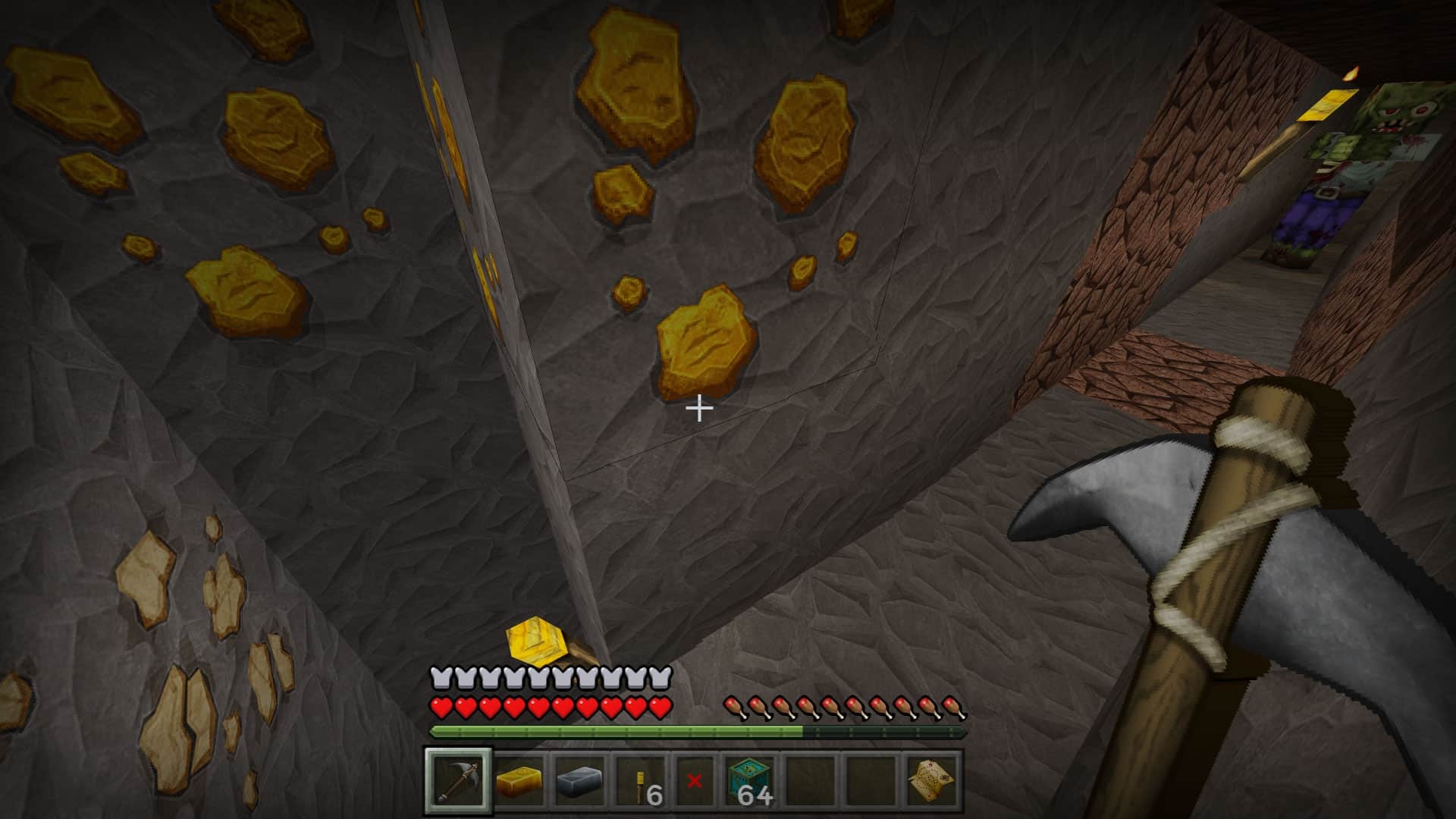
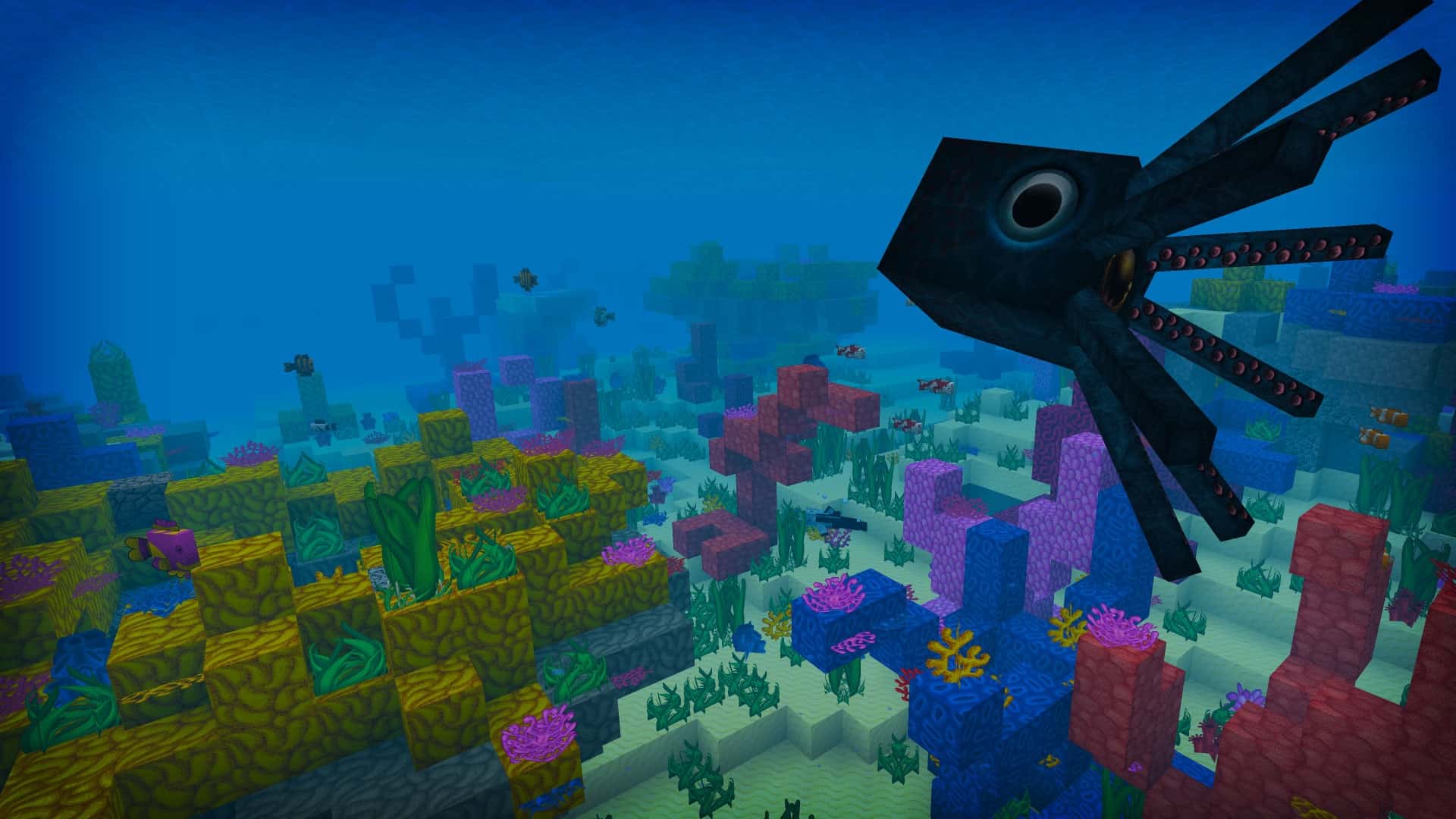
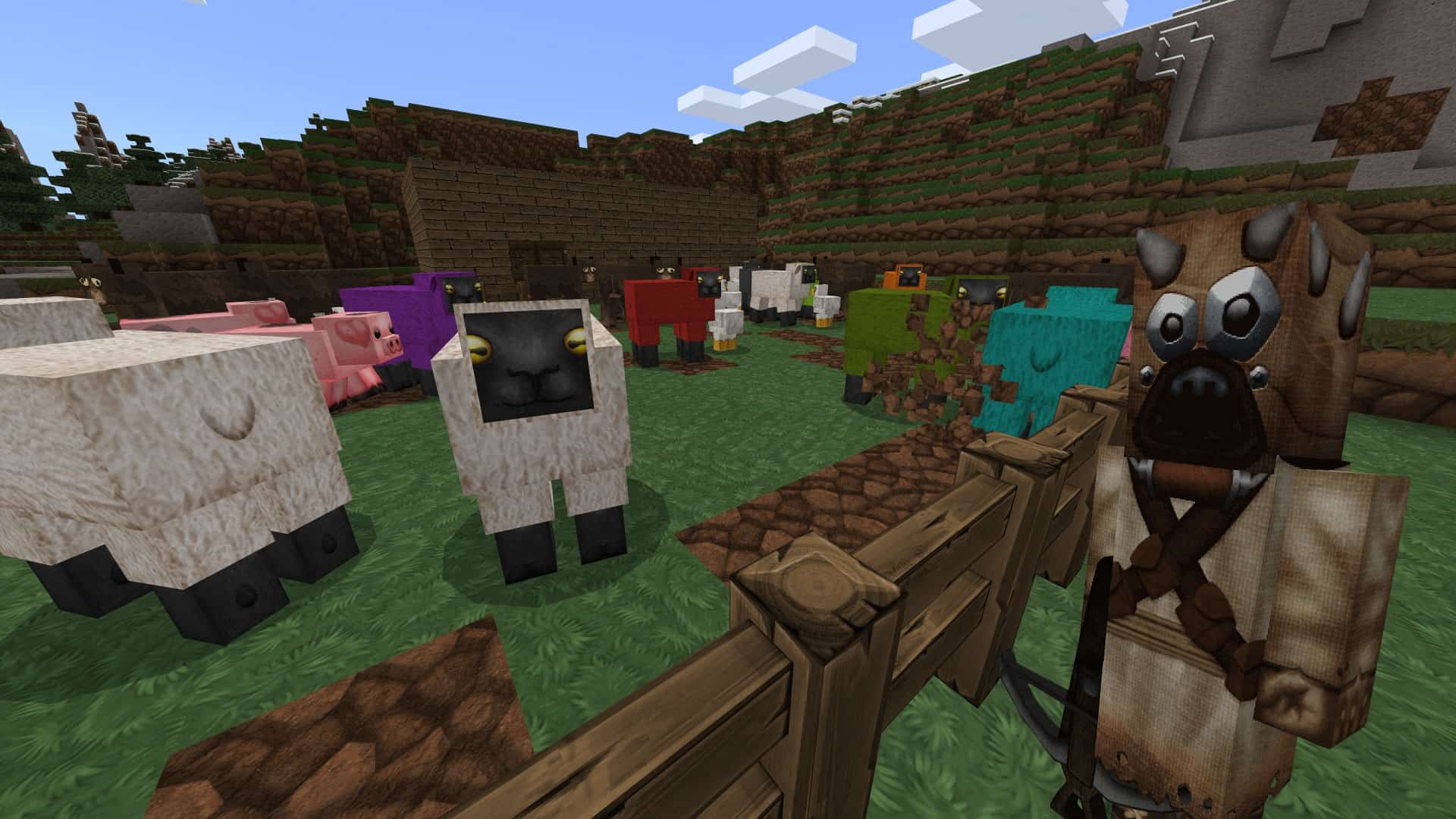
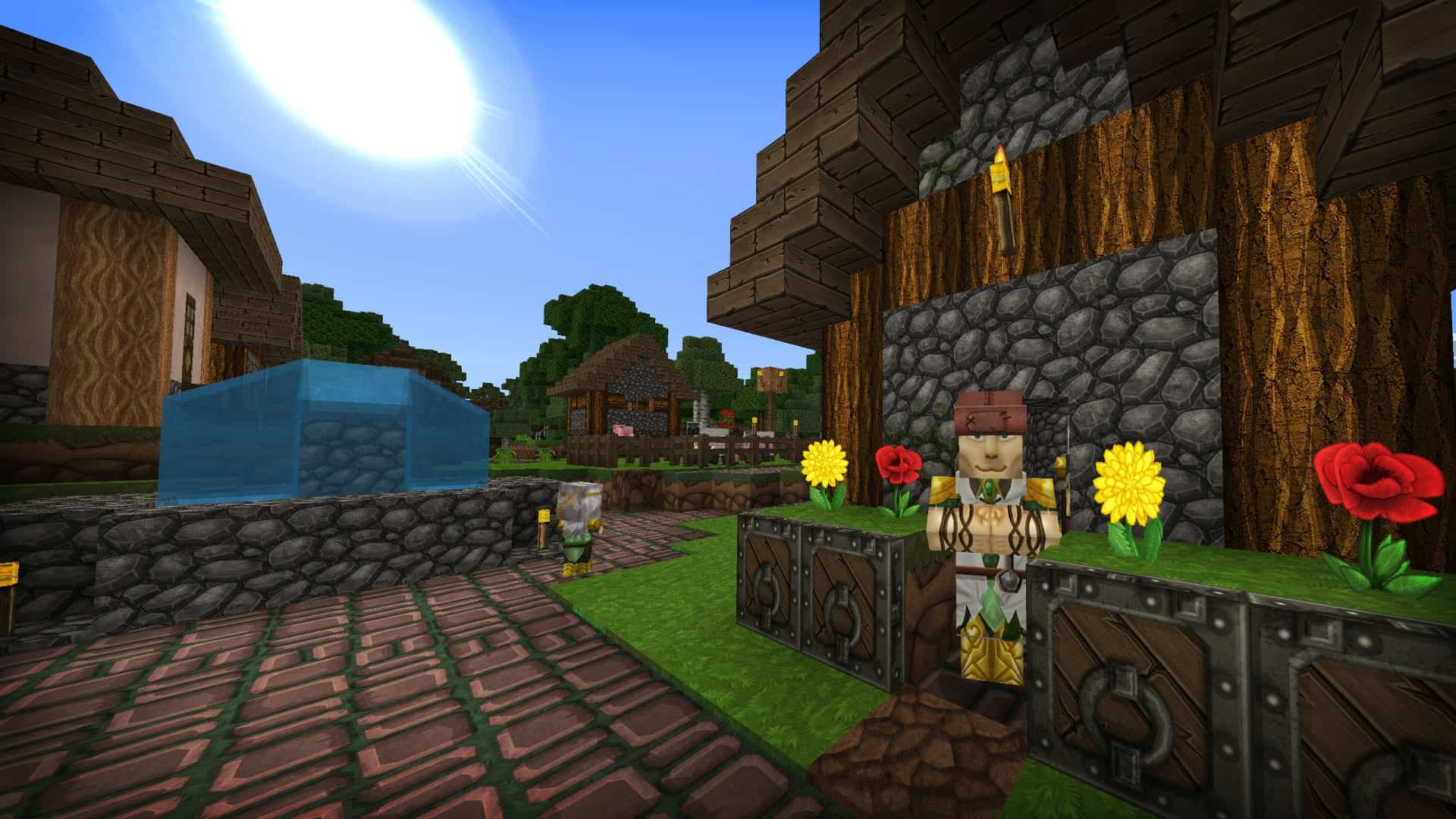
The GrungeBDcraft resource pack is simply fantastic for Minecrafters who truly enjoy detailed, grizzly, and semi-realistic HD graphics. It brilliantly transforms vanilla Minecraft’s simple, clean textures into something wonderfully worn down and much more realistic. Every single object looks run down and wonderfully well-used, which completely makes sense because “grunge” is right there in the name of the resource pack. Sphax, the brilliant creator of the GrungeBDcraft resource pack and the PureBD texture pack, clearly poured an immense amount of love and effort into crafting this masterpiece. Their incredible attention to detail is simultaneously mind-blowing and awe-inspiring, and it is so easy to see what we mean once you gaze upon how meticulous the textures truly are. The absolute most impressive part about the GrungeBDcraft texture pack is how effortlessly it retains the charming soul of vanilla Minecraft’s textures while successfully deviating from them. Despite all these gorgeous enhancements, it still unmistakably looks and feels like you are playing Minecraft. All the objects remain entirely recognizable, meaning you can always tell what they are at a glance. Oak blocks look like genuine oak, cobblestone remains trusty old cobblestone, and torches are still instantly recognizable torches. While some texture packs exist purely to change Minecraft’s overall atmosphere and setting completely, the GrungeBDcraft resource pack thrives by expertly tinkering with the subtle vibe of your entire world. If you ever want things to look significantly grittier, more realistic, or even delightfully filthy, then this is without a doubt the absolute perfect texture pack for you. Your entire Minecraft world will be overwhelmingly enhanced the moment you install the GrungeBDcraft pack. Light and shadows play off of each other dynamically, creating wonderfully realistic shading effects that will leave you stunned. Villagers now feature distinct faces alongside much more unique outfits, the flowers boast extra petals and are wonderfully easy to tell apart, you can clearly spot individual blades of grass on the blocks, and objects feel less chunky overall. While everything happily retains that classic blocky charm, the textures themselves are of vastly higher quality than vanilla Minecraft’s standard visuals. Imagine diving deep into the ocean on a thrilling search for clay blocks, only to find beautifully retextured fish swimming all around you. Their coloring is completely immaculate, and their shapes are rendered much more realistically. A squid glides past, and its body is detailed enough that you can almost vividly imagine how its skin would feel right beneath your fingertips, while the individual suckers on its tentacles and its giant round eyes staring directly at you are marvels to behold. Just picture how gorgeous this improved ocean life will look inside any magnificent aquarium you decide to build. If you lean toward a more simple style of gameplay, we heavily suggest rounding up some cute animals and finally starting that long-awaited farm. Seeing the animals up close will immediately make you feel wonderfully immersed in your cozy little homestead.
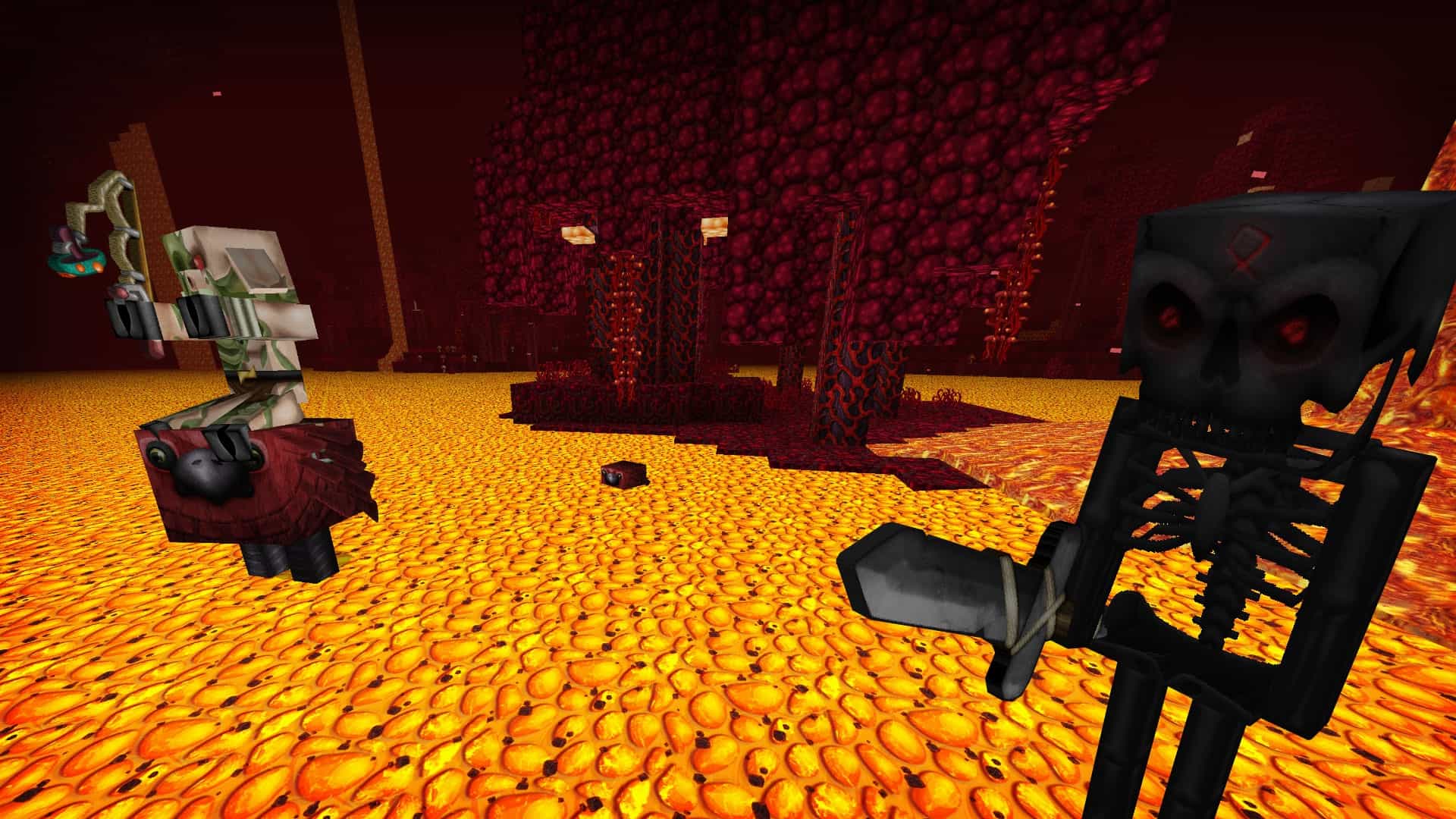
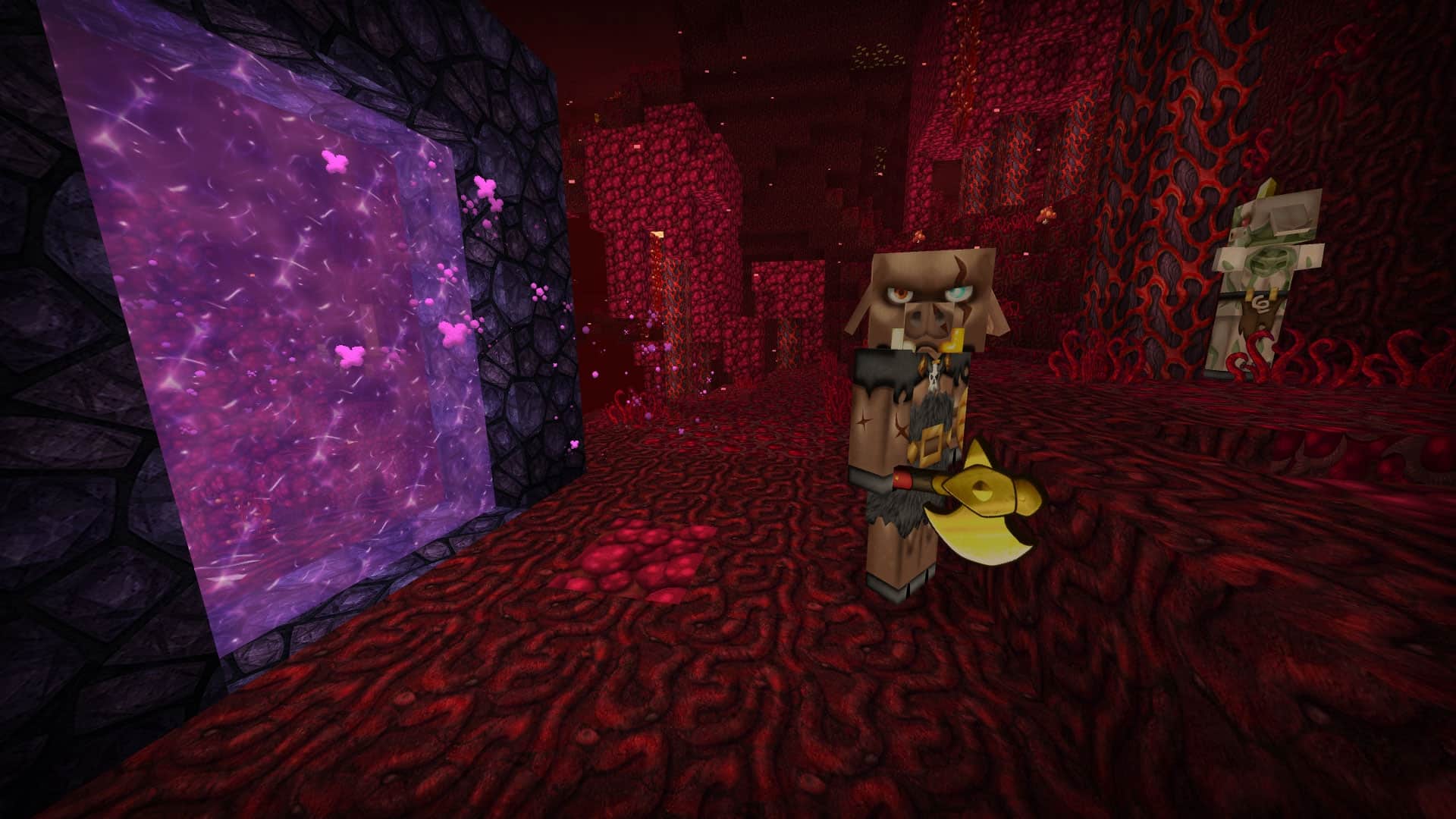
The sheep’s wool looks delightfully scraggly and carries enough detail to almost appear completely 3D, the pigs feature adorable floppy-looking ears painted right onto the sides of their heads, and the fence posts look convincingly as if they were weathered down over long periods of time. Now just visualize what the terrifying nether must look like with the GrungeBDcraft resource pack fully installed. Stepping right out of the obsidian portal, you are immediately greeted by the formidable sight of a grizzled piglin. Its body is heavily covered in harsh battle scars, rugged fur armor tightly drapes across its broad shoulders and waist, and glimmering gold proudly adorns its chest and fearsome weapon. It is such an intensely intimidating sight that radically enhances your overall immersion, though it is perhaps not quite as spine-chilling as watching a rotting zombie shuffle its way through a dark mine shaft. The GrungeBDcraft resource pack ensures you can clearly examine the sloping brow, gaping mouth, and tattered clothing of every single zombie you happen to cross paths with. It adds an incredible layer of gritty realism to the situation that vastly elevates your entire gaming experience. Now that you are genuinely hooked, you are probably wondering what kind of hardware it takes to successfully run a pack of this caliber. The GrungeBDcraft resource pack is exceptionally detailed, meaning it definitely carries relatively high system requirements. Standard Minecraft runs natively in 16x resolution, but the gorgeous GrungeBDcraft resource pack jumps all the way up to a staggering 128x resolution. Various other resolutions are also readily available for you to choose from, smoothly ranging anywhere from 32x all the way up to 512x. Needing a wonderfully capable device to run this texture pack on is realistically the only minor drawback, so it is definitely worth installing and giving a spin if your computer packs the necessary hardware muscle. Like most high-end resource packs, the GrungeBDcraft resource pack frequently requires Optifine to function at its absolute best. You will definitely want to install them both to fully experience everything covered in this fantastic article. If you adore grungy, dirty, and remarkably realistic-looking textures and your computer can comfortably handle the load, we wholeheartedly and enthusiastically recommend installing the GrungeBDcraft resource pack today. It stays remarkably true to vanilla Minecraft’s timeless charm while still introducing a breathtaking new aesthetic for you to thoroughly enjoy. It is admittedly a tiny bit demanding on your device with its hefty system requirements, but the sheer dedication, attention to detail, and love that went into creating this pack makes every single second completely worth it. We strongly encourage downloading and trying out the GrungeBDcraft resource pack at least once, even if you are initially on the fence about whether it is your usual style. Experiencing it firsthand is an absolute treat that you simply have to try for yourself.
GrungeBDcraft should be compatible with all of these Minecraft versions: 1.21.10 – 1.21.9 – 1.21.8 – 1.21.7 – 1.21.6 – 1.21.5 – 1.21.4 – 1.21.3 – 1.21.2 – 1.21.1 – 1.21 – 1.20.6 – 1.20.5 – 1.20.4 – 1.20.3 – 1.20.2 – 1.20.1 – 1.20 – 1.19.4 – 1.19.3 – 1.19.2 – 1.19.1 – 1.19 – 1.18.2 – 1.18.1 – 1.18 – 1.17.1 – 1.17 – 1.8.9 – 1.8.8 – 1.8.1 – 1.8.6 – 1.8 – 1.7.10 – 1.7.9 – 1.7.4 – 1.7 – 1.6.4 – 1.6.2 – Bedrock Edition – PE
Screenshots
How to Install Texture Pack (Simple 10 Steps)
- Download OptiFine: Most of the texture packs and shaders need OptiFine. That’s why, first download and install OptiFine for the version of Minecraft you want to play.
- Download the Texture Pack: Get the texture pack you want from the download section. Choose the version that works with your Minecraft and your PC’s performance.
- Open Minecraft Launcher: Start Minecraft using the official game launcher — or even TLauncher, if you use that.
- Go to Options: From the main menu, click on the “Options” button.
- Open Resource Packs: Inside Options, click on “Resource Packs…”.
- Open the Resource Pack Folder: Click on “Open Resource Pack Folder” — this will open a folder named “resourcepacks”.
- Move the Pack File: Copy or move the .zip file you downloaded into that “resourcepacks” folder. (Don’t unzip the file — Minecraft uses it as-is!)
- Go Back and Refresh: Close the folder and click “Done”, then go back into “Resource Packs…” again.
- Activate the Pack: You’ll see the pack on the left side. Hover over it and click the arrow to move it to the right (active side).
Tip: If you get a message that the pack is for a different version, just click “Yes” — it usually works fine. - Click Done and Enjoy: Click “Done” again. Now your pack is ready to use in-game. It’s that easy!
Credits
This resource pack was created by Sphax. We do not claim ownership of this content, nor do we host or modify the download files. All rights and intellectual property remain with the original creator. We strongly encourage users to support the author by visiting their official platforms and downloading directly from them.
Download Links
Java Edition
Bedrock Edition
Download Instructions
Curseforge: download starts automatically after a few seconds;
Mediafire: click the big blue button with the text “DOWNLOAD”;
Google Drive: in the top right corner you will see a small download icon (down arrow), click it and the download should start;


