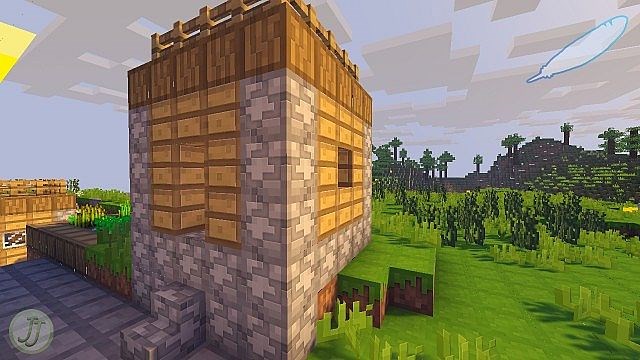
Not everyone wants a Minecraft resource pack that completely alters the identity of the game, turning it into something unrecognizable from the original. The Feathercloud resource pack offers a refreshing take on what it means to make Minecraft look better while carefully preserving its classic look and feel. As the stunning HD version of the original Feathercloud pack, Feathercloud Ultra takes existing Minecraft textures and improves them to such an incredible extent that the game simply looks amazing in action. Released a couple of years ago, Feathercloud ULTRA was the brilliant result of many hours of hard work from the talented creator Jnaejnae. While the original non-HD version stopped receiving updates, Feathercloud ULTRA keeps getting new releases to ensure seamless compatibility with the latest versions of the game. What Feathercloud ULTRA does best is significantly improve overall texture quality in Minecraft. Even though the resolution of the textures has been increased to x128—which is 8 times the original resolution—the game thankfully still retains its familiar charm.
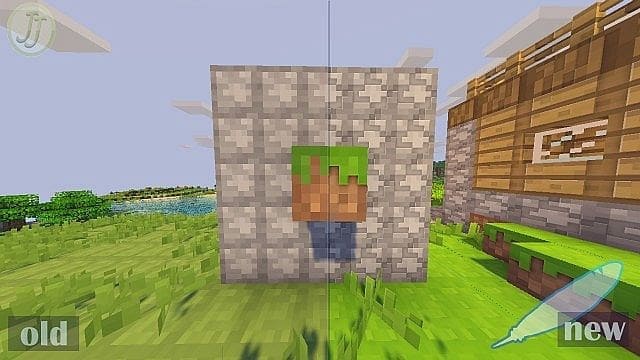
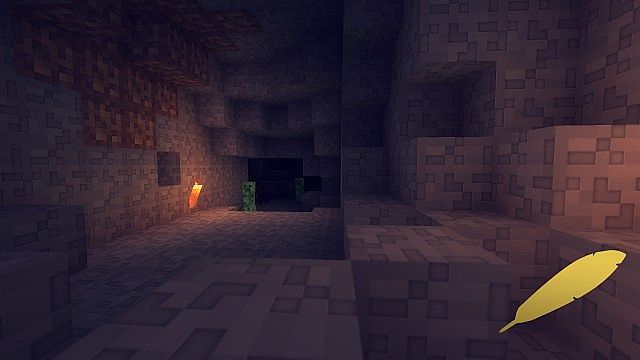
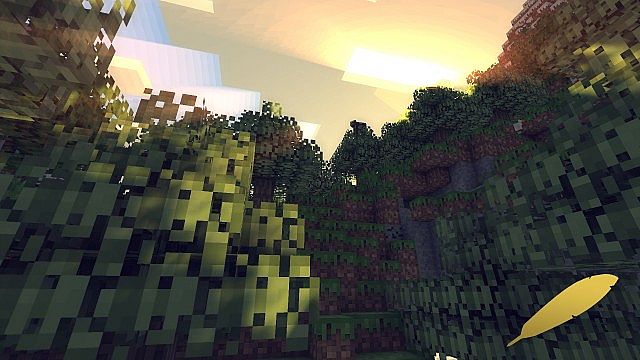
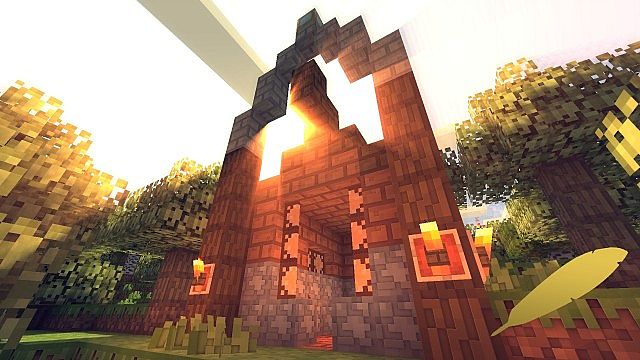
The real difference is that you will notice so much more detail on every single block. Instead of awkwardly cramping extra details onto the same block, the existing textures have been beautifully smoothed out by the author. Even though everything is still built using blocks, the textures appear to have fewer sharp edges and look much more vivid overall. This gorgeous visual effect was also achieved by carefully tweaking the colors of certain textures. The grass now uses a lovely lime green color, while dirt features a more vibrant, less grayish tone. The exact same positive trend can be observed across hundreds of other textures throughout the world. This is nicely complemented by the removal of the dark borders around the blocks. The original developer also implemented smoother custom fonts and tweaked the player HUD for a cleaner interface. According to Jnaejnae, over 70% of the textures in the game have been edited and improved in Feathercloud ULTRA. The Feathercloud ULTRA resource pack looks genuinely great on its own thanks to its ultra-smooth textures and vibrant colors. It can even be complemented by a shader pack to take your visuals a step further, though keep in mind that this might affect your frame rate since the resource pack is already quite demanding in terms of system resources due to its high-resolution x128 textures.
Feathercloud should be compatible with all of these Minecraft versions: 1.12.2 – 1.12 – 1.11.2 – 1.11 – 1.10.2 – 1.10
Screenshots


How to Install Texture Pack (Simple 10 Steps)
- Download OptiFine: Most of the texture packs and shaders need OptiFine. That’s why, first download and install OptiFine for the version of Minecraft you want to play.
- Download the Texture Pack: Get the texture pack you want from the download section. Choose the version that works with your Minecraft and your PC’s performance.
- Open Minecraft Launcher: Start Minecraft using the official game launcher — or even TLauncher, if you use that.
- Go to Options: From the main menu, click on the “Options” button.
- Open Resource Packs: Inside Options, click on “Resource Packs…”.
- Open the Resource Pack Folder: Click on “Open Resource Pack Folder” — this will open a folder named “resourcepacks”.
- Move the Pack File: Copy or move the .zip file you downloaded into that “resourcepacks” folder. (Don’t unzip the file — Minecraft uses it as-is!)
- Go Back and Refresh: Close the folder and click “Done”, then go back into “Resource Packs…” again.
- Activate the Pack: You’ll see the pack on the left side. Hover over it and click the arrow to move it to the right (active side).
Tip: If you get a message that the pack is for a different version, just click “Yes” — it usually works fine. - Click Done and Enjoy: Click “Done” again. Now your pack is ready to use in-game. It’s that easy!
Credits
Feathercloud Ultra is created by Jnaejnae, who holds all original ownership rights to the assets and content. We do not own, host, or modify this resource pack on our servers. All credit and rights belong fully to the original creator. We strongly encourage you to support Jnaejnae by downloading the pack from the official links and following their official channels for future updates.
Download Instructions
Curseforge: download starts automatically after a few seconds;
Mediafire: click the big blue button with the text “DOWNLOAD”;
Google Drive: in the top right corner you will see a small download icon (down arrow), click it and the download should start;


