
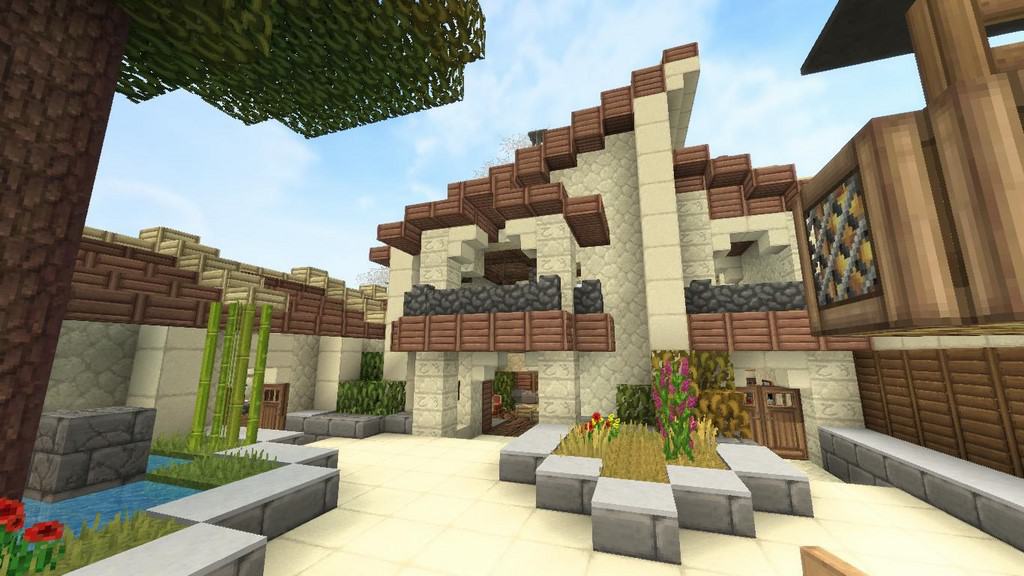
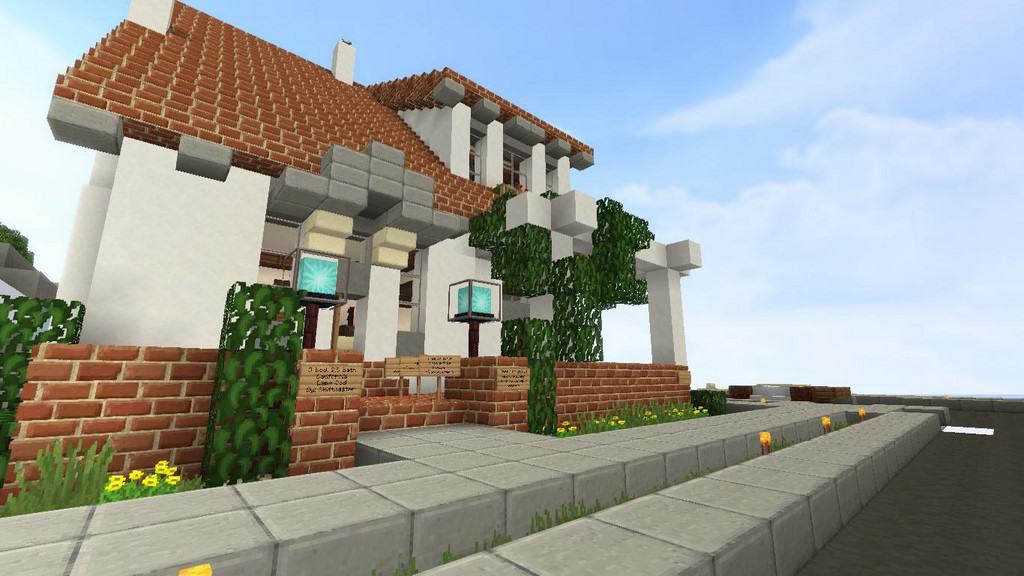
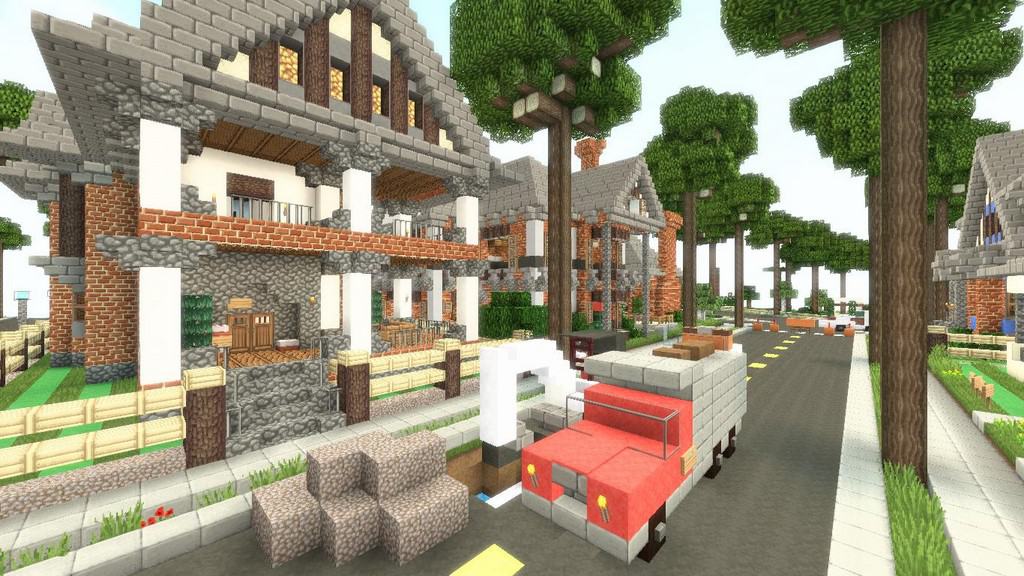
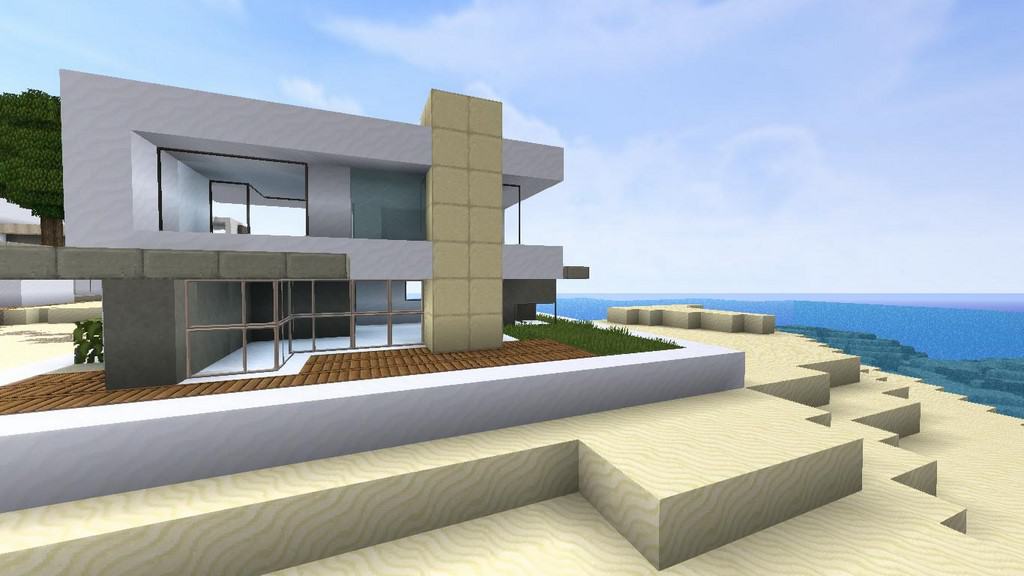
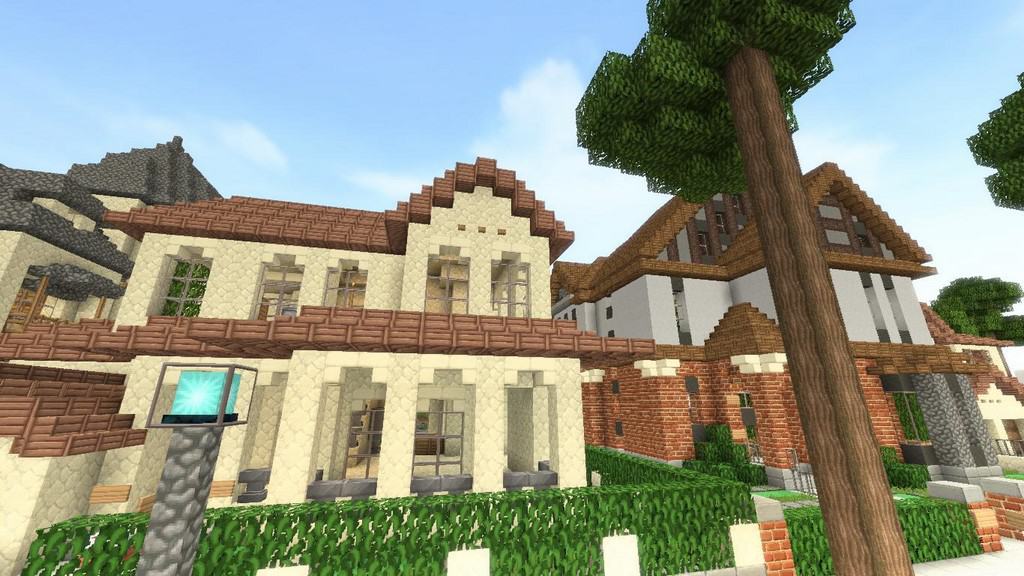
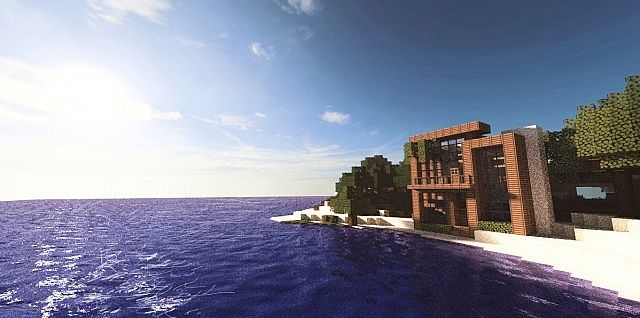
Even though it uses a seemingly low 32×32 resolution, I was amazed by how the creator of the Equanimity resource pack managed to make up for it by introducing some of the most true-to-life water textures I have ever seen in the Minecraft community! Unlike other developers who spend endless hours on complex modeling, Equanimity was put together in less than a month with barely an hour of work a day. The creator shared that this approach allowed for frequent updates without burning out, serving as a cool demonstration that anyone can craft a decent, simplistic resource pack without draining all their energy. Yet, I was thoroughly impressed to find absolutely no signs of rushed work or clumsy modifications; everything harmonizes brilliantly to deliver a vastly enhanced feel.
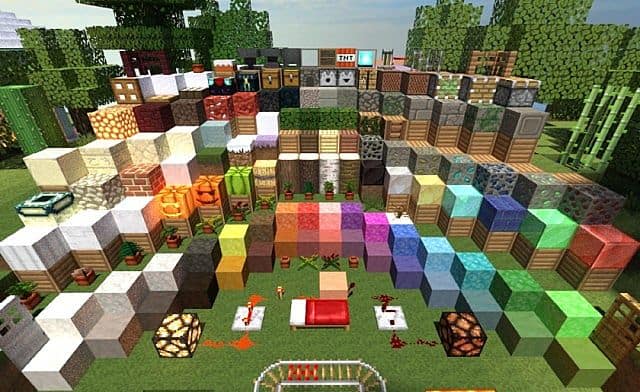
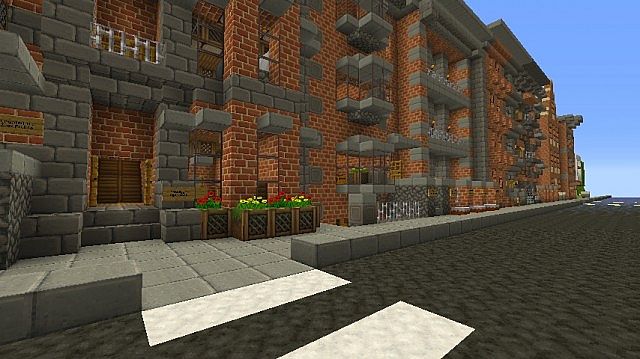
Equanimity brings a stunning upgrade to every single texture in the game, giving many blocks a charming Gothic, medieval vibe. Because the resolution is double the vanilla default, all models feel incredibly sturdy and solid despite the rapid development time. The metal blocks especially feature a realistic glare that totally makes those expensive crafting recipes feel worth the effort. I really appreciate how the pack maintains a slightly brighter overall atmosphere, offering a refreshing and cheerful change from the standard, gloomier Minecraft environments. While a few blocks like stone bricks feature very subtle tweaks, those instances are rare. It truly feels like the author thought of everything—even with the resolution bump, I experienced virtually no slowdown while running Equanimity. That said, I definitely recommend installing Optifine if you want to maintain peak performance and ensure every texture renders in all its glory!
Equanimity should be compatible with all of these Minecraft versions: 1.21.10 – 1.21.9 – 1.21.8 – 1.21.7 – 1.21.6 – 1.21.5 – 1.21.4 – 1.21.3 – 1.21.2 – 1.21.1 – 1.21 – 1.20.6 – 1.20.5 – 1.20.4 – 1.20.3 – 1.20.2 – 1.20.1 – 1.20 – 1.19.4 – 1.19.3 – 1.19.2 – 1.19.1 – 1.19 – 1.18.2 – 1.18.1 – 1.18 – 1.17.1 – 1.17 – 1.16.5 – 1.16.4 – 1.16.3 – 1.16.2 – 1.16.1 – 1.16 – 1.15.2 – 1.15.1 – 1.15 – 1.12.2 – 1.12 – 1.11.2 – 1.11 – 1.10.2 – 1.10 – 1.9.4 – 1.9 – 1.8.9 – 1.8.8 – 1.8.1 – 1.8.6 – 1.8 – 1.7.10 – 1.7.9 – 1.7.4 – 1.7
Screenshots
How to Install Texture Pack (Simple 10 Steps)
- Download OptiFine: Most of the texture packs and shaders need OptiFine. That’s why, first download and install OptiFine for the version of Minecraft you want to play.
- Download the Texture Pack: Get the texture pack you want from the download section. Choose the version that works with your Minecraft and your PC’s performance.
- Open Minecraft Launcher: Start Minecraft using the official game launcher — or even TLauncher, if you use that.
- Go to Options: From the main menu, click on the “Options” button.
- Open Resource Packs: Inside Options, click on “Resource Packs…”.
- Open the Resource Pack Folder: Click on “Open Resource Pack Folder” — this will open a folder named “resourcepacks”.
- Move the Pack File: Copy or move the .zip file you downloaded into that “resourcepacks” folder. (Don’t unzip the file — Minecraft uses it as-is!)
- Go Back and Refresh: Close the folder and click “Done”, then go back into “Resource Packs…” again.
- Activate the Pack: You’ll see the pack on the left side. Hover over it and click the arrow to move it to the right (active side).
Tip: If you get a message that the pack is for a different version, just click “Yes” — it usually works fine. - Click Done and Enjoy: Click “Done” again. Now your pack is ready to use in-game. It’s that easy!
Credits
The Equanimity resource pack was created by Filmjolk. All rights to the original assets belong to the original author. We do not claim ownership of this content and do not host or distribute modified files on our servers. Please support the creator by downloading the pack directly from their official release pages.
Download Links
Java Edition
Download Instructions
Curseforge: download starts automatically after a few seconds;
Mediafire: click the big blue button with the text “DOWNLOAD”;
Google Drive: in the top right corner you will see a small download icon (down arrow), click it and the download should start;


