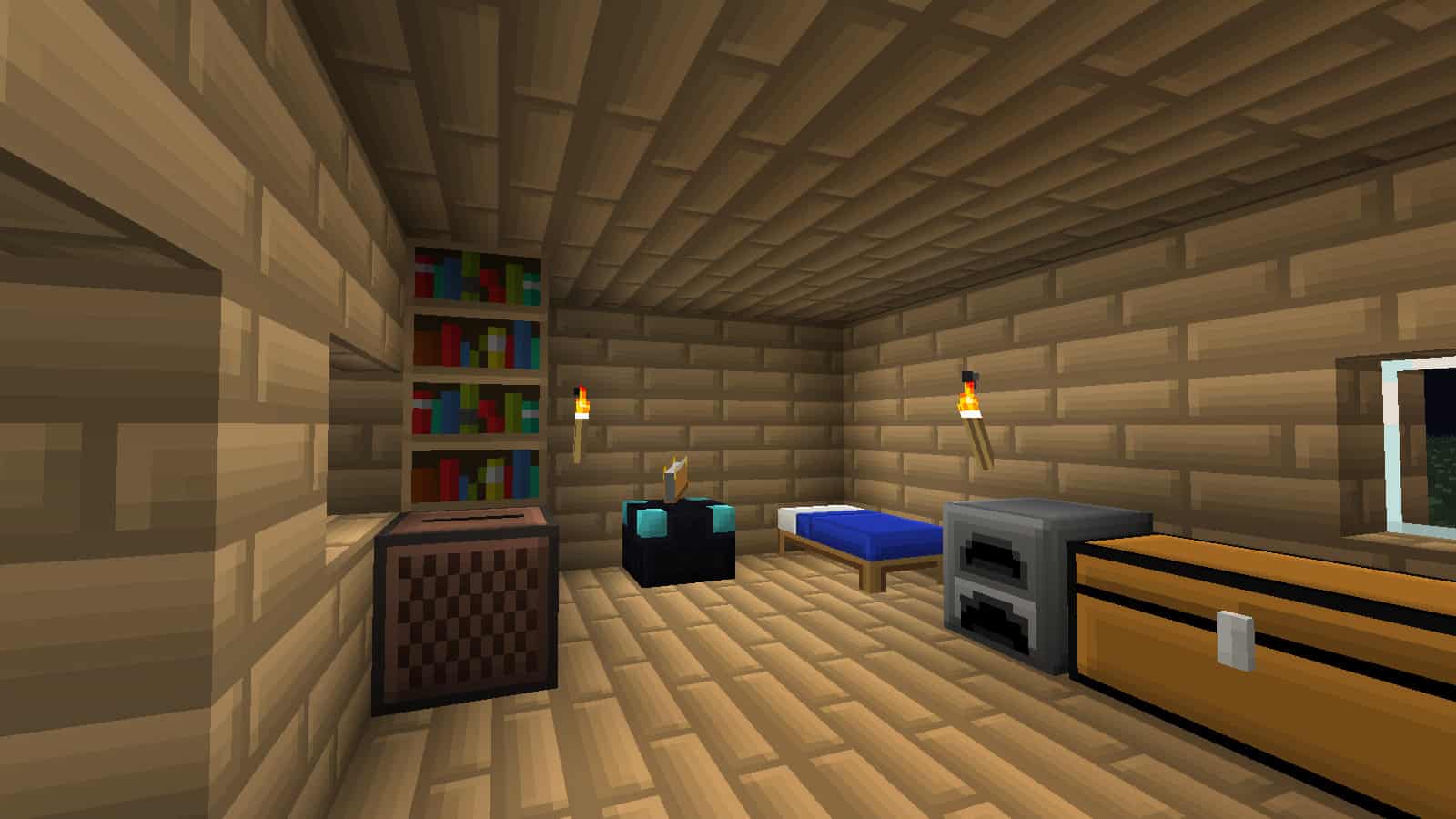
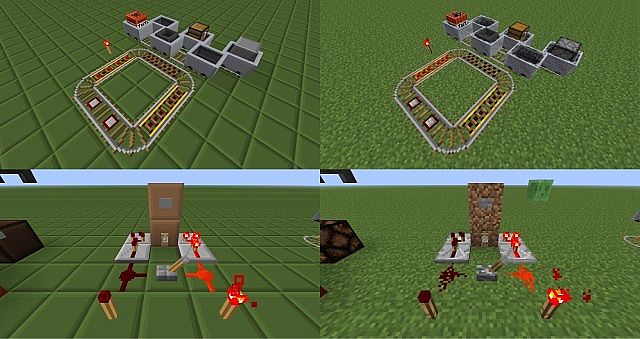
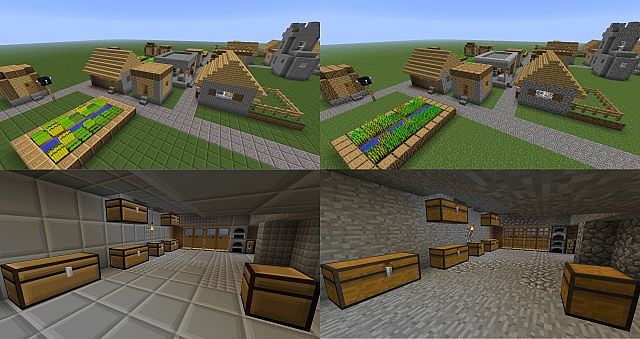
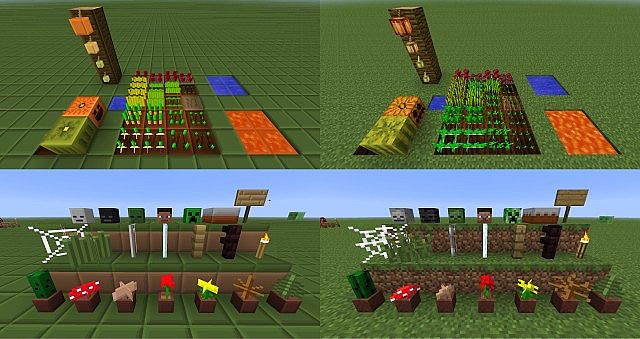
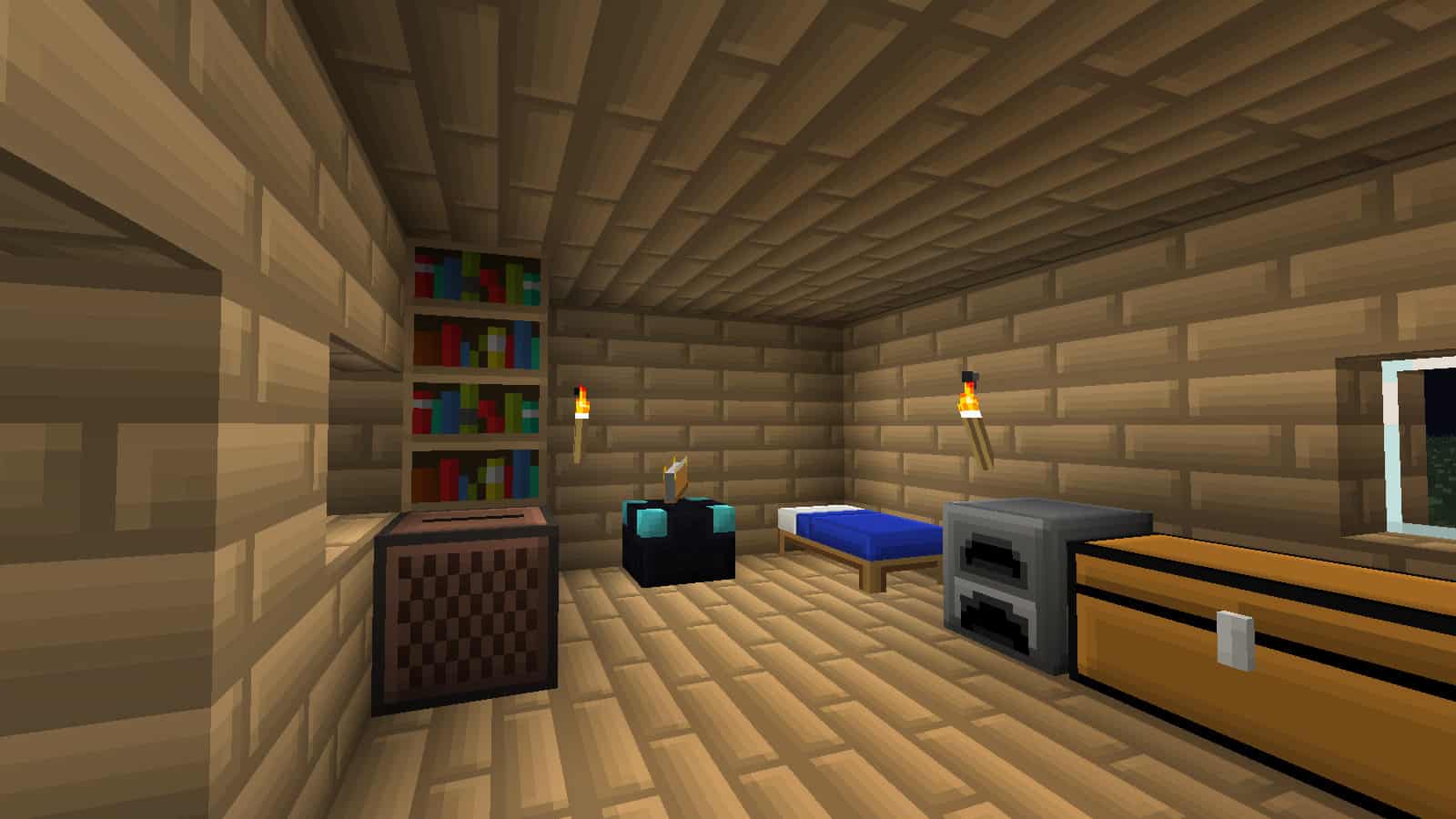
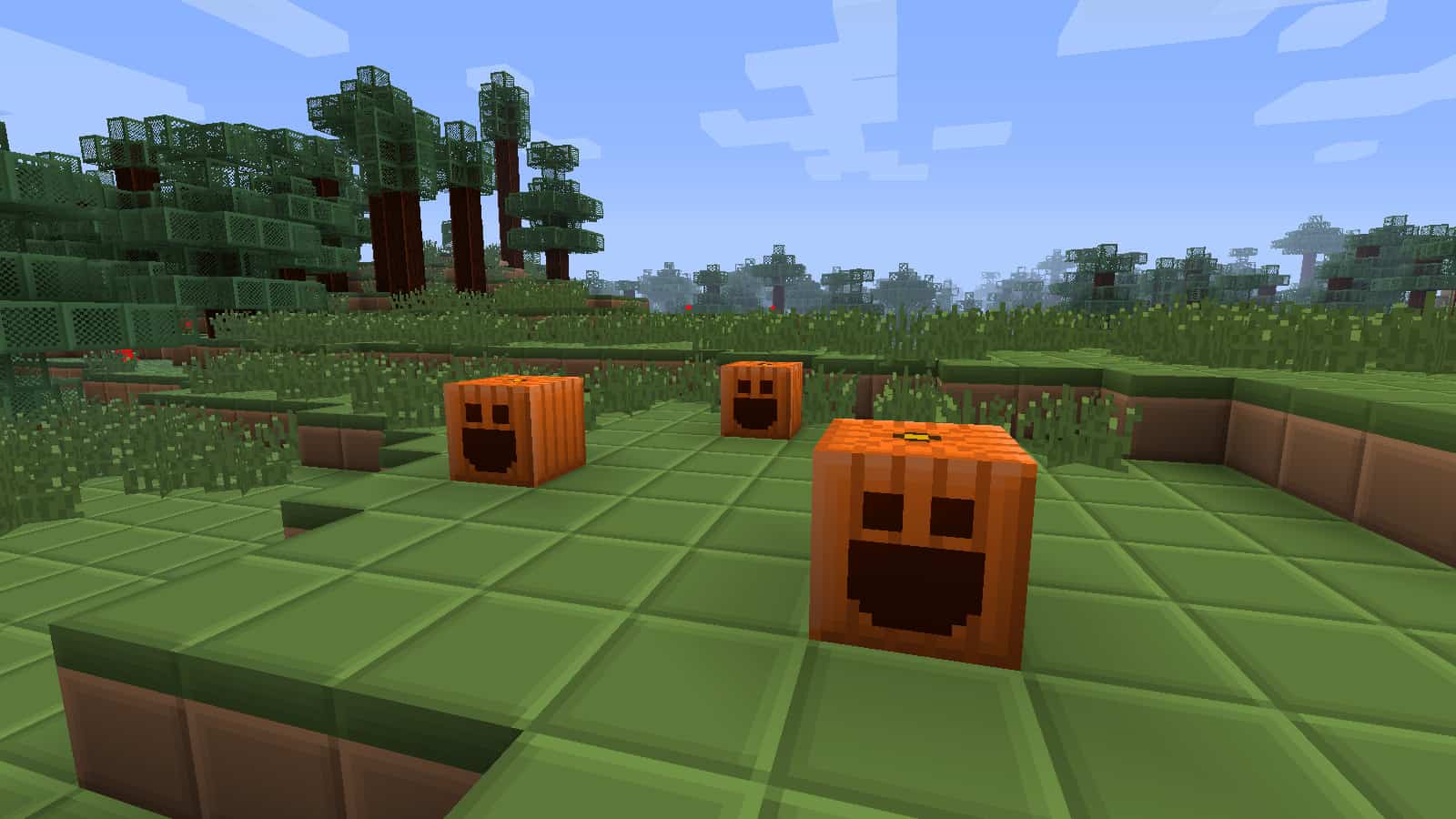
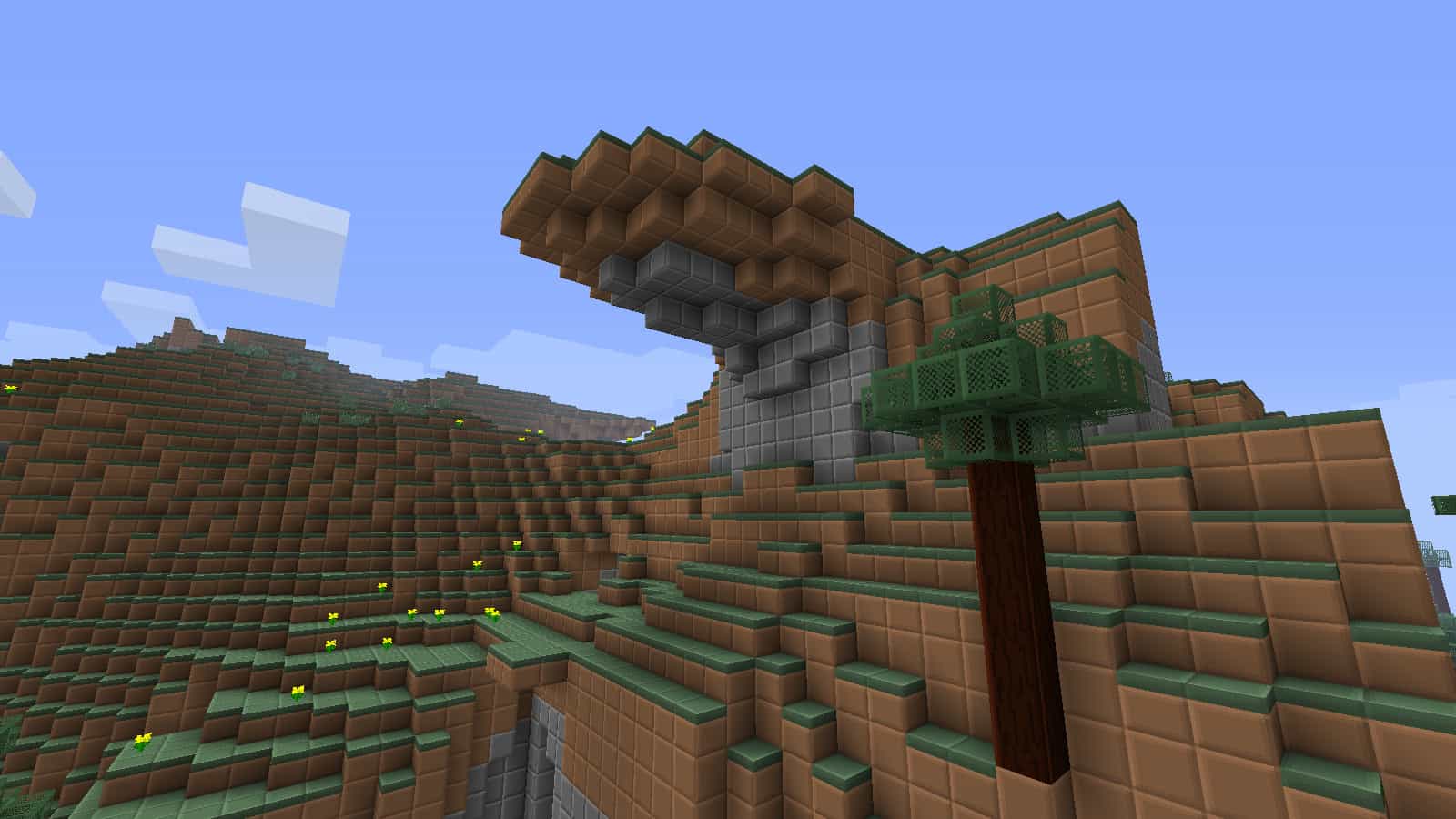
Simplicity and high performance are truly the core strengths of the BoxCraft resource pack. You can easily guess from its name that it doesn’t change too much of the vanilla game’s core details, since the textures brilliantly retain their boxy, pixelated look. Unlike a lot of the resource packs out there that completely transform the look and feel of Minecraft – while also requiring ridiculously strong hardware to run properly – this one really tries to squeeze the absolute last frame of performance out of your PC. Even though it might not introduce anything overly complicated to the game, BoxCraft stands out as one of the most uniquely refreshing packs that you can possibly find out there. The original developer, MillCzarr, heavily focused on stripping away unnecessary clutter from the traditional textures. This might seem strange at first glance, as they’re already quite pixelated and low-detail. However, BoxCraft actually amplifies its visual charm through the clever use of connected textures. Furthermore, the color palette is reduced to the bare minimum so that everything looks remarkably uniform and clean. For example, a grass block cleverly combines single shades of brown and green, cobblestone uses a seamless variation of gray, and wood implements various clean hues of brown depending on the specific type of tree. Besides looking quite visually appealing, this design choice will genuinely help you recognize certain types of blocks from much further away. A quite unique approach is also thoughtfully taken for the tree leaves. Whereas in the original game they vary based on the fast or fancy graphics setting, BoxCraft keeps them completely consistent regardless of your settings. They appear semi-transparent, featuring a clean green frame and a cool mesh-like center. This allows them to blend in wonderfully with the rest of the surrounding environment, especially grass, flowers, and stone. Useful utility items such as chests, furnaces, and others are thoroughly polished to give them a much more homogenous and pleasing appearance. Glass blocks are also made completely transparent without those distracting little specks. Once you load up your favorite world, you’ll immediately notice that liquids have been beautifully modified as well. While they can’t be strictly boxified per se, lava and water are wonderfully clearer and far more uniform than before. Ores are completely revamped too, and they appear in a form where you can instantly and easily differentiate between each one. They feature a solid stone-like foundation accompanied by four distinct squares on each side colored precisely as the corresponding ore. This makes mining sessions significantly more enjoyable and entirely transforms the atmosphere while you’re out exploring the depths. Additionally, once you craft an actual ore block, you’ll definitely notice that it has a delightful new shine to it since it has been adjusted to better fit the overarching box theme. You might initially think that the removal of certain minor details makes the game feel bland and unappealing. However, BoxCraft manages to pull this off much better than almost any other similar resource pack available. The game becomes noticeably brighter, smoother, and surprisingly makes for much prettier builds compared to the original aesthetic. It’s honestly hard to compare it to any other visual approach since MillCzarr was arguably the very first creator to successfully pioneer this type of resource pack. The iconic boxy look isn’t only strictly limited to the blocks, either. Particles are almost completely overhauled as well. Explosions, rainfall, fire, and other environmental effects will appear neatly in the form of a cube to strictly match the cohesive theme of the pack. The pack actually dates as far back as 2011, which means it has had an abundance of time to get polished to perfection. Its original creator eventually stopped updating BoxCraft, but it was lovingly continued by AahzChi in the exact same faithful fashion as before. He kept the signature grid-like appearance intact even for the newer versions and added plenty of subtle details that can be quite hard to notice if you’re just casually roaming around the world. You could genuinely say it adds a whole new fun objective to the game – trying to find as many hidden improvements and changes as possible. As far as any technical prerequisites go, the BoxCraft texture pack requires neither Optifine nor MCPatcher to run properly, which is fantastic. There is just a single resolution offered for BoxCraft – 16×16. This is identical to the original vanilla textures, but that’s entirely to be expected since the pack’s main focus is purely on performance and simplicity. It’s guaranteed to run smoothly on virtually any machine regardless of its hardware specs, and you can definitely expect a significant FPS increase the moment you load up the pack. If you want to further boost your performance, you can optionally use Optifine alongside it. Either way, it’s sincerely worth giving BoxCraft a try – even if you aren’t actively on the hunt for extra frame rates.
BoxCraft should be compatible with all of these Minecraft versions: 1.9.4 – 1.9 – 1.8.9 – 1.8.8 – 1.8.1 – 1.8.6 – 1.8 – 1.7.10 – 1.7.9 – 1.7.4 – 1.7 – 1.6.4 – 1.6.2
Screenshots
How to Install Texture Pack (Simple 10 Steps)
- Download OptiFine: Most of the texture packs and shaders need OptiFine. That’s why, first download and install OptiFine for the version of Minecraft you want to play.
- Download the Texture Pack: Get the texture pack you want from the download section. Choose the version that works with your Minecraft and your PC’s performance.
- Open Minecraft Launcher: Start Minecraft using the official game launcher — or even TLauncher, if you use that.
- Go to Options: From the main menu, click on the “Options” button.
- Open Resource Packs: Inside Options, click on “Resource Packs…”.
- Open the Resource Pack Folder: Click on “Open Resource Pack Folder” — this will open a folder named “resourcepacks”.
- Move the Pack File: Copy or move the .zip file you downloaded into that “resourcepacks” folder. (Don’t unzip the file — Minecraft uses it as-is!)
- Go Back and Refresh: Close the folder and click “Done”, then go back into “Resource Packs…” again.
- Activate the Pack: You’ll see the pack on the left side. Hover over it and click the arrow to move it to the right (active side).
Tip: If you get a message that the pack is for a different version, just click “Yes” — it usually works fine. - Click Done and Enjoy: Click “Done” again. Now your pack is ready to use in-game. It’s that easy!
Credits
BoxCraft is originally created by MillCzarr and later continued by AahzChi. We do not claim ownership of this resource pack and do not host modified files. All rights belong to the original creators. We strongly recommend visiting the official download sources to support them.
Download Links
Java Edition
Download Instructions
Curseforge: download starts automatically after a few seconds;
Mediafire: click the big blue button with the text “DOWNLOAD”;
Google Drive: in the top right corner you will see a small download icon (down arrow), click it and the download should start;


