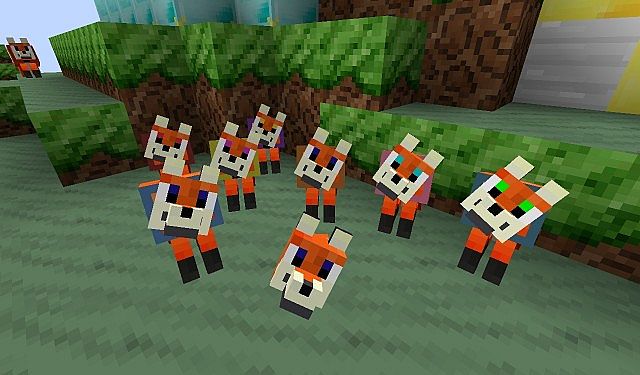
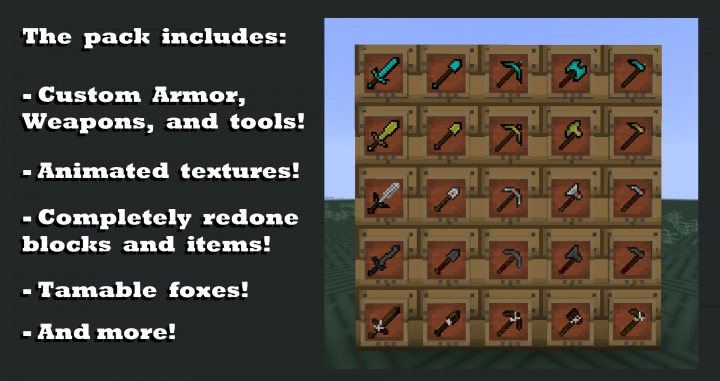
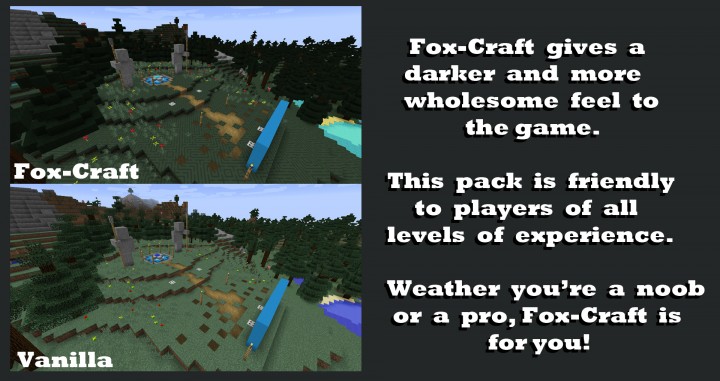
Does everyone love adorable, soft, and feathery foxes? Well, if you happen to be a farmer tending to a poultry farm overflowing with chickens, you might not be quite as fond of them. Even so, most people adore these shiny and tiny creatures that remind us so much of our favorite pet dogs, which is precisely why the Fox Craft resource pack is rapidly growing in popularity among players. Created by -Fox-, this resource pack delivers a wonderful array of vivid and bright colors that truly pop on your screen. It also introduces numerous character variations, ranging from wolves to foxes and hounds. Within the Fox Craft resource pack, the standard wolf texture is completely transformed into a brand-new orange-colored fox featuring charming black feet, drawing direct inspiration from the classic Disney movie The Fox and the Hound. Fortunately, the improvements do not stop at just mob textures, as there is so much more to experience.
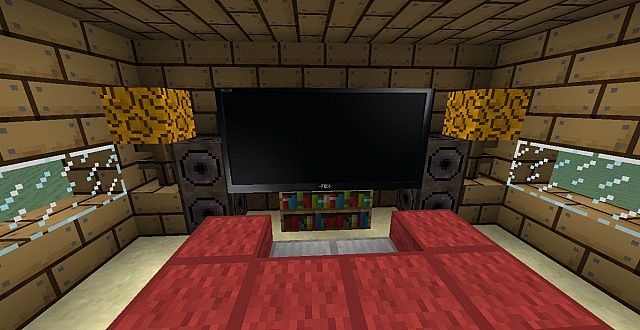
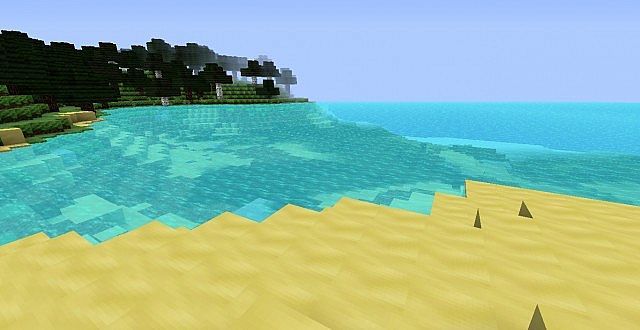
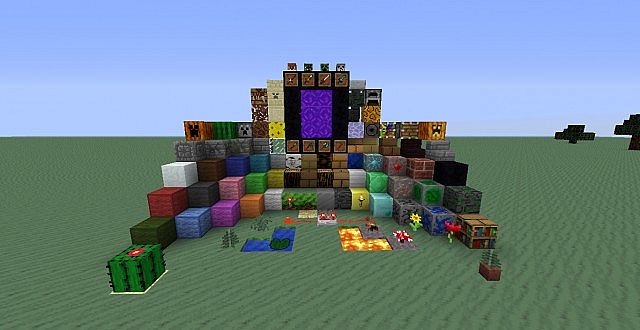
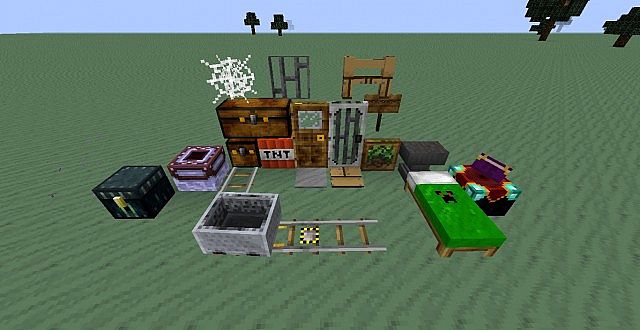
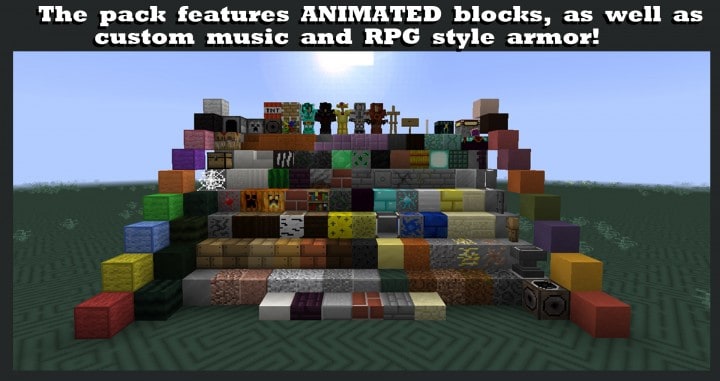
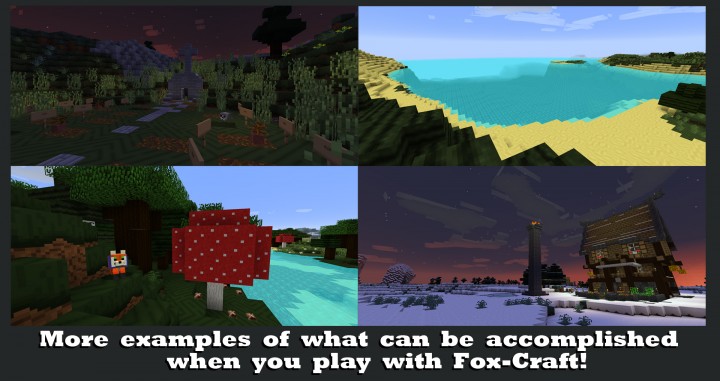
These thoughtful changes elevate the overall aesthetic and visual appeal of your world. The realistic textures applied to the characters make Fox Craft significantly more engaging and visually striking to explore. The color palette utilized throughout Fox Craft is remarkably vivid, luminous, and gorgeous. If you have ever walked across the sand in a desert biome or along a beach, you will immediately notice that sand looks entirely transformed here, incorporating a wide variety of different color palettes. These colors successfully work together to produce a natural, wavy appearance reminiscent of a massive heap of sand swept gracefully across the landscape by a heavy wind. Together, these textures deliver genuinely amazing and realistic effects. While it is true that certain textures remain completely untouched and default, it can be a bit tricky to guess why the creator left them that way. They might have been left unchanged simply because they were already in a perfect state, or perhaps they are scheduled for updates at a later date. Overall, if you do not mind running into a few blocks and items that match the vanilla look, you will have a fantastic time and encounter zero major issues while playing with Fox Craft.
-Fox-Craft- should be compatible with all of these Minecraft versions: 1.15.2 – 1.15.1 – 1.15 – 1.14.4 – 1.14.3 – 1.14.2 – 1.14 – 1.13.2 – 1.13.1 – 1.13 – 1.12.2 – 1.12 – 1.11.2 – 1.11 – 1.10.2 – 1.10 – 1.9.4 – 1.9 – 1.8.1 – 1.8.6 – 1.8
Screenshots
How to Install Texture Pack (Simple 10 Steps)
- Download OptiFine: Most of the texture packs and shaders need OptiFine. That’s why, first download and install OptiFine for the version of Minecraft you want to play.
- Download the Texture Pack: Get the texture pack you want from the download section. Choose the version that works with your Minecraft and your PC’s performance.
- Open Minecraft Launcher: Start Minecraft using the official game launcher — or even TLauncher, if you use that.
- Go to Options: From the main menu, click on the “Options” button.
- Open Resource Packs: Inside Options, click on “Resource Packs…”.
- Open the Resource Pack Folder: Click on “Open Resource Pack Folder” — this will open a folder named “resourcepacks”.
- Move the Pack File: Copy or move the .zip file you downloaded into that “resourcepacks” folder. (Don’t unzip the file — Minecraft uses it as-is!)
- Go Back and Refresh: Close the folder and click “Done”, then go back into “Resource Packs…” again.
- Activate the Pack: You’ll see the pack on the left side. Hover over it and click the arrow to move it to the right (active side).
Tip: If you get a message that the pack is for a different version, just click “Yes” — it usually works fine. - Click Done and Enjoy: Click “Done” again. Now your pack is ready to use in-game. It’s that easy!
Credits
This resource pack was created by -Fox-. We do not claim ownership of this modification, nor do we host modified versions of the files on our servers. All rights remain with the original creator. We strongly encourage you to support -Fox- by downloading the pack from the official links provided below.
Download Instructions
Curseforge: download starts automatically after a few seconds;
Mediafire: click the big blue button with the text “DOWNLOAD”;
Google Drive: in the top right corner you will see a small download icon (down arrow), click it and the download should start;


