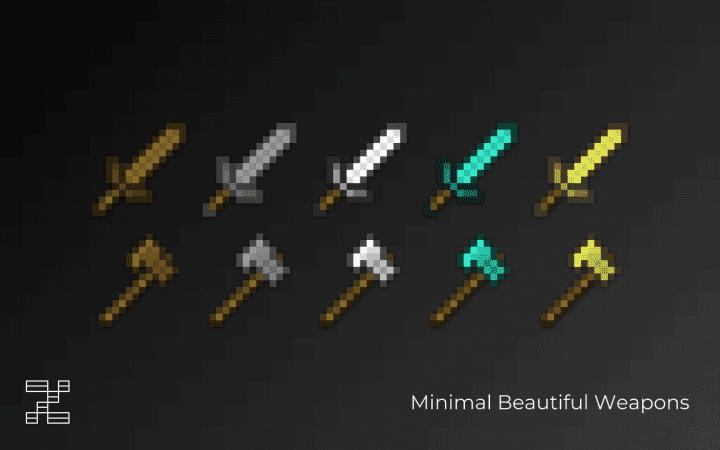
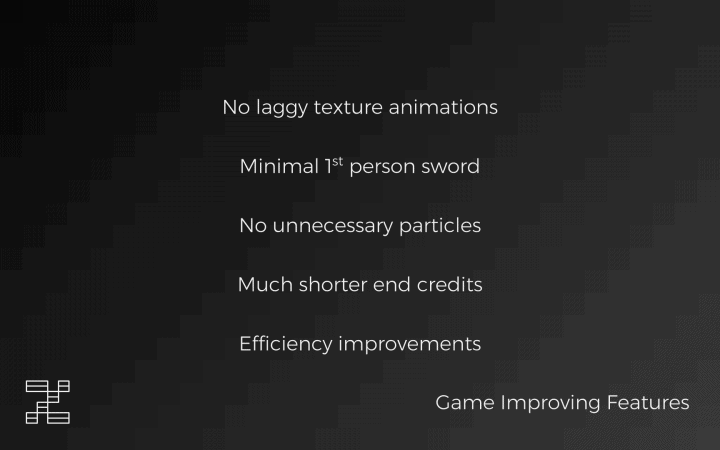
The Verseus resource pack is truly incomparable and completely changed how I experience competitive play! Its design is carefully meant to enhance the PvP experience for Minecraft players who decide to check it out. There are numerous PvP resource packs out there which are available to the Minecraft community, but honestly, most of these packs have issues that affect or degrade the user experience. These issues affect the game’s visuals by reducing its quality with the aim of making PvP a bit smoother. The good news is that things are different this time around! Minecraft’s PvP is considerably enhanced by the Verseus resource pack without ever compromising the game’s overall texture quality. This is the main reason why the pack is worth investing in, seamlessly enhancing user experience and improving the quality of Minecraft. I love how this unique resource pack remodels most of the game’s weapons, making them look so much more minimalistic.
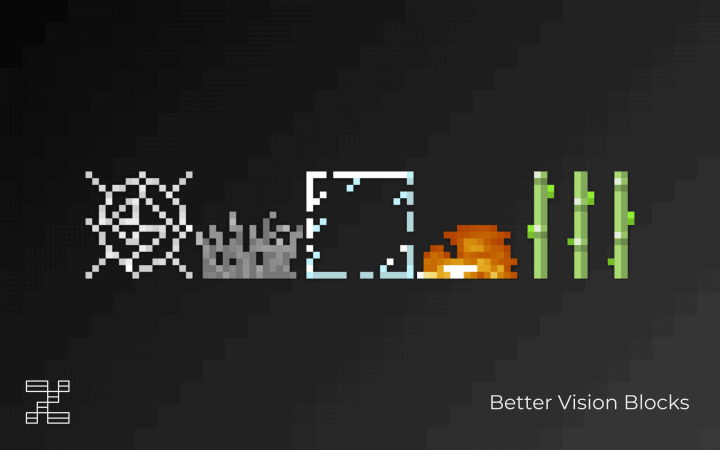
The one thing that will really intrigue you about the Verseus resource pack is the fact that it changes how weapons look so that they are able to fit on the screen without taking up too much space when they are equipped. This is a change that was desperately needed because initially, players did not have a clear view of the battlefield whenever they were in an intense PvP session. The resource pack also makes considerable changes to the vegetation. You will happily notice that the vegetation is much lighter and less dense, and this change in the vegetation outlook further improves the quality of your battlefield view. These visual changes are not the only difference that the Verseus resource pack makes to the game, as you will also note that there is a substantial FPS boost. The Verseus resource pack features a 16x resolution and smart texture optimization that enable players to get a steady frame rate when they are in heavy PvP sessions. As long as you have the Verseus resource pack installed, outdated hardware on your PC will not be a bother at all because it handles performance wonderfully and provides a fairly steady frame rate, which is precisely why it remains among the best Minecraft resource packs for PvP!
Verseus should be compatible with all of these Minecraft versions: 1.16.5 – 1.16.4 – 1.16.3 – 1.16.2 – 1.16.1 – 1.16 – 1.15.2 – 1.15.1 – 1.15 – 1.14.4 – 1.14.3 – 1.14.2 – 1.14 – 1.13.2 – 1.13.1 – 1.13 – 1.12.2 – 1.12 – 1.11.2 – 1.11 – 1.10.2 – 1.10 – 1.9.4 – 1.9 – 1.8.9 – 1.8.8 – 1.8.1 – 1.8.6 – 1.8 – 1.7.10 – 1.7.9 – 1.7.4 – 1.7 – 1.6.4 – 1.6.2
Screenshots

How to Install Texture Pack (Simple 10 Steps)
- Download OptiFine: Most of the texture packs and shaders need OptiFine. That’s why, first download and install OptiFine for the version of Minecraft you want to play.
- Download the Texture Pack: Get the texture pack you want from the download section. Choose the version that works with your Minecraft and your PC’s performance.
- Open Minecraft Launcher: Start Minecraft using the official game launcher — or even TLauncher, if you use that.
- Go to Options: From the main menu, click on the “Options” button.
- Open Resource Packs: Inside Options, click on “Resource Packs…”.
- Open the Resource Pack Folder: Click on “Open Resource Pack Folder” — this will open a folder named “resourcepacks”.
- Move the Pack File: Copy or move the .zip file you downloaded into that “resourcepacks” folder. (Don’t unzip the file — Minecraft uses it as-is!)
- Go Back and Refresh: Close the folder and click “Done”, then go back into “Resource Packs…” again.
- Activate the Pack: You’ll see the pack on the left side. Hover over it and click the arrow to move it to the right (active side).
Tip: If you get a message that the pack is for a different version, just click “Yes” — it usually works fine. - Click Done and Enjoy: Click “Done” again. Now your pack is ready to use in-game. It’s that easy!
Credits
This Resource Pack was originally created by Insanial. We do not claim ownership of this modification and do not host modified files. All rights belong to the original creator. We strongly encourage you to support Insanial by downloading the pack from the official sources.
Download Instructions
Curseforge: download starts automatically after a few seconds;
Mediafire: click the big blue button with the text “DOWNLOAD”;
Google Drive: in the top right corner you will see a small download icon (down arrow), click it and the download should start;


