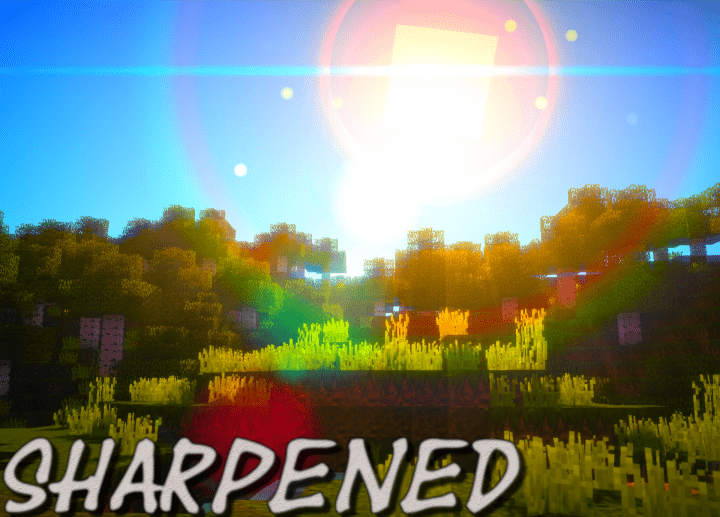
If you have spent any time exploring the vibrant world of Minecraft resource packs, you almost certainly know who Deltaz is. Deltaz is practically a household name in the community, having previously crafted fantastic packs like Smoothelium, Realistic, Oerlis, and Smoothcraft. The Sharpened resource pack, continuing the legacy of Deltaz’s previous work, is a genuinely wonderful and high-quality addition that you should definitely try out because it will not disappoint you. It not only makes your Minecraft gaming environment vastly more appealing, but it also visibly sharpens the look of your entire world. The best part is that this pack will not jarringly alter the familiar vanilla visuals of Minecraft; instead, it thoughtfully refines them to produce much clearer imagery overall.
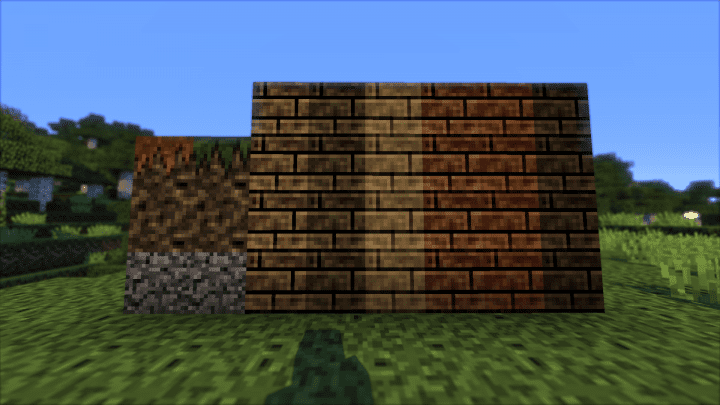
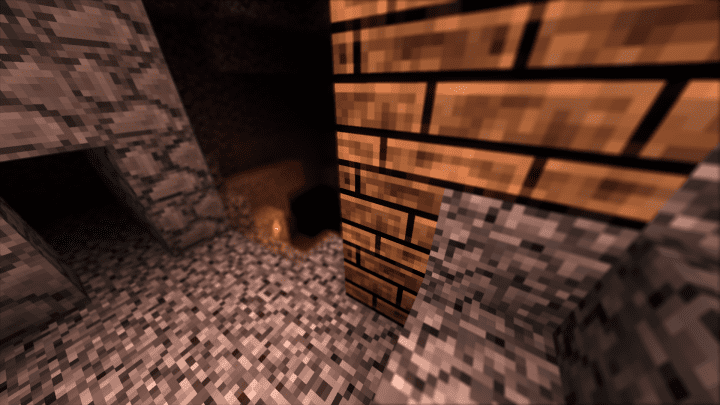
The primary goal of the Sharpened pack is to deliver remarkably sharper and cleaner textures throughout the game. It features wonderfully detailed textures that, in a wonderfully positive twist, manage to avoid generating any visual noise despite the high level of detail packed into them. Another striking and attractive feature of this pack is its unique color palette. The colors are not overwhelmingly bright like you might find in many other standard Minecraft packs, but this certainly does not make the world look dull or boring either. This is all thanks to colors that are masterfully toned down to complement and combine perfectly with the overall sharp aesthetic of the pack. Running at a standard 16x resolution, this pack is still relatively new and evolving, meaning certain textures may be updated over time to continuously improve your gameplay experience.
Sharpened should be compatible with all of these Minecraft versions: 1.13.2 – 1.13.1 – 1.13 – 1.12.2 – 1.12 – 1.11.2 – 1.11 – 1.10.2 – 1.10
Screenshots
How to Install Texture Pack (Simple 10 Steps)
- Download OptiFine: Most of the texture packs and shaders need OptiFine. That’s why, first download and install OptiFine for the version of Minecraft you want to play.
- Download the Texture Pack: Get the texture pack you want from the download section. Choose the version that works with your Minecraft and your PC’s performance.
- Open Minecraft Launcher: Start Minecraft using the official game launcher — or even TLauncher, if you use that.
- Go to Options: From the main menu, click on the “Options” button.
- Open Resource Packs: Inside Options, click on “Resource Packs…”.
- Open the Resource Pack Folder: Click on “Open Resource Pack Folder” — this will open a folder named “resourcepacks”.
- Move the Pack File: Copy or move the .zip file you downloaded into that “resourcepacks” folder. (Don’t unzip the file — Minecraft uses it as-is!)
- Go Back and Refresh: Close the folder and click “Done”, then go back into “Resource Packs…” again.
- Activate the Pack: You’ll see the pack on the left side. Hover over it and click the arrow to move it to the right (active side).
Tip: If you get a message that the pack is for a different version, just click “Yes” — it usually works fine. - Click Done and Enjoy: Click “Done” again. Now your pack is ready to use in-game. It’s that easy!
Credits
Created by -DelTaz-. We claim no ownership of this resource pack and do not modify the original files. We strongly encourage you to support the creator by visiting their official download pages.
Download Instructions
Curseforge: download starts automatically after a few seconds;
Mediafire: click the big blue button with the text “DOWNLOAD”;
Google Drive: in the top right corner you will see a small download icon (down arrow), click it and the download should start;


