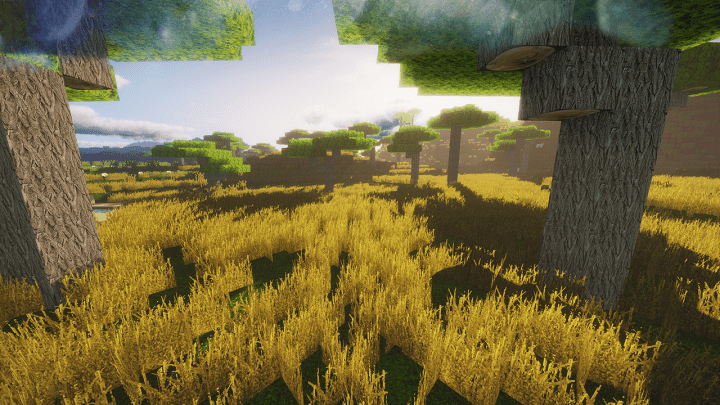
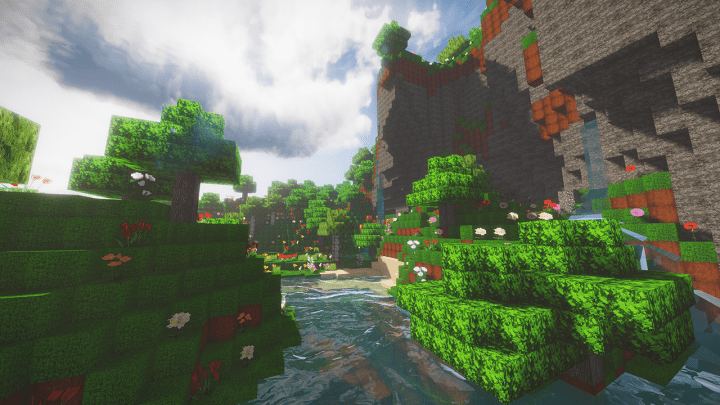
Even though the Colorful Realism resource pack has just been released for a short time, it has been attracting a lot of attention and interest. It even reached approximately 8000 downloads in less than two weeks! Since its launching date, this Minecraft pack has quickly become an amazing phenomenon, and this success is certainly worth it as it is a great resource pack which every Minecraft gamer will definitely love and enjoy a great time with. So if you are searching for an addition that would turn the Minecraft world into reality, then there is no option better than Colorful Realism, which is designed to perform this task perfectly and nicely. Inspired by the real world, this resource package typically takes advantage of pictures and features from real life to create all of its authentic contexts and backgrounds, and you will honestly be blown away by how good it looks in-game.
With Colorful Realism, it truly feels like you are traveling into another world with a unique and fantastic gaming experience, as the details in every single component of the textures are exceptionally well-crafted. More importantly, the creator also adds a variety of vivid color tones with the aim of improving these details and bringing your visual experience to a higher level. Another great feature of the Colorful Realism resource pack is the fact that there will be no noisy textures during your gameplay. This means that your adventure with Minecraft will be remarkably smooth and unforgettable, something that can hardly be found in most other packs. In general, the textures in this pack come with a relatively high resolution at 256×256. This is the reason why it is highly recommended to run the Colorful Realism pack with a high-end operating system and powerful hardware. Do not try to play it with a lower-end personal computer, as you will unfortunately never make the most out of this excellent resource pack and might experience performance drops.
Colorful Realism should be compatible with all of these Minecraft versions: 1.13.2 – 1.13.1 – 1.13 – 1.12.2 – 1.12
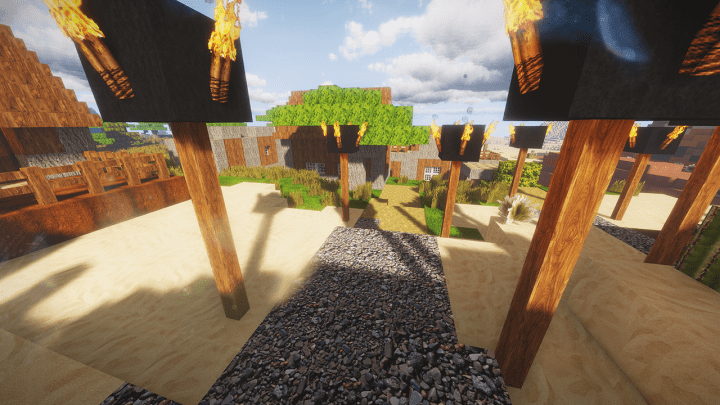
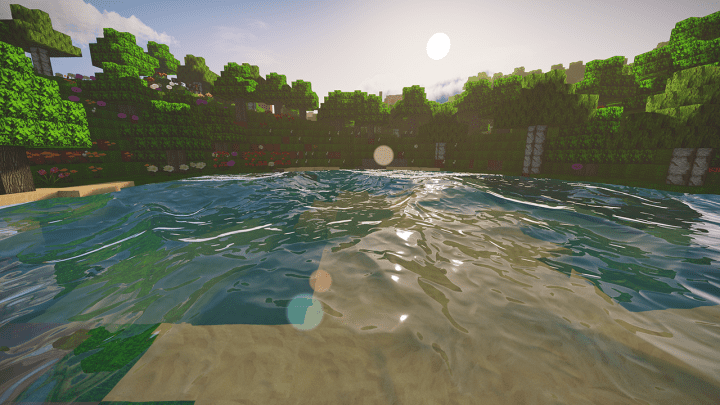
Screenshots
How to Install Texture Pack (Simple 10 Steps)
- Download OptiFine: Most of the texture packs and shaders need OptiFine. That’s why, first download and install OptiFine for the version of Minecraft you want to play.
- Download the Texture Pack: Get the texture pack you want from the download section. Choose the version that works with your Minecraft and your PC’s performance.
- Open Minecraft Launcher: Start Minecraft using the official game launcher — or even TLauncher, if you use that.
- Go to Options: From the main menu, click on the “Options” button.
- Open Resource Packs: Inside Options, click on “Resource Packs…”.
- Open the Resource Pack Folder: Click on “Open Resource Pack Folder” — this will open a folder named “resourcepacks”.
- Move the Pack File: Copy or move the .zip file you downloaded into that “resourcepacks” folder. (Don’t unzip the file — Minecraft uses it as-is!)
- Go Back and Refresh: Close the folder and click “Done”, then go back into “Resource Packs…” again.
- Activate the Pack: You’ll see the pack on the left side. Hover over it and click the arrow to move it to the right (active side).
Tip: If you get a message that the pack is for a different version, just click “Yes” — it usually works fine. - Click Done and Enjoy: Click “Done” again. Now your pack is ready to use in-game. It’s that easy!
Credits
This resource pack was created by CoolCatChristi. We do not claim ownership of this content, nor have we modified the download files. All rights belong to the original author. We strongly encourage you to support CoolCatChristi and their work.
Download Instructions
Curseforge: download starts automatically after a few seconds;
Mediafire: click the big blue button with the text “DOWNLOAD”;
Google Drive: in the top right corner you will see a small download icon (down arrow), click it and the download should start;


