Minecraft Texture Packs Minecraft Resource Packs

Introduction
Minecraft’s modded experience often shines brightest when visuals and functionality feel perfectly aligned. Create Style Sophisticated Backpacks Texture Pack is designed with that exact philosophy in mind. Instead of reinventing mechanics, this pack focuses on visuals—bringing the elegant, industrial-inspired style of the Create mod to the backpacks from Sophisticated Backpacks. The result is a cleaner, more cohesive look that blends naturally into Create-based modpacks.
This texture pack does not aim to be flashy or experimental. Instead, it delivers consistency, clarity, and visual polish, making modded storage feel like a natural extension of the game rather than a separate system.
What Create Style Sophisticated Backpacks Texture Pack Is
Create Style Sophisticated Backpacks Texture Pack is a resource pack that retextures backpacks from the Sophisticated Backpacks mod to visually match the Create mod’s distinct aesthetic. Its core design goal is simple: make backpacks look like they truly belong in Create-focused worlds.
Compared to the default Sophisticated Backpacks textures, this pack leans toward cleaner materials, refined details, and subtle industrial cues inspired by Create’s mechanical theme. Rather than standing out, backpacks feel integrated—almost as if they were designed alongside gears, shafts, and brass components from the start.
Create Style Sophisticated Backpacks Texture Pack is compatible with the following Minecraft versions: 1.18.x – 1.19.x – 1.20.x (and newer supported builds), depending on mod updates. The pack uses a vanilla-friendly 16x resolution, ensuring it remains lightweight and performance-friendly. OptiFine is not required, but it can be used optionally for general resource pack handling and visual consistency.
Art Style, Visual Direction, and Gameplay Clarity
The visual direction of this texture pack is best described as vanilla-plus with a Create-inspired industrial theme. Colors are muted and practical, focusing on brass tones, darker metals, and neutral fabric shades that match Create’s mechanical blocks and components.
Texture detail is subtle rather than noisy. Backpacks retain clear silhouettes and readable shapes, which is especially important during gameplay where quick item recognition matters. Slots, upgrades, and backpack tiers remain easy to distinguish without adding unnecessary visual clutter.
From a gameplay perspective, this pack improves clarity by maintaining consistent contrast and material definition. Backpacks look solid and functional, avoiding overly decorative patterns that could distract during inventory management. When used alongside the Create mod, the overall visual experience feels unified, reducing the visual disconnect often seen when mixing multiple mods with different art directions.
No custom UI overhauls are introduced here—the focus stays entirely on backpack textures. This makes the pack safe to combine with other UI or HUD resource packs without conflicts.
Perfect For Players Who
- Build Create-focused modpacks and want visual consistency
- Prefer clean, industrial, vanilla-plus aesthetics
- Value clarity and readability over flashy textures
- Use Sophisticated Backpacks as a core storage solution
- Want a lightweight texture pack with no performance impact
Screenshots Section
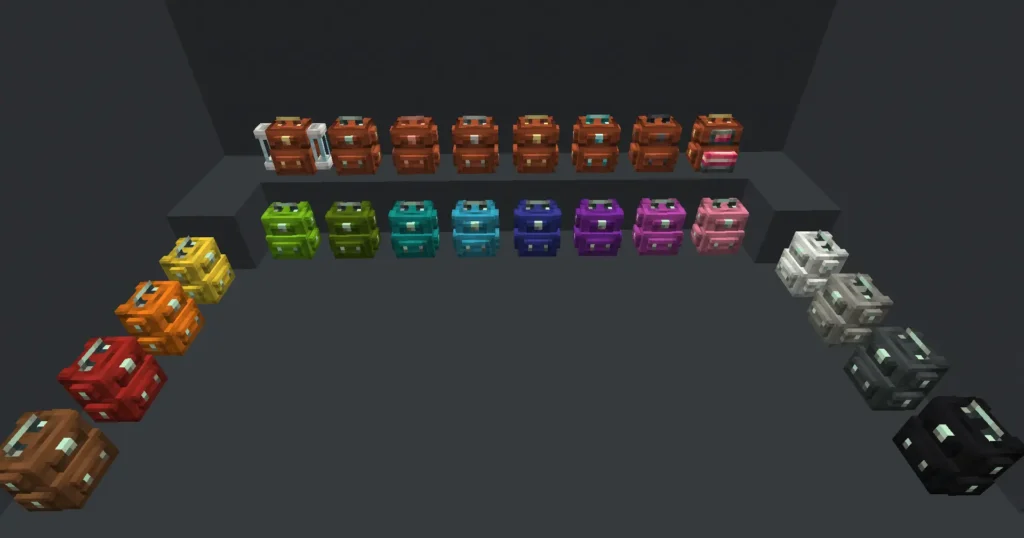
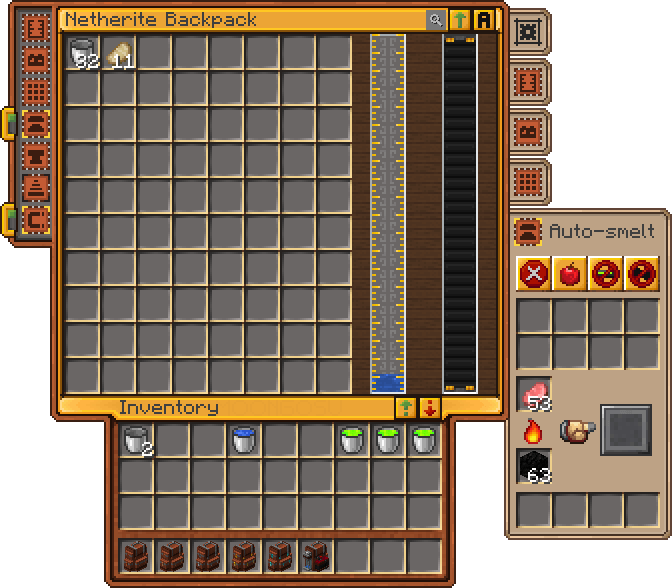
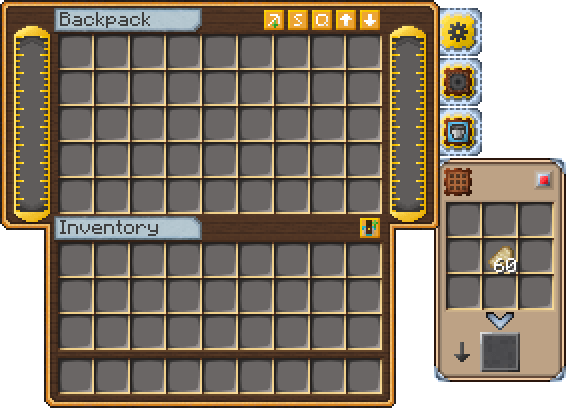
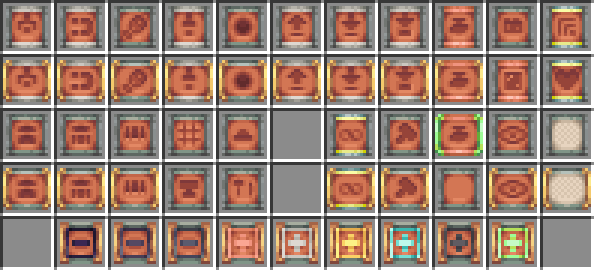
The screenshots provided are taken from official sources and showcase the texture pack running in-game. They highlight how the retextured backpacks integrate seamlessly with Create blocks, machines, and environments, giving a clear view of the pack’s overall visual consistency and style.
Download
You can download the texture pack using the official link below.
Creator: Original creator as listed on CurseForge
Full credit goes to the original creator for their work and continued support of the modded Minecraft community.
Disclaimer
We do not host texture pack files. We only provide links to official sources, and availability of external links may change over time.