Minecraft Texture Packs Minecraft Resource Packs

Introduction
Shaders can completely change how Minecraft feels, but not every pack aims for extreme realism or cinematic visuals. Photon Shader takes a different approach. It focuses on clean lighting, balanced colors, and a modern look that enhances the game without overwhelming it. This makes Photon an interesting choice for players who want noticeable visual improvements while keeping gameplay smooth and readable. In this article, we break down what Photon Shader offers, how it looks in-game, and what kind of performance you can realistically expect.
What Photon Shader Is
Photon Shader is a modern Minecraft shader pack designed to improve lighting, shadows, and atmosphere while keeping visuals clear and consistent. Instead of pushing ultra-heavy realism, it aims for a refined and slightly stylized presentation that still feels close to vanilla Minecraft. Compared to shader packs like BSL or SEUS, Photon feels more controlled and minimal, with fewer dramatic effects and more emphasis on stable lighting and color balance.
Photon Shader is compatible with the following Minecraft versions: 1.16.x – 1.17.x – 1.18.x – 1.19.x – 1.20.x (and newer versions).
It works with common shader loaders such as OptiFine and Iris, making it accessible for most Java Edition players without complex setup.
Visual Style and Atmosphere
Photon Shader delivers a clean and modern visual style. Lighting is smooth and evenly distributed, avoiding harsh contrast while still adding depth to the world. Sunlight feels natural during the day, with soft highlights on terrain and buildings, while nighttime scenes remain dark but readable rather than overly crushed.
Shadows are stable and well-defined, helping structures and landscapes stand out without flickering or excessive softness. Water visuals are reflective and calm, with subtle ripples that respond nicely to light without looking overly glossy. The sky is one of Photon’s strong points, featuring smooth gradients, realistic cloud movement, and pleasant sunrise and sunset transitions.
Overall, the atmosphere feels balanced and immersive. Photon does not rely heavily on cinematic post-processing effects like strong bloom or depth of field, which keeps visuals sharp and comfortable for long play sessions.
Performance and System Requirements
Photon Shader is reasonably optimized and performs well compared to heavier realism-focused shaders. On low-end systems, such as a GTX 1650, players can expect playable frame rates on lower settings, especially with reduced render distance and disabled optional effects. It may not be ideal for very old or integrated GPUs, but it remains manageable with tuning.
Mid-range GPUs like the GTX 1660, RTX 2060, or RX 6600 handle Photon Shader comfortably on medium to high settings, often delivering smooth gameplay at 60 FPS or higher in most situations. These cards strike the best balance between visual quality and performance.
On high-end systems with GPUs such as the RTX 3060, RTX 4070, or RX 6700 XT, Photon Shader runs effortlessly on high or ultra profiles. Players can enjoy maximum visuals, higher resolutions, and larger render distances without worrying about performance drops.
Perfect For Players Who
Photon Shader is ideal for players who want cleaner lighting and modern visuals without extreme realism. It suits builders who need clear visibility, survival players who value stable performance, and content creators who prefer consistent visuals over heavy cinematic effects. It works best for users with low-to-mid range PCs looking for a polished upgrade, as well as high-end users who want a refined, distraction-free shader experience.
Screenshots
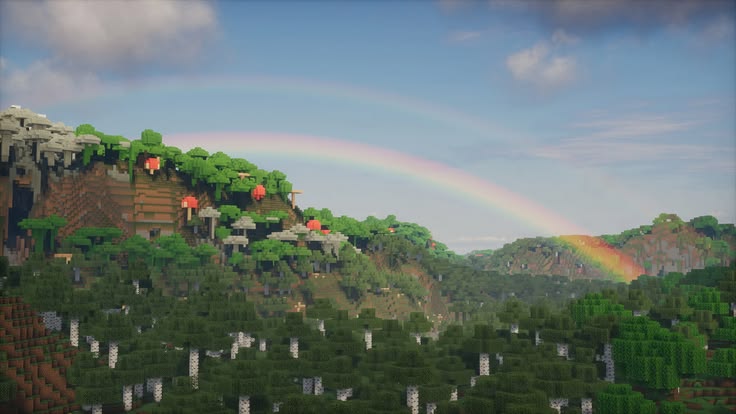
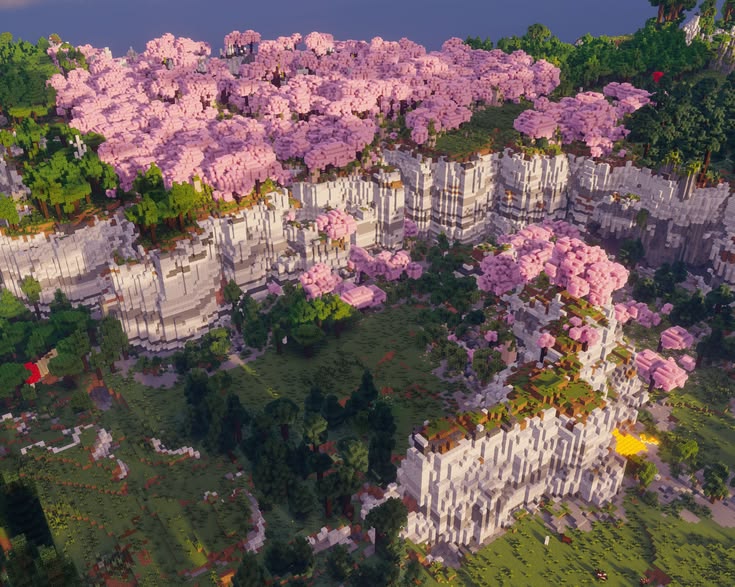
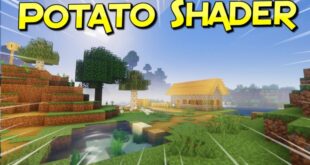
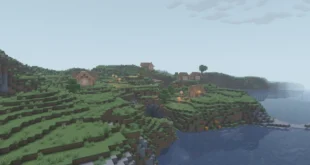
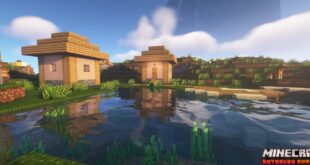
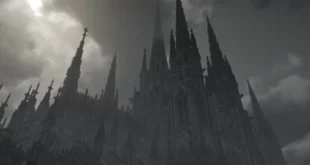
The screenshots shown above are taken from official sources and represent Photon Shader running in-game. They highlight the shader’s overall lighting, atmosphere, and visual tone, giving a clear idea of how the pack looks during normal gameplay without focusing on technical details. organized_scripts
Download
You can download the shader using the official link below.
Photon Shader is created by SixthSurge, and full credit goes to the original creator for their work.
Disclaimer
We do not host shader files. We only provide links to official sources, and availability of external links may change over time.