Minecraft Texture Packs Minecraft Resource Packs

Farming is a core part of Minecraft, but vanilla crops often feel flat and visually repetitive. Crops 3D Texture Pack focuses on improving that experience by giving crops real depth and shape, without changing the overall feel of the game. Instead of simple 2D textures, plants appear more natural and immersive while still blending perfectly with Minecraft’s default style. The goal of this pack is not to reinvent farming, but to enhance it visually in a clean and reliable way.
What Crops 3D Texture Pack Is
Crops 3D Texture Pack is a vanilla-friendly resource pack that replaces flat crop textures with carefully designed 3D models. Wheat, carrots, potatoes, beetroot, and other farmable plants gain depth, making fields look fuller and more realistic during every growth stage. Unlike large overhaul packs, this one stays focused on a single improvement: making crops look better without touching unrelated blocks or items.
Crops 3D is comparable to other vanilla-plus 3D packs, but its scope is more refined and performance-friendly. It is designed to be lightweight and compatible with regular survival worlds, SMP servers, and creative builds.
Crops 3D Texture Pack is compatible with the following Minecraft versions:
1.16.x – 1.17.x – 1.18.x – 1.19.x – 1.20.x (and newer supported updates).
The pack uses a 16x resolution, ensuring it runs smoothly on most systems. OptiFine is recommended for the best visual consistency, but the pack can still function without it in many setups.
Art Style, Visual Direction, and Gameplay Clarity
The art style of Crops 3D Texture Pack is best described as vanilla-plus and immersive. Textures stay true to Minecraft’s original colors and proportions, while the added depth makes plants feel more alive. Crops stand out naturally in farmland without becoming visually noisy or distracting.
Colors remain balanced and familiar, which is important for gameplay clarity. Growth stages are still easy to recognize, so players can instantly tell when crops are ready to harvest. The 3D elements do not interfere with visibility or pathing, making the pack safe to use in survival gameplay where efficiency matters.
Because the changes are limited strictly to crops, block recognition across the rest of the world remains untouched. This makes the pack ideal for players who want a visual upgrade without relearning textures or adapting to a new UI style. When combined with shaders or soft lighting, farmland areas gain a subtle realism that enhances immersion without sacrificing performance.
Perfect For Players Who
- Want more immersive and realistic-looking farms
- Prefer vanilla-friendly packs over full texture overhauls
- Play survival or SMP and need clear crop visibility
- Use shaders and want crops that visually match enhanced lighting
- Have low-to-mid range hardware and want minimal performance impact
Screenshots Section
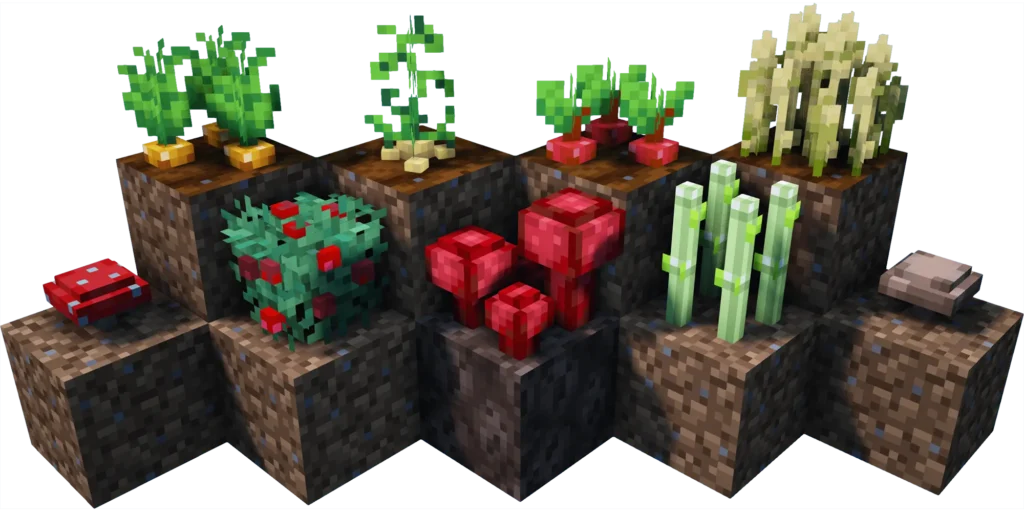
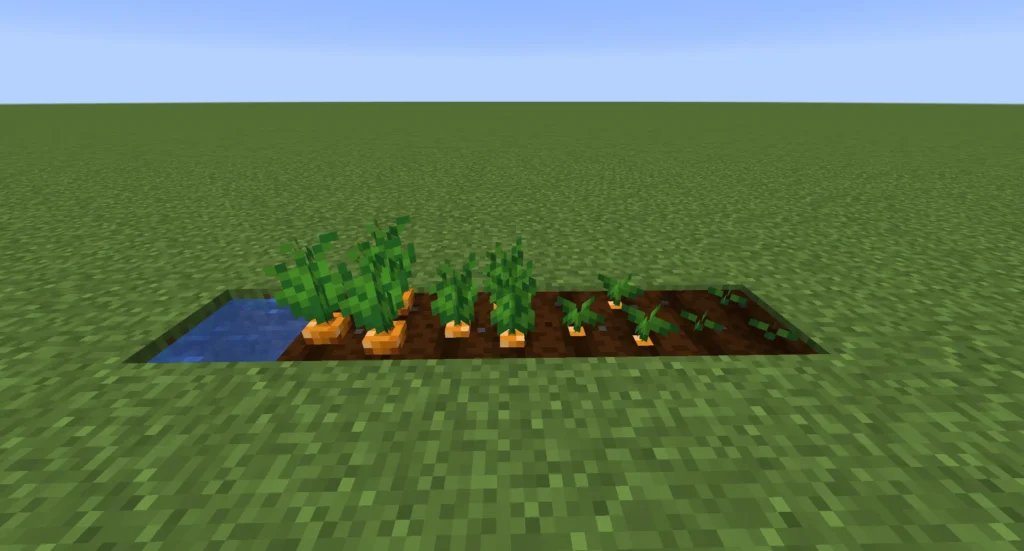
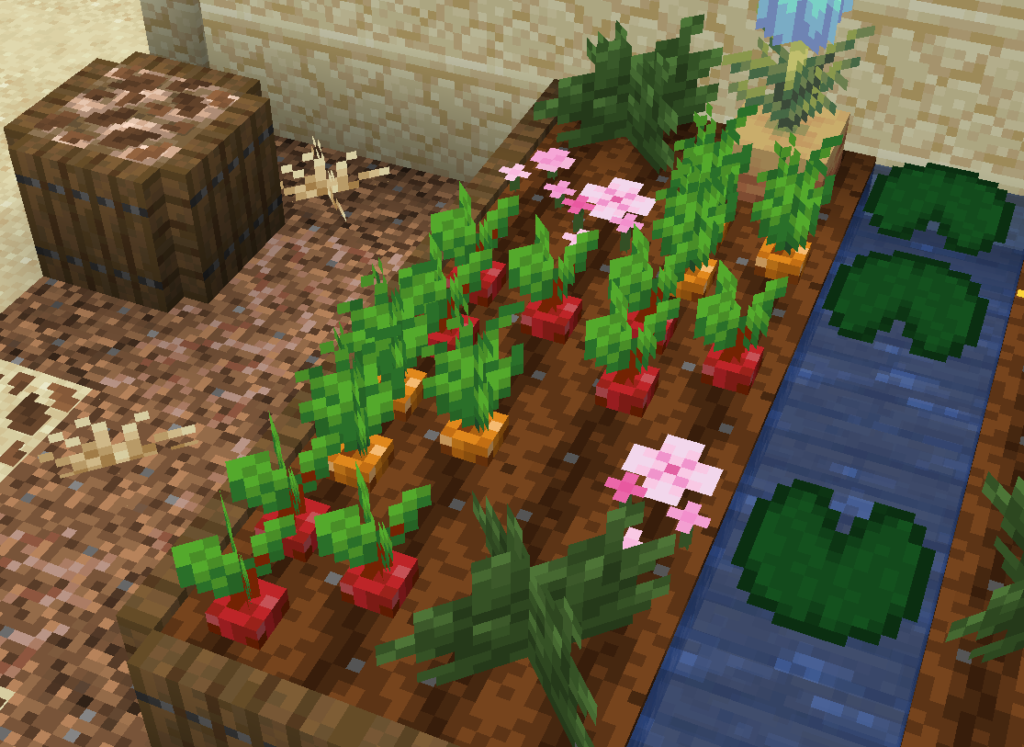
The screenshots shown are taken from official sources and display the texture pack running in-game. They highlight how crops look across different growth stages and demonstrate the consistent 3D design when viewed from various angles. These images accurately represent the pack’s visual style during normal gameplay.
Download
You can download the texture pack using the official link below.
Java Edition:
[16x] [1.21.x] Download Crops 3D Resource Pack
[16x] [1.20.x] Download Crops 3D Resource Pack
[16x] [1.19.x] Download Crops 3D Resource Pack
[16x] [1.18.x] Download Crops 3D Resource Pack
[16x] [1.17.x] Download Crops 3D Resource Pack
[16x] [1.16.x] Download Crops 3D Resource Pack
[16x] [1.15.x] Download Crops 3D Resource Pack
[16x] [1.14.x – 1.13.x] Download Crops 3D Resource Pack
Faithful x32 Variant (Java Edition):
[16x] [1.16.x] Download Crops 3D Resource Pack
[16x] [1.15.x] Download Crops 3D Resource Pack
[16x] [1.14.x] Download Crops 3D Resource Pack
Curseforge: download starts automatically after a few seconds;
Mediafire: click the big blue button with the text “DOWNLOAD”;
Google Drive: in the top right corner you will see a small download icon (down arrow), click it and the download should start;
Crops 3D Texture Pack is created by its original developer, and full credit goes to the creator for the design and ongoing updates.
Disclaimer
We do not host texture pack files. We only provide links to official sources, and availability of external links may change over time.