Minecraft Texture Packs Minecraft Resource Packs

Introduction
Leaves play a bigger role in Minecraft’s visual identity than most players realize. They define forests, shape skylines, and heavily influence how natural builds feel. The Cubic Leaves Texture Pack focuses entirely on improving this one element, offering a cleaner and more structured alternative to vanilla leaf blocks. Instead of soft, rounded foliage, this pack introduces sharp, cube-like leaves that align perfectly with Minecraft’s block-based design. The result is a world that feels more stylized, organized, and visually consistent—without straying too far from the game’s original charm.
What Cubic Leaves Texture Pack Is
Cubic Leaves is a lightweight resource pack designed to change the appearance of all leaf blocks in Minecraft, giving them a distinctly cubic and geometric look. The main goal of the pack is to reduce visual noise and make foliage feel more intentional, especially in builds where clean edges matter. Unlike large overhaul packs that retexture the entire game, Cubic Leaves keeps its scope narrow and focused, making it easy to combine with other texture packs or shaders.
Cubic Leaves Texture Pack is compatible with the following Minecraft versions: 1.16.x – 1.17.x – 1.18.x – 1.19.x – 1.20.x (and newer updates).
The pack uses a 16x resolution, matching the default Minecraft texture size, which ensures stable performance across all systems. OptiFine is optional but recommended if you plan to use shaders or want smoother visual blending in dense forests.
Art Style, Visual Direction, and Gameplay Clarity
The visual style of Cubic Leaves is best described as vanilla-friendly with a stylized twist. The textures retain Minecraft’s familiar color palette but replace the irregular leaf patterns with clearly defined cube shapes. This design choice creates a more structured look that fits well with modern builds, custom terrain, and geometric architecture.
Color balance remains close to vanilla, ensuring that forests still feel natural rather than artificial. However, the sharper edges and reduced transparency make trees stand out more clearly, especially at a distance. This improves environmental readability by making forest boundaries easier to identify and preventing leaves from blending into visual clutter.
In gameplay terms, the pack subtly improves clarity. Leaf blocks are easier to recognize while building, navigating, or terraforming, particularly in large tree canopies. The consistent shapes also work well with shaders, where lighting and shadows can exaggerate soft textures. With Cubic Leaves, shadows look cleaner, and foliage feels more solid and intentional.
Perfect For Players Who
- Prefer clean, structured visuals over soft or bushy foliage
- Build modern, fantasy, or geometric structures
- Use shaders and want clearer leaf shadows
- Want a small visual upgrade without changing the entire game
- Play on lower-end systems and need lightweight texture packs
Screenshots Section
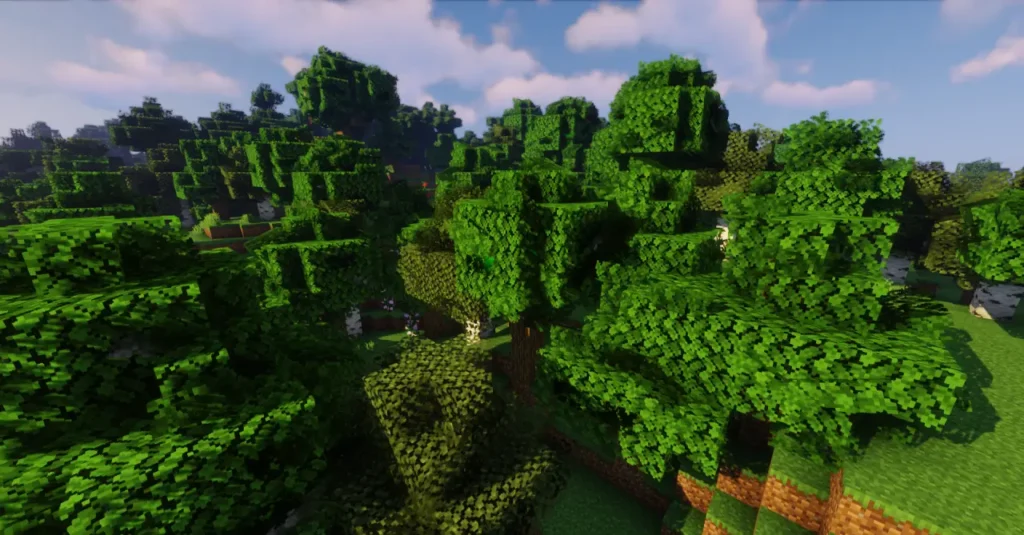
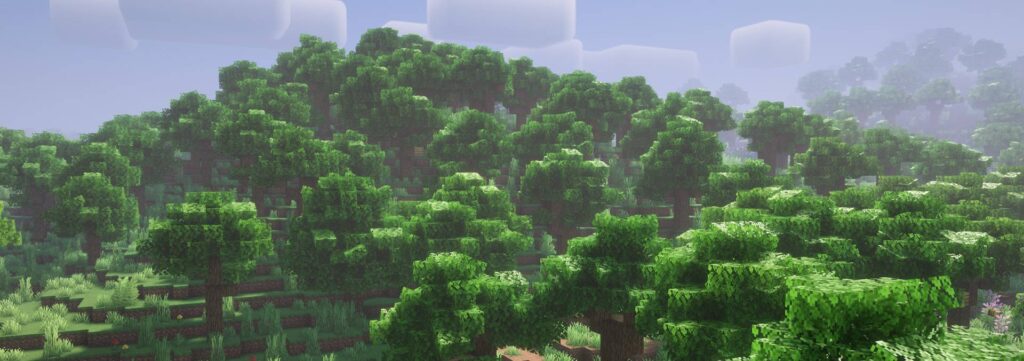
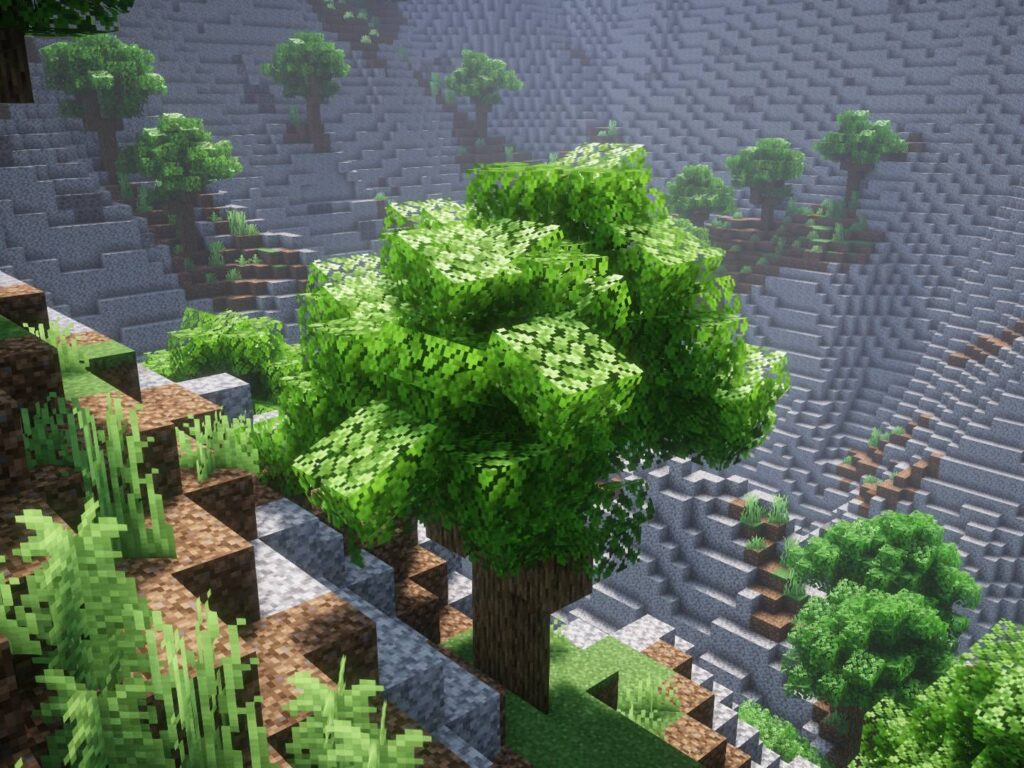
The screenshots shown above are taken from official sources and demonstrate how Cubic Leaves Texture Pack looks during regular gameplay. They highlight the pack’s consistent leaf geometry, natural color balance, and how well the textures integrate into forests, builds, and shader-enhanced environments. These images give a clear idea of how the pack changes foliage without affecting the rest of the game’s visual identity.
Download
You can download the texture pack using the official link below.
Cubic Leaves Texture Pack is created by its original developer, and full credit goes to the creator. We strongly recommend supporting the creator by downloading the pack only from official and trusted sources.
Disclaimer
We do not host texture pack files. We only provide links to official sources, and availability of external links may change over time.