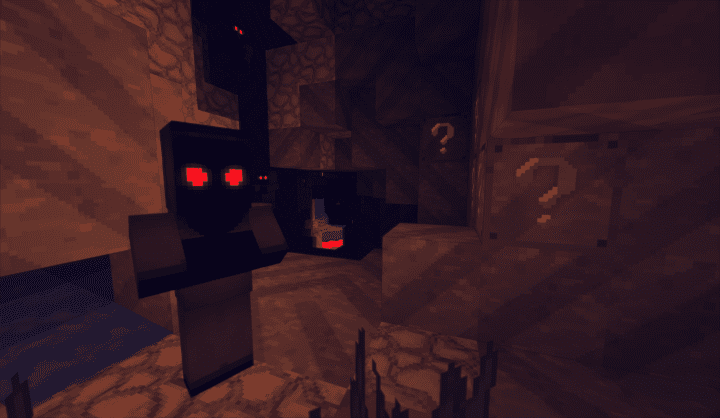
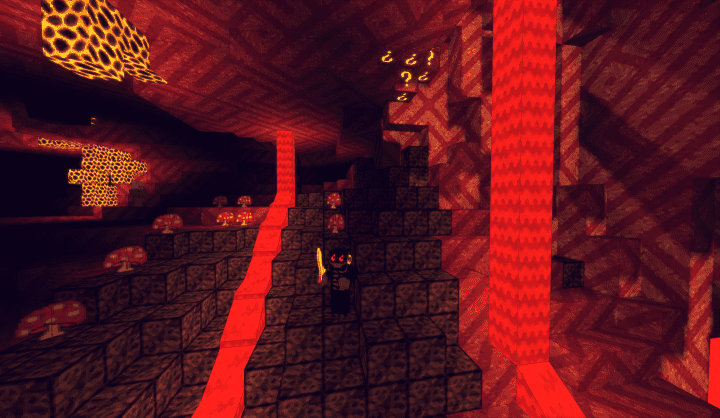
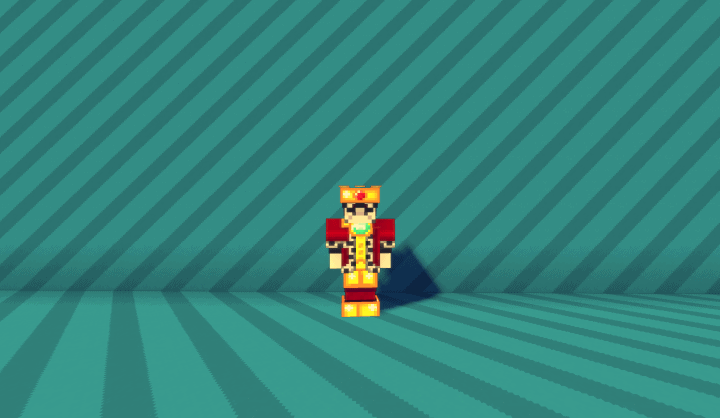
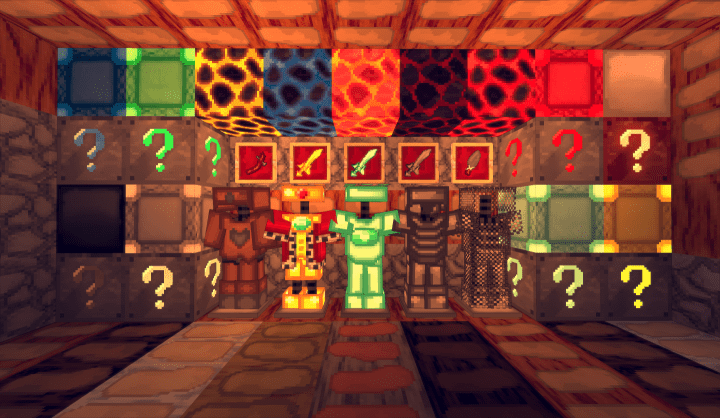
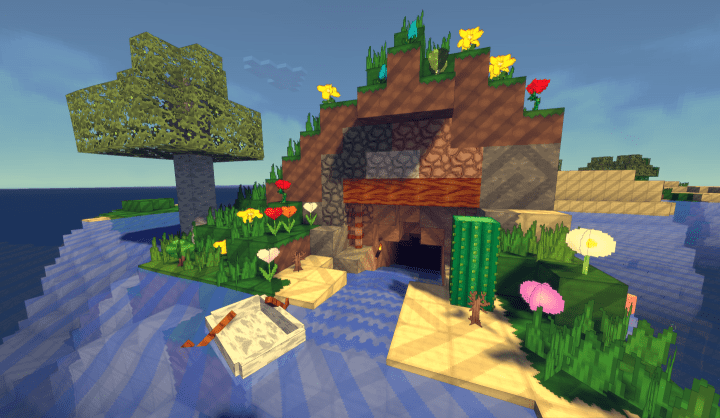
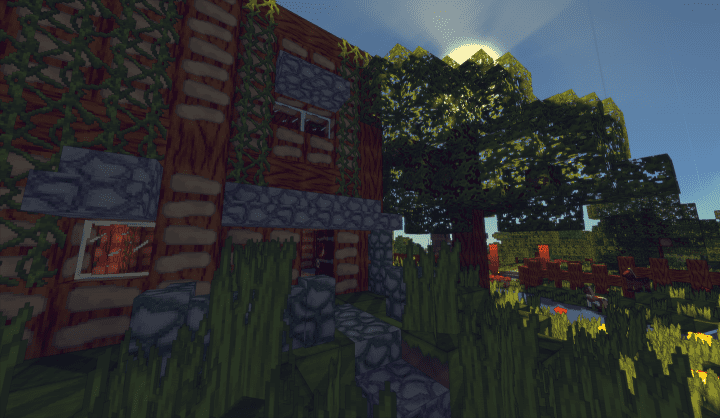
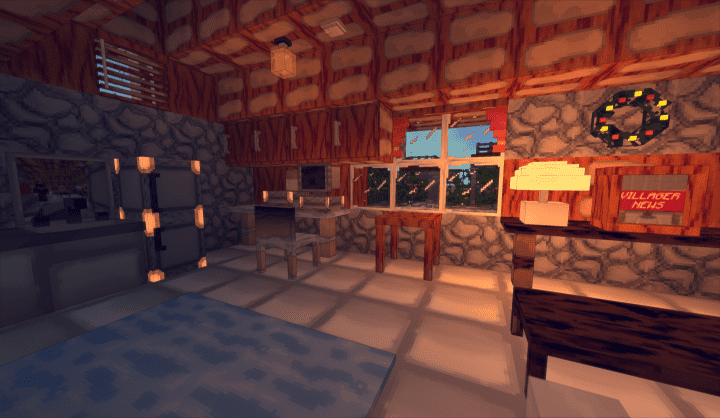
Have you ever wanted to explore the world of Minecraft wrapped in a vibrant, cartoon-style coat of paint? If so, the LazyTextures resource pack is an absolute must-try! Designed by the immensely talented Noir-Ness, who is widely known for creating incredible packs for the community, this add-on consistently delivers top-tier graphics, plenty of eye candy, and remarkably smooth gameplay. Inspired directly by the classic musical comedy television show LazyTown from Iceland, it is genuinely great, highly recommended, and provides an entirely refreshing way to experience your favorite sandbox game. One of the most notable features of LazyTextures is how all visuals receive a comprehensive overhaul, making it truly feel like you are stepping right into the wacky world of LazyTown itself. The original default Minecraft textures are entirely replaced by a more cartoonish version that is exceptionally polished and looks absolutely gorgeous. Rather than simply pushing for higher realism, Noir-Ness has thoughtfully crafted the visuals to reflect a unique color palette, ensuring every design remains creative and thoroughly fun to look at.
You will genuinely feel as though you have entered the wacky universe of LazyTown and that its colorful inhabitants are waiting just around the corner. To squeeze out every last drop of beauty, I highly recommend enabling Emissive Textures using Optifine; with this setting enabled, LazyTextures transforms into an absolute work of art where every single pixel radiates a gorgeous, subtle glow. You will literally find yourself stopping every now and then just to admire the scenery, the surrounding environment, and all the incredible builds you create in your world. Operating at a 32×32 resolution, it is a delightful step above the standard 16×16 vanilla look. While this higher resolution naturally looks far more stunning than the original, players running older hardware should keep in mind that performance might occasionally suffer from slight stuttering, frame rate lag, or slow movement. As a helpful tip, if your system already struggles to run vanilla Minecraft smoothly, you might find it a bit challenging to fully enjoy this pack without some optimization. Even so, LazyTextures is a fantastic resource pack that you owe it to yourself to try purely for the incredible fun of it!
LemonSqueezy (was LazyTextures) should be compatible with all of these Minecraft versions: 1.12.2 – 1.12 – 1.11.2 – 1.11
Screenshots
How to Install Texture Pack (Simple 10 Steps)
- Download OptiFine: Most of the texture packs and shaders need OptiFine. That’s why, first download and install OptiFine for the version of Minecraft you want to play.
- Download the Texture Pack: Get the texture pack you want from the download section. Choose the version that works with your Minecraft and your PC’s performance.
- Open Minecraft Launcher: Start Minecraft using the official game launcher — or even TLauncher, if you use that.
- Go to Options: From the main menu, click on the “Options” button.
- Open Resource Packs: Inside Options, click on “Resource Packs…”.
- Open the Resource Pack Folder: Click on “Open Resource Pack Folder” — this will open a folder named “resourcepacks”.
- Move the Pack File: Copy or move the .zip file you downloaded into that “resourcepacks” folder. (Don’t unzip the file — Minecraft uses it as-is!)
- Go Back and Refresh: Close the folder and click “Done”, then go back into “Resource Packs…” again.
- Activate the Pack: You’ll see the pack on the left side. Hover over it and click the arrow to move it to the right (active side).
Tip: If you get a message that the pack is for a different version, just click “Yes” — it usually works fine. - Click Done and Enjoy: Click “Done” again. Now your pack is ready to use in-game. It’s that easy!
Credits
Credits: This resource pack was originally created and designed by Noir-Ness. We do not claim ownership of this content, nor have we modified the original files. All rights and intellectual property remain with the original creator. We encourage you to support Noir-Ness and their work.
Download Instructions
Curseforge: download starts automatically after a few seconds;
Mediafire: click the big blue button with the text “DOWNLOAD”;
Google Drive: in the top right corner you will see a small download icon (down arrow), click it and the download should start;


