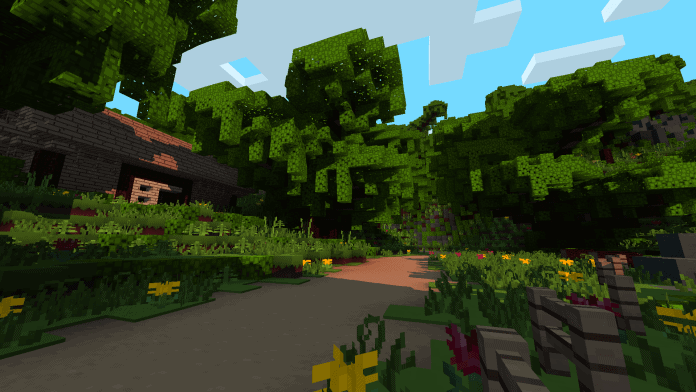
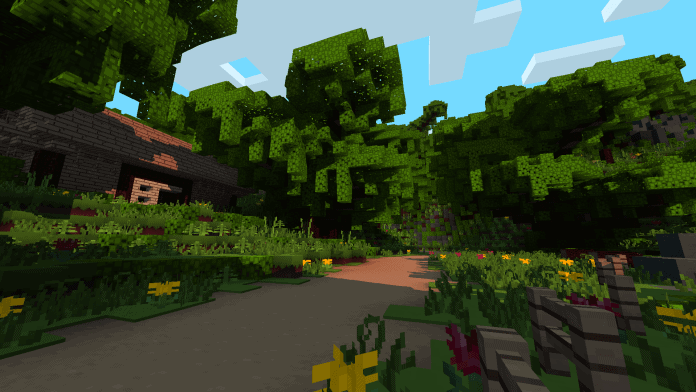
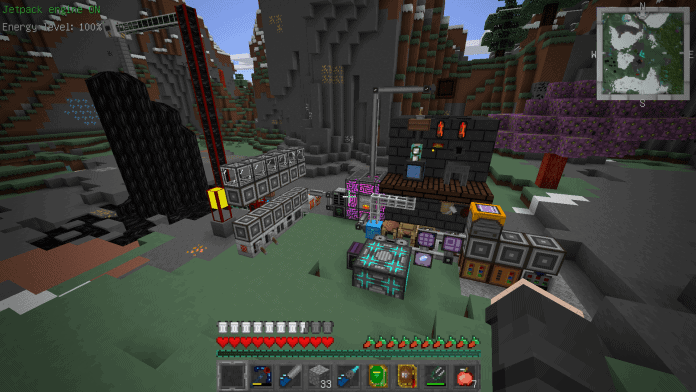
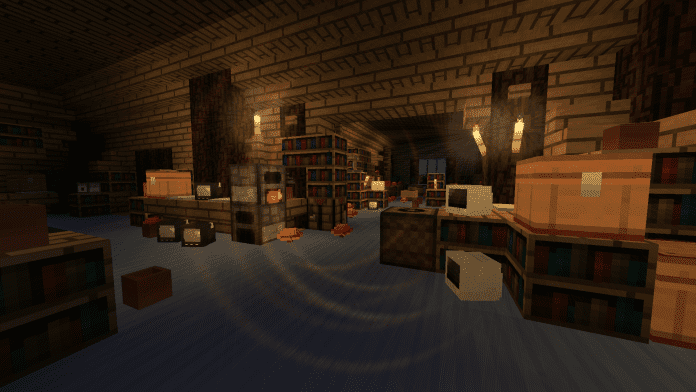
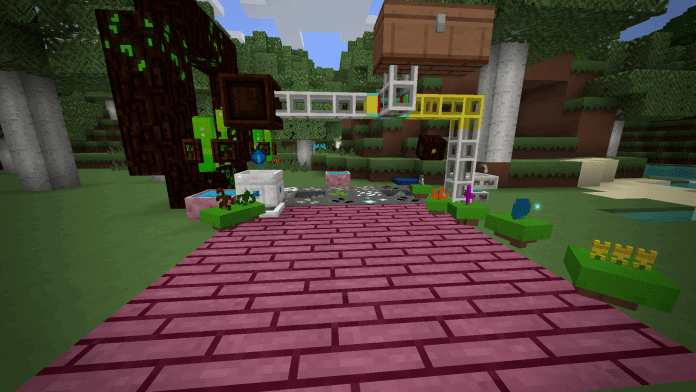
When I first loaded up the Windbell resource pack, I was immediately impressed by how fresh and new the entire set of textures felt, which explains why it has already become such a huge favorite among the Minecraft community in China. Now that it is finally available to players all around the world, everyone can easily dive in and enjoy it just as much as I did! The main goal behind creating this pack was to completely revamp the game’s graphics and make the overall look and feel much smoother. Vanilla Minecraft can sometimes feel a bit visually noisy, but one of the absolute best things about this texture pack is that it successfully eliminates those noise-related issues entirely, giving you a wonderfully quiet and peaceful gaming experience.
Best of all, the Windbell resource pack comes in a standard 16x resolution, meaning you can jump right into the game and play completely lag-free without having to stress over pesky FPS drops. Fans of the Paper Cut-Out resource pack will feel right at home here, as Windbell shares several striking similarities with it. If you loved Paper Cut-Out, you will easily fall in love with Windbell too! The pack embraces a wonderfully default and simple style as one of its core design philosophies, utilizing bright and vibrant colors to deliver stunning visuals. While the fine details might not punch you in the face immediately, the overall aesthetic is undeniably charming and bound to impress you. To top it all off, Windbell even includes brand new sound effects that perfectly complement the game’s new atmosphere.
Windbell should be compatible with all of these Minecraft versions: 1.13.2 – 1.13.1 – 1.13 – 1.12.2 – 1.12 – 1.11.2 – 1.11
Screenshots
How to Install Texture Pack (Simple 10 Steps)
- Download OptiFine: Most of the texture packs and shaders need OptiFine. That’s why, first download and install OptiFine for the version of Minecraft you want to play.
- Download the Texture Pack: Get the texture pack you want from the download section. Choose the version that works with your Minecraft and your PC’s performance.
- Open Minecraft Launcher: Start Minecraft using the official game launcher — or even TLauncher, if you use that.
- Go to Options: From the main menu, click on the “Options” button.
- Open Resource Packs: Inside Options, click on “Resource Packs…”.
- Open the Resource Pack Folder: Click on “Open Resource Pack Folder” — this will open a folder named “resourcepacks”.
- Move the Pack File: Copy or move the .zip file you downloaded into that “resourcepacks” folder. (Don’t unzip the file — Minecraft uses it as-is!)
- Go Back and Refresh: Close the folder and click “Done”, then go back into “Resource Packs…” again.
- Activate the Pack: You’ll see the pack on the left side. Hover over it and click the arrow to move it to the right (active side).
Tip: If you get a message that the pack is for a different version, just click “Yes” — it usually works fine. - Click Done and Enjoy: Click “Done” again. Now your pack is ready to use in-game. It’s that easy!
Credits
This resource pack was created by coco_fish. We do not own or modify the files, and we fully respect the original creator’s work. We encourage all players to support coco_fish by downloading the files directly from their official distribution channels.
Download Instructions
Curseforge: download starts automatically after a few seconds;
Mediafire: click the big blue button with the text “DOWNLOAD”;
Google Drive: in the top right corner you will see a small download icon (down arrow), click it and the download should start;


