Minecraft Texture Packs Minecraft Resource Packs

Introduction
Minecraft’s forests and jungles can often feel flat, even with shaders enabled. Motschen’s Better Leaves Texture Pack addresses that specific limitation by giving leaf blocks a fuller, more natural look without changing Minecraft’s overall identity. Instead of replacing textures entirely, this pack enhances how leaves appear in the world, adding depth and softness while staying true to vanilla visuals. The result is a subtle but meaningful upgrade that makes outdoor environments feel more alive.
Designed for players who value immersion and visual polish, this pack focuses on one thing and does it exceptionally well: improving how leaves look in-game.
What Motschen’s Better Leaves Texture Pack Is
Motschen’s Better Leaves is a visual enhancement resource pack that upgrades Minecraft’s leaf blocks by adding layered geometry effects. Rather than appearing as flat cubes, leaves gain extra depth that makes trees look denser and more realistic from every angle.
The pack is intentionally minimal in scope. It does not retexture blocks, items, or UI elements, which allows it to blend seamlessly with default Minecraft or other vanilla-style texture packs. Compared to broader visual packs like Faithful or Stay True, Better Leaves is more focused and specialized.
Motschen’s Better Leaves Texture Pack is compatible with the following Minecraft versions: 1.8.x – latest versions (including modern releases).
The pack uses a 16x resolution, ensuring performance remains close to vanilla.
OptiFine is required for the pack to function correctly, as it relies on OptiFine features to render the enhanced leaf visuals. Without OptiFine, the pack will not display as intended.
Art Style, Visual Direction, and Gameplay Clarity
The visual direction of Motschen’s Better Leaves is best described as vanilla-plus. Colors remain identical to default Minecraft, which means biome color variation, seasonal shading, and lighting behave exactly as players expect. The upgrade comes purely from added depth, not from altered textures.
Leaves appear thicker and more organic, especially noticeable in forests, jungles, and custom tree builds. This added volume helps trees stand out better against the sky and surrounding terrain, improving environmental readability without cluttering the screen.
From a gameplay perspective, the pack does not interfere with block recognition or navigation. Hitboxes remain unchanged, and leaves still behave like standard leaf blocks. Visibility through trees is slightly reduced compared to vanilla, but not to a level that impacts exploration or combat. For most players, the added density actually improves visual clarity by making tree shapes easier to read at a distance.
When combined with shaders, the effect becomes even more pronounced. Dynamic lighting and shadows interact beautifully with the layered leaves, making forests feel deeper and more atmospheric without introducing visual noise.
Perfect For Players Who
- Want more immersive forests without changing Minecraft’s core look
- Prefer vanilla-friendly visual upgrades
- Use shaders and want better interaction with foliage
- Enjoy building detailed landscapes and natural environments
- Value lightweight packs that do not affect performance
Screenshots
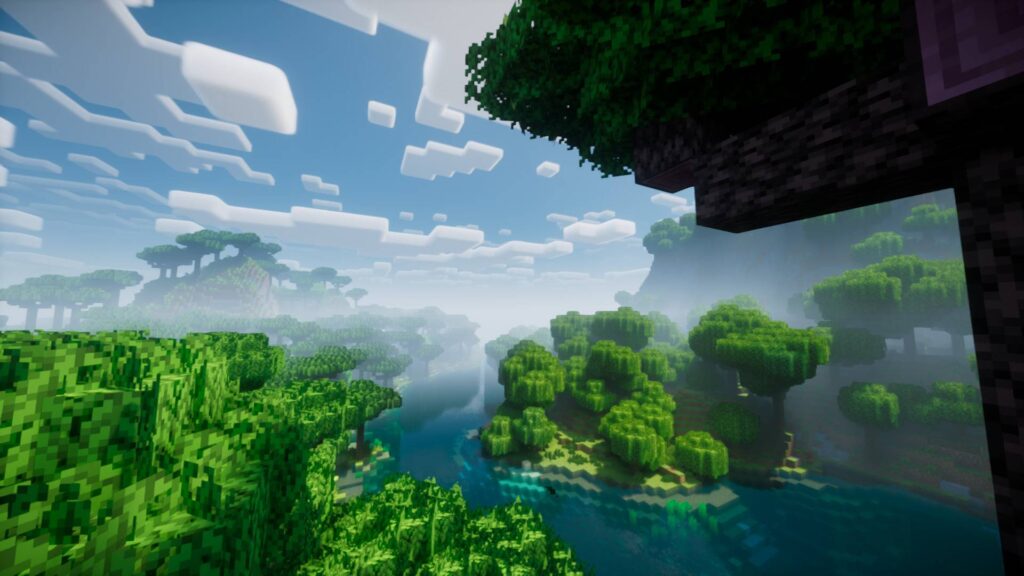
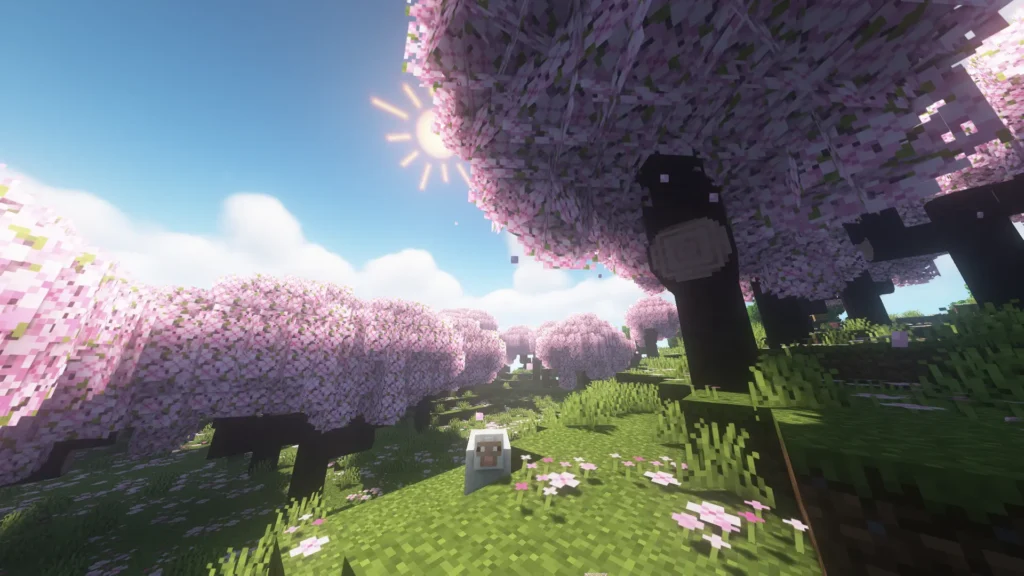
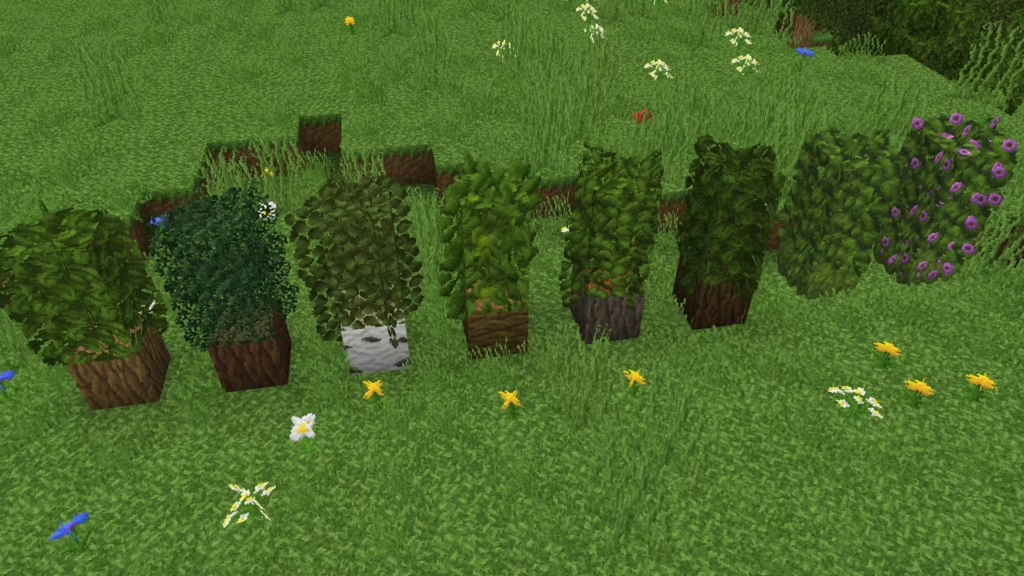
The screenshots shown are taken from official sources and demonstrate the texture pack running in-game. They highlight how leaves appear fuller and more natural across different biomes while maintaining visual consistency with vanilla Minecraft.
Download
You can download the texture pack using the official link below.
Java Edition:
[16x] [1.21.x – 1.20.x] Download Motschen’s Better Leaves Resource Pack
[16x] [1.19.x] Download Motschen’s Better Leaves Resource Pack
[16x] [1.18.x] Download Motschen’s Better Leaves Resource Pack
[16x] [1.17.x] Download Motschen’s Better Leaves Resource Pack
[16x] [1.16.x] Download Motschen’s Better Leaves Resource Pack
[16x] [1.15.x] Download Motschen’s Better Leaves Resource Pack
[16x] [1.14.x] Download Motschen’s Better Leaves Resource Pack
Curseforge: download starts automatically after a few seconds;
Mediafire: click the big blue button with the text “DOWNLOAD”;
Google Drive: in the top right corner you will see a small download icon (down arrow), click it and the download should start;
Creator: Motschen
All credit for the texture pack goes to the original creator.
Disclaimer
We do not host texture pack files. We only provide links to official sources, and availability of external links may change over time.