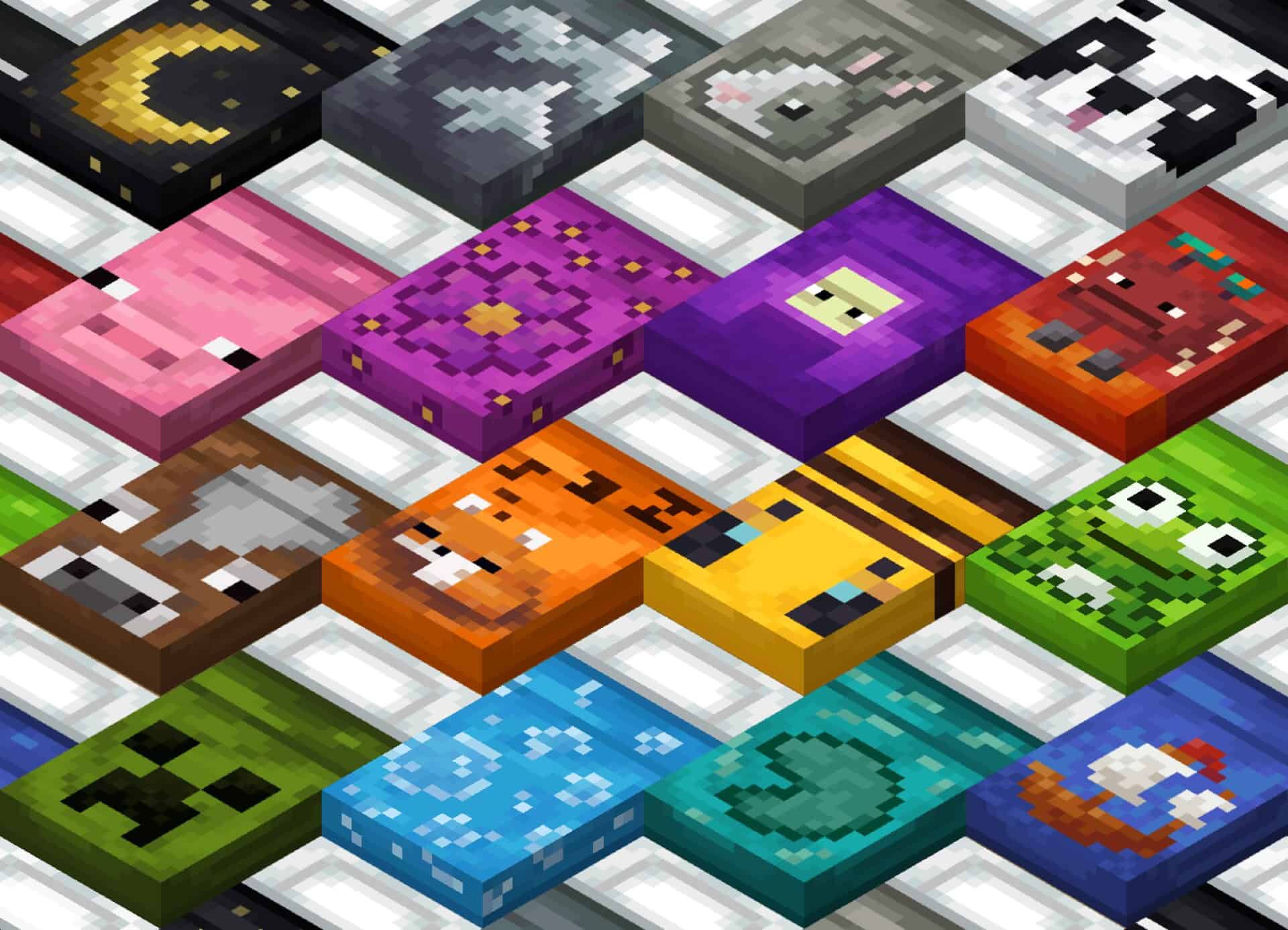
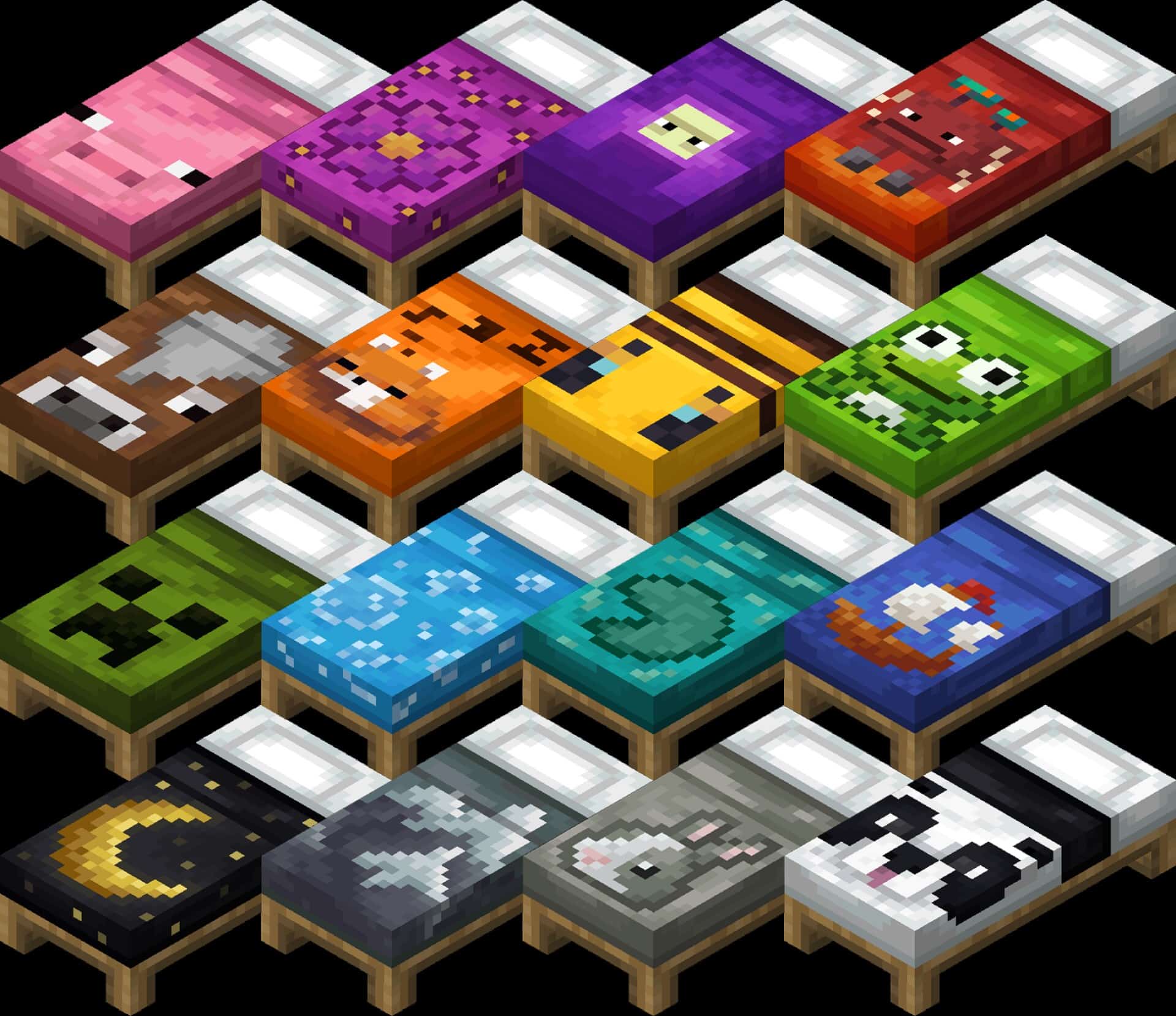
Minecraft has always been all about those tiny, wonderful details that add up to a much bigger experience, and that is precisely where packs like this one truly shine. Instead of trying to completely transform the entire game, it lovingly focuses on a single block type and gives it some much-needed attention. The main focus here is entirely on beds, and while that might sound minor at first, it actually makes a huge difference for players who genuinely care about how their builds look. Beds in Minecraft are used constantly by everyone, whether you are playing in survival bases, exploring adventure maps, or working on creative builds, but they have always looked more like dull placeholders than actual furniture. With the Fancy Beds resource pack installed, that finally changes, because suddenly beds are not just boring red or blue rectangles anymore; they are charming pieces that actually fit into your interior design. The absolute best part of this pack is the fantastic variety it brings. Every single bed gets a completely unique texture, and the pack definitely does not stop at just swapping colors around. Instead, it introduces fun and genuinely cute pixel art designs while staying remarkably true to the game’s original visual style. Some beds feature lovely flowers, others showcase adorable animals like frogs or pigs, and a few come with more subtle yet polished detailing that helps them feel truly distinct. It is not aiming for hyper-realism at all, but rather for pure charm, and that charm works wonderfully in all kinds of different builds. A rustic cabin, for instance, heavily benefits from a bed with a simpler, earthy motif, while a modern house can easily use a design that feels much cleaner and a lot more playful. Because every single option still retains the classic blocky pixel approach, they blend naturally and effortlessly into the vanilla game.
Another great thing worth pointing out is just how lightweight this resource pack is. Many packs try to cover every single texture at once, which can easily put unnecessary stress on weaker PCs or cause annoying visual clashes when combined with other packs or shaders. This one completely avoids those frustrating problems by keeping its scope wonderfully tight and focused. Since it only touches the beds, it loads up super quickly, does not eat away at your performance, and pairs seamlessly with all your other favorite resource packs. That means you can keep your beloved vanilla-style blocks, or even much more complex add-ons, and just let this sit right on top without having to worry about a thing. Builders who love to stack resource packs will deeply appreciate how wonderfully simple that is. It also opens up so many more creative options for roleplay or fully themed worlds. If you are currently building a cozy fantasy village, a grand castle, or even a sprawling modern city, you can effortlessly choose a bed design that perfectly matches your specific setting.
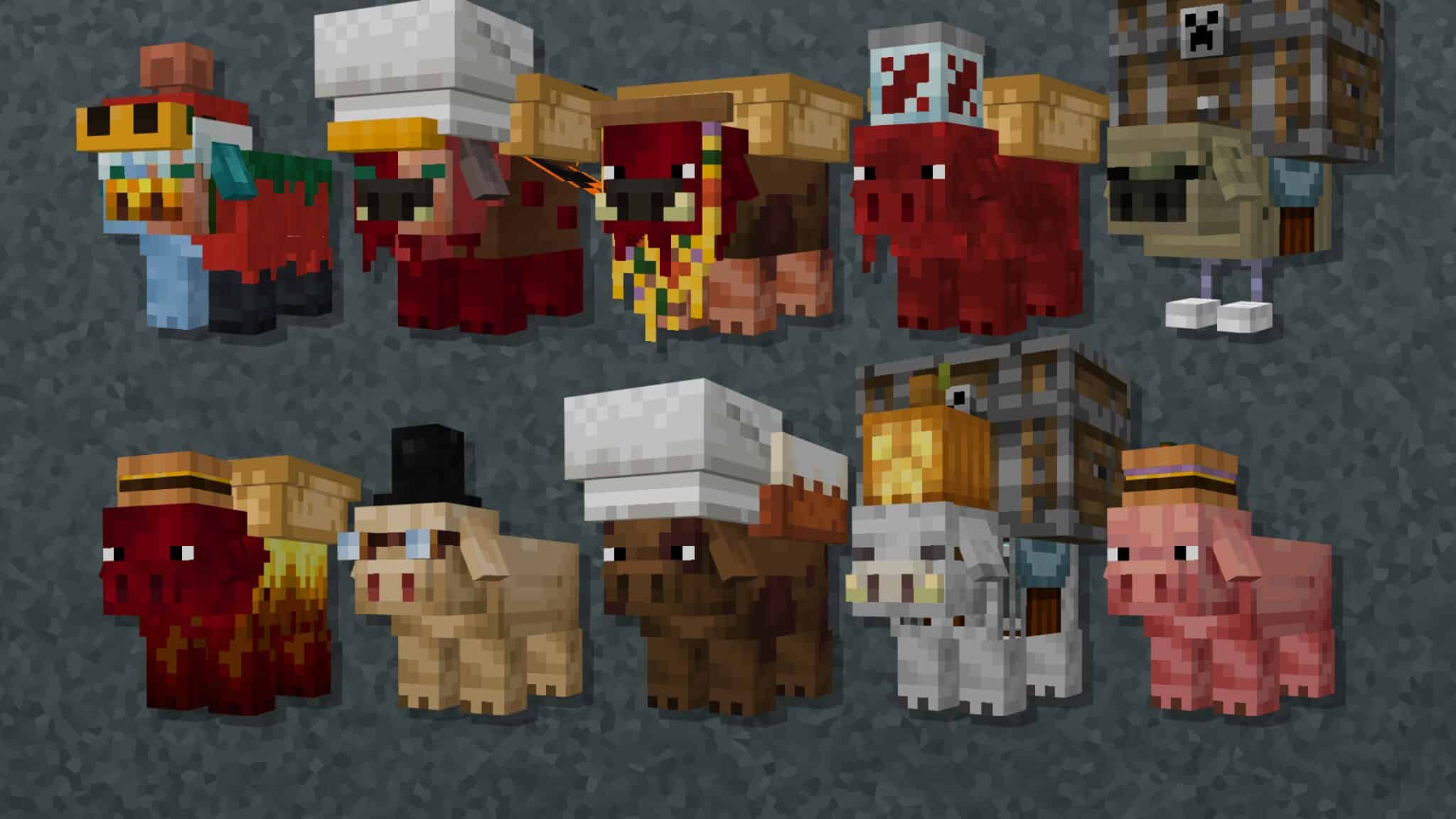
A medieval tavern instantly feels so much more alive when each individual room has its own unique bed style, while a suburban home looks completely finished with a bed that perfectly ties in with its color scheme. That flexibility adds fantastic depth without ever demanding any extra effort from the player. For anyone who has ever felt that the standard vanilla beds were just way too plain, this is an amazingly clean solution. The philosophy behind this pack is important to highlight as well. Rather than going completely overboard and re-imagining the entire game from scratch, the creator chose to thoughtfully improve just one specific part of it. That genuine care really shows in the final result. Every single texture feels thoroughly thought out and never rushed, and the visual consistency makes the whole pack feel remarkably polished. Even though it is quite small in file size, it delivers a deeply noticeable improvement, and that is exactly why it deserves your attention. It is the kind of pack you honestly do not think you need until you finally try it out, and then it becomes genuinely hard to ever remove. In a way, it is very similar to packs like the Porkier Pigs resource pack, which also brilliantly prove that even small changes can have a huge impact on how you play or build. By concentrating on one thing and doing it exceptionally well, both show that Minecraft does not always need massive overhauls to feel fresh and exciting. They serve as great reminders that sometimes the smallest textures bring the most satisfaction, especially when they are part of your daily gameplay. Ultimately, what this bed-focused pack achieves is brilliant balance. It does not sacrifice your frame rate, it does not clash with other textures, and it does not alter the overall look of the game. What it actually does is give players a lot more personality in one of the most frequently used items in all of Minecraft. The default game treats beds as a mere utility, while this pack treats them as actual furniture, as gorgeous decoration, and as something that should truly reflect the world you have built around it. That difference might not be overly dramatic, but it is definitely meaningful for players who care about meticulous detail. For anyone who is constantly looking for small yet effective ways to polish their Minecraft worlds, this comes with an exceptionally easy recommendation. It is also versatile enough that you can easily leave it installed long-term without it ever feeling intrusive or out of place. Much like when trying out the Fancy Beds texture pack, you will quickly realize how a few changed textures can make everything surrounding them feel just a little bit more alive. And when you finally head back into your world after sleeping peacefully through the night, you will notice that simple things, like seeing the gorgeous bed in your room, make the whole experience a whole lot warmer.
Fancy Beds should be compatible with all of these Minecraft versions: 26.2 – 26.1.2 – 26.1.1 – 26.1 – 1.21.11 – 1.21.10 – 1.21.9 – 1.21.8 – 1.21.7 – 1.21.6 – 1.21.5 – 1.21.4 – 1.21.3 – 1.21.2 – 1.21.1 – 1.21 – 1.20.6 – 1.20.5 – 1.20.4 – 1.20.3 – 1.20.2 – 1.20.1 – 1.20 – 1.19.4 – 1.19.3 – 1.19.2 – 1.19.1 – 1.19 – 1.18.2 – 1.18.1 – 1.18 – 1.17.1 – 1.17 – 1.16.5 – 1.16.4 – 1.16.3 – 1.16.2 – 1.16.1 – 1.16 – 1.15.2 – 1.15.1 – 1.15 – 1.14.4 – 1.14.3 – 1.14.2 – 1.14 – Bedrock Edition – PE
Screenshots
How to Install Texture Pack (Simple 10 Steps)
- Download OptiFine: Most of the texture packs and shaders need OptiFine. That’s why, first download and install OptiFine for the version of Minecraft you want to play.
- Download the Texture Pack: Get the texture pack you want from the download section. Choose the version that works with your Minecraft and your PC’s performance.
- Open Minecraft Launcher: Start Minecraft using the official game launcher — or even TLauncher, if you use that.
- Go to Options: From the main menu, click on the “Options” button.
- Open Resource Packs: Inside Options, click on “Resource Packs…”.
- Open the Resource Pack Folder: Click on “Open Resource Pack Folder” — this will open a folder named “resourcepacks”.
- Move the Pack File: Copy or move the .zip file you downloaded into that “resourcepacks” folder. (Don’t unzip the file — Minecraft uses it as-is!)
- Go Back and Refresh: Close the folder and click “Done”, then go back into “Resource Packs…” again.
- Activate the Pack: You’ll see the pack on the left side. Hover over it and click the arrow to move it to the right (active side).
Tip: If you get a message that the pack is for a different version, just click “Yes” — it usually works fine. - Click Done and Enjoy: Click “Done” again. Now your pack is ready to use in-game. It’s that easy!
Credits
This resource pack was originally created by Agente_511. We do not claim ownership of this content, nor do we host modified versions of the files. All rights belong to the original author. We strongly encourage visiting the official creator download links to support their work.
Download Links
Java Edition
Bedrock Edition
Download Instructions
Curseforge: download starts automatically after a few seconds;
Mediafire: click the big blue button with the text “DOWNLOAD”;
Google Drive: in the top right corner you will see a small download icon (down arrow), click it and the download should start;