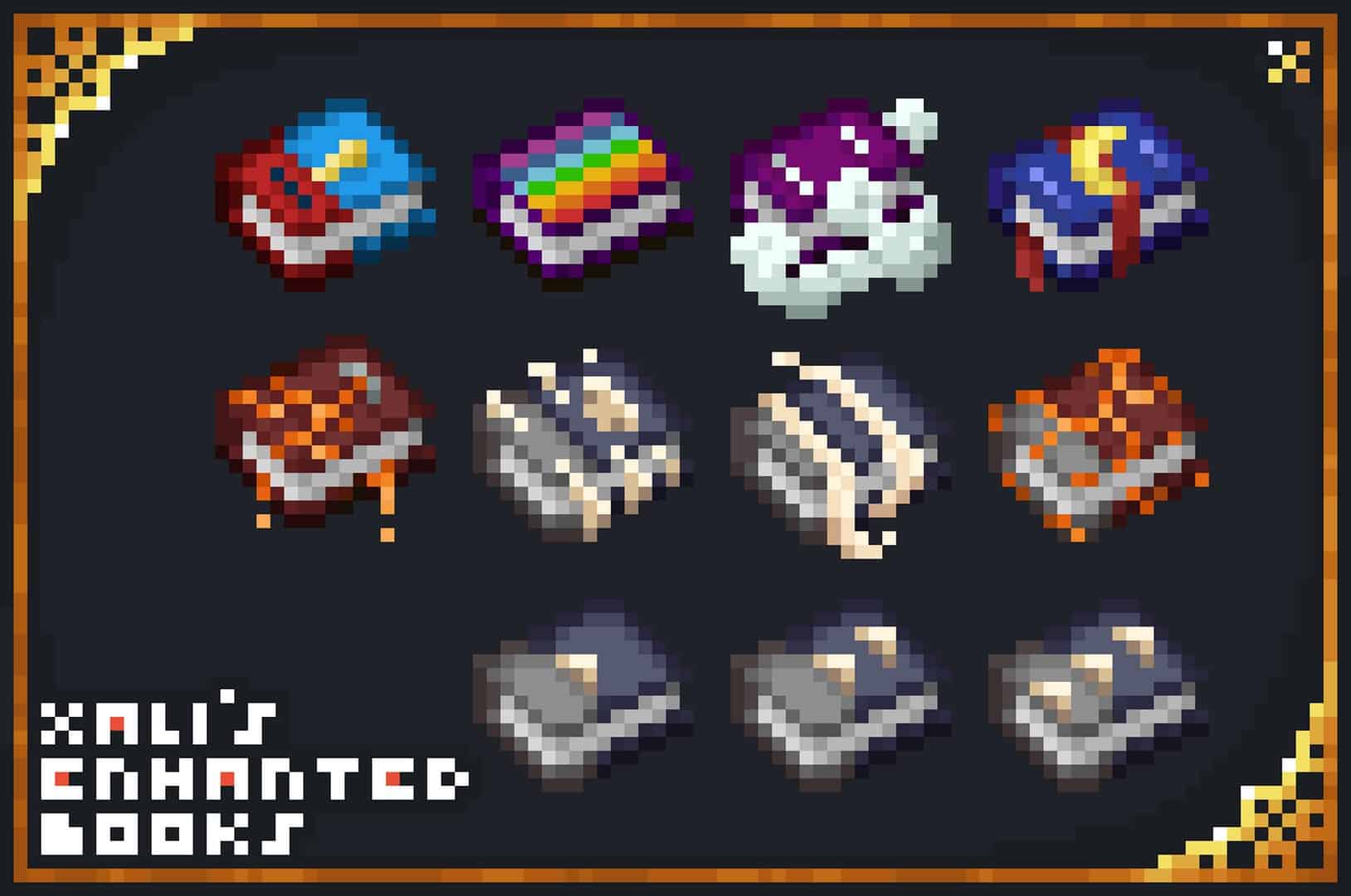
Xalixilax dropped the Xali’s Enchanted Books resource pack in May 2021, and honestly, it blew up across the Minecraft community almost instantly. It was heavily recommended by many popular Minecrafters, pushing this incredible texture pack to rack up over 4.8 million downloads since the writing of this article. It was originally built to solve a massive headache that so many of us deal with every single day. We’ve all struggled to find that specific enchanted book we desperately need buried in a chest because, let’s face it, vanilla books all look identical, which gets super frustrating and wastes so much precious game time. Even though their actual functions are vastly different and the enchantments they apply to tools and weapons vary greatly, the default visual appearances of the books are practically identical. Because the colors are so similar, the only way to pick out the correct enchantment from a pile of loot is to hover your cursor over every single book to read those tiny, annoying titles. If you already know what you want but have no clue where it is in your storage room, you’ll quickly get annoyed wasting time hunting for the right book. It is a tedious process that completely grates on your nerves and can honestly make you lose interest in using enchantments altogether. That is a total shame because enchantments add brilliant new layers to your world and genuinely enhance gameplay in ways you simply cannot replicate otherwise. They make your favorite tools and weapons last so much longer, help drop extra materials while mining, let you push mobs back or set them ablaze, and are just a blast to use in general. Playing without easily accessible enchanted books heavily limits what you can achieve, cutting you off from fun content and features you deserve to enjoy. Depending on how many double chests full of enchanted books you have hoarded, you could easily spend minutes or even hours searching for the exact one you need. The right book can totally change the course of your Minecraft adventure and open up crazy options, but you actually have to find it first. Thankfully, the Enchanted Books texture pack crafted by Xali completely eradicates this annoying problem once and for all.
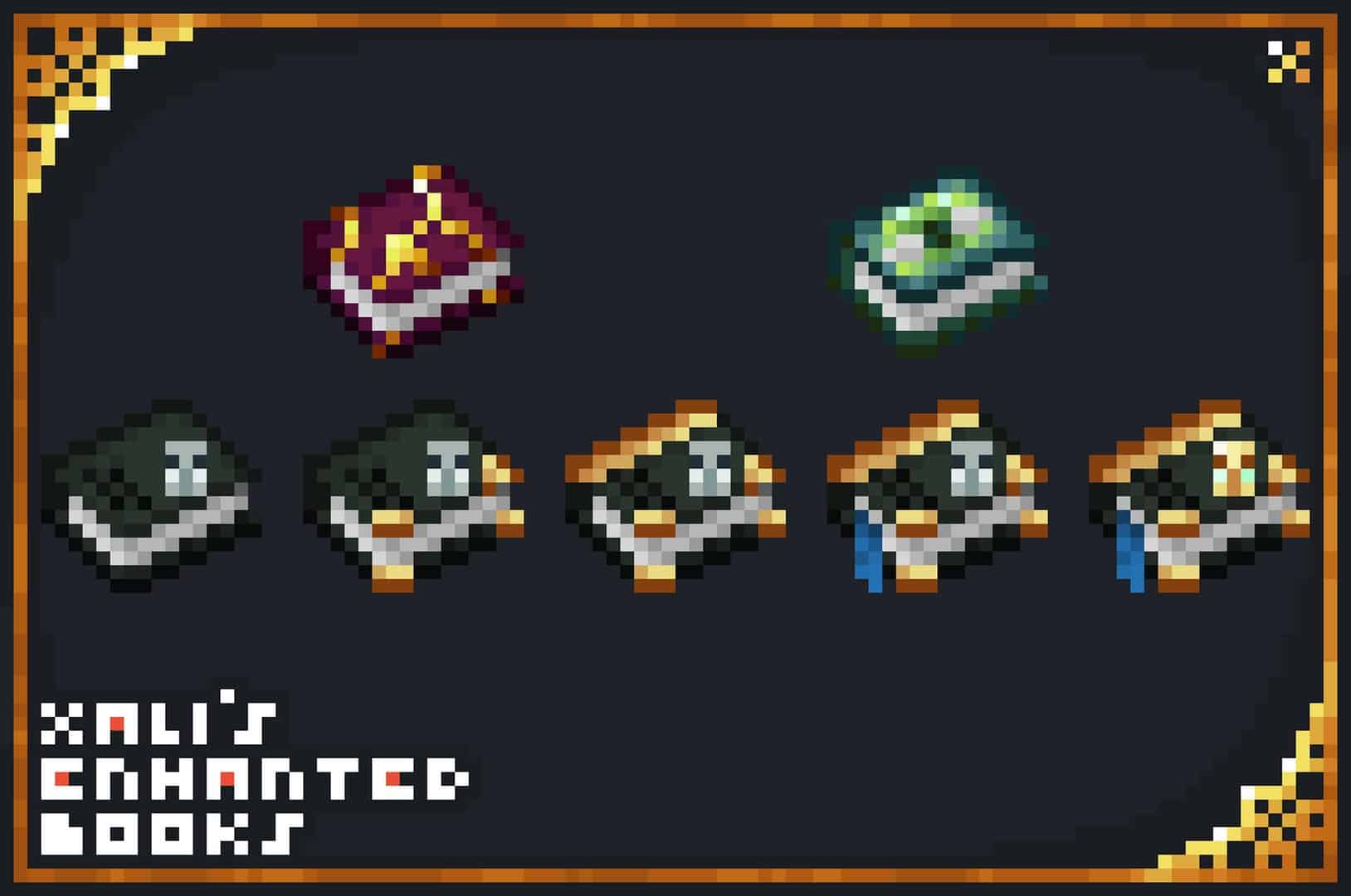
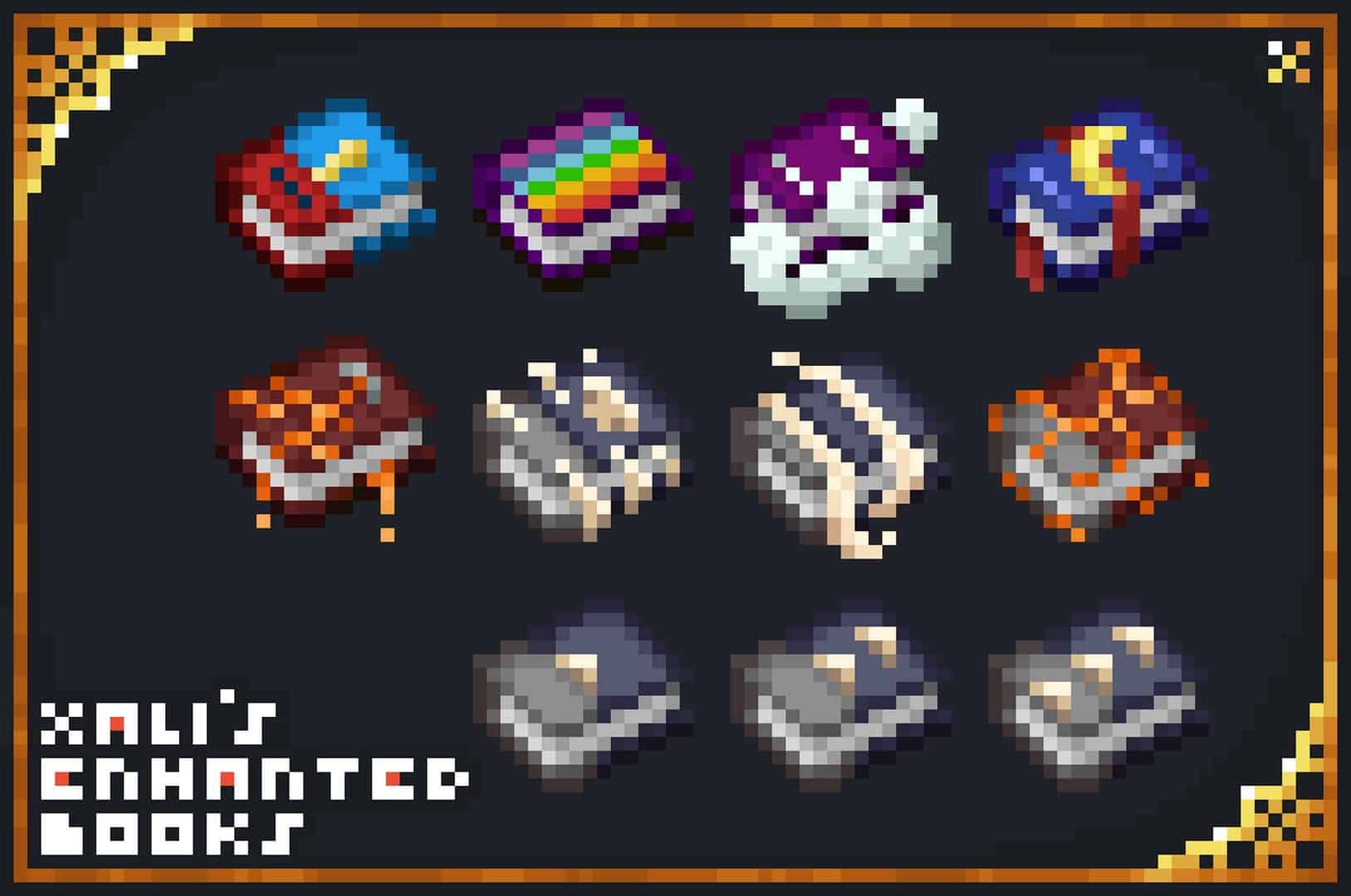
Its main purpose is to completely overhaul the appearance of enchantment books so you can effortlessly tell them apart at a glance. Inventory management gets trickier as new features and items drop with each Minecraft update, especially when you are trying to sort out piles of books. Organizing is needlessly complicated because they all share the exact same model with barely any variation. Whether an enchantment book grants the power of fire, sharpness, or level IV power, the vanilla models look completely the same. This used to discourage many Minecrafters from even bothering with enchantment hunting since sorting them felt like an annoying chore. The boring sameness of the books creates an artificial challenge in your survival world, but unlike awesome boss fights against tough mobs like the Ender Dragon or the Warden, sorting vanilla books is definitely not entertaining or fulfilling to overcome. Thankfully, Xali’s Enchanted Books resource pack gives unique colors and textures to the models of each book, making your storage rooms so much easier to organize. Minecrafters are finally being spoiled with a wide variety of visual options. Not only do the colors change drastically, but there are also additional visual effects for players to discover. This adds so much more room to explore and gives you a genuine reason to seek out new enchanted books on your travels. To truly experience everything that this fantastic resource pack has to offer, you will want to make sure you have the correct performance mods installed. The first step you should take is making sure that the Optifine mod has been properly installed on your device. Alternatively, CIT Resewn serves the exact same purpose, so you can easily use that instead if you prefer not to install Optifine. Either of these awesome mods will guarantee that Xali’s Enchanted Books texture pack operates at peak performance once you load into your world. To sum up everything, the Enchanted Books pack offers players brand new, gorgeous texture bases for all their enchanted books. They blend seamlessly into the vanilla art style while still standing out enough to make sorting a breeze, extra effects are added to enchantments, and you get to save tons of time searching so you can spend more time going on epic adventures. Having this texture pack installed will genuinely elevate your gameplay to brand new levels and completely stop you from wasting time.
xali’s Enchanted Books should be compatible with all of these Minecraft versions: 1.21.11 – 1.21.10 – 1.21.9 – 1.21.8 – 1.21.7 – 1.21.6 – 1.21.5 – 1.21.4 – 1.21.3 – 1.21.2 – 1.21.1 – 1.21 – 1.20.6 – 1.20.5 – 1.20.4 – 1.20.3 – 1.20.2 – 1.20.1 – 1.20 – 1.19.4 – 1.19.3 – 1.19.2 – 1.19.1 – 1.19 – 1.18.2 – 1.18.1 – 1.18 – 1.17.1 – 1.17 – 1.16.5 – 1.16.4 – 1.16.3 – 1.16.2 – 1.16.1 – 1.16 – 1.15.2 – 1.15.1 – 1.15 – 1.14.4 – 1.14.3 – 1.14.2 – 1.14 – 1.13.2 – 1.13.1 – 1.13
Screenshots
How to Install Texture Pack (Simple 10 Steps)
- Download OptiFine: Most of the texture packs and shaders need OptiFine. That’s why, first download and install OptiFine for the version of Minecraft you want to play.
- Download the Texture Pack: Get the texture pack you want from the download section. Choose the version that works with your Minecraft and your PC’s performance.
- Open Minecraft Launcher: Start Minecraft using the official game launcher — or even TLauncher, if you use that.
- Go to Options: From the main menu, click on the “Options” button.
- Open Resource Packs: Inside Options, click on “Resource Packs…”.
- Open the Resource Pack Folder: Click on “Open Resource Pack Folder” — this will open a folder named “resourcepacks”.
- Move the Pack File: Copy or move the .zip file you downloaded into that “resourcepacks” folder. (Don’t unzip the file — Minecraft uses it as-is!)
- Go Back and Refresh: Close the folder and click “Done”, then go back into “Resource Packs…” again.
- Activate the Pack: You’ll see the pack on the left side. Hover over it and click the arrow to move it to the right (active side).
Tip: If you get a message that the pack is for a different version, just click “Yes” — it usually works fine. - Click Done and Enjoy: Click “Done” again. Now your pack is ready to use in-game. It’s that easy!
Credits
Credits to xalixilax for creating Xali’s Enchanted Books. We do not own or modify this resource pack. Please support the original creator through their official download channels.
Download Instructions
Curseforge: download starts automatically after a few seconds;
Mediafire: click the big blue button with the text “DOWNLOAD”;
Google Drive: in the top right corner you will see a small download icon (down arrow), click it and the download should start;